Recent Discussions
FY27 TSP Community Call Thread
We'll use this thread to post updates for TSP Community Calls, including calendar invites to upcoming calls and links to post-call decks and recordings. Please note: decks and recordings of previous calls are kept on the Learning Resources site for 12 months in our Community Call collection. Files from the most recent Community Call take 1-2 weeks to land in the collection. New this fiscal: to be better prepared to present the information you want to hear, we've created a question intake form that we'll use to help plan the calls. Drop a question or some feedback and we'll take the information into account. https://aka.ms/TSPCallQuestionsSee how Copilot in 30 helps partners turn AI interest into adoption
Microsoft is making it easier than ever for CSP partners to accelerate SMB AI adoption. The new Copilot in 30 program combines a 25-user, 30-day Microsoft 365 Copilot Business trial with partner-ready resources, adoption guidance, and conversion support to help customers move from AI curiosity to measurable business value. Backed by significant FY27 investments, updated SMB offers, incentives, skilling, and go-to-market resources, this initiative provides a repeatable framework for driving Microsoft Copilot adoption and long-term customer success. Learn how to identify high-potential opportunities, guide customer evaluations, and convert trials into lasting deployments. 👉 Read the full article: https://partner.microsoft.com/en-US/blog/article/Copilot-activation-for-Fy27
Hardware Program Enrollment Deadlocked / Corrupted Tenant State & Severe Support Failures
Subject: URGENT ESCALATION: Hardware Program Enrollment Deadlocked / Corrupted Tenant State & Severe Support Failures To the Partner Center Operations and Escalation Team: I am an independent developer urgently needing access to the Hardware Developer Program to sign custom software and hardware drivers. My organization is currently trapped in a backend account deactivation loop caused by a UI/database bug during enrollment, and standard support channels have completely failed to assist me. Telemetry / Error Tracing (Restricted Access Error): CorrelationID: 0f815788-6179-43b6-a42f-82bad4469539. Correlation Vector: I80WgZGiXUqKzadn.4. Date: 06 Aug 2026 01:27:15 +00:00. The Background: My organization is fully verified. Both Developer and Partner verifications are complete and green across the board. I initially began the Hardware Program enrollment process under my original business name. Shortly after, I updated our legal business name to include our "LLC" designation. This specific sequence of events is what broke the system. The Technical Issue: Altering the legal name mid-enrollment has catastrophically corrupted my Azure AD / Entra ID tenant state on the Partner Center backend. First, the Ghost Profiles: In the top-right account switcher, my single email address now displays two separate organizational profiles (the original name and the newly designated LLC name). Second, Single Tenant ID: However, both of these profiles map to the exact same underlying Tenant ID. Third, Missing Workspace: Because the backend system sees a mismatch between the original enrollment name and the new LLC verification, it has silently deactivated my hardware access. The "Hardware" and "Agreements" workspaces are completely missing from the left-hand navigation pane. Fourth, The Restricted Access Loop: If I attempt to manually force navigation to the exact hardware dashboard endpoints via the address bar, I receive a hard "Restricted Access" error (generating the telemetry above). The system then incorrectly tells me that I need to request authorization from myself (the Global Admin) to access it, despite being logged in as the Global Admin. The Support Failure: I have spent over 48 hours attempting to resolve this, resulting in completely unacceptable behavior from frontline support. Regarding Abandoned Tickets: I have submitted support tickets that are being completely ignored. One ticket received a single initial response, and has since gone dead silent with zero follow-up or solutions provided. I opened a second ticket which has received absolutely zero response. Regarding Agents Hanging Up: I have successfully bypassed the automated phone bot to reach a human representative on two separate occasions. In both instances, the support agent simply hung up on me rather than attempting to log the backend issue or escalate the call. Frontline support is actively avoiding this issue because they lack the database permissions to resolve a corrupted tenant split. The Request: I cannot use the standard Partner Center ticketing UI to open a Hardware support case because the workspace is suppressed from my dashboard. I need an escalation manager or a database engineer from the Partner Center Operations team to manually review this tenant using the provided Correlation ID. Please clear the corrupted enrollment state, merge the ghost profiles, and restore the Hardware workspace permissions to my verified LLC profile (even if that requires me to re-enroll in the hardware program) so I can complete my driver signing agreements.
GDAP and the 'Printer Administrator' role
Hello everyone! I see that the 'Printer Administrator' role is available in GDAP. However, we get "401 Error loading your content" messages when trying to access Universal Print in Azure. I checked the Workloads supported by granular delegated admin privileges - Partner Center | Microsoft Learn page but wasn't able to find a section for Universal Print at the moment. I believe a license is required to access this feature, which can't be assigned to an external identity, so I suspect that's our issue. A local tenant admin is able to access the universal print things without any issues. Are we doing something wrong? Can we look forward to seeing broader support for GDAP in the future? Thanks! -jon
Don't miss the next Microsoft Elevate Partner Community Call – This Thursday!
⏰ REMINDER ⏰ The August Microsoft Elevate Partner Community Call is happening this Thursday. Join nonprofit and education partners for the latest Microsoft updates, opportunities, and community discussions designed to help you grow your impact. Bring your questions, connect with peers, and stay informed on programs, investments, and upcoming opportunities across the Microsoft Elevate ecosystem. 👉 Sign up here for the monthly series
SaaS Offer | Error Tax
We are testing the creation of a SaaS offer following the Microsoft documentation. During the Pricing and Availability configuration, we configure the plan as Private and add a tenant ID for the restricted audience. We have already tested with two different tenant IDs, but the offer cannot be published and Partner Center displays the following message: "This account is not eligible for publication due to invalid payment, pending payment, or invalid tax information." Questions: Could this error be related to the publisher account's Payout/Tax profile rather than the tenant ID used for the private audience? Is there any way to identify which payment/tax validation is failing in Partner Center? Screenshot attached. Additional context: the tenant ID used for the private audience was validated with multiple tenants, so we are trying to determine whether this is actually a publisher account configuration issue rather than a tenant eligibility issue.Persistent AU10TIX identity verification error and inability to open support ticket
Hello everyone. I am facing a recurring block during the identity verification process in the Microsoft Partner Center using AU10TIX. I have already performed all necessary checks. The registration data is strictly identical to the presented documents, the RG photo is submitted with excellent lighting, and the selfie is captured without accessories, using the native camera and without using a VPN or restrictive networks. Despite all criteria being met, the system immediately returns the error message Sorry, we were unable to complete your verification and the profile remains locked. Additionally, it is not possible to open a support ticket through the partner portal because the system requires the workspace field as mandatory, which we do not have yet due to the current status of the account, completely preventing the submission of support requests through traditional channels. How can I proceed to solve this problem? Thank you for your help.
Business Verification stuck "Rejected / Pending Partner Action" — appeal (Resolve) button fails
I'm requesting a Community Manager escalate this to the Partner Vetting / Trust & Safety team. We have an open Partner Support case that has stalled, and our self-service path is blocked by what appears to be a platform defect. Situation: Our Developer-program Business Verification shows "Rejected / Pending Partner Action." Per Microsoft's own "Submit a verification appeal" article, an appeal is submitted by clicking Resolve (or User Action Needed) on the Verification Summary page. On our account, that exact Resolve button fails every time: - The Account Verification panel opens but errors with "Unable to load conversation details. Please try again or contact support if the problem persists." - The browser console shows, on every attempt: UploadError: "No authentication identifier provided" (thrown at resolveConversation / getUploadStatus). - No document-type selector or upload field ever loads, so we cannot submit or resubmit a document. - Help + Support / Create support request also fails to load. So Microsoft's documented remediation is impossible for us to perform — this is not a document or eligibility problem on our side. A Microsoft 365 support engineer has already confirmed in writing that this is a Partner Center platform issue outside their team's access. Several partners have reported the identical Resolve-panel / authentication failure on this board within the past week, which points to a platform-side defect rather than a documentation gap. Request: 1. A manual appeal / reset by the Vetting team so a working resubmission path opens, or acceptance of our business document out of band. 2. The specific reason our Business Verification was rejected, so we can prepare the correct official document (we have a limited number of appeal attempts and don't want to spend one on the wrong document). I'm happy to share our Seller ID, Partner ID, Tenant ID, the open Partner Support case number, and screenshots privately via DM. This is currently blocking a Microsoft Marketplace / Copilot launch. Thanks in advance.MCAPS Start for Partners
Hello all - Coming off the recent MCAPS Start for Partners event, I want to make sure you're up on the latest that has come out of the Microsoft partner ecosystem. First, check out this blog post from Nicole Dezen, our Chief Partner Officer, which has a good summary of the announcements. You can also visit our Partner Activation Zone which has additional resources that will aid you understanding Microsoft's direction. A couple items to note: Some of the announcements do not have an impact on the Training Services Partner ecosystem and I want to ensure we don't generate any confusion. Things like the Partner Capability Score and Specializations are currently outside the TSP scope. I can tell you that behind the scenes we're actively working to bring the Frontier Partner vision into Global Skilling, but don't have anything to share with you yet. There was further explanation to last year's announcement about the 6 solution areas moving down to 3. The team made it clear that this was a customer-facing marketing change only and has no impact on requirements, KPIs, benefits, incentives, or specializations. This means that you'll continue to be able to meet the 6 solution areas and you'll received additional benefits for each one that you achieve. For example, if you achieve the Business Applications solution area you'll soon receive the public-facing AI Business Solutions badge. If you then achieve the Modern Work solution area you won't get an additional badge (it's the same as BizApps), but you'll get the benefits associated with achieving the additional area. Same goes for the 3 solution areas that feed into the Cloud & AI Platforms badge. Previous 6 designations/paths New badge Business Applications AI Business Solutions Modern Work AI Business Solutions Data & AI (Azure) Cloud & AI Platforms Digital & App Innovation (Azure) Cloud & AI Platforms Infrastructure (Azure) Cloud & AI Platforms Security Security For those that registered for the event you can review session recordings here: MCAPS Start for Partners Home. If you have any questions about what was announced at MCAPS Start for Partners, please let me know.
Verification Authorized but hardware dashboard still returns "account deactivated"
Our company verification completed today and Legal info now shows Authorized. The program selector lists Hardware under "Active In". An EV code signing certificate for the same legal entity is registered and Active on the account. However the hardware dashboard returns an access error saying the account is deactivated, and the Agreements page is empty — no program agreement has ever been recorded. There is no way out of this from the UI. The enrollment flow does not appear because the account is already marked as enrolled, and the Hardware "Get started" link on the Programs page does nothing. Could someone check whether the hardware program enrollment completed on the backend, and whether the program agreement is missing? Seller ID and correlation IDs available on request.What's preventing your Marketplace growth engine from scaling?
Many SDCs know where they want to go with Marketplace, but struggle to turn individual activities into a repeatable growth motion. The latest in the Sell more with App Advisor blog series, asks: ✅ What part of your Marketplace journey is most repeatable today? ✅ Where do you still rely on manual effort or tribal knowledge? ✅ If you could eliminate one friction point between building, publishing, and growing, what would it be? Read the blog and share your thoughts: Build a Repeatable Marketplace Growth Engine with App Advisor The responses could generate useful insights for future Marketplace content and help identify common challenges across the community!
MCPP application closed at Identity Verification - the verification request was never issued
Posting in case others have hit this, and hoping someone from the compliance team can advise. Our MCPP enrollment was rejected with the standard message - "your organization does not currently meet the requirements to pass verification. There are no appeals available, we have closed your application." No reason was given, and the Partner Center AI assistant could not retrieve one either. What makes this look like a stuck state rather than a decision: The pipeline halted at Identity Verification. Verification Started and Email Verification both completed. Identity Verification failed. Employment Verification and Business Verification were never reached. We were never prompted to complete identity verification - no email to the primary contact, and no in-product prompt, at any point before the rejection. No control to obtain or present a Verified Credential exists on the account. The documentation says you use a Resolve or "Get verified here through our trusted ID-verifier" link and then present the credential by scanning a QR code. We inspected the rendered page directly: none of those elements are present - not hidden by styling, not inside an iframe, not in shadow DOM. The Verification Summary is marked view-only. The path /organization/required-verification returns not-found on both the /dashboard/v2/ and /dashboard/account/v3/ routes. Our Verification Summary renders in the legacy layout (steps in a horizontal row), so the Supplemental Documents area from the updated experience does not exist for us either. There is no route to upload documents. Timing: submitted on a Saturday, rejected by Monday - across a weekend, against a documented 3-5 business day review. No document had been submitted, so there was nothing to review. Every input we can verify is consistent. Legal name, address and registration number match our formation documents and IRS letter exactly. The Entra ID user's display name, first name and last name match the Partner Center primary contact exactly. The primary contact is an individual work address on our own verified domain, not a free or group mailbox. The primary contact holds a valid, non-expired government ID matching the account name, with Microsoft Authenticator installed. Questions: Has anyone had a closed application reopened, and what actually worked? 2. Is there a way to have an account moved from the legacy Verification Summary to the updated experience? That alone would expose both the Verified Credential control and the document upload area. 3. Where the identity verification request appears never to have been issued, is re-issuing it something support can do - or does it strictly require a new application? 4. If reapplying is the only path, does the rejection attach to the submission or to the tenant? We have a full Microsoft 365 environment and a verified domain on this tenant and need to know before doing anything. A support case is open. Happy to provide Partner IDs and tenant ID by private message. Thanks in advance.Business Verification past the review window — no result, no new document requested
Hello Partner Compliance team, I'd like to request an escalation to the Partner Vetting team. Our company enrollment in the Developer program is stuck at Business Verification. Identity and Employment both passed. We submitted our official incorporation record on 27 July under "Formation documents". The Resolve panel still shows the document as submitted successfully, but the five business day review window has passed with no result and no request for a new document. We have one submission attempt left. What makes this odd: an EV code signing certificate for the same legal entity is already registered and Active on this same account, issued by Sectigo and validated on 22 July. Their EV organizational validation covered legal existence, operational address and authorized signatories. So the same company appears verified on one part of the account and unverifiable on another. Two further points: Our hardware program enrollment shows as Active, but the hardware dashboard returns an access error saying the account is deactivated. I cannot raise an in portal support request either. The Workspace dropdown comes up empty, which leaves Problem type and Review solutions disabled. Our account type is Company, but the Legal Info page has no legal business name field. The only identifier for the legal entity is the VAT ID, and that field does not keep what I enter. I type our tax number, save, get no validation error, and the field is empty again when I reopen it. If the automated check reads VAT ID, it may be matching against nothing. Could someone look at the pending submission and let me know which data point is failing? I would rather not spend the last attempt guessing. Happy to share seller ID, tenant ID, certificate details, registry numbers and screenshots by DM. Thank you.
Hardware Program registration deactivated and unable to create support case
Our organization completed Partner Verification successfully. However, the Hardware Program still shows "program registration is deactivated". We also cannot access Hardware Dashboard and cannot create a support case because Engage Center returns "No Access". Has anyone experienced this issue or can a Microsoft moderator help route this to the Hardware Program team? Thank you.
Business verification stuck for over 2 months and I can't create a support request
Hi everyone, I'm hoping someone from the Microsoft Partner Compliance team can help because I've run out of options. My business verification has been stuck for over two months. I resubmitted the required documents, and Partner Center says reviews usually take about 5 days, but nothing has changed since then. The status still shows as rejected, and I haven't received any emails asking for additional information or documents. The bigger issue is that I can't even contact support. I'm the Global Admin for our Partner Center account, but under Help + Support I only see Service Health. There's no option to create a support request. I also tried using the public Partner Center support page. After selecting Business Verification, it tells me to sign in to Partner Center to continue, but it just sends me back to the same page where there's still no way to open a ticket. It feels like I'm stuck in a loop. At this point I'm not sure if my verification request is stuck or if something is wrong with my account. Has anyone experienced this before, or could someone from the Microsoft team please take a look? I'm happy to provide my Publisher ID and any other details through a private message if needed. Thanks in advance!
Business verification rejected, appeals exhausted, no support path
Hello Partner Compliance team, I'm requesting a manual review of my AI Cloud Partner Program account verification. My business verification has been rejected multiple times and I've exhausted the available appeals, with no remaining option to upload documents or resubmit in Partner Center. My situation: I'm a single-member US LLC (registered in California) with an active D-U-N-S number, enrolled in Partner Center to complete publisher verification for a Microsoft Entra app that's otherwise fully working. I believe the rejections stem from a mismatch between the app/brand name I entered during enrollment and my legal entity name on file with Dun & Bradstreet. I've since identified the discrepancy and can provide corrected details and supporting documentation (state registration, D&B record, domain ownership). I've contacted Microsoft support multiple times but have only reached automated agents that route me back to documentation, with no way to open a ticket or reach a human reviewer. Could someone from the vetting team please reach out so I can share my Partner ID and support reference numbers via private message? I'm happy to provide any documentation needed to complete verification properly. Thank you.Unable to Verify Employment
Hey, I've tried submitting for a new Microsoft Partner, and I'm running into some issues. Under the Verification Status it would get stuck on "Employment Verification" saying "Pending Partner Action" The banner would say to submit documents but there is no where to submit documents. I read that it will check the DNS of the domain as well as scan the webpage. So i made sure that both the website + DNS records all use the exact same spelling and punctuation as the company name in the Microsoft portal, The email used is on the same domain. Everything should match perfectly. After updating it all and confirming that every field is the exact same. I now have a banner saying "Based on the infomation you have provided to date, we have determined that your organization does not currently meet the requirements to pass verification" I created a support ticket to try and get this resolved, Yet it seems to just be sitting in a "Open" state with no replies and my distributor says they are not able to help me / Sell me Microsoft products until this is complete. I've uploaded all the incorporation documents + the domain ownership letter to the support ticket as there is no where else to put it I can also get a letter from my distributor if that would help, but is there any other way to get the verification to complete. One of my clients needs a RDS license asap as his expired.. And I'm quite stuck here in limbo unable to purchase more licenses. ThanksCSP July 2026 Monthly Partner Update
This month's updates covered key changes to partner agreements, security requirements, pricing capabilities, growth margins, and promotional offerings designed to support partner readiness and adoption of upcoming CSP enhancements. Please use the survey link to share your feedback on the these updates. Survey Link. Visit the Launch Enablement Guide for additional readiness resources, guidance, and partner actions. This Month's Topics: (click title to jump to video) MPA Refresh | MFA for Partner Center APIs | End-of-Sale Software Price List | FY27 Growth Margins | Azure & per User Promos MPA Refresh The updated Microsoft Partner Agreement takes effect on 1 December 2026, and partners are encouraged to review the summary of changes and updated CSP Program Guide to prepare their organizations. If the player doesn’t load, open the video in a new window: Open video MFA for Partner Center APIs Prioritise implementing MFA for app-plus-user Partner Center API scenarios to reduce operational risk and help maintain business continuity ahead of future enforcement. If the player doesn’t load, open the video in a new window: Open video End-of-Sale Software Price List Partners can now access the end-of-sale price list for software through both the Partner Center user experience and API, helping them identify software products that have reached end of sale. If the player doesn’t load, open the video in a new window: Open video FY27 Growth Margins The new growth margins capability will provide eligible partners with an additional upfront margin for selected commercial AI workloads across new-to-offer, seat-expansion, and strategic SKU-mix scenarios, with sandbox testing available ahead of the October launch. If the player doesn’t load, open the video in a new window: Open video Azure & per User Promos New Azure promotion capabilities will enable percentage-based discounts across eligible consumption scenarios, including pay-as-you-go, reserved instances, and pre-purchase plans, with discovery and redemption experiences available for sandbox testing. Upcoming per-user promotion enhancements will support more precise customer targeting by seat count and introduce greater flexibility for qualifying customers in new-to-offer scenarios. If the player doesn’t load, open the video in a new window: Open video Need More Information? Visit the Launch Enablement Guide for additional readiness resources, guidance, and partner actions. Follow this tag for email notifications to all future update publications.Free webinar Aug 5: What actually changed in FY27 for software companies co-selling with Microsoft
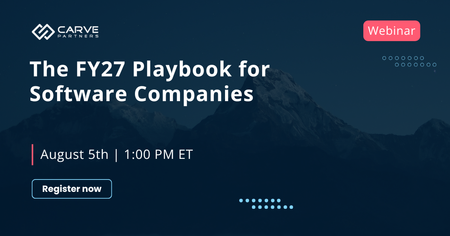
Microsoft's fiscal year just reset. MCAPS Start laid out new seller priorities, refreshed solution plays, and shifts to the programs and incentives software companies rely on. And there's more moving underneath than what made the announcements. We're hosting a free, live session on August 5 to break it down for ISVs co-selling with Microsoft. The angle isn't a news recap of what changed. It's what to do about it. For every shift that matters, we cover the specific move to make. What we'll get into: - The FY27 changes that actually affect your partnership and co-sell motion (and the ones that just sound like they do) - What each shift means for how you share deals, engage sellers, and position your solution this year - A prioritized action list you can start working the same day Who it's for: software companies co-selling with Microsoft, including partnership leads, alliance managers, and co-sell teams who want to start FY27 with a plan rather than a backlog. The FY27 Playbook for Software Companies: What Changed and What to Do About It Wednesday, August 5 · 1:00 PM ET · 60 minutes · Free Register: https://www.carvepartners.com/upcoming-webinars/fy27-playbook-for-software-companies


Events
Join Microsoft partners and experts from November 17–20 to explore the latest AI innovations, sharpen your skills, and accelerate customer outcomes.
Register now
Tuesday, Nov 17, 2026, 08:00 AM PSTOnline
0likes
5Attendees
0Comments
Recent Blogs
- Customers are moving beyond isolated AI experiments and looking for practical ways to use AI to drive revenue, improve profitability, and create measurable business value. This creates an opportunity...Aug 06, 202628Views0likes0Comments
- Learn about 216 new offers that went live in Microsoft Marketplace, a single destination to find, try, and buy cloud solutions, AI apps, and agents to meet your business needs.Aug 06, 202666Views2likes0Comments