Recent Discussions
Preparing a Microsoft 365 Tenant for Copilot in Late 2026
Forty months ago, Microsoft launched Copilot. Looking back, the lack of guardrails at the time was staggering, and AI had a great time wandering across SharePoint, OneDrive, Teams, and Exchange. Now Microsoft Copilot is a unified client and there’s a bunch of essential steps for tenants to take to keep AI processing under control and their sensitive and confidential information safe. Here’s what we know about implementing Copilot in late 2026. https://office365itpros.com/2026/09/04/microsoft-copilot-in-2026/33Views0likes0CommentsRevoking Access Tokens for Risky Service Principals
A Technical Community post discusses the topic of using the Entra ID continuous access evaluation (CAE) feature to revoke access for service principals when apps become risky or potentially compromised. The Microsoft Graph Command Line Tools app is a good example of a service principal in common use, so we examine the access tokens issued for interactive Graph sessions to discover if they are CAE-enabled. Just for fun! https://office365itpros.com/2026/09/03/cae-service-principals/30Views0likes0Comments
How much of your Microsoft 365 environment can you actually see at once?
Not how many users you have. Not how many sites, teams, apps or flows you have. How much of it can you actually see connected together? I've been working across Microsoft 365 environments for a while, and I kept running into the same thing. There is no shortage of information. If anything, there is probably too much of it. Users, groups, permissions, SharePoint, Teams, Power Apps, Power Automate, Power BI, Dataverse, OneDrive, Exchange, Intune, licensing, configuration... It's all there. But when you're actually trying to understand how everything fits together, it can be a different story. You open one blade. Find something. Open another. Cross-check it. Go back. Open something else. Before long, you're jumping between different parts of the tenant trying to build the bigger picture in your head. And if you're working with larger environments, that gets difficult pretty quickly. The information isn't necessarily missing. The relationships between the information are what can be difficult to see. That got me thinking about a slightly different question: Instead of "where do I find this information?" "Show me what's connected to this." That's where VisibleState started. Start anywhere. Follow the connections. Imagine starting with a single user. Instead of seeing that user simply as a record with a list of properties, imagine being able to explore the relationships around them: User → Groups → SharePoint → Teams → Power Apps → Power Automate → Power BI → Dataverse → OneDrive → Exchange → Intune Then the questions become different: What does this user have access to? Is that access direct or coming through a group? What resources are connected to them? What depends on something they're associated with? Which licenses are involved? Are there relationships that look unusual? If something changes, what else might be affected? Those questions aren't necessarily about finding another piece of information. They're about putting information that already exists into context. A report can tell you that something exists. A connected view helps you understand what it is connected to. Illustrative example below — not a real customer environment. I'm not suggesting Microsoft 365 doesn't already give us this information Quite the opposite. Microsoft 365 already gives administrators an incredible amount of information and tooling. The thing I've been thinking about is what happens when you want to look across those boundaries. Sometimes I don't want another export. I don't want another list. I don't necessarily want another dashboard. I want to start with something I'm looking at and ask: "What's connected to this?" And then keep following the trail. That's the idea I'm exploring with VisibleState. The interesting part is what happens when you change the viewpoint The same relationships can be useful for completely different reasons. For example: Administrators may want to understand access, permissions and dependencies. Security and governance teams may want to find unusual relationships or exceptions. Compliance teams may need to understand who can access something and why. People managing multiple environments may want a consistent way to understand what's there without rebuilding the picture manually every time. Leadership may not need to see the graph at all. They may simply want to know what's important, what's exposed and what could be affected. It's still the same underlying environment. You're just looking at it from a different angle. And that's where I think things get interesting. Where I'm at with it VisibleState started as something I was building to make my own work easier. I was spending a lot of time investigating environments, tracing access and putting information together for reports. The individual tasks weren't necessarily difficult. It was the jumping between different places and reconstructing the bigger picture that took the time. So I started building something that would let me approach the environment through the relationships instead. It's grown quite a bit from where it started, and I'm continuing to build it. I'm not posting this as a product launch, and I'm not looking for people to sign up. I'm genuinely interested in whether the problem I'm seeing is familiar to other people working with Microsoft 365. So I'm curious... If you could start with any object in your Microsoft 365 environment and immediately see what it's connected to, where would you start? Would it be: Users and access Groups and permissions SharePoint and Teams Power Apps, Power Automate, Power BI and Dataverse Licensing and resources Governance and unusual relationships Something completely different Maybe you've already got a good way of doing this. Maybe you still find yourself jumping between different services and piecing things together manually. Or maybe I'm looking at the problem from the wrong direction. What's the one relationship in your Microsoft 365 environment that you wish you could see instantly?81Views0likes0CommentsRunning a Regular Check for New Graph Permissions
Use PowerShell to Check for New Graph Permissions with a View to Updating Permissions Used by Apps. After Microsoft released some new Graph permissions, thoughts turned to how to discover new permissions after they are released. Code is the best way to perform automatic checks, and this article explains how to use PowerShell to check a last known set (stored in SharePoint Online) against the current set. Any variations are reported to administrators via email. https://office365itpros.com/2026/08/31/new-graph-permissions-check/45Views0likes0CommentsMicrosoft To Enforce WAM for Delegated Interactive Graph Sessions
In a GitHub post, Microsoft says that interactive Graph sessions using the default Microsoft Graph Command Line Tools app will use the Web Account Manager (WAM) in the future. Some administrators use older versions of the Microsoft Graph PowerShell SDK for continued access to browser-based authentication, but this won’t be possible once Microsoft makes the server-side change to enforce WAM on an undefined future date. Teams and Exchange Online also use WAM, apparently for better security. https://office365itpros.com/2026/08/28/interactive-graph-sessions-wam/38Views0likes0CommentsThe Case of the Massive Loop Container
Why would a seemingly simple Loop workspace develop into a monster SharePoint Embedded container? That’s the question to answer when a Loop container grew to fill nearly 88 GB of SharePoint Embedded storage. The workspace had been through many hundreds of edits, but that’s an unlikely reason to spread and occupy so much storage. Loop and SharePoint Embedded are black boxes when it comes to administration, so we must wait for Microsoft to explain. https://office365itpros.com/2026/08/27/loop-workspace-big-container/38Views0likes0Comments- 48Views0likes0Comments
- 76Views0likes0Comments
- 50Views0likes0Comments
New Graph Permissions Pose Questions for Microsoft 365 Tenants
Microsoft issues new granular Graph permissions on an ongoing basis. That’s good, but only if tenants use the permissions to replace wider permissions in apps and scripts. Three new permissions recently became available, including two to reduce what apps can do with user account objects. The question is how to discover when Microsoft releases new permissions so that a decision can be made whether to use the new permissions. https://office365itpros.com/2026/08/26/granular-graph-permissions-question/31Views0likes0Comments
Why am I not getting Comcast emails on my iPhone?
Hi everyone, I’m trying to convert several pictures on my iPhone into PDF files so I https://comcast-support-usa-94hq.bolt.host/ can email or upload them more easily. Sometimes I need to combine the pictures into a single PDF, but I also need to batch-convert them so that each picture becomes a separate PDF. I’ve seen suggestions about using the Files app or the Print menu, but I haven’t found a way to do this with either option. Is there a built-in way to do this on an iPhone, or can it be done through OneDrive or another Microsoft app? I’d like the pictures to remain in the correct order and stay clear without making the PDF unnecessarily large. Any advice would be appreciated. Thanks!50Views0likes0CommentsHow to Update Teams Settings After Transferring Meetings
When discussing the transfer ownership of calendar events, we pointed out the Teams meeting problem. Essentially, if an event is a Teams meeting, details of the online meeting are not updated to allow the new owner to control its settings. The result is that recordings and other online meeting artifacts can end up in the wrong place. Microsoft should fix the problem. In the meantime, a PowerShell script illustrates the issue and shows how a fix might work. https://office365itpros.com/2026/08/25/teams-meeting-transfer/40Views0likes0Comments- 73Views0likes0Comments
What Are Some Best Practices for Securing SharePoint?
SharePoint has become an important part of how modern organizations store documents, share information, collaborate on projects, and manage business processes. But as more sensitive information moves into SharePoint, security needs to become a priority rather than an afterthought. Link to the post58Views0likes0Comments- 95Views0likes0Comments
How to Fix Outlook Notifications Not Working: A Complete Troubleshooting Guide
Have you ever been waiting for an important email, only to realize hours later that Outlook never notified you? It is frustrating, especially when you rely on email for work, meetings, customer messages, or time-sensitive updates. Link to the post59Views0likes0CommentsHow to Fix OneDrive Stuck on Processing Changes: 10 Easy Solutions
f you use OneDrive to keep your files synchronized across your computer and the cloud, you probably expect it to work quietly in the background. Most of the time, it does. But occasionally, OneDrive can get stuck on “Processing changes”, leaving files unsynchronized and creating uncertainty about whether your latest work has actually been uploaded. Link to the post66Views0likes0CommentsHow to Fix SharePoint Files Not Opening: Common Causes and Easy Solutions
SharePoint makes it easy for teams to store, share, and work on files from almost anywhere. But when you click on a document and it refuses to open, that convenience can quickly turn into frustration. You may see a blank page, an error message, an endless loading screen, or nothing at all. Sometimes the problem affects only one file, while in other cases, an entire SharePoint library seems to stop working. Link to the post74Views0likes0CommentsNew Archiving Capability for Purview Data Lifecycle Management
Tenants with Microsoft 365 Archive configured can incorporate an archiving step in how Purview retention policies and labels process SharePoint Online and OneDrive for Business files. It makes perfect sense to move inactive files to lower-cost archive storage as an intermediate point some time before their final deletion. You’ll save on storage and stop AI tools processing the digital debris that invariably accumulates in SharePoint. https://office365itpros.com/2026/08/20/microsoft-365-archive-retention/84Views0likes0Comments









Events
Recent Blogs
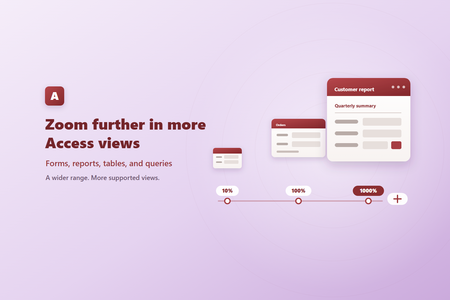
- Zoom from 10% to 1000% Supported Access views can now be zoomed anywhere from 10% to 1000%, expanding the previous range of 50% to 500%. New 10%, 25%, and 1000% choices are available in the Zoom me...Sep 04, 2026188Views2likes0Comments
- We’ve rounded up some of the most popular features to release lately in your favorite apps. It’s not too late to try them out!Sep 03, 2026829Views0likes1Comment