bi & data analysis
2496 Topics
What's the simplest way to make a genuinely random name selection system using Microsoft tools?
For example, suppose I have a list of participants in Excel and want to randomly select one winner without manually choosing from the list. Would you use RAND/RANDBETWEEN in Excel, Power Automate, or another Microsoft 365 approach? I'm also interested in preventing the same person from being selected twice when several winners are needed. I'd appreciate an approach that's easy for someone without much Excel or Power Automate experience to understand.259Views0likes5CommentsI'm looking for a practical way to calculate Pakistan salary income tax in Excel.
The goal would be to enter a monthly salary and have the spreadsheet estimate the applicable tax and resulting take-home amount. Ideally, the calculation should be easy to update when the applicable tax slabs or salary-related rules change. For someone building this in Excel, would you recommend keeping the tax slabs in a separate lookup table and using formulas against that table, rather than hard-coding the rates into one large formula? I'm particularly interested in approaches that make the spreadsheet easier to maintain when tax rules change.274Views0likes1CommentReferenced cells do not identify themselves with color
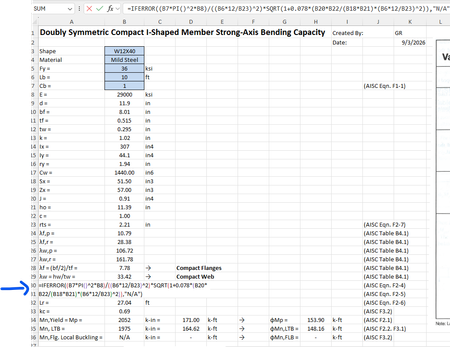
For some reason when I create a formula that references other cells, I cannot get those cells to "identify" themselves with a specific color. For example, in the image below the formula references cells B7, B8, B6, etc but they are just black text and don't show up in color per standard excel documents. Usually they "glow" with a specific color so you can find them easily in big spreadsheets. How do I get the colors back?Solved396Views0likes2Comments
GLSU Excel add-in fails to load after Office update from Version 2607 to 2608
Our Excel add-in, Process Runner GLSU , fails to load after Microsoft Office updates from Version 2607 to Version 2608. This started August 17, 2026 and is actively growing in scope. Error messages: Excel: Cannot run the macro 'onLoad' VBA: System Error &H80004005 (-2147467259). Unspecified error VBA: Compile error in hidden module: ThisWorkbook Has anyone encountered similar issue with their own custom add-on. If yes, any pointers to fix it. We are seeking help on priority. Thanks, Vrushali Pawale, Sr. Manager, Insightsoftware.867Views0likes1Comment
linear interpolation of sparse data
I have several lists of data, each sampled at different varying intervals. I want to merge them into an average set of readings, but since they are each missing data and have readings at different times, I need to first fill-in all missing data using some (linear) interpolation. For example; I want to merge all three months of data into one average month summary: 1-Mar 0 3-Mar 2 10-Mar 8 14-Mar 11 17-Mar 14 21-Mar 14 24-Mar 19 28-Mar 22 31-Mar 33 1-Apr 0 1-Apr 0 7-Apr 2 11-Apr 2 18-Apr 3 21-Apr 9 25-Apr 10 28-Apr 14 30-Apr 14 1-May 0 5-May 3 9-May 4 12-May 8 16-May 9 23-May 13 26-May 16 30-May 17 31-May 18 1-Jun 0 1-Jun 0 6-Jun 3 9-Jun 7 13-Jun 9 20-Jun 15 23-Jun 19 30-Jun 22933Views0likes2CommentsGetting data from Snowflake to Excel
Hello I have multiple no technical users and am trying to find a way to setup a snowflake query for them and then let them refresh it whenever they want or on a schedule, but I couldn't find a good solution this what i found so far: ODBC (Not great for non technical users needs setup on each user desktop) Power Automate (Needs Power Automate Premium which we don't have) Third Party tools (Expensive pricing models) Through Power BI (We want to separate this process from power bi) Any suggested solution please!Solved711Views0likes3Comments
[SOLVED] Power Query - Try don't work with Folder.Files
Oi pessoal! Esta é minha primeira discussão, então eu tenho um problema ao tentar carregar pastas diferentes (no OneDrive) no Power query Excel. Usei a instrução try para corrigir isso, tentando abrir duas pastas diferentes, mas não funcionou. Ela não retorna um registro com os campos [HasError] e [Erro / Valor] para mim. Desde já, obrigado.Solved2.4KViews0likes3Comments