Recent Discussions

Microsoft Teams Call Queue
Hi, A colleague of mine is receiving phone calls from a call queue via MS Teams Admin Center, despite not being a user in the call answering queue. I checked with the others in the call queue to make sure they aren't forwarding calls to him, to which they all said no. Is there something I am missing or a quick config fix?Solved54Views0likes1Comment
External Teams federation broken after Dunloe Dataplane Service provisioning failure
Repost without tenantID Since June 26, all external Teams chat/federation is broken for our organization. Messages to all external users fail with "Send failed". In our Entra audit log we found the root cause: on June 26 at 05:57 UTC, Microsoft Azure AD Internal - Jit Provisioning failed to provision "Dunloe Dataplane Service" in our tenant (multiple SpnValidationException errors, only 1 of 6 succeeded). We have verified all settings are correct: Get-CsTenantFederationConfiguration → AllowFederatedUsers: True, AllowedDomains: AllowAllKnownDomains Get-CsExternalAccessPolicy → EnableFederationAccess: True Entra Cross-tenant access settings → All B2B inbound/outbound: All allowed This appears to be a Microsoft-side provisioning issue. We need Microsoft to re-provision the Dunloe Dataplane Service for our tenant.Solved81Views0likes2CommentsExternal Teams federation broken after Dunloe Dataplane Service provisioning failure
Since June 26, all external Teams chat/federation is broken for our organization. Messages to all external users fail with "Send failed". In our Entra audit log we found the root cause: on June 26 at 05:57 UTC, Microsoft Azure AD Internal - Jit Provisioning failed to provision "Dunloe Dataplane Service" in our tenant (multiple SpnValidationException errors, only 1 of 6 succeeded). We have verified all settings are correct: Get-CsTenantFederationConfiguration → AllowFederatedUsers: True, AllowedDomains: AllowAllKnownDomains Get-CsExternalAccessPolicy → EnableFederationAccess: True Entra Cross-tenant access settings → All B2B inbound/outbound: All allowed This appears to be a Microsoft-side provisioning issue. We need Microsoft to re-provision the Dunloe Dataplane Service for our tenant. Tenant ID: 58b3fa8e-4226-40ec-9424-7e3267c62187Solved45Views0likes1Comment
How to explicitly state an external org is trusted
We have a B2B relationship with our parent company. They manage their own M365 we manage ours, but we added each others' domains as instructed in Cross-Tenant Access Settings and allowed access to each other's directory and calendar. However, on our Teams, their users pop up with a grey "external" badge stating "This person's org hasn't yet been added to your org's trusted list" even though Team's External Access Settings is set to Allow all External Domains, which means there is no trust list to begin with. Do the trusted domains have to be specified explicitly if so, is there a way to set this external domain as trusted without having to change "Allow all External domains" to "Allow only specific external domains"?Solved1.3KViews0likes1Comment
Get all AA/CQ with Resource Accounts
Hello Is it possible to have a script that pulls out all AA/CQ with resource accounts. I would like to pull it to find out which of the AA/CQ do not have resource account. If there is no resource account the field would be empty. Regards JFM_12Solved202Views0likes4Comments
Auto-saving transcription files in a folder?
I'm currently working in a project which requires the usage of meeting transcription files (not recordings!), and I couldn't find a foulder at OneDrive, or Sharepoint that contains the transcription files (.vtt), I know I can manually download it at the meeting recap but manually downloading it would make my project kinda pointless, is there any way that I can configure it to automatically save the transcription file at a folder like it happens with recordings? Thank you!Solved2.2KViews0likes3Comments
When I install my app to a second channel in Teams, the this.onMessage will nto trigger
I have a bot which when installed to a channel will read messages using this.onMessage, if I add another channel to the same team it will also read the messages without installing the bot on that channel. However if a user installs the bot again, to the second channel which some users do, the second channel will not trigger the onMessage listener except when using the @botname command. I cant log errors anything because it just wont trigger. I feel like the context gets screwed up, all the other listeners fire on other channel Any help please?Solved153Views0likes3Comments
eNPS Surveys inside Teams?
Hi everyone, We've been wanting to start conducting eNPS surveys inside Microsoft Teams for a while now but we've struggled with the built in Polls tool. We also couldn't figure out how to create an eNPS tool with Power Apps. Any recommendations?Solved75Views0likes1CommentWhats the best Practise for on-call duty via teams external calling?
Hey community, I'm a bit in a struggle when setting up our Teams Operator Connect Phone system. We have an Auto attendence which is offering different menus (Press 1..., etc) We're planning on setting up a twentyfour x seven on-call duty where customers can call and are getting redirected to the mobile phones of our technician. I saw the option to forward to one number, but there isn't an option to forward to multiple numbers. How do you guys solve such a scenario, where you have to wake up colleagues mid night? We are changing shifts weekly, always 2 guys, sometimes 3 ppl. on shift. Thank in advance, SchnittlauchSolved268Views0likes3Comments
How do you track 1-on-1 meeting notes anywhere in Microsoft Teams?
Hey everyone! How are you all keeping track of your meeting notes? Are you using the built in meeting features? Are you using a seperate app? I've noticed most of our employees are just using their Teams chats as a notepad and it doesn't seem very efficient...Solved297Views0likes3CommentsPowershell adding a existing holiday to Auto Attendant
Hello I have to add an existing Holiday to Auto Attendant and have this script # Connect to Microsoft Teams # Connect-MicrosoftTeams # Variables - Replace with your actual values $autoAttendantName = "AA_Test" $holidaySetName = "Holiday" #$audioFilePath = "Paht\test.wav" # Path to your audio file # 1. Upload Audio File as Prompt $content = [System.IO.File]::ReadAllBytes('Path\test.wav') $audioFile = Import-CsOnlineAudioFile -ApplicationId "OrgAutoAttendant" -FileName "test.wav" -Content $content $audioPrompt = New-CsAutoAttendantPrompt -AudioFilePrompt $audioFile # 2. Create Holiday Call Flow with Disconnect Option $holidayCallFlow = New-CsAutoAttendantCallFlow -Name "Holiday Call Flow" ` -Greetings @($audioPrompt) ` -MenuOptions @( New-CsAutoAttendantMenuOption -Action Disconnect -DtmfResponse Automatic ) # 3. Get existing Auto Attendant and Holiday Set $aa = Get-CsAutoAttendant -Namefilter $autoAttendantName $holidaySet = Get-CsAutoAttendantHolidaySet -Name $holidaySetName # 4. Link Holiday Set and Call Flow to Auto Attendant Set-CsAutoAttendant -Identity $aa.Identity ` -HolidaySets @($holidaySet.Identity) ` -HolidayCallFlow $holidayCallFlow.Identity # 5. Verify Get-CsAutoAttendant -Identity $autoAttendantName | Select-Object Name, HolidaySets, HolidayCallFlow I do get following error Microsoft.Teams.ConfigAPI.Cmdlets.internal\Import-CsOnlineAudioFile : Expected '{' or '['. Was String: Exception. At C:\Program Files\WindowsPowerShell\Modules\MicrosoftTeams\7.5.0\custom\Merged_custom_PsExt.ps1:7245 char:13 + $internalOutput = Microsoft.Teams.ConfigAPI.Cmdlets.inter ... + ~~~~~~~~~~~~~~~~~~~~~~~~~~~~~~~~~~~~~~~~~~~~~~~~~~~~~~~~~ + CategoryInfo : NotSpecified: (:) [Import-CsOnlineAudioFile_ImportExpanded], ParserException + FullyQualifiedErrorId : Microsoft.Teams.ConfigAPI.Cmdlets.Generated.Cmdlets.ImportCsOnlineAudioFile_ImportExpanded Where is the mistake Thanks and have a great day JFM_12Solved286Views0likes4CommentsNo desktop app, no app button on Teams
I'm on an MS365 personal account. I tried to add the "apps" to Teams. I've tried changing permissions, running it as administrator, and changing the settings. So, I find out "If the Apps button is missing, it may be due to policy settings or the user's account type. For instance, the button is not available for personal Microsoft Teams accounts. Users can try using the web version of Teams or check for updates to the desktop app." I tried the web version and it's not there either. No apps button. So, I uninstalled and reinstalled the Teams desktop app. Now, I'm prompted the Store couldn't open the app and directed me to go to the Start menu. I did. Teams does not show up. I can't use the desktop version at all. Why can't I reinstall Teams? How do I fix this? And why is MS not allowing the "Apps" function on personal accounts? Is there a workaround?Solved1.2KViews0likes2CommentsTwo different Delete-Only Retention Policies for Microsoft Teams chat
I have created two different delete-only retention policies for Microsoft Teams chat. Four of us use a 90-day deletion policy and the rest of our staff use a 30-day deletion policy. My question is: If I am using the 90-day policy and I chat with someone who uses the 30-day policy, will my chats remain visible for 90 days and theirs for 30? Or will the most restrictive policy take over and delete the chats from both sides after 30 days?Solved230Views0likes1CommentHow do you handle rewards & recognition in MS Teams?
I'm curious to learn how other organizations are managing rewards and recognition programs within Microsoft Teams. Are you using built-in features like praise badges and announcements, third-party apps from the Teams store, or custom solutions integrated through Power Platform?Solved510Views0likes3Comments
Best survey tool for Microsoft Teams?
Because Forms isn't cutting it anymore! What would you recommend as the best employee survey tool to use inside Microsoft Teams. We definitely need a survey solution that functions inside Teams because the second our team has to open another app, survey completion rates drop fast. Forms was a simple rudimentary solution but now I think we need a more sophisticated tool with better anlytics. Any thoughts?Solved635Views0likes2Comments
How can I remove Power Automate workflows from the Teams right click menu ?
Hello, Some time ago I created a Power Automate workflow which allowed me to set a reminder via the right click menu on Teams chat message so I could follow-up on it later. I have now deleted these workflows from Power Automate but they are still visible in the right click menu in Teams chat. I already restarted Teams and my computer but they remain visible although they do not exist anymore. When I select the workflow I receive an error because it does not exist anymore and can't be executed. Does anyone has an idea where I can remove these so they do not show in the right click menu in Teams chat anymore ? Thanks in advance !Solved117Views0likes2Comments



Events
Recent Blogs
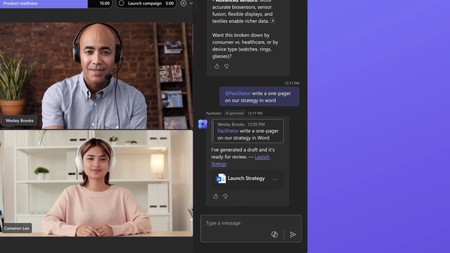
- Most people don't need more meetings—they need meetings that lead to action. At their best, meetings drive decisions and keep work moving forward. But poorly managed meetings can actually slow progre...Aug 11, 202632Views0likes0Comments
- 8 MIN READMicrosoft has been recognized as a Leader in the 2026 Gartner® Magic Quadrant™ for Unified Communications as a Service—our eighth consecutive year with this recognition. We’re also excited to sha...Aug 06, 2026657Views0likes0Comments