Recent Discussions
Update: You can now control Teams Meeting Recording expiration notification emails
Hey Teams community, We've heard the feedback. For admins and users managing a high volume of meetings, TMR expiration emails can pile up fast. We've been working on giving you control, and that control is now here. What's new Tenant admins can now use a PowerShell cmdlet to suppress Teams Meeting Recording expiration and deletion notification emails across their organization. Notifications stay on by default (no change if you do nothing), but if you'd like to turn them off, here's how. Prerequisites Latest version of SharePoint Online Management Shell (download here). Note, it's Windows-only, so you'll need a Windows machine or Azure Virtual Desktop SharePoint Admin or Global Admin permissions Steps 1. Connect to your tenant powershell Connect-SPOService -Url https://<your-tenant>-admin.sharepoint.com 2. Check the current value powershell Get-SPOTenant | Format-List *Recording* False = notifications currently on (default). True = notifications suppressed. 3. Suppress notifications powershell Set-SPOTenant -DisableTeamsMeetingRecordingDeletedNotification $true You'll see a confirmation prompt — enter Y to proceed. 4. Verify powershell (Get-SPOTenant).DisableTeamsMeetingRecordingDeletedNotification True means you're all set. No more expiration emails for your tenant. Want to turn them back on later? Just run the same command with $false. What doesn't change Recordings still expire and delete on the same schedule No per-user settings, no UI changes. This is purely a tenant-level admin toggle We'll keep monitoring feedback, and as always, drop your questions below.
How much should Teams presence influence call routing
One thing I've noticed recently is that many Teams Phone environments still treat presence as a destination state rather than a routing input. A typical flow might look like: Caller selects an option Call is transferred User is unavailable Caller ends up in voicemail or another queue Technically the routing worked. From the caller's perspective, it often didn't. I'm curious how others are approaching this. Are you using Teams presence as part of your call-routing logic? For example: Available → transfer immediately Busy → offer an alternative path In a meeting → capture context Offline → route elsewhere Or are traditional queues and escalation paths still sufficient for most scenarios? Interested to hear what people are doing in real deployments.32Views1like0Comments
Is anyone building individual development plans inside Teams?
So hear me out. I discovered that if something is in a live document, sharepoint, etc, I've found that employees dont really check up on it or follow through with it unless they are regularly reminded. Same goes for any software we try to implement that requires a seperate login and lives in another app completely. Our employees spend most of their time communicating in Teams so I want to take our IDP process into Teams. Are there any decent talent or employee development apps for Teams that anyone can recommend for IDPs?22Views0likes0CommentsStop Automatic Calling when Screensharing
I screenshare a lot in my position; I call the coworker (Phone/Headset) and train them on what I need them to look at. I am in a large office building, and the automatic calling of the receivers' PC is disruptive, as I do not was the whole office to hear my conversation or have people hear my trainee. I see no way to disable the team auto-call once I start to screen share or in the Options. All my coworkers feel this frustration as well. I do use the computer microphone/speaks aspect when working from home, but would disable it totally, if it would stop the auto-call. I do not want it to affect meeting invites to others, as others around the country can use their PC speak/microphone, if they want. Please advise.11Views0likes0Comments
Issue Sideloading Word Extension into Word Online via GoDaddy M365 Account
Hi everyone, We’re currently facing an issue while trying to sideload a Word extension into Word Online. From what we understand, the standard process is to upload the add-in through the Microsoft 365 Admin Center, after which users within the organisation can access it through the “Add-ins” section in Word Online. However, our organisation’s Microsoft 365 account was purchased through GoDaddy instead of directly from Microsoft. Because of this, attempts to access certain Microsoft 365 Admin Center features appear to get redirected to the GoDaddy Admin Center instead. We suspect this may be preventing us from accessing the required deployment/app management options needed for sideloading the extension. Has anyone faced a similar issue with GoDaddy-managed Microsoft 365 accounts? Any guidance or workaround suggestions would be greatly appreciated. Thanks in advance.28Views0likes1Comment
No option to go to message from search without opening side panel
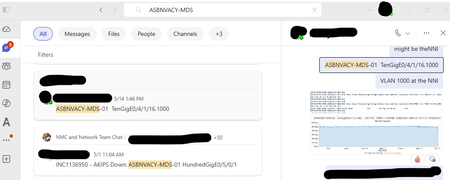
When I search for a term (whether using All or Messages) and click on a result, I intend to go to that message in the chat or direct message with the whole window, just as if I had navigated there manually. I do NOT want to open an awkward side panel with that conversation. There are no right click options on the search results. How can I get rid of the side panel and just [Go to message]?45Views0likes1CommentRegarding Teams Meeting Media Transport Behavior in VDI Optimization Scenario
Hello Microsoft Teams Engineering Team, I am currently working on a Browser Content Redirection / media offload implementation for a VDI environment, where WebRTC media transport is handled through a local native component while the Teams application continues running inside the virtual desktop session. While testing, I observed that: 1:1 calls successfully receive audio and video media But in meetings auido / video RTP is never forwarded despite successful ICE, DTLS, and SRTP establishment DTLS ApplicationData traffic is present during meetings, suggesting DataChannel/SCTP activity Based on transport-level observations, it appears that Teams meetings may rely on SCTP/DataChannel communication for SFU video subscription management, while 1:1 calls do not require the same subscription flow. I wanted to ask whether: Teams meeting video forwarding depends on active bidirectional SCTP/DataChannel connectivity Meeting video subscriptions are expected to be coordinated over the WebRTC data channel/control plane Split ownership of media transport and control-plane transport could affect expected Teams meeting behavior in VDI optimization scenarios Thank you for your time and guidance. Best regards,Rajdev14Views0likes0Comments
Teams for Android Auto - Receive Messages but Replies always Fail
I have a Pixel 10 with all latest OS and Patches as well as latest MS Teams App. For months now I've had a problem where all my incoming work messages on Teams come through fine, but when I attempt to reply it never sends the message. When I look at my Teams App there is a red retry icon because the message failed to send. When I send a new message in the app it works fine but the previous reply through Android auto remains in retry status ie Failed. Is anyone able to reply to a Work account teams message using Android Auto? It has never worked for me.60Views0likes1Comment
Microsoft teams personal package
Dear community I am looking for a Microsoft package with Teams that supports 300 users. Can the personal package work out for this? I was trying to pay for one month, but it was not allowing me to change the country, only the US. Kindly help out if anyone can.45Views0likes1CommentAdaptive Cards in Teams channel messages: fixed narrow width — request for width control
Hi Teams Platform team, We post structured status reports as Adaptive Cards into a Teams channel. The card consistently renders at a fixed width of 448 px on a 1080p display at 100% scaling with a maximized Teams desktop client — well below the available channel message stream width. Wide multi-column tables get truncated or wrapped, which significantly hurts readability. What we've tried No card-level `width` property exists in the Adaptive Cards schema. `msteams.width: "Full"` is documented to apply only to Stageview / task module / tab — silently ignored in channel messages (tested). Same payload via three delivery paths — Incoming Webhook, Logic App "Post adaptive card in chat or channel", and Microsoft Graph `POST /teams/{id}/channels/{id}/messages` — all render at the same narrow fixed width. The constraint is in the Teams channel-message renderer, not in any delivery layer. Minimal repro payload (7-column results table; all field names and values replaced with generic placeholders): { "type": "message", "attachments": [ { "contentType": "application/vnd.microsoft.card.adaptive", "content": { "$schema": "https://adaptivecards.io/schemas/adaptive-card.json", "type": "AdaptiveCard", "version": "1.5", "msteams": { "width": "Full" }, "body": [ { "type": "TextBlock", "text": "Pipeline Report — run-001", "weight": "Bolder", "size": "Medium" }, { "type": "Table", "gridStyle": "accent", "firstRowAsHeaders": true, "columns": [ { "width": 2 }, { "width": 1 }, { "width": 2 }, { "width": 1 }, { "width": 2 }, { "width": 1 }, { "width": 1 } ], "rows": [ { "type": "TableRow", "cells": [ { "type": "TableCell", "items": [{ "type": "TextBlock", "text": "Col-1", "weight": "Bolder", "size": "Small" }] }, { "type": "TableCell", "items": [{ "type": "TextBlock", "text": "Col-2", "weight": "Bolder", "size": "Small" }] }, { "type": "TableCell", "items": [{ "type": "TextBlock", "text": "Col-3", "weight": "Bolder", "size": "Small" }] }, { "type": "TableCell", "items": [{ "type": "TextBlock", "text": "Δ Col-3", "weight": "Bolder", "size": "Small" }] }, { "type": "TableCell", "items": [{ "type": "TextBlock", "text": "Col-4", "weight": "Bolder", "size": "Small" }] }, { "type": "TableCell", "items": [{ "type": "TextBlock", "text": "Δ Col-4", "weight": "Bolder", "size": "Small" }] }, { "type": "TableCell", "items": [{ "type": "TextBlock", "text": "Status", "weight": "Bolder", "size": "Small" }] } ] }, { "type": "TableRow", "cells": [ { "type": "TableCell", "items": [{ "type": "TextBlock", "text": "item-a", "size": "Small" }] }, { "type": "TableCell", "items": [{ "type": "TextBlock", "text": "mode-x", "size": "Small" }] }, { "type": "TableCell", "items": [{ "type": "TextBlock", "text": "0.000/0.000","size": "Small" }] }, { "type": "TableCell", "items": [{ "type": "TextBlock", "text": "+0.00%", "size": "Small", "color": "Good" }] }, { "type": "TableCell", "items": [{ "type": "TextBlock", "text": "0.000/0.000","size": "Small" }] }, { "type": "TableCell", "items": [{ "type": "TextBlock", "text": "-0.00%", "size": "Small", "color": "Attention" }] }, { "type": "TableCell", "items": [{ "type": "TextBlock", "text": "✅ Pass", "size": "Small" }] } ] } ] } ] } } ] } `msteams.width: "Full"` is present but has no visible effect in the channel message context. Feature request Either of: Honor `msteams.width: "Full"` in channel-message context (not just Stageview/task module/tab), OR Add a card-level property (e.g. `msteams.channelWidth: "Full" | "Default"`) explicitly scoped to channel messages. Is this a known limitation with an existing tracking item, or should we also file it on the M365 Feedback Portal for upvotes? Thanks!138Views0likes5Commentssmall white window that opens during sharing in a meeting
Hi, I've Teams vers. 26120.3106.4722.3411. For some time when I access to a meeting and sharing the screen, a window or a presentation, a small white windows appears at the bottom right and I cannot close it. To close this window and to prevent it from opening again I need to disconnect to Teams also for 2-3 times. Well, how could I solve a such issue permanently? Thanks This is the window image that I can capture:146Views1like1CommentAnyone found a good way to run performance reviews inside Teams?
Our company just switched to doing everything in Teams and the one thing that still lives outside is performance reviews. We use a separate web app that nobody logs into until the last minute and managers hate it. Is there anything that actually handles the full review cycle with self assessments, manager ratings, maybe even 360 feedback? Our IT team said they'd prefer something that uses our existing M365 directory so we dont have to manage another user list.87Views0likes2CommentsFeature Request: Real-Time Multilingual Voice Translation in Microsoft Teams
Hello Microsoft Teams Community, I would like to suggest a feature for Microsoft Teams that could help multilingual users communicate more naturally during meetings. Feature Idea: Each participant can speak in their own native language, and Teams will automatically translate and play the speech audio in the listener’s selected language in real time. Example: Telugu speaker talks in Telugu Kannada user hears Kannada audio Hindi user hears Hindi audio English user hears English audio This would be more powerful than subtitles because users can continue conversations naturally in their mother tongue without needing to read captions constantly. Possible Technologies: Speech-to-Text AI Translation Text-to-Speech Real-Time Voice Streaming Benefits: Better communication in multilingual countries like India Improved accessibility Easier collaboration for global teams More inclusive meetings I believe this feature could significantly improve communication in international and regional meetings. Thank you.31Views0likes0CommentsAnything inside Teams for people management you use and can recommend?
We currently have to use one tool for goals, another for feedback, a spreadsheet for review tracking, Teams for 1:1s, and then some shared doc for engagement notes. Leadership asked me if theres anything that does all of this inside Teams so they dont have to keep jumping around. We're a mid-size company (around 200 people) fully on Microsoft 365. Anyone found a good all-in-one solution that actually works inside Teams?127Views0likes4CommentsHow are you running 1:1 meetings inside Teams without it turning into a mess?
Right now were using a shared OneNote for agendas and action items but honestly nobody updates it and half the time the meeting turns into a random chat with no structure. I tried using Planner tasks as a workaround but thats clunky because theres no real connection between the task and the meeting itself. Has anyone found a good way to keep 1:1 agendas, notes, and follow ups all in one place inside Teams? We have about 40 people so it needs to scale a bit.112Views2likes3CommentsTeams Migration for New Private Channels Stalls
Microsoft began an automated background process to move Teams private channels to a new infrastructure earlier this year. Tenants should check the state of the migration as reported by the Get-TenantPrivateChannelMigrationStatus cmdlet because it is possible that the migration is stalled and waiting for administrator intervention. In most cases, the problem is because of ownerless channels, but archived teams with private channels also stop the migration. https://office365itpros.com/2026/05/11/private-channel-migration-stalls/250Views1like7CommentsMicrosoft Teams Consecutive Interpretation Explained (NEW Copilot Feature for Multilingual Meetings)
🚀 New in Microsoft Teams: Consecutive Interpretation (powered by Copilot) Microsoft Teams just introduced consecutive interpretation, a new way to run multilingual meetings that feels far more natural than real-time translation. 🎧 Instead of translating while someone is speaking, Teams now: Lets one person speak Translates after they finish Enables real, turn‑by‑turn conversation In my latest video, I explain: • What consecutive interpretation is How it differs from real-time (simultaneous) interpretation When to use one vs the other Why this matters for international teams 👉 Watch the video here: https://youtu.be/u-fH_00nFuU #MicrosoftTeams #Microsoft365 #Copilot #AIatWork #MultilingualMeetings #FutureOfWork148Views0likes0CommentsCustom App (Static Tab) with SharePoint URL stays blank on first load in Teams Desktop Client
Hello Teams Developer Community, We have deployed a custom Teams app (v1.25) that uses a Static Tab to display our company's SharePoint intranet portal. The contentUrl and websiteUrl point to our SharePoint site. [The Issue] When a user clicks the app for the very first time in the Teams Desktop Client (New Teams), the screen remains completely blank (white loading screen). However, if the user clicks away to another app (like Chat or Teams) and then clicks back to our custom app, the SharePoint page loads perfectly. [Observations] This issue does NOT happen on Teams Web Client (browser). It loads instantly there. Clearing the Teams Desktop cache does not solve the problem. It seems to be related to WebView2 authentication/SSO redirect loops inside the iframe. I tried adding "showLoadingIndicator": true in Developer Portal, but the schema automatically strips it out upon saving. [Question] Is there a specific parameter we need to append to the SharePoint URL, or specific domains we must add to "validDomains", to prevent this initial blank screen caused by auth delays in the Desktop Client? Any guidance on handling this WebView2 rendering delay would be greatly appreciated. Thank you.110Views0likes3CommentsFeature Request: Custom Status Labels for Calendar Events (e.g., 'In a Training')
Hey Teams Community! 👋 I have a small but impactful feature idea and would love your votes and feedback. --- 🔴 The Problem Right now, every calendar block in Microsoft Teams shows the same status to colleagues: "In a Meeting." Whether you're in a 10-minute standup or a 3-hour mandatory training — it all looks identical. This creates ambiguity, leads to unnecessary interruptions, and doesn't reflect how modern workplaces actually function. --- 💡 The Feature Request Allow users to assign a custom status label to a calendar event when creating it — visible to colleagues who check availability — without exposing private event details. Something as simple as a dropdown when creating an event: ✅ In a Meeting (default) 🎓 In a Training 🎯 Focus Time 📋 In a Workshop The chosen label would appear: → In the chat status indicator → On the calendar availability hover card → When someone tries to @mention or call you --- ✅ Why This Matters - Reduces interruptions during high-focus or learning sessions - Helps colleagues make smarter decisions about whether to wait or escalate - Especially valuable for schools, hospitals, training teams, and L&D departments - Lightweight to implement — no privacy concerns since it doesn't reveal event titles --- 🗳️ If you've ever been interrupted during a training because someone thought you were just "in a meeting" — please upvote and share your experience below! Let's get this on the Teams roadmap. 🚀 Tags: Feature Request, Calendar, Status, Availability, Training, Teams, Microsoft Teams79Views0likes2Comments




Events
Recent Blogs
- It's hard to believe May is over already! You may have noticed this edition of What's new in Teams is landing a few days later than usual — that's intentional. We're publishing alongside Microsoft Bu...Jun 02, 20262.4KViews0likes0Comments
- Voice isolation is designed to reduce noise and separate your voice from other sounds and voices in Teams calls and meetings. In simple terms, it helps Teams recognize who you are trying to hear and ...Jun 01, 2026124Views0likes0Comments