Pinned Posts

Forum Widgets
Latest Discussions
Partner - Hardware Program Enrollment Issue
I have seen many posts about partners struggling with Enrollment to the Hardware program. Partner BahadirAlp posted a work around that worked for them this week. I thought it was worth reposting in case it helps someone else. "I found the root cause and worked around it. In the Hardware enrollment form, using the company lookup auto-fills and locks several fields. For our entity the State/province field came back empty from that lookup but is marked required and is also locked, so it can never be filled and "Accept and continue" stays permanently disabled. Choosing "enter company details manually" instead keeps the fields editable and the enrollment completes normally. I have seen at least one other report with the same symptom." That being said, I am not part of support and cannot verify this work around works correctly, but if someone has success with it post a comment below! Good luck all.🤩 You can read full post here: Business Verification past the review window — no result, no new document requested | Microsoft Community Hub Thank you BahadirAlp for sharing your thoughts! - jillJillArmourMicrosoftAug 10, 2026Community Manager15Views0likes0Comments
Developer Employment Verification stuck at Rejected / Pending Partner Action
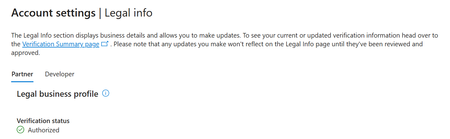
Hello moderators, Our Developer program verification has been stuck at Employment Verification since well before the estimated completion date of 27 June 2026, showing "Rejected / Pending Partner Action". The Partner track on the same legal profile is fully Authorized, so this appears specific to the Developer vetting flow. We are a registered Norwegian company with matching public registry records, and our primary contact email is on the same domain as our Entra tenant. Public WHOIS for lingtechapps.com lists Registrant Organization: LINGTECHAPPS AS and Registrant Country: NO, matching our legal business profile. However, the registrant email and postal address are replaced by our registrar's privacy-protection service. If the automated check compares our primary contact email against the registrant contact, it would fail on that redacted field even though the organisation name matches correctly. We can supply a registrar-issued ownership certificate from Domeneshop AS showing the full registrant details, and a Brønnøysund Register Centre company certificate, on request. We cannot resolve this ourselves. Three separate routes are blocked: 1. Clicking Resolve on the Verification Summary page opens a panel containing only the "Document submitted successfully" banner and a greyed-out Submit button. No document type selector or upload field is rendered. The Action Center notification for our Seller ID instructs us to upload the required document in the Account Verification pane — which is precisely the control that does not render. 2. Creating a support request in Partner Center fails: after selecting Account verification > Employment verification and signing in, /dashboard/v2/support/servicerequests/create redirects to the Service health page instead of a request form. 3. The Microsoft 365 admin center Support Assistant loops without producing a ticket, returning unrelated articles instead of a contact option. We have also received no email requesting further information at our primary contact address, junk folder included. Could a Community Manager please escalate this to the Partner Vetting team? Specifically, we would like to know which document type and which data mismatch the Employment step is waiting on, and either to have the Resolve panel repaired for our Seller ID or to submit documentation through another channel. Happy to share Seller ID, tenant ID and screenshots by DM rather than posting them publicly. Thank you.tnordgardAug 10, 2026Occasional Reader17Views0likes0Comments
Requesting escalation to Vetting team — MAICPP Legal Info/Identifiers blank, no MPN ID
Hi, I'm requesting an escalation to the Partner Trust & Safety / Vetting team for a Microsoft AI Cloud Partner Program (MAICPP) enrollment that appears stuck in an unreachable state. Purpose: obtaining a Partner ID (MPN ID) to complete publisher verification for an Entra app registration. What's happening: I signed up for MAICPP as an Independent Software Vendor (ISV) and received confirmation the account was ready. Since then, Account settings, Legal Info page is completely blank, with no fields, no status, no Fix Now button, and no Get support link. Account settings, Identifiers page is also completely blank, with no Partner ID shown anywhere. Account settings, Agreements shows nothing accepted. I also cannot open a support ticket through the normal Contact Support flow, since the Workspace field returns "No results found" and won't accept typed input, tested in both a normal browser session and a fresh incognito window. What I've already ruled out: I verified a custom domain on our Entra tenant and confirmed it shows "Verified." I confirmed the admin user has the Global Administrator role. I confirmed Usage location, First name, Last name, and Display name are all filled in on the Entra user. I also confirmed there is no general Azure or Partner Center outage, since Service health shows all services as "Good." Since there is no visible verification or vetting status anywhere in my account, and the self-service support ticket path is non-functional, I have no way to know whether this is a rejected vetting status, a stuck enrollment, or something else, and no way to self-resolve it. Could a Community Manager please escalate this for manual review? Happy to provide any additional details, tenant ID, or screenshots via DM. Thank you for your time.prmptreeAug 08, 2026Copper Contributor9Views0likes0Comments
Unable to Verify Employment
Hey, I've tried submitting for a new Microsoft Partner, and I'm running into some issues. Under the Verification Status it would get stuck on "Employment Verification" saying "Pending Partner Action" The banner would say to submit documents but there is no where to submit documents. I read that it will check the DNS of the domain as well as scan the webpage. So i made sure that both the website + DNS records all use the exact same spelling and punctuation as the company name in the Microsoft portal, The email used is on the same domain. Everything should match perfectly. After updating it all and confirming that every field is the exact same. I now have a banner saying "Based on the infomation you have provided to date, we have determined that your organization does not currently meet the requirements to pass verification" I created a support ticket to try and get this resolved, Yet it seems to just be sitting in a "Open" state with no replies and my distributor says they are not able to help me / Sell me Microsoft products until this is complete. I've uploaded all the incorporation documents + the domain ownership letter to the support ticket as there is no where else to put it I can also get a letter from my distributor if that would help, but is there any other way to get the verification to complete. One of my clients needs a RDS license asap as his expired.. And I'm quite stuck here in limbo unable to purchase more licenses. ThanksTClarkJul 31, 2026Copper Contributor41Views0likes0Comments
Enrollment blocked Ref 715-123160 - cannot create support ticket
My AI Cloud Partner Program enrollment was blocked with the "Microsoft runs on trust" message, reference number 715-123160. Because enrollment failed, my account has no workspace, so Partner Center support cannot create a request — and the other support routes also dead-end. Could Microsoft please route this reference for manual compliance review? I can provide company verification details through a private channel.iTechJul 17, 2026Copper Contributor37Views1like0Comments
Trust validation blocked Ref:715-123160, unable to enroll Windows Hardware Developer Program
Dear Support Team,My company’s Partner Center enrollment for Windows Hardware Developer Program was blocked by automated trust check. Error text:We are unable to validate your request at this point of time. Microsoft runs on trust. We engage in a rigorous set of evaluation and certification processes; as a result your request was blocked. Reference Number: 715-123160Transaction ID: 48a348d1-1ea3-4cf7-ab8e-c80604f4a94f No workspace generated after block, so I cannot open internal support ticket. All business info is consistent with official license, no proxy/VPN used during operation. Request manual review from Trust & Safety team to unblock my application. I’m ready to submit all legal verification materials.shtxJul 16, 2026Copper Contributor36Views0likes0Comments
Verified publisher: Employment Verification stuck, app closed 'no appeals', no way to act
Hello, I am hoping a Community Manager can help escalate my case to the Partner Vetting team - I am stuck in a loop. Situation: - My verification chain is: Verification Started (OK) > Email (OK) > Identity (OK) > Employment Verification = FAILED, showing "Pending Partner Action" (estimated date 18/07/2026). Business Verification was never reached. - Overall status is "Rejected" and the banner says the application is closed with "no appeals available". - The Verification Summary is view-only and the Legal Info page has no "Resolve"/upload control, so I have literally no way in the portal to provide the action or document the Employment step is waiting for. - Trying "Get support" from Partner Center loops me between a logged-in page and a "sign in" page - I can never reach a support form. My details: - Company: SYAGA CONSULTING (French EURL), SIREN 518489471, 2 Impasse Paul Langevin, 13110 PORT-DE-BOUC, France - this matches our official registry exactly. - I am the Global Administrator and legal representative (Gerant), email address removed for privacy reasons. - I own the domain syaga.fr (DNS-verified custom domain in my Entra tenant; my admin email is on that domain). I can provide domain ownership proof (registrar invoice), a DNS TXT record, or an authorized-representative letter - whatever the Employment step needs. - Microsoft Tenant ID: 6027d81c-ad9b-48f5-9da6-96f1bad11429 ; Partner ID: 6499409. Could a Community Manager please DM me and help escalate to the Vetting / Trust & Safety team so my case can be reopened and I can supply the required Employment verification proof? I only need the badge "verified publisher" for my Entra apps. Thank you very much.Sébastien QUESTIERJul 15, 2026Copper Contributor23Views0likes0Comments
Blocked during MAICPP partner enrollment - reference 715-123160
Hello, I'm trying to enroll in the Microsoft AI Cloud Partner Program (MAICPP), but my enrollment was blocked immediately after submitting my company information, with an automated trust check message. Because the enrollment was blocked at this stage, no Partner Center workspace was created for me, so I'm unable to open a support ticket through the normal in-portal method. Details of my case: - Reference number: 715-123160 - Transaction ID: b19b058c-f8c4-44f9-bbae-c49c537b45fb - Legal company name: [à compléter] - Tenant ID: dbac7550-f17a-4cda-83ed-3a5d5d16ab2d - Tenant domain: raic037.onmicrosoft.com - Sign-in email: email address removed for privacy reasons I have my legal documentation ready to provide (company registration/incorporation document, valid for more than 2 months), and I want to make sure the legal name and registered office address I've entered match exactly what's on file. Could someone please escalate this to the Partner Trust & Safety / Vetting team for a manual review, or let me know what specifically triggered the automated block so I can correct it? Thank you for your time and help. Best regards, RAIC William SIMON Gérant Tél. +33 4 72 97 02 02WSIMON69Jul 02, 2026Copper Contributor28Views0likes0Comments
Very Negative Experience With Microsoft Partner Program
Since two months I am trying to verify my account, after countless attempts and errors and automatic rejections, finally I got authorized. I want to update my tax profile so I can send the add in, guess what Microsoft cant find my EIN although I sent official EIN number. After three weeks I sent another ticket and instead of finding a solution for the EIN number issue, they responded that there is a problem with account verification which is already approved!!! I dont know what is happening here total mess...thetaJan 14, 2026Copper Contributor99Views0likes0Comments
Tags
- verification164 Topics
- support122 Topics
- Partner question78 Topics
- compliance54 Topics
- partner center8 Topics
- employment-verification7 Topics
- Employment verification6 Topics
- Microsoft Partner Center6 Topics
- Microsoft Partner6 Topics
- partner4 Topics