Recent Discussions
Did you know that a local HTML file can be embedded in a SharePoint Online modern page ?
Hello SharePoint community, I recently tested something that surprised me. I created a simple HTML file containing custom HTML, CSS and JavaScript and uploaded it to the Site Assets library of a SharePoint Online site. Instead of converting the file to ASPX or developing an SPFx web part, I used the file URL in the Modern Embed web part. The result was successful: HTML rendered correctly CSS styles were applied JavaScript executed correctly The page was displayed inside a modern SharePoint page This was tested with a basic dashboard containing cards, custom styling and JavaScript interactions. One limitation I found is that when using a sharing URL, SharePoint may display the file viewer toolbar (Open, Share, etc.) above the content. I am currently investigating whether a direct file URL provides a cleaner experience. Has anyone used this approach in production? I'd be interested in learning about: - Security considerations - Governance implications - Browser compatibility - Microsoft recommendations for this scenario Thank you.77Views0likes0Comments
Invoke-PnPSiteTemplate AND Set-PnPDefaultColumnValues error since this morning
Since this morning we experience a blocking issue with Invoke-PnPSiteTemplate cmdlet which is failing as soon as there are lists included in a pnp site template (which is pretty much every template in our case). We see this behaviour on all of our own tenants and all customer tenants. This is a very important part of our provioning engine so it's blocking all new sites & teams in all tenants. Context We have a provisioning engine that runs in Azure. It automatically creates SharePoint-sites and applies a configured PnP site template (either .pnp or .xml) Expected behavior Normally, the template gets applied correctly without any error Actual behavior An error occurs in our logging, also visible when reproducing this locally: Error applying default column values Microsoft.SharePoint.Client.ServerException: Exception of type 'Microsoft.SharePoint.Client.ServiceUnavailableException' was thrown. Microsoft.SharePoint.Client.ClientRequest.ProcessResponseStream(Stream responseStream) StackTrace: at Microsoft.SharePoint.Client.ListExtensions.SetDefaultColumnValuesImplementation(List list, IEnumerable1 columnValues) at Microsoft.SharePoint.Client.ListExtensions.SetDefaultColumnValues(List list, IEnumerable1 columnValues, Boolean overwriteExistingDefaultColumnValues) at PnP.Framework.Provisioning.ObjectHandlers.ObjectListInstance.ProvisionObjects(Web web, ProvisioningTemplate template, TokenParser parser, ProvisioningTemplateApplyingInformation applyingInformation) at PnP.Framework.Provisioning.ObjectHandlers.SiteToTemplateConversion.ApplyRemoteTemplate(Web web, ProvisioningTemplate template, ProvisioningTemplateApplyingInformation provisioningInfo, Boolean calledFromHierarchy, TokenParser tokenParser) at CallSite.Target(Closure , CallSite , Object , Object , Object , Object ) Steps to reproduce behavior Create a PnP template Apply the template, using invoke-pnpsitetemplate -Path "..." We also see the same error happening when executing this cmdlet: Set-PnPDefaultColumnValues -List "Documents" -Field Status -Value "MyDefaultValue" -Connection $pnpConnTargetSite So it seems related... anyone getting the same issues?397Views6likes10Comments
Power Automate - don't trust the green tick too much
There isn't actually any HTML tag in the text you pasted. The issue is most likely caused by special characters or formatting that Microsoft Tech Community's editor is interpreting incorrectly. The most suspicious part is: Request submitted -> SharePoint item created -> Approval sent -> Status updated -> Notification sent. If you're copying this from another editor, hidden formatting characters can sometimes get carried over. Also, Markdown formatting such as: Succeeded What happened? Input validation may not always paste cleanly depending on where you're posting it. For Microsoft Tech Community, I'd use a plain-text version with simple formatting: A green tick in Power Automate doesn't always mean the process succeeded. This is something I understood better after working with business-critical flows. Imagine a flow like this: Request submitted → SharePoint item created → Approval sent → Status updated → Notification sent. The flow run shows "Succeeded". Looks good. But what if the notification didn't reach the user? Or the approval is still pending after three days? Or the flow was triggered twice and created duplicate records? Or the process stopped after updating the status but before completing the next business step? From Power Automate's point of view, individual actions may have completed successfully. But from the business user's point of view, the process may still be stuck. That's where I think automation design becomes more important than simply knowing which connector or action to use. For important processes, I usually think about: Input validation • Duplicate handling • Timeout scenarios • Error handling • Retry • Logging • Notifications • Recovery • Monitoring Especially with flows running hundreds or thousands of transactions, you can't depend on someone opening the run history every time something goes wrong. The flow should give you enough information to answer: What happened? Where did it fail? Which transaction was affected? Can we safely run it again? For me, that's the difference between a flow that simply works and an automation that can actually be supported in production. What is one Power Automate issue you've faced where the run showed "Succeeded", but the business process wasn't actually completed?29Views0likes0CommentsUnattended RPA — the real problem isn't starting the bot
Unattended RPA is not just about running a bot without a user I was working on an unattended desktop automation recently, and one thing that stood out to me was that making the bot run automatically is actually the easier part. The real question is: What happens when nobody is there to fix it? For example, the bot starts processing invoices at night. The machine is available. The user session is ready. The desktop flow starts normally. But halfway through the process, the legacy application shows a popup that wasn't there during development. The bot stops. There is no person sitting in front of the machine. Now the problem is no longer just a failed desktop flow. The question becomes how the automation is going to recover. This made me look at unattended RPA a little differently. Before moving a desktop automation to production, I think we should consider things like: What if the machine is unavailable? What if someone is already logged in? What if the target application is down? What if the application UI changes? What if credentials expire? What if the bot fails after completing 50% of the transactions? How do we know which transactions were completed? Can the process be restarted without processing the same transaction twice? For me, an unattended automation is not really unattended if someone from the support team has to keep checking it manually. The automation needs a proper failure and recovery strategy as well. The interesting part of RPA isn't making the happy path work. It's deciding what should happen when the happy path doesn't happen. What has been your experience with unattended desktop flows in production? #PowerAutomate #PowerAutomateDesktop #RPA #UnattendedRPA #PowerPlatform50Views0likes0Comments
Hub Site association approval request fails with 403 Forbidden (previously working, regression)
Sites configured to require approval before joining our Hub Site are failing the association request with an HTTP 403 Forbidden error[browser DevTools Network tab}. This same workflow was functioning correctly as of [early August 2026]. Hub sites that do not require join approval continue to associate successfully — the failure is isolated specifically to the approval-required path. Steps to Reproduce As a site owner, go to Site Settings → Site Information (or Site Contents → hub association) on a site that is not yet associated with the hub. Attempt to associate it with [Hub Site URL], which has RequiresJoinApproval set to $true. Observe that the request fails immediately (or fails when the approver attempts to approve it — specify which point in the workflow fails). Repeat the same steps against a hub site that does not require approval — association succeeds without error. Expected Behavior The association request should be submitted and routed to the configured approver(s) for review, consistent with behavior observed as recently. Actual Behavior Request fails with HTTP 403 Forbidden. [browser DevTools Network tab - attached the HAR file for reference] Error Details HTTP Status: 403 Forbidden [browser DevTools Network tab - JoinHubSite(@v1)?@v1] Troubleshooting Already Performed Confirmed association without approval works (isolates the issue to the approval workflow specifically)66Views0likes0CommentsAdministrator-Approved InfoPath Form Fails to Upload After Upgrade to Subscription Edition
I am migrating an administrator-approved InfoPath form template from SharePoint 2019 to SharePoint Subscription Edition. The form is a browser-enabled InfoPath form with managed code (code-behind), deployed as an administrator-approved template (.xsn). It was originally created in InfoPath 2010 and worked successfully in our SharePoint 2019 farm. When attempting to upload the updated .xsn through Central Administration in SharePoint Subscription Edition. During the upload/verification process, I receive the following error: Failed to load the form code assembly: Could not load file or assembly 'Microsoft.Office.InfoPath, Version=16.0.0.0, Culture=neutral, PublicKeyToken=71e9bce111e9429c' or one of its dependencies. The system cannot find the file specified. Additional details: Source environment: SharePoint Server 2019 Target environment: SharePoint Server Subscription Edition Form type: Administrator-approved, browser-enabled, managed code form InfoPath version InfoPath 2010 The original form worked successfully in SharePoint 2019 My questions are: Is SharePoint Subscription Edition expected to support administrator-approved InfoPath forms that contain managed code? Has anyone encountered a similar issue where the uploaded form references Microsoft.Office.InfoPath, Version=16.0.0.0 during validation? What is the Microsoft-supported resolution: Recompile/republish the form using different references? Use the original SharePoint 2019 XSN? Install additional components on the SharePoint SE servers? Are there any known compatibility differences between SharePoint 2019 and Subscription Edition when validating InfoPath form code assemblies? I tried updating web.config file of Central Admin but didn't work and same error message. <dependentAssembly> <bindingRedirect oldVersion="16.0.0.0" newVersion="15.0.0.0" /> </dependentAssembly> Any guidance or Microsoft documentation related to the supported deployment of administrator-approved InfoPath forms in SharePoint Subscription Edition would be greatly appreciated. Thank you.146Views0likes2Comments
SPMT Needs True Mirror Mode and Resource Throttling
Subject: SPMT Needs True Mirror Mode and Resource Throttling SPMT incremental migration does not behave like a true synchronization or mirror operation. New and modified files are copied, but deleted, renamed, or moved files are not reconciled at the destination, often resulting in orphaned content and duplicates. Microsoft has previously confirmed this as expected behavior. Administrators have had reliable mirror-style functionality available since the circa 1990s through tools such as Robocopy. In comparison, SPMT's incremental migration capability feels incomplete for modern enterprise migration scenarios. Requested enhancements: Optional mirror mode similar to robocopy /MIR Delete destination content that no longer exists in the source Detect and process renames Detect and process moves Pre-migration analysis and dry-run reporting Configurable safeguards for deletions Additionally, SPMT appears to consume storage resources aggressively. During migrations, disk I/O activity can become saturated and disk idle time can fall close to zero regardless of migration batch size. This behavior can negatively impact file servers and production workloads. Requested performance controls: I/O throttling CPU throttling Concurrency controls Bandwidth limits Scheduling and business-hours policies Dynamic backoff based on source-server load Current behavior requires administrators to perform manual cleanup and reconciliation after incremental migrations while also managing significant infrastructure impact during migration runs. A modern migration tool should provide both synchronization intelligence and resource governance controls. Frankly, from an infrastructure perspective, your complaint about the I/O behavior is probably the stronger one. Many migration tools deliberately maximize throughput, but not providing an obvious way to cap I/O, threads, or overall system impact can be problematic in production environments. The lack of mirror semantics combined with aggressive scanning/copy behavior is what tends to frustrate admins the most.119Views0likes0Comments
SharePoint Managed Property Online Search Issue – Custom User Profile Property
I’m facing an issue with SharePoint Online search and could use some help. I created a custom User Profile Property (Text) in SharePoint and mapped it to a Managed Property for search. However, when I query the managed property, the value is always returned as null. What I’ve tried so far: - Reindexed the User Profiles using a PowerShell script. - Updated the user profile property values multiple times. - Waited for search/indexing to complete. - Verified that existing/default user profile properties are appearing in search results correctly. Interestingly, existing user profile properties work as expected in search. The issue only occurs with the newly created and mapped property. Has anyone faced a similar issue with a newly mapped User Profile Property → Managed Property? Is there any additional step required to make a newly created user profile property searchable? Any suggestions on what else I can check would be appreciated.193Views0likes2CommentsOngoing SharePoint Search Issue Across Multiple Tenants: Missing Managed Metadata Crawled Properties
We've been seeing Microsoft Search issues across multiple tenants where Managed Metadata fields are not appearing as crawled properties, making it impossible to map them to managed properties. A member of the PnP Modern Search community pointed us to Service Health incident SP1393483 ("Admins may have been unable to see the configuration search schema mappings in SharePoint Online"), which Microsoft reported as resolved at the end of July: https://admin.cloud.microsoft/?source=applauncher#/servicehealth/history/:/alerts/SP1393483 However, we're still seeing these issues across multiple environments. Sharing this as a heads up in case you're troubleshooting similar SharePoint Search or metadata mapping challenges. It might not just be your tenant!376Views1like1CommentSPFx webpart not displaying after insert webpart (error below)
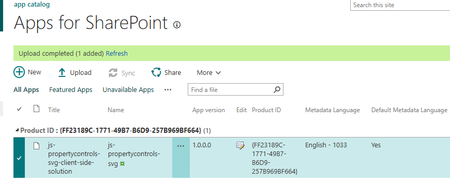
I deployed my SPFx webpart successfully to my site, however after inserting it on a page I get the following error: Uncaught (in promise) Error: Script error for "ea2f4f01-db05-44e9-8900-22d9ef8d632f_0.0.1/SvgGhostWebPartStrings" https://requirejs.org/docs/errors.html#scripterror at makeError (eval at V (sp-pages-assembly_en-us_12745640b376ada2f337a0ad84b60ffc.js:233:13154), <anonymous>:5:1843) at HTMLScriptElement.onScriptError (eval at V (sp-pages-assembly_en-us_12745640b376ada2f337a0ad84b60ffc.js:233:13154), <anonymous>:5:17037) Below is an image of the webpart uploading successfully280Views0likes3CommentsNew List Version History broken
Microsoft has updated how version history is displayed for SharePoint Lists. In my tenant the changes are not showing for changes made by a power automate flow. SharePoint did create a version but no changes are showing. There must have been changes or else a new version would not have been created.250Views0likes2CommentsPowerPoint Brand Images: folders appear as tabs, but images only show under “All”
Hi, I’m testing PowerPoint Brand Images with a SharePoint Organizational Asset Library and I’m seeing unexpected behaviour with folders. The image library is registered correctly as an ImageDocumentLibrary. PowerPoint detects the library and all images are visible under All. I created several first-level folders in SharePoint, for example: Photos Icons Logos Test PowerPoint correctly reads these folders and shows them as separate tabs in Insert > Pictures > Brand Images. The issue: the tabs remain empty. For example, I created a completely new folder called Test directly in SharePoint and uploaded a new PNG directly into that folder. Result: Test appears as a tab in PowerPoint the PNG appears under All the PNG does not appear under Test I see exactly the same behaviour in PowerPoint Desktop and PowerPoint for the web. I have already checked: OrgAssetType: ImageDocumentLibrary Private CDN: enabled library registered as Private CDN origin CopilotSearchable: enabled SharePoint Online Management Shell: 16.0.27515.12000 PowerPoint Microsoft 365 Beta Channel, version 2609, build 16.0.20416.20004, 64-bit direct upload through SharePoint instead of OneDrive/File Explorer completely new folder and image manual reindexing of the SharePoint library So PowerPoint finds both the folder names and the images, but the folder-to-image relationship does not seem to work in Brand Images. Has anyone successfully used first-level SharePoint folders as working tabs in the new PowerPoint Brand Images experience? Is there an additional configuration step required, or could this be an issue with folder-scoped retrieval in the current rollout?412Views0likes2CommentsStrengthening Security in SharePoint Document Libraries: 5 Essential Best Practices
SharePoint Online has become a critical platform for storing, managing, and collaborating on documents across Microsoft 365 environments. Its flexibility and ease of access make it invaluable to modern organisations. However, if document libraries are not properly managed, businesses can face risks such as unauthorised access, accidental sharing of sensitive data, and compliance challenges. Effective SharePoint security is not about restricting productivity. It is about creating a secure framework that allows teams to collaborate confidently while ensuring business information remains protected. This article was written by https://www.bridgeall.com/a leading https://www.bridgeall.com/microsoft-365-consultancy/sharepoint/offering https://www.bridgeall.com/microsoft-365-consultancy/sharepoint/sharepoint-document-management-systems-implementation/ Five Ways to Improve SharePoint Document Library Security Limit Access Using Role-Based Permissions One of the most effective ways to secure SharePoint is by restricting access to only those who genuinely need it. Many organisations grant broad permissions across sites, creating unnecessary exposure. Following a least-access approach ensures users receive only the permissions required for their responsibilities. Rather than assigning permissions to individual files and folders, consider using Microsoft 365 Groups or SharePoint Security Groups to manage access centrally. This not only improves governance but also makes ongoing administration significantly easier. Review and Restrict External Sharing External collaboration is often necessary, but it can also become a source of data leakage if not controlled appropriately. Review sharing settings at both the tenant and site level to ensure they align with your organisation's security requirements. Good practices include: Preventing anonymous sharing links for libraries containing confidential information. Allowing access only to verified external users where appropriate. Applying expiry dates to shared links so access is automatically revoked after a defined period. Regularly auditing active external sharing relationships. By tightening these controls, organisations can reduce the likelihood of sensitive information being exposed outside the business. Protect Content with Sensitivity Labels Protecting the library itself is important, but protecting the documents within it adds another layer of security. Microsoft Purview Sensitivity Labels enable organisations to categorise content according to its sensitivity and automatically apply protection measures. Depending on the classification, labels can: Encrypt files. Restrict downloading, printing, or copying. Display visual markings such as headers, footers, or watermarks. Maintain protection even when a document is shared or moved outside SharePoint. This approach helps ensure security travels with the information rather than relying solely on where it is stored. Strengthen User Authentication Document-level security should always be backed by strong identity protection measures. Multi-Factor Authentication (MFA) remains one of the most effective ways to prevent unauthorised access resulting from compromised credentials. Combining MFA with Microsoft Entra Conditional Access policies provides even stronger protection. For example, organisations can: Block access from unmanaged devices. Restrict downloads on non-compliant endpoints. Trigger additional verification requirements for sign-ins from unfamiliar locations. Apply risk-based access controls based on user behaviour. These safeguards help ensure only trusted users and devices can access critical information. Continuously Monitor and Review Access Security is not a one-off project. Permissions and risks evolve over time, making ongoing monitoring essential. Microsoft Purview auditing capabilities provide visibility into activities such as file sharing, downloads, edits, deletions, and permission changes. Regular access reviews help identify: Outdated permissions. Dormant guest accounts. Excessive access rights. Unnecessary group memberships. Routine governance reviews help maintain a secure SharePoint environment and reduce the risk of privilege creep. Building a Secure and Collaborative SharePoint Environment A well-secured SharePoint platform should balance protection with usability. Organisations that invest in strong governance, identity controls, information protection, and ongoing monitoring are better positioned to support collaboration without compromising sensitive business data. By implementing these best practices, businesses can significantly reduce security risks while ensuring employees continue to work efficiently within Microsoft 365. At Bridgeall we offer a range of https://www.bridgeall.com/microsoft-365-consultancy/sharepoint/sharepoint-document-management-systems-implementation/ that help you build and maintain a secure platform of SharePoint document librarires.180Views0likes0CommentsNew List Version History broken
Microsoft has updated how version history is displayed for SharePoint Lists. In my tenant the changes are not showing for changes made by a power automate flow. SharePoint did create a version but no changes are showing. There must have been changes or else a new version would not have been created.113Views0likes0Comments
SPO New UI: cannot copy content in multi-line text columns
After the SPO GUI update my users cannot copy text in custom multi-line text columns anymore. That is impacting productivity at a large scale. Please solve this backend issue. Joachim Freitag IseoLabs SharePoint Admin CMS192Views0likes2Comments
Custom Formatter for Read-Only Fields conditional based on other columns
Hello! Does anyone know if it's possible with the fieldsettings, readonly formatting, to make it conditional based on a Person field? It's a multi people field if that makes a difference? I ideally want to make certain fields read only based on who is viewing it (without having to use a Power App customised form!). This is what I want (but I know the syntax is likely all wrong!) but not sure if it's possible to use an IF statement with boolean statements? { "sections": [ {} ], "fieldsettings": [ { "name": "Comments", "readonly": "=if([$People.email] == me, false, true)" } ] }430Views0likes2Comments
is a payment method now mandatory for all newly provisioned E5 Instant Sandboxes?
I have an active Visual Studio Professional subscription and can successfully link it to the Microsoft 365 Developer Program. During E5 Instant Sandbox provisioning, the setup requires creation of a Billing Account and entry of a credit card/payment method. The documentation states the E5 Developer subscription is free and billing is used for verification. Is there an alternative verification process for Visual Studio subscribers that does not require a credit card, or is a payment method now mandatory for all newly provisioned E5 Instant Sandboxes?191Views0likes1CommentAndroid Webview not rendering the headers of SharePoint page
Workspace one Web Browser which is a secure enterprise browser app is built on Android System WebView, we have an Android WebView in which I am trying to load a SharePoint page. However, certain elements of the page are not being rendered or displayed correctly in the WebView. The same SharePoint page renders correctly in a Chrome browser, where all the expected elements are visible. Please refer to the attached image for comparison and reference. In Chrome In Android System Webview based Web Browser (for example Workspace ONE Web) We mainly wanted to know why is this behaviour specific to Android System WebView based browser.222Views0likes1Comment








Events

in 1 day
💡Copilot, Microsoft 365 & Power Platform product updates call concentrates on the different use cases and features within the Microsoft 365 and in Power Platform. Call includes topics like Microsoft...
Tuesday, Sep 15, 2026, 08:00 AM PDTOnline
0likes
2Attendees
0Comments

in 2 days
💡 Power Platform monthly community call focuses on different extensibility options for builders, makers and developers within the Power Platform. Typically demos are from our awesome community membe...
Wednesday, Sep 16, 2026, 08:00 AM PDTOnline
0likes
2Attendees
0Comments
Recent Blogs
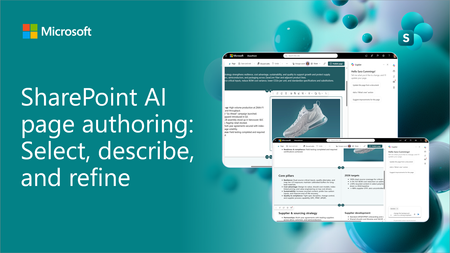
- SharePoint AI page authoring is getting an updated experience with on-canvas selection. Authors can select a web part or section, describe the intended change in natural language, and review the...Sep 10, 2026907Views0likes0Comments
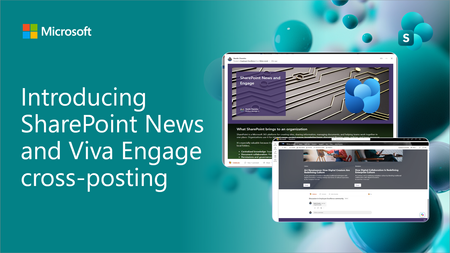
- SharePoint News can now be cross-posted directly to a Viva Engage storyline or community. The original post retains its full SharePoint experience, while comments, replies, and reactions stay sy...Sep 03, 20261.9KViews10likes9Comments