sharepoint online
18499 Topics
Microsoft 365 Copilot Licensed but Unable to Create SharePoint Pages Using HTML
Hello everyone, I have a Microsoft 365 Copilot licence in our tenant, but I cannot see the option to create SharePoint site pages using HTML. I would like to know whether this feature is available to all tenants or is being rolled out gradually. Is there any specific SharePoint or Microsoft 365 admin setting that needs to be enabled to access this feature? Are there any additional licensing requirements or prerequisites? How can I check whether the feature has been enabled or rolled out to our tenant? Any guidance or suggestions would be appreciated.13Views0likes1Comment
SharePoint user adds random metadata to files
I have a SharePoint Library where we add procedures and documents. There is relevant metadata included (Owner, modified date, keywords, department, etc.), but for one individual contributor, every time she uploads it places oddly specific default values in these metadata fields. I have confirmed on the library settings that there are no column defaults (In this folder or the root folder) and the problem does not occur with any other user. We did have her clear cache and log out and back in, but she is still the only user with this problem. What are we missing?71Views0likes2Comments
SharePoint file links are not working
Recently we have noticed that when you copy the link and share with others (even ourselves), the link fails to open. If we use the path link under details, that works 100% of the time. The only difference we see is there are more gibberish in the link path. Initially, we thought the PDF files were having issues but it can be any file type. Our thought is the issue is with the SharePoint site.670Views0likes3Comments
Document Sets - Want Subfolders (not just files) to inherit metadata
Trying to get subfolders (the actual subfolder) in a document set to inherit metadata. We have files and files in subfolders inheriting correctly but currently subfolders in the set do not inherit data. We are using the metadata column for view filter between active/pending/completed job status. What happens is the subfolders don't show in the filtered view so you cant traverse the subfolder structure. Show flat structure is not suitable as its hundreds of files. The shared columns settings in library settings, says it syncs for all 'documents' in the set. This excludes folders. Have tried power automate, but it doesn't seem to work applying the metadata to a folder object. We need to able to change a document set from Active > Pending and all the metadata change. Any ideas on how we can get the subfolders in inherit (and update) the metadata of the document set. Thanks in advance.346Views1like4Comments
Supported App-Only APIs for SharePoint Site Access and Group Membership (No PowerShell)?
a { text-decoration: none; color: #464feb; } tr th, tr td { border: 1px solid #e6e6e6; } tr th { background-color: #f5f5f5; } I am trying to determine the supported approach for retrieving SharePoint Site Owners, Members, and Visitors (effective user access) in an App-Only (Application Permissions) scenario without using PowerShell. Specifically, I am building an MCP tool that needs to: Check whether a specific user has access to a particular SharePoint site. Retrieve the list of users who have access to a SharePoint site, especially through the SharePoint Owners, Members, and Visitors groups. From my understanding, Microsoft Graph can be used to enumerate SharePoint sites and permissions, but retrieving the actual membership of the associated SharePoint groups does not appear to be fully supported through Graph alone. Most recommendations I have found suggest using SharePoint REST APIs, CSOM, or PnP-based solutions. My questions are: How can I retrieve SharePoint Site Owners, Members, and Visitors (effective user access) in an App-Only scenario without using PowerShell? Are there any supported Microsoft Graph APIs (including Beta APIs), SharePoint REST APIs, SDKs, Python libraries, CSOM, or other approaches that can provide this information? Can a backend service implemented entirely in code (without PowerShell execution) determine: Whether a specific user has access to a SharePoint site? The users belonging to the site's Owners, Members, and Visitors groups? The reason for asking is that I am developing a backend service, and invoking PowerShell from the application is not a practical option. I am looking for a supported API/SDK-based solution that can be implemented directly in code using App Registration permissions only.135Views1like2Comments
SharePoint News not publishing if created using "Copy of this News post"
We have an intermittent bug where, if a News post is created using the "Copy of this News post" function, the post will not Publish. We'll click Publish, but won't receive the usual pop-ups about sending it as an email etc. Upon page refresh, the page goes back to draft mode. Site Pages shows that even after Publishing, the page is still in draft, and has a Promoted state of 2, but no "First Publishing Date"--- that field is entirely blank. The issues seems to be intermittent. Is anyone else experiencing this? Our only workaround is to completely build the page from scratch.38Views1like0CommentsAutomatically email supplier when their certificate expires
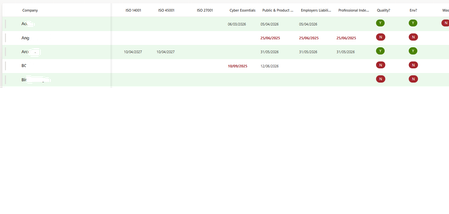
Good afternoon. I have set myself a challenge and really could do with some help. I have a list of suppliers like below. I have expiry dates set up, with a colour formatting to show any date past the current date. On the end of the row, there is an email address of the company contact. I want SharePoint to automatically email that person as soon as it turns red/expires. What is the simplest way of doing this? I have looked at Flows etc, and online on video tutorials, but some of the guides are old and out of date or very complex and I am a novice. Is anyone kindly, can give me a step-by-step guide on how to do this, as this would be just awesome and finally bring my company into the 21st century! Thanks in advance.680Views1like16Comments
What replaces the Copilot in SharePoint site exclusion list after 1 November 2026
Disclosure: I work on M365 Scouts, a vendor that makes read-only audit scripts for Microsoft 365. This post is about Microsoft's own controls and doesn't need our tools. If you excluded SharePoint sites from Copilot using the preview cmdlets (KnowledgeAgentScope, KnowledgeAgentSelectedSitesList, KnowledgeAgentSelectedSitesListOperation), those settings are only honoured until 1 November 2026. The cmdlets are retired. Microsoft says general availability of Copilot in SharePoint begins rolling out on 30 September 2026. What replaces them: Site AI settings. Set by the site owner (Settings > Site AI). They hide the Copilot button on that site for visitors. Restricted Content Discovery. Set by a SharePoint admin, for example Set-SPOSite -Identity <site-url> -RestrictContentOrgWideSearch $true. It limits discovery of the site in organization-wide search and Copilot responses, and removes the AI entry points on that site. It needs a Copilot licence and SharePoint Advanced Management, and it covers SharePoint sites only, not OneDrive. On sites over 500,000 items an update can take more than a week. Neither control changes permissions. People who already have access can still open the files, and Microsoft describes Restricted Content Discovery as a temporary control to use selectively. Restricted SharePoint Search is also retiring, and new enablement has been blocked since 31 July 2026. So the real work before 1 November is knowing which sites are overshared: Anyone links, Everyone except external users, broken inheritance, ownerless sites and missing sensitivity labels. Copilot in SharePoint also needs a Microsoft 365 Copilot licence for each user. Sources: Microsoft Learn pages on Copilot in SharePoint, Restricted Content Discovery and Restricted SharePoint Search. Please check them against your tenant, because the GA page is still changing.157Views0likes1CommentCreate a chart in Sharepoint from a sharepoint list
I have created a list in sharepoint. Several columns with various values have been created in this list. We want to use five of these columns where the employees can make a choice for an analysis and we want to turn it into a chart. The different choices that can be made are: Bad, Could be better & Good. Now I'm trying to somehow run a chart out of this but can't get it to work. In your sharepoint site you can make a quick chart from a list. To be able to do this you have to work with a number value in a column in your list. Now I also looked to convert the choice Bad, Could be better & Good to a number, but I don't see any possibility in this. I hope someone can help me with this. Thanks in advance.11KViews0likes4CommentsSharing with an external user who has changed their email
I have had an issue with trying to share a folder with somebody who changed their email from, for illustrative purposes only, mailto:email address removed for privacy reasons to mailto:email address removed for privacy reasons. because his company EW had merged with Elsewhere. I believe that the second email was an alias for the first as both his actual addresses will reach him. The issue was that when I went to share a folder with his new email it would default back to his original email every single time. Eventually our IT department deleted all trace of his original email from Sharepoint which then recognised and allowed me to share with his new email. My question is - how does Sharepoint know these two different emails are the same person? Is it randomly deciding there is enough similarity in the email addresses- which in my view would be very dangerous, or does it know that both domains are registered to the same organisation?390Views0likes2Comments