extensibility
361 TopicsCopilot, Microsoft 365 & Power Platform Community call
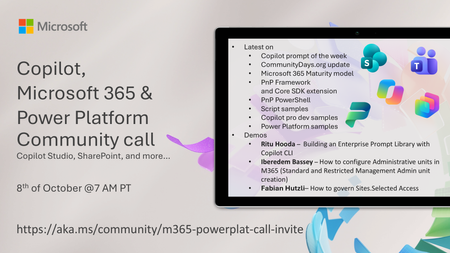
💡 Copilot, Microsoft 365 & Power Platform weekly community call focuses on different use cases and features within the Microsoft 365 and Power Platform - across Microsoft 365 Copilot, Copilot Studio, SharePoint, Power Apps and more. Demos in this call are presented by the community members. 👏 Looking to catch up on the latest news and updates, including cool community demos, this call is for you! 📅 On 8th of October we'll have following agenda: Latest news and events from Microsoft Topics Copilot prompt of the week CommunityDays.org update Microsoft 365 Maturity model PnP Framework and Core SDK extension PnP PowerShell Script samples Copilot pro dev samples Power Platform samples Demos this time Ritu Hooda – Building an Enterprise Prompt Library with Copilot CLI Iberedem Bassey – How to configure Administrative units in M365 (Standard and Restricted Management Admin unit creation) Fabian Hutzli – How to govern Sites.Selected Access 📅 Download recurrent invite from https://aka.ms/community/m365-powerplat-dev-call-invite 📞 & 📺 Join the Microsoft Teams meeting live at https://aka.ms/community/m365-powerplat-dev-call-join 💡 Building something cool for Microsoft 365 or Power Platform (Copilot, SharePoint, Power Apps, etc)? We are always looking for presenters - Volunteer for a community call demo at https://aka.ms/community/request/demo 👋 See you in the call! 📖 Resources: Previous community call recordings and demos from the Microsoft Community Learning YouTube channel at https://aka.ms/community/youtube Microsoft 365 & Power Platform samples from Microsoft and community - https://aka.ms/community/samples Microsoft 365 & Power Platform community details - https://aka.ms/community/home 🧡 Sharing is caring!73Views0likes0CommentsCopilot, Microsoft 365 & Power Platform product updates call
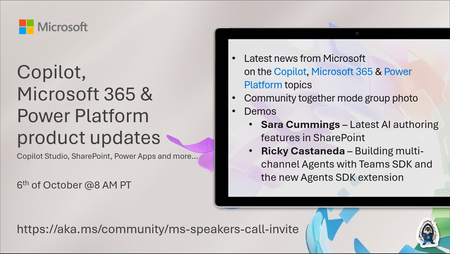
💡Copilot, Microsoft 365 & Power Platform product updates call concentrates on the different use cases and features within the Microsoft 365 and in Power Platform. Call includes topics like Microsoft 365 Copilot, Copilot Studio, Microsoft Teams, Power Platform, Microsoft Graph, Microsoft Viva, Microsoft Search, Microsoft Lists, SharePoint, Power Automate, Power Apps and more. 👏 Weekly Tuesday call is for all community members to see Microsoft PMs, engineering and Cloud Advocates showcasing the art of possible with Microsoft 365 and Power Platform. 📅 On the 6th of October we'll have following agenda: News and updates from Microsoft Together mode group photo Sara Cummings – Latest AI authoring features in SharePoint Ricky Castaneda – Building multi-channel Agents with Teams SDK and the new Agents SDK extension 📞 & 📺 Join the Microsoft Teams meeting live at https://aka.ms/community/ms-speakers-call-join 🗓️ Download recurrent invite for this weekly call from https://aka.ms/community/ms-speakers-call-invite 👋 See you in the call! 💡 Building something cool for Microsoft 365 or Power Platform (Copilot, SharePoint, Power Apps, etc)? We are always looking for presenters - Volunteer for a community call demo at https://aka.ms/community/request/demo 📖 Resources: Previous community call recordings and demos from the Microsoft Community Learning YouTube channel at https://aka.ms/community/youtube Microsoft 365 & Power Platform samples from Microsoft and community - https://aka.ms/community/samples Microsoft 365 & Power Platform community details - https://aka.ms/community/home 🧡 Sharing is caring!100Views0likes0CommentsCopilot, Microsoft 365 & Power Platform product updates call
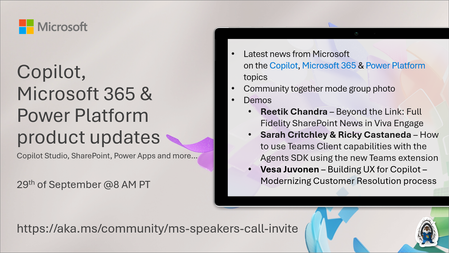
💡Copilot, Microsoft 365 & Power Platform product updates call concentrates on the different use cases and features within the Microsoft 365 and in Power Platform. Call includes topics like Microsoft 365 Copilot, Copilot Studio, Microsoft Teams, Power Platform, Microsoft Graph, Microsoft Viva, Microsoft Search, Microsoft Lists, SharePoint, Power Automate, Power Apps and more. 👏 Weekly Tuesday call is for all community members to see Microsoft PMs, engineering and Cloud Advocates showcasing the art of possible with Microsoft 365 and Power Platform. 📅 On the 29th of September we'll have following agenda: News and updates from Microsoft Together mode group photo Reetik Chandra – Beyond the Link: Full Fidelity SharePoint News in Viva Engage Sarah Critchley & Ricky Castaneda – How to use Teams Client capabilities with the Agents SDK using the new Teams extension Vesa Juvonen – Building UX for Copilot – Modernizing Customer Resolution process 📞 & 📺 Join the Microsoft Teams meeting live at https://aka.ms/community/ms-speakers-call-join 🗓️ Download recurrent invite for this weekly call from https://aka.ms/community/ms-speakers-call-invite 👋 See you in the call! 💡 Building something cool for Microsoft 365 or Power Platform (Copilot, SharePoint, Power Apps, etc)? We are always looking for presenters - Volunteer for a community call demo at https://aka.ms/community/request/demo 📖 Resources: Previous community call recordings and demos from the Microsoft Community Learning YouTube channel at https://aka.ms/community/youtube Microsoft 365 & Power Platform samples from Microsoft and community - https://aka.ms/community/samples Microsoft 365 & Power Platform community details - https://aka.ms/community/home 🧡 Sharing is caring!299Views0likes1Comment
SPFx Web Part Not Visible for External User in Client Tenant
Hi everyone, One of our team members has developed an SPFx web part that we have deployed and published in our client's SharePoint tenant using a service account. The web part is working as expected when we access the client tenant using the service account. However, when I access the same client tenant using my external/guest user account, I cannot see or use the SPFx web part. Current setup: The SPFx web part was developed by one of our team members. The solution has been deployed and published in the client's SharePoint tenant using a service account. The service account can see and use the web part successfully. My account has also been added to the client tenant as an external/guest user. However, when I access the same SharePoint site using my external account, the SPFx web part is not visible/available. I would like to understand whether this is expected behavior for SPFx web parts when accessed by external/guest users, or if we are missing some configuration. Could this be related to SharePoint permissions, Entra ID guest-user settings, the App Catalog, API permissions, or the SPFx solution deployment configuration? Are there any specific permissions or tenant-level settings that we should check to allow external users to access the SPFx web part? Is there any Microsoft-side restriction that prevents external/guest users from accessing SPFx web parts? Any guidance on what could be causing this issue and how we can troubleshoot or resolve it would be greatly appreciated. Thanks in advance!56Views0likes0CommentsCopilot, Microsoft 365 & Power Platform Community call
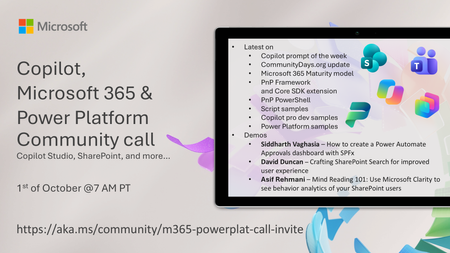
💡 Copilot, Microsoft 365 & Power Platform weekly community call focuses on different use cases and features within the Microsoft 365 and Power Platform - across Microsoft 365 Copilot, Copilot Studio, SharePoint, Power Apps and more. Demos in this call are presented by the community members. 👏 Looking to catch up on the latest news and updates, including cool community demos, this call is for you! 📅 On 1st of October we'll have following agenda: Latest on SharePoint Framework (SPFx) Latest on Copilot prompt of the week PnPjs CLI for Microsoft 365 Dev Proxy Reusable Controls for SPFx SPFx Toolkit VS Code extension PnP Search Solution Demos this time Siddharth Vaghasia – How to create a Power Automate Approvals dashboard with SPFx David Duncan – Crafting SharePoint Search for improved user experience Asif Rehmani – Mind Reading 101: Use Microsoft Clarity to see behavior analytics of your SharePoint users 📅 Download recurrent invite from https://aka.ms/community/m365-powerplat-dev-call-invite 📞 & 📺 Join the Microsoft Teams meeting live at https://aka.ms/community/m365-powerplat-dev-call-join 💡 Building something cool for Microsoft 365 or Power Platform (Copilot, SharePoint, Power Apps, etc)? We are always looking for presenters - Volunteer for a community call demo at https://aka.ms/community/request/demo 👋 See you in the call! 📖 Resources: Previous community call recordings and demos from the Microsoft Community Learning YouTube channel at https://aka.ms/community/youtube Microsoft 365 & Power Platform samples from Microsoft and community - https://aka.ms/community/samples Microsoft 365 & Power Platform community details - https://aka.ms/community/home 🧡 Sharing is caring!326Views0likes0CommentsCopilot, Microsoft 365 & Power Platform Community call
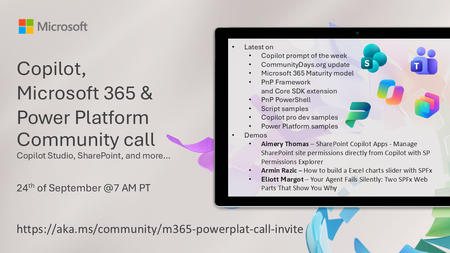
💡 Copilot, Microsoft 365 & Power Platform weekly community call focuses on different use cases and features within the Microsoft 365 and Power Platform - across Microsoft 365 Copilot, Copilot Studio, SharePoint, Power Apps and more. Demos in this call are presented by the community members 🙏 👏 Looking to catch up on the latest news and updates, including cool community demos, this call is for you! 📅 On 24th of September we'll have following agenda: Copilot prompt of the week [CommunityDays.org](http://communitydays.org/) update Microsoft 365 Maturity model PnP Framework and Core SDK extension PnP PowerShell Script samples Copilot pro dev samples Power Platform samples Aimery Thomas – SharePoint Copilot Apps - Manage SharePoint site permissions directly from Copilot with SP Permissions Explorer Armin Razic – How to build a Excel charts slider with SPFx Eliott Margot – Your Agent Fails Silently: Two SPFx Web Parts That Show You Why 📅 Download recurrent invite from https://aka.ms/community/m365-powerplat-dev-call-invite 📞 & 📺 Join the Microsoft Teams meeting live at https://aka.ms/community/m365-powerplat-dev-call-join 💡 Building something cool for Copilot, Microsoft 365 or Power Platform (Copilot Studio, SharePoint, Power Apps, etc)? We are always looking for presenters - Volunteer for a community call demo at https://aka.ms/community/request/demo 👋 See you in the call! 📖 Resources: Previous community call recordings and demos from the Microsoft Community Learning YouTube channel at https://aka.ms/community/youtube Microsoft 365 & Power Platform samples from Microsoft and community - https://aka.ms/community/samples Microsoft 365 & Power Platform community details - https://aka.ms/community/home 🧡 Sharing is caring!248Views0likes0CommentsCopilot, Microsoft 365 & Power Platform product updates call
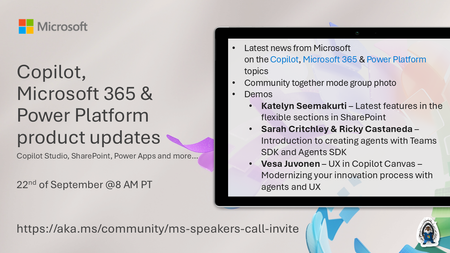
💡Copilot, Microsoft 365 & Power Platform product updates call concentrates on the different use cases and features within the Microsoft 365 and in Power Platform. Call includes topics like Microsoft Copilot, Copilot Studio, Microsoft Teams, Power Platform, Microsoft Graph, Microsoft Viva, Microsoft Search, Microsoft Lists, SharePoint, Power Automate, Power Apps and more. 👏 Weekly Tuesday call is for all community members to see Microsoft PMs, engineering and Cloud Advocates showcasing the art of possible with Microsoft 365 and Power Platform. 📅 On the 22nd of September we'll have following agenda: News and updates from Microsoft Together mode group photo Katelyn Seemakurti – Latest features in the flexible sections in SharePoint Sarah Critchley & Ricky Castaneda – Introduction to creating agents with Teams SDK and Agents SDK Vesa Juvonen – UX in Copilot Canvas – Modernizing your innovation process with agents and UX 📞 & 📺 Join the Microsoft Teams meeting live at https://aka.ms/community/ms-speakers-call-join 🗓️ Download recurrent invite for this weekly call from https://aka.ms/community/ms-speakers-call-invite 👋 See you in the call! 💡 Building something cool for Microsoft 365 or Power Platform (Copilot, SharePoint, Power Apps, etc)? We are always looking for presenters - Volunteer for a community call demo at https://aka.ms/community/request/demo 📖 Resources: Previous community call recordings and demos from the Microsoft Community Learning YouTube channel at https://aka.ms/community/youtube Microsoft 365 & Power Platform samples from Microsoft and community - https://aka.ms/community/samples Microsoft 365 & Power Platform community details - https://aka.ms/community/home 🧡 Sharing is caring!248Views0likes0CommentsCopilot, Microsoft 365 & Power Platform product updates call
💡Copilot, Microsoft 365 & Power Platform product updates call concentrates on the different use cases and features within the Microsoft 365 and in Power Platform. Call includes topics like Microsoft 365 Copilot, Copilot Studio, Microsoft Teams, Power Platform, Microsoft Graph, Microsoft Viva, Microsoft Search, Microsoft Lists, SharePoint, Power Automate, Power Apps and more. 👏 Weekly Tuesday call is for all community members to see Microsoft PMs, engineering and Cloud Advocates showcasing the art of possible with Microsoft 365 and Power Platform. 📅 On the 15th of September we'll have following agenda: News and updates from Microsoft Together mode group photo Rémi Dyon – Building an Agent with GitHub Harness in Copilot Studio Steve Pucelik + Marc Windle – Latest on SharePoint Embedded Vesa Juvonen – Surfacing your business apps in Copilot canvas – IT concierge scenario 📞 & 📺 Join the Microsoft Teams meeting live at https://aka.ms/community/ms-speakers-call-join 🗓️ Download recurrent invite for this weekly call from https://aka.ms/community/ms-speakers-call-invite 👋 See you in the call! 💡 Building something cool for Microsoft 365 or Power Platform (Copilot, SharePoint, Power Apps, etc)? We are always looking for presenters - Volunteer for a community call demo at https://aka.ms/community/request/demo 📖 Resources: Previous community call recordings and demos from the Microsoft Community Learning YouTube channel at https://aka.ms/community/youtube Microsoft 365 & Power Platform samples from Microsoft and community - https://aka.ms/community/samples Microsoft 365 & Power Platform community details - https://aka.ms/community/home 🧡 Sharing is caring!311Views0likes0CommentsMicrosoft Power Platform community call - September 2026
💡 Power Platform monthly community call focuses on different extensibility options for builders, makers and developers within the Power Platform. Typically demos are from our awesome community members who showcase the art of possible within the Power Platform capabilities. 👏 Looking to catch up on the latest news and updates, including cool community demos, this call is for you! 📅 On 16th of September we'll have following agenda: Power Platform Updates & Events Latest on Power Platform samples John Liu - How to easily to convert markdown documents to PDF with Power Automate Sanjiv Venkatram - Using Azure AI video analyzer + Functions + Storage & Power Platform to analyze echocardiograms Billur Şamdancıoğlu - Copilot Cowork for Dynamics 365 Finance and Operations Elliot Margot - Stop Clicking Through Run History: Build Your Own MCP to Debug Power Automate Flows 📅 Download recurrent invite from https://aka.ms/powerplatformcommunitycall 📞 & 📺 Join the Microsoft Teams meeting live at https://aka.ms/PowerPlatformMonthlyCall 💡 Building something cool for Microsoft 365 or Power Platform (Copilot, SharePoint, Power Apps, etc)? We are always looking for presenters - Volunteer for a community call demo at https://aka.ms/community/request/demo 👋 See you in the call! 📖 Resources: Previous community call recordings and demos from the Microsoft 365 & Power Platform community YouTube channel at https://aka.ms/community/videos Microsoft 365 & Power Platform samples from Microsoft and community - https://aka.ms/community/samples Microsoft 365 & Power Platform community details - https://aka.ms/community/home317Views0likes0CommentsCopilot, Microsoft 365 & Power Platform Community call
💡 Copilot, Microsoft 365 & Power Platform weekly community call focuses on different use cases and features within the Microsoft 365 and Power Platform - across Microsoft 365 Copilot, Copilot Studio, SharePoint, Power Apps and more. Demos in this call are presented by the community members. 👏 Looking to catch up on the latest news and updates, including cool community demos, this call is for you! 📅 On 17th of September we'll have following agenda: Latest on SharePoint Framework (SPFx) Latest on Copilot prompt of the week PnPjs CLI for Microsoft 365 Dev Proxy Reusable Controls for SPFx SPFx Toolkit VS Code extension PnP Search Solution Demos this time Josh Bray – Managing Power Platform Environments from SharePoint with an SPFx Web Part Yves Habersaat – Agent-Driven Power Apps: Canvas Authoring MCP Server with GitHub Copilot CLI Mohammed Amer – Build Interactive Component Components UX for Copilot canvas for Microsoft 365 Roadmap Features 📅 Download recurrent invite from https://aka.ms/community/m365-powerplat-dev-call-invite 📞 & 📺 Join the Microsoft Teams meeting live at https://aka.ms/community/m365-powerplat-dev-call-join 💡 Building something cool for Microsoft 365 or Power Platform (Copilot, SharePoint, Power Apps, etc)? We are always looking for presenters - Volunteer for a community call demo at https://aka.ms/community/request/demo 👋 See you in the call! 📖 Resources: Previous community call recordings and demos from the Microsoft Community Learning YouTube channel at https://aka.ms/community/youtube Microsoft 365 & Power Platform samples from Microsoft and community - https://aka.ms/community/samples Microsoft 365 & Power Platform community details - https://aka.ms/community/home 🧡 Sharing is caring!267Views0likes0Comments