content collaboration
47 TopicsJoin us for the SharePoint at 25 Birthday Event
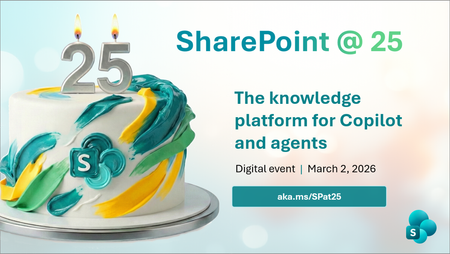
For nearly 25 years, SharePoint has powered how organizations connect, collaborate, and manage knowledge at scale. Today, more than a billion people rely on SharePoint every month to store content, share ideas, and turn information into impact. As SharePoint celebrates its 25th birthday, we’re marking the occasion with a global digital event that reflects on this journey and looks ahead to what’s next. Join global leaders, innovators, and the SharePoint product team for a premier digital event that honors SharePoint’s evolution and its role as the knowledge platform for Copilot and agents, marking both a celebration and a look ahead at the future. Tune in to celebrate and participate. During the event, we’ll spotlight SharePoint’s most defining innovations while sharing a forward-looking view of the platform’s next chapter. One shaped by AI, Copilot, and agentic experiences designed for modern knowledge work. Tune in live to hear what’s new, what’s coming next, and how you can be part of where SharePoint goes from here, including details on how to participate in this year’s SharePoint Hackathon. What you can expect: Explore new content AI capabilities that help structure and enrich information to improve Copilot responses. Discover what’s changing in the way teams create, manage, and collaborate on content in SharePoint. Understand how SharePoint continues to serve as the knowledge platform for Copilot and agents, and what that means for organizations adopting AI at scale. Understand how the community of enthusiasts play a pivotal role in SharePoint’s history and future. After the broadcast, stick around for a live Ask Microsoft Anything (AMA) with the SharePoint product team to dig deeper, ask questions, and help shape the future of the product. Early information about the 2026 SharePoint Hackathon Get ready for the SharePoint Hackathon Following the SharePoint at 25 celebration, we’ll also be hosting a SharePoint Hackathon! A hands-on opportunity to build modern employee experiences using SharePoint, Copilot, and the latest AI capabilities. Whether you’re an end user, designer, maker, developer, or intranet leader, the Hackathon invites you to experiment, build, and share ideas that shape the future of work. Kickoff: During the SharePoint at 25 live event Dates: March 2 – March 16, 2026 What to expect: Additional Microsoft‑led live streams, guidance from product teams, and opportunities to showcase your ideas This 2-week hackathon event is open for anyone to join with some great awards ready for the participants. Learn more about participation and submission categories at: aka.ms/SharePoint/Hackathon Register today Registration is open so claim your spot now! Event Details Date: March 2, 2026 Time: 9:00 AM PT Format: Global Digital Event One registration gives you access to: The full SharePoint 25th birthday broadcast Exclusive previews of new AI and Copilot powered capabilities A live AMA with the SharePoint product team For those engineers, customers, and administrators that like myself, have been here since the beginning of SharePoint- I am so proud of what we've delivered to millions around the world for decades. And the best is yet to come. Stay connected Learn more about SharePoint’s 25th birthday: aka.ms/SPat25 Stay connected with monthly product updates: aka.ms/SharePointShowcase Explore the global SharePoint community: aka.ms/SPCommunity Get ready for SharePoint Hackathon 2026: aka.ms/SharePoint/Hackathon397Views2likes0CommentsQuickly add approval workflows to any list or library in Microsoft 365
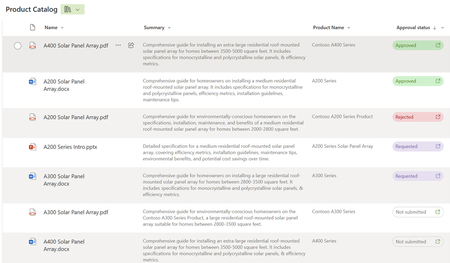
Leverage the power and simplicity of lightweight approvals on any list or library with a few simple clicks! SharePoint and Teams seamlessly integrate across files, lists, loops, and pages. And now, we’re excited to release the latest integration. SharePoint + the Teams Approvals app bringing you fast, easy approval-tracking business solutions – to any list or library. A single toggle gets you started: Create, approve, reject, and cancel – without leaving your content or the context of your conversations. Whether you need to approve a purchase order, a vacation request, project milestones, or a blog post, Approvals in lists and libraries help streamline the process and collaboration among your team members.11KViews6likes22CommentsSharePoint: Using agents, AI-powered authoring, and automation, for high impact content management
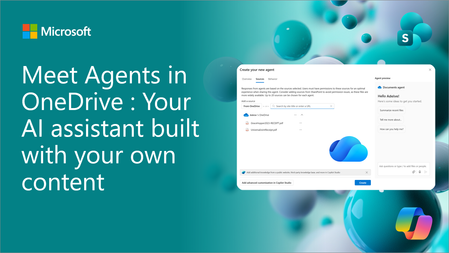
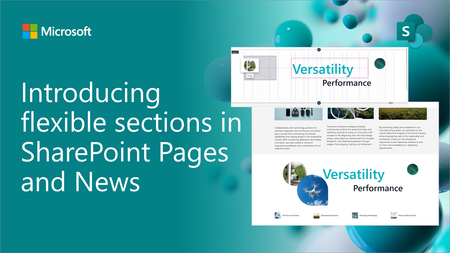
With over 2 billion files added and 2 million sites created per day, SharePoint is the world’s most powerful and flexible content management platform. SharePoint allows you to create stunning intranets, orchestrate powerful workflows and develop business-critical applications, while also powering a breadth of innovations across Microsoft 365 in Teams, OneDrive, and Copilot. The SharePoint event today showcased an exciting breadth of innovations across SharePoint. With these innovations, we believe SharePoint is the best platform for managing content for AI, and the best application for using AI to achieve high impact business outcomes. The innovations shown today span three key areas – Agents built in SharePoint: create and manage AI experts for your SharePoint content with just a few clicks. AI-powered authoring for stunning intranets: use AI to easily create beautiful looking intranet sites using the best of what the web has to offer. Automation for streamlining business workflows: automate critical content-based business processes with AI. Visit the new event microsite on adoption.microsoft.com | Access all new videos, adoption resources, hackathon details, and more: https://aka.ms/SharePointEvent/Adoption https://aka.ms/SharePointEvent/Adoption. Agents built in SharePoint: AI experts for every user At Microsoft Ignite 2024, we announced the general availability of agents built in SharePoint. These agents are tailored assistants scoped to specific SharePoint sites and content, becoming your subject matter experts working on behalf of a person, team, or organization to handle simple tasks or more complex business processes. Every SharePoint site now includes an agent grounded to that site’s data ready for immediate use. With just a few clicks users can easily create their own custom agents with specialized skills scoped to their specific SharePoint files and folders. And of course, agents adhere to existing SharePoint content permissions and governance polices, ensuring your data and content are used in a safe and secure manner. We see our customers using agents today for a range of scenarios such as onboarding, product support, planning and more. Amey is just one such customer who is using agents built in SharePoint to get the most out of their content and knowledge real estate on SharePoint. AI-powered authoring: Create and communicate with AI. Today you saw a range of capabilities that allow you to build SharePoint sites that look better than ever. With improvements like flexible layouts, design ideas, co-authoring, and Copilot throughout the experience, this represents a huge step forward for SharePoint’s UX capabilities. Creating high quality, engaging content on SharePoint has never been easier. Creating with Copilot With the new "create with Copilot" feature you can either use a prompt or use a selection of templates to create an engaging page, grounded in the content of your choosing, in minutes. This allows you to spend less time on the mechanics of creating the page and instead focus on the core message and content to maximize engagement and impact. Using Microsoft 365 Copilot in SharePoint to help create and design the sites you want with ease, and assistance. Design ideas: Augment creativity with AI. Design Ideas leverages your content and provides several professionally designed suggestions, automatically taking your content-specific requirements into account. You can easily invoke Design Ideas with just the click of a single button and in seconds, transform your sections into user-ready content. You can even use Design Ideas starting with blank sections or plain blocks of text! Design Ideas in the right pane of a SharePoint page showcasing different suggestions. Flexible sections: Build unconstrained For the longest time ever, SharePoint restricted you to building within the three columns framework. We heard your feedback - with Flexible sections, you now have access to all 12 columns on the SharePoint canvas! Move images, text, and all your other favorite web parts around with fine control, and freely resize them in an easy, intuitive manner. And with AI-based authoring features like Design Ideas, it allows you to take full advantage of Flexible sections to provide the best possible layout recommendations for your content. 12 column canvas with Flexible Sections on a SharePoint page. These innovations and more have been rolling out to customers over the past several months. See how customers such as Avanade are using these capabilities to create engaging and beautiful content, and how Takeda sees a future with the latest innovations. AI and automation for streamlining your work Billions of pieces of content are added to SharePoint each day relevant to both, small team collaborations, and broad company-wide initiatives. This puts SharePoint in the middle of business processes both big and small. From out of the box simple approvals and automation, to site, doclib, and list templates and all the way to Power Platform integration – Automation in SharePoint spans the continuum of business processes to get work done faster and at higher quality. As just one example, over 3 billion Power Automate flows run against SharePoint every week. In this next phase of innovation, we are excited to share more about how automation and AI integrate together. Enhance business processes with AI Autofill is one feature that enriches content by extracting and generating structured metadata at scale – increasing the value of your content real estate. Using a natural language prompt you can describe the metadata you need, easily classifying, extracting, or generating new content as metadata. This will automate the process of new and modified files, saving you time and enhancing your business processes. Price change updates As part of our commitment to make advanced AI accessible to everyone, we are also excited to announce that SharePoint Autofill pricing has adjusted from $0.05 per page to $0.005 per page starting in March 2025! Learn more about SharePoint pay-as-you-go services. Next steps We are excited to announce the next SharePoint Hackathon - and invite you, our customers, partners, and MVPs, to craft experiences using AI and the latest SharePoint features. See more details and register here! SharePoint Hackathon - Share your designs and engage with likeminded makers: https://aka.ms/SharePointHackathon. And finally, I personally invite you all to attend the Microsoft 365 Community Conference (May 6-8, 2025) in Las Vegas. We’re showcasing the latest news and best practices for SharePoint and M365 with leaders, product makers, partners, and MVPs. We can’t wait to hear more about how you put Microsoft 365 to work in your organization. Thank you! Learn more and explore! To skill up your SharePoint IQ even further – review the full event + AMA, visit our new microsite, register for the hackathon, watch our new, in-depth SharePoint learning series videos from our incredible product team members: "SharePoint: From concept to creation to impact + Live AMA" New SharePoint Event microsite on adoption.microsoft.com SharePoint Hackathon + upcoming webinar series YouTube playlist of all 17 new video assets (Main event, learning series, customer voices, and upcoming hackathon webinars) 5-part SharePoint learning series SharePoint customer stories: Amey, Takeda, and Avanade The trust and feedback from you all, the SharePoint community, developers, customers and MVPs have helped us evolve SharePoint to be the best content cloud solution in the world. Thank you! Related resources Getting started with SharePoint is a breeze! Check out the latest tutorial on building a SharePoint site. NEW agents built in SharePoint adoption guide (adoption.microsoft.com) Agents built in SharePoint (adoption.microsoft.com) Subscribe to the SharePoint community blog Add and upvote feature request: SharePoint Feedback PortalS13KViews6likes1CommentAI-powered intranet solution built on SharePoint - Fresh Intranet - SharePoint Partner Showcase
We are excited to start a new blog post series focused on the different partner offerings around SharePoint in Microsoft 365. In this first post, we focus on Advania’s Fresh Intranet – an AI powered intranet solution built natively on Microsoft SharePoint.3KViews3likes0CommentsSharePoint and OneDrive at Microsoft Ignite 2025: What to Expect
Next week Microsoft Ignite 2025 lands in San Francisco’s Moscone Center for the first time! Bringing a wave of innovation that’s reshaping the industry for AI-driven content management, secure collaboration, and seamless digital experiences.1.4KViews1like2Comments