sites
2678 Topics
Microsoft 365 Copilot Licensed but Unable to Create SharePoint Pages Using HTML
Hello everyone, I have a Microsoft 365 Copilot licence in our tenant, but I cannot see the option to create SharePoint site pages using HTML. I would like to know whether this feature is available to all tenants or is being rolled out gradually. Is there any specific SharePoint or Microsoft 365 admin setting that needs to be enabled to access this feature? Are there any additional licensing requirements or prerequisites? How can I check whether the feature has been enabled or rolled out to our tenant? Any guidance or suggestions would be appreciated.91Views0likes2Comments
Document Sets - Want Subfolders (not just files) to inherit metadata
Trying to get subfolders (the actual subfolder) in a document set to inherit metadata. We have files and files in subfolders inheriting correctly but currently subfolders in the set do not inherit data. We are using the metadata column for view filter between active/pending/completed job status. What happens is the subfolders don't show in the filtered view so you cant traverse the subfolder structure. Show flat structure is not suitable as its hundreds of files. The shared columns settings in library settings, says it syncs for all 'documents' in the set. This excludes folders. Have tried power automate, but it doesn't seem to work applying the metadata to a folder object. We need to able to change a document set from Active > Pending and all the metadata change. Any ideas on how we can get the subfolders in inherit (and update) the metadata of the document set. Thanks in advance.396Views1like4Comments
Supported App-Only APIs for SharePoint Site Access and Group Membership (No PowerShell)?
a { text-decoration: none; color: #464feb; } tr th, tr td { border: 1px solid #e6e6e6; } tr th { background-color: #f5f5f5; } I am trying to determine the supported approach for retrieving SharePoint Site Owners, Members, and Visitors (effective user access) in an App-Only (Application Permissions) scenario without using PowerShell. Specifically, I am building an MCP tool that needs to: Check whether a specific user has access to a particular SharePoint site. Retrieve the list of users who have access to a SharePoint site, especially through the SharePoint Owners, Members, and Visitors groups. From my understanding, Microsoft Graph can be used to enumerate SharePoint sites and permissions, but retrieving the actual membership of the associated SharePoint groups does not appear to be fully supported through Graph alone. Most recommendations I have found suggest using SharePoint REST APIs, CSOM, or PnP-based solutions. My questions are: How can I retrieve SharePoint Site Owners, Members, and Visitors (effective user access) in an App-Only scenario without using PowerShell? Are there any supported Microsoft Graph APIs (including Beta APIs), SharePoint REST APIs, SDKs, Python libraries, CSOM, or other approaches that can provide this information? Can a backend service implemented entirely in code (without PowerShell execution) determine: Whether a specific user has access to a SharePoint site? The users belonging to the site's Owners, Members, and Visitors groups? The reason for asking is that I am developing a backend service, and invoking PowerShell from the application is not a practical option. I am looking for a supported API/SDK-based solution that can be implemented directly in code using App Registration permissions only.177Views1like2Comments
Automatically email supplier when their certificate expires
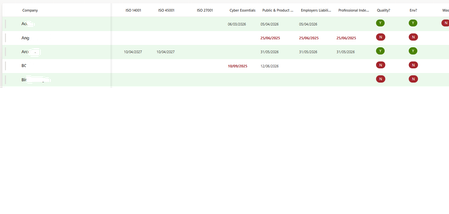
Good afternoon. I have set myself a challenge and really could do with some help. I have a list of suppliers like below. I have expiry dates set up, with a colour formatting to show any date past the current date. On the end of the row, there is an email address of the company contact. I want SharePoint to automatically email that person as soon as it turns red/expires. What is the simplest way of doing this? I have looked at Flows etc, and online on video tutorials, but some of the guides are old and out of date or very complex and I am a novice. Is anyone kindly, can give me a step-by-step guide on how to do this, as this would be just awesome and finally bring my company into the 21st century! Thanks in advance.716Views1like16CommentsMGDC for SharePoint FAQ: How to List SharePoint Webs or Subsites?
1. Introduction SharePoint uses a known object hierarchy to store your files, including, in order: Site Collection (site, SPSite) Web (site, subsite, SPWeb) List (SPList, Document Library, SPDocumentLibrary) Folder (SPFolder) List Item (documents, files, SPListItem, SPFile) If you are not familiar with all those, you can read more about them at What is in the Permissions dataset? 2.What we have in MGDC for SharePoint The SharePoint Sites dataset in Microsoft Graph Data Connect offers a list of all sites (site collections) in your tenant. The SharePoint Files will give you details about each file (document). However, there are no MGDC datasets that will give you one object per SharePoint Web (subsite) or SharePoint List (library). There is a workaround, though. If you pay attention to the schema for the SharePoint Sites and SharePoint Files datasets in MGDC, you will find that Sites includes a few interesting details about the Root Web (the main web in the site collection) and the total number of webs (subsites) in each site. Also, the Files dataset includes details about the web (subsite) and the list (library) where the file lives. You could group on these columns to expose more information about webs and lists. 3. One Web These days, if you create a modern SharePoint site, you will get one web (called the Root Web) and no obvious mechanism to create subsites or additional webs. For any sites created in the last few years, you likely have no additional webs outside the Root Web. Your SharePoint might have existed for many years and your company could have sites using old templates with multiple subsites. If you’re trying to find out if that’s the case for your tenant, the information is available in MGDC, if you are willing to dig a little deeper. 4. Finding Old Subsites The main task here is to create a custom query to join the Sites and Files datasets. You would then group that in a particular way to enumerate each subsites (Webs). You might also tag the Webs that are a Root Web, so that you can identify subsites that are not at the top of the Site hierarchy. If you pulled the Sites and Files datasets into a SQL Server or a Lakehouse in Microsoft Fabric, this is what that query could look like: SELECT Webs.SiteId, Sites.RootWeb.Title AS SiteTitle, Sites.Url AS SiteUrl, Sites.WebCount, Webs.WebId, CASE WHEN Root.RootWeb.Id IS NOT NULL THEN 1 ELSE 0 END AS IsRootWeb, Webs.FileCount, Webs.TotalSize, Webs.TotalSizeWithVersions FROM ( SELECT SiteId, WebId, COUNT(*) AS FileCount, SUM(SizeInBytes) AS TotalSize, SUM(SizeInBytesWithVersions) AS TotalSizeWithVersions FROM Files GROUP BY SiteId, WebId ) AS Webs LEFT JOIN Sites AS Sites ON Webs.SiteId = Sites.Id LEFT JOIN Sites AS Root ON Webs.SiteId = Root.Id AND Webs.WebId = Root.RootWeb.Id 4. Empty Webs, Web properties This technique will get you a nice list of Webs, but there are a few problems. First, if a specific web has no files, we won’t see that web in the Files dataset and therefore the query will fail to list that particular web. You would still see that Web counted in the WebCount property of the Sites dataset, but there would be no listing of that web in the query proposed above, since it has no files. Another problem is that there is no way to find in MGDC the details properties of the Web, like the Title. You get some of those for the Root Web in the Sites dataset, but not for the other Webs. For that, you would have to query the Web object using another source like the Graph API or PowerShell. 5. Conclusion I hope this article helped you find details about enumerating SharePoint Webs using the Microsoft Graph Data Connect. For recent deployments of SharePoint Online, you should have only one web per site and the Sites dataset (with Root Web details) should give you plenty of details. However, this might come in handy if you want to manage some of the old subsites of a slightly older SharePoint deployment. Finally, if you’re looking for a challenge, I would suggest adapting the SQL code above to enumerate all the document libraries using the Files dataset. It can be done following a similar pattern…MGDC for SharePoint: New Columns in September 2026
The MGDC for SharePoint team continues to improve the available datasets. This time around, we are introducing additional columns to some of our existing datasets. Here is a summary based on the different scenarios they support: Archive – Extends support for the SharePoint Archive feature. Includes a site property for size of archived files and a file property to indicate that the file is archived. E-signature – Supports the E-signature by adding a file to indicate there is a digital signature and the provider’s name. Filtering – The RootWebTemplateId was added to SharePoint Groups and SharePoint Permission dataset to facilitate filter by type of site, like it is currently available for Sites, Files and File Actions. Hub Site – Extends support for Hub Sites, introducing a column for ParentHubSiteId, to represent a hub site hierarchy. Restricted – Multiple columns indicating restricted flags in sites, including Restricted Access Control (RAC), Restricted Content Discovery (RCD) and Restricted Content Org-wide Search Policy. Retention – Support a set of file properties about Retention Labels, including label name, type, who applied it and when it was applied. Sharing – Extends the SharePoint Permissions properties to support the new sharing model. This includes information about the Main Link and Variants. Versions – Extends support for versions, including version storage metrics and version history policy. Here is a summary of all 26 columns in 4 datasets (Sites, Groups, Permissions and Files): Dataset Column Data type Description Sites ArchiveStorageUsed Number Total size of all archived storage in bytes Sites IsRestrictContentOrgWide SearchPolicyEnforcedOnSite Boolean Restricted Content Org-wide Search Policy Sites IsRestrictedAccess ControlPolicyEnabled Boolean Restricted Access Control Sites IsRestrictedContentDiscovery forCopilotAndAgentsEnabled Boolean Restricted Content Discovery Sites ParentHubSiteId String, GUID Parent hub site for this hub site Sites StorageMetrics, VersionCount Number Number of versions Sites StorageMetrics, VersionSize Number Total size of versions in bytes Sites StorageMetrics, VersionMetadataSize Number Total size of version metadata in bytes Sites VersionHistoryPolicy String Version history policy. Possible values: None, Automatic, Manual. If manual, uses “major version limit”. Sites MajorVersionLimit Number Limit for number of major versions Groups RootWebTemplateId Number Root web template id Groups Description String Description of the group Permissions RootWebTemplateId Number Root web template id Permissions SharingVariant String Sharing link variant. Possible values include: None, PasswordProtected, TrackLinkUsers, Embeddable, Ephemeral, RestrictToExistingRelationships, MainLink, NonDurableRedeem. Multiple values can be set at once. Permissions MainLinkAudience String Main link audience. Possible values include: Organization, Empty (people with existing access). Permissions MainLinkRole String Main link role. Possible values include View, Edit, others. Files RetentionLabel Object Retention label Files RetentionLabel, AppliedByEmail String Email of user who applied retention label Files RetentionLabel, AppliedByName String Name of user who applied retention label Files RetentionLabel, AppliedTime DateTme Time when retention label was applied Files RetentionLabel, Name String Name of retention label Files RetentionLabel, Type String Type of retention label. Possible values: Normal, Record or Regulatory Record Files HasDigitalSignature Boolean File has a digital signature Files DigitalSignatureProvider String Name of digital signature provider if digital Signature exist Files IsFileArchived Boolean File is Archived These changes are non-breaking, which means that your existing pipelines will continue to run. We also let this change sit for 21 days, so that delta datasets are also not impacted. Anyone starting fresh with MGDC for SharePoint will automatically get the new columns in their pipelines. If you have existing pipelines and want to use the new columns, you will need to update your MGDC application, get that update approved and then update your pipeline to pull the new schema. For more details about updating your pipelines to include new columns, or to see how these can be leveraged in specific scenarios, see these articles: Helpful blog on schema changes: MGDC for SharePoint FAQ: How to deal with schema changes Main MGDC for SharePoint article: https://aka.ms/SharePointData Updated schema for SharePoint datasets in MGDC: https://aka.ms/SharePointDatasetsMGDC for SharePoint: Richer data for read-locked and archived sites
We’re improving the Microsoft Graph Data Connect (MGDC) for SharePoint Sites dataset to provide more complete information for read-locked and archived sites. What’s changing Previously, read-locked and archived sites appeared as partial rows, with only a limited number of columns populated. With this update, these sites are fully populated with the same fields and level of detail as other sites in the dataset. What you’ll see in the data 1) Fully populated rows Standard fields that were previously empty for read-locked and archived sites will now contain their actual values. 2) A more accurate ReadLocked signal The ReadLocked field will now reflect the site’s actual lock state independently of its archival status: An archived site reports ReadLocked = false. A genuinely read-locked site reports ReadLocked = true. This makes it easier to distinguish archived sites from sites that are specifically read-locked. What’s not changing No schema changes: The structure of the MGDC SharePoint Sites dataset remains the same. No change in site coverage: The same sites continue to appear, so the row count remains unchanged. No change for normal sites: Sites that are neither archived nor read-locked continue to report the same values. This update only enriches rows that were previously partially populated. What to expect when the update is enabled The first snapshot after enablement will contain a one-time expected delta: Previously sparse rows will become fully populated. Archived sites will report their genuine lock state. For many archived sites, ReadLocked will change from true to false, because archival status will no longer mask the underlying lock state. If you are using MGDC for SharePoint Delta Datasets, note that the SharePoint Sites dataset will show a one-time increase in the Delta due to the changes described here. This will have no impact on other datasets. After this initial snapshot, subsequent snapshots will follow the updated behavior.MGDC for SharePoint and SharePoint Embedded
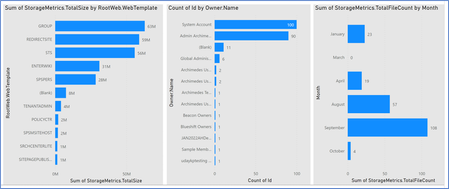
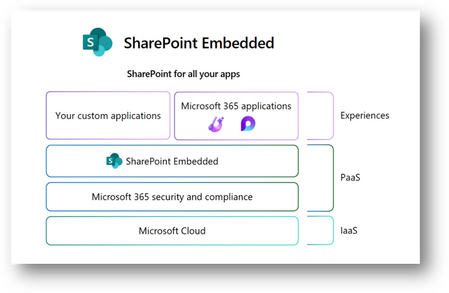
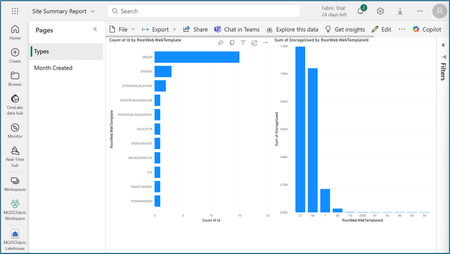
1. MGDC for SharePoint and SharePoint Embedded In this post, we’ll discuss how to use data from Microsoft Graph Data Connect (MGDC) for SharePoint to understand how SharePoint Embedded is being configured and used in your tenant. If you’re new to MGDC, get an overview at https://aka.ms/SharePointData. If you’re not familiar with SharePoint Embedded, check this Overview of SharePoint Embedded. 2. Introduction SharePoint Embedded is an API-only solution to use the power of the Microsoft 365 file and document storage platform. You can use it to build applications that expose Microsoft 365 features including those from Office, Purview and Copilot. The SharePoint Embedded files are stored in “File Storage Containers”, created by your enterprise applications or a third-party application. 3. MGDC for SharePoint and SharePoint Embedded One important detail is that MGDC for SharePoint sees these containers and files used by SharePoint Embedded. You can see the Containers (under Sites), the permissions granted and even each individual file inside the Containers. 4. Web Template Id To filter sites for SharePoint Embedded containers, just look for SharePoint Sites in MGDC that have the RootWeb.WebTemplateId of 70. This is used to differentiate this scenario, in the same way that OneDrives are sites with the RootWeb.WebTemplateId of 21. You can also check for the RootWeb.Template, which shows as “CSPCONTAINER” for SharePoint Embedded. A typical container for SharePoint Embedded will show in the SharePoint Sites datasets like this: { "ptenant": "00000001-0000-0000-0000-000000000000", "Id": "00000002-0000-0000-0000-000000000000", "Url": "https://tenantname.sharepoint.com/contentstorage/CSP_00000009-0000-0000-0000-000000000000", "ArchiveState": "None", "RootWeb": { "Configuration": 0, "Id": "00000003-0000-0000-0000-000000000000", "Title": "Ideas", "WebTemplate": "CSPCONTAINER", "WebTemplateId": 70, "LastItemModifiedDate": "2025-01-10T22:55:18.000Z" }, "WebCount": 1, "StorageQuota": 27487790694400, "StorageUsed": 149186, "StorageMetrics": { "MetadataSize": 8506, "TotalFileCount": 2, "TotalFileStreamSize": 41924, "TotalSize": 149186 }, "GroupId": "00000000-0000-0000-0000-000000000000", "GeoLocation": "CAN", "IsInRecycleBin": false, "RecycleBinItemCount": 0, "RecycleBinItemSize": 0, "SecondStageRecycleBinStorageUsage": 0, "IsTeamsConnectedSite": false, "IsTeamsChannelSite": false, "TeamsChannelType": "None", "IsCommunicationSite": false, "IsHubSite": false, "HubSiteId": "00000000-0000-0000-0000-000000000000", "IsOneDrive": false, "BlockAccessFromUnmanagedDevices": false, "BlockDownloadOfAllFilesOnUnmanagedDevices": false, "BlockDownloadOfViewableFilesOnUnmanagedDevices": false, "IsExternalSharingEnabled": true, "ShareByEmailEnabled": true, "ShareByLinkEnabled": true, "SensitivityLabelInfo": {}, "IBMode": "Open", "RelatedGroupId": "00000000-0000-0000-0000-000000000000", "Owner": { "Name": "System Account" }, "SecondaryContact": {}, "ReadLocked": false, "ReadOnly": false, "CreatedTime": "2025-01-09T22:54:50Z", "LastSecurityModifiedDate": "2025-01-09T22:57:11Z", "Operation": "Full", "LastUserAccessDate": "2025-01-09T22:54:51Z", "SnapshotDate": "2025-01-11T00:00:00Z" } Note: In all the sample JSON objects shown in this post, ids were redacted with zeros. You can learn more about how SharePoint uses WebTemplateId to identify the type of site at MGDC for SharePoint FAQ: Is OneDrive included? 5. Permissions The SharePoint Permissions dataset includes all the permissions granted for all the several types of SharePoint content, including OneDrive, Teams-connected sites, and SharePoint Embedded containers. Granular permissions by folder and individual files are also included. Here’s a typical object from the SharePoint Permissions dataset: { "ptenant": "00000001-0000-0000-0000-000000000000", "SiteId": "00000002-0000-0000-0000-000000000000", "WebId": "00000003-0000-0000-0000-000000000000", "ListId": "00000004-0000-0000-0000-000000000000", "ItemType": "File", "ItemURL": "contentstorage/CSP_00000009-0000-0000-0000-000000000000/Document Library/LoopAppData/ProjectBlue.loop", "FileExtension": "loop", "RoleDefinition": "Contribute", "LinkId": "00000005-0000-0000-0000-000000000000", "ScopeId": "00000006-0000-0000-0000-000000000000", "LinkScope": "Organization", "SharedWithCount": [], "SharedWith": [], "Operation": "Full", "SnapshotDate": "2025-01-11T00:00:00Z", "ShareCreatedBy": { "Type": "User", "Name": "Test User", "Email": "test@tenantname.onmicrosoft.com", "UPN": "test@tenantname.onmicrosoft.com" }, "ShareCreatedTime": "2025-01-09T22:55:51Z", "ShareLastModifiedBy": { "Type": "User", "Name": "Test User", "Email": "test@tenantname.onmicrosoft.com", "UPN": "test@tenantname.onmicrosoft.com" }, "ShareLastModifiedTime": "2025-01-09T22:55:51Z", "ListItemId": 4, "UniqueId": "00000007-0000-0000-0000-000000000000" } Note: The example above shows a single Contribute permission to a Loop file using a sharing link. Loop uses SharePoint Embedded to store files and it’s something you can easily configure and test in your tenant. MGDC for SharePoint will show all permissions granted in SharePoint Embedded containers, included permissions granted at various levels of the SharePoint hierarchy (site, web, library, folder, or file) and diverse types of security principals (users, SharePoint groups and Entra ID groups, internal or external). You can learn more about it at MGDC for SharePoint FAQ: What is in the Permissions dataset? 6. Files Finally, you can get a complete list of every file inside the SharePoint Embedded containers, including details like file name, size, author, last modifier and more. Here’s a typical object from the SharePoint Files dataset: { "ptenant": "00000001-0000-0000-0000-000000000000", "SiteId": "00000002-0000-0000-0000-000000000000", "Author": { "Name": "Test User", "Email": "test@tenantname.onmicrosoft.com" }, "DirName": "Document Library/LoopAppData", "Extension": "loop", "FileName": "ProjectBlue.loop", "IsLabelEncrypted": false, "ItemId": "00000008-0000-0000-0000-000000000000", "ListId": "00000004-0000-0000-0000-000000000000", "ListServerTemplate": "DocumentLibrary", "MajorVersion": 4, "MinorVersion": 0, "ModifiedBy": { "Name": "Test User", "Email": "test@tenantname.onmicrosoft.com" }, "Operation": "Full", "ScopeId": "00000006-0000-0000-0000-000000000000", "SensitivityLabelInfo": {}, "SiteUrl": "https://tenantname.sharepoint.com/contentstorage/CSP_00000009-0000-0000-0000-000000000000", "SizeInBytes": 24301, "SizeInBytesWithVersions": 57765, "TimeCreated": "2025-01-09T22:55:08Z", "TimeLastModified": "2025-01-09T22:56:13Z", "WebId": "00000003-0000-0000-0000-000000000000", "WebTemplateId": 70, "SnapshotDate": "2025-01-11T00:00:00Z" } Note: SharePoint Embedded does not support minor versions, so the “MinorVersion” column in the Files dataset will always show zero in this scenario. For details, check the schema for the SharePoint Files dataset. 7. Filtering You can easily download entire datasets and use Azure Data Tools to filter for rows where WebTemplateId is 70. For Sites and Files, there is also a mechanism to filter at the source, so you pull from Microsoft Graph Data Connect only the data related to SharePoint Embedded. The same filtering mechanism can be used to pull data just for a specific site, filtered by Id. For details, check this article about Filtering SharePoint dataset at the source. 8. Conclusion I hope this post helped you understand how to use MGDC for SharePoint to gather information about SharePoint Embedded containers and files. For more information, visit https://aka.ms/SharePointData.