Recent Discussions

Six Sigma promotions won't go away.
Hi, and know that I'm Microsoft experienced but not a coder or programmer. I found a Six Sigma attachment to my online academic course, and the institution claims it isn't on their screens, and isn't approved nor endorsed by them. Now the promotions are flooding my MSN feed. I tried the steps on your and various other outlets with no luck. How do I stop it? I'm not a Six Sigma practitioner nor a supporter. How did they get into my system, and how to I expell them?5Views0likes0Comments
How to exit Win11 Insider Preview Build 26220?
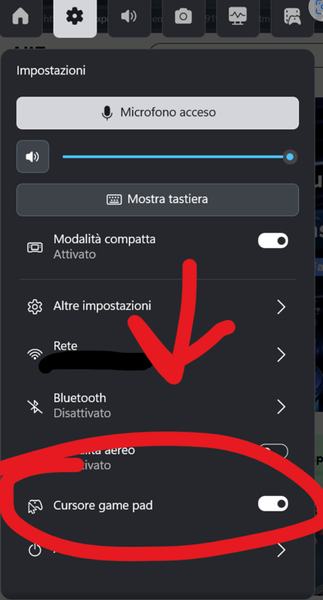
I accidentally joined the Windows Insider Program and opted out in Settings, but I'm not sure if it worked. My desktop still shows the watermark: "Windows 11 Home Insider Preview Evaluation Copy. Build 26220.8764". My question: Will my system automatically become the official release after the evaluation expires? If not, how can I return to the official version without losing personal files? Do I have to clean install? If I stay on this build, will I ever receive official cumulative updates again (like future 26H1 updates)? I'd really appreciate any professional advice. Please reply below or PM me. Chinese replies are welcome!9Views0likes0Comments
After opening the preview pane with a keyboard shortcut, the preview area appears blank
After pressing Alt + P in File Explorer to open the preview pane, the preview area appears blank when selecting files that support previews. Previews still do not work properly even after attempting to re-register the preview handler and restarting File Explorer. Some file types can be previewed, but others cannot.7Views0likes0CommentsIs it safe to delete the previous Windows 10 installation files?
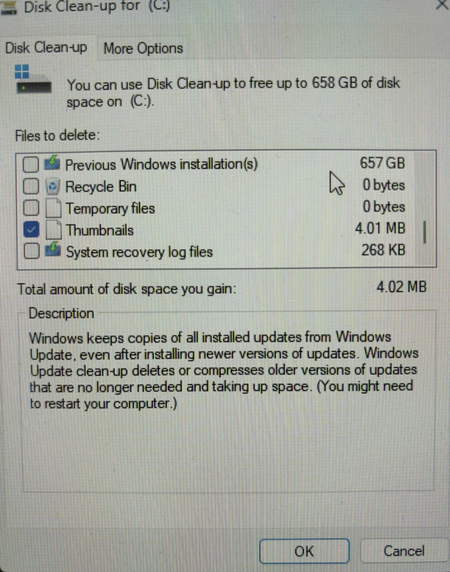
During a disk cleanup, the tool detected old Windows installation files that are taking up a significant amount of space, and I’d like to delete them to free up disk space. I’d like to confirm whether deleting them will affect the normal operation of the current system or any future rollback operations.10Views0likes0CommentsAfter installing the Russian language pack, the blue screen issue on the laptop was resolved.
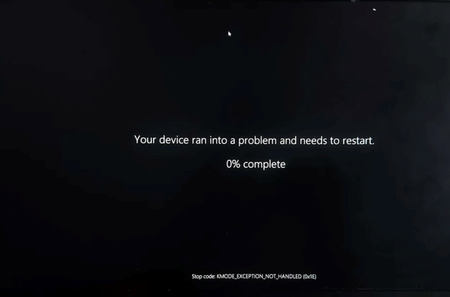
This isn’t a joke. My new laptop was constantly crashing with blue screens, and nothing I tried worked. I didn’t want to send it in for repair because I had a lot of important work data stored on it. Finally, just to see if it would work, I remembered hearing that adding a Russian keyboard layout could help protect against ransomware, so I decided to give it a try as a last-ditch effort. To my surprise, it actually worked—it’s been two months now, and I haven’t had a single blue screen since. I’m sharing this for others facing the same issue; perhaps this method will work for you too.8Views0likes0CommentsMouse cursor trail settings cannot be saved; they are disabled after a restart.
After enabling “Show pointer trails” in Control Panel → Mouse → Pointer Options, the setting automatically reverts to the default (off) state after the computer restarts or you log out of your account. Even if you confirm the changes and click “Apply,” the setting does not remain enabled after a restart, and you must reconfigure it each time.9Views0likes0Comments
RDP client shows black screen when SR-IOV GPU adapter is enabled on Windows 10 VM
Hi, I'm running a Windows 10 virtual machine as an RDP server. The VM is assigned a SR-IOV virtual function (VF) of the host's Intel UHD Graphics. When I enable the Group Policy setting "Use hardware graphics adapters for all Remote Desktop Services sessions", the RDP client connects but only displays a black screen. If I disable this Group Policy setting, the RDP session works normally, but without GPU acceleration. Environment: Host OS: linux Guest OS: Windows 10 GPU: Intel UHD Graphics (SR-IOV VF) RDP client: Windows built-in mstsc.exe Steps to reproduce: 1.Assign an SR-IOV VF of Intel UHD Graphics to the Windows 10 VM 2.Enable the Group Policy: Computer Configuration → Administrative Templates → Windows Components → Remote Desktop Services → Remote Desktop Session Host → Remote Session Environment → Use hardware graphics adapters for all Remote Desktop Services sessions 3.Connect to the VM via RDP 4.Result: black screen Is this a known limitation? Is there any workaround to use SR-IOV GPU with RDP desktop display? Thanks.4Views0likes0CommentsWarning about low storage space on Win 10
My Windows 10 system is constantly displaying a warning about low storage space, even though I have already deleted unnecessary files and programs. Despite freeing up space, the warning keeps appearing, and I am concerned that my drive may be critically full or there might be hidden files or system issues causing incorrect storage readings. I am seeking advice on how to accurately identify the cause and resolve the low storage warning effectively.10Views0likes0Commentsheadphones produce no audio on Windows PC
My headphones are connected to my Windows PC, but I'm not getting any sound or audio output when I try to listen. I have checked the connection, volume settings, and default playback device, but the issue persists, and there is no audio coming through the headphones regardless of what I do. I am looking for troubleshooting steps or solutions to resolve this problem and get my headphones working properly again.9Views0likes0CommentsWhen opening the Quick Settings panel, noticeable screen tearing occurs as the panel pops up.
When I press the Win + A key combination to open the Quick Settings panel, noticeable screen tearing occurs as the panel pops up, lasting about 0.5–1 second. This issue is more pronounced when using a high-refresh-rate monitor or with HDR enabled. The problem persists even after updating the graphics card driver and disabling hardware-accelerated GPU scheduling.8Views0likes0CommentsIn full-screen mode, the address bar and toolbar are not displayed.
After pressing F11 in File Explorer to enter full-screen mode, when you move the mouse pointer to the top of the screen, the address bar, menu bar, and toolbar should automatically appear, but they do not, making navigation impossible. You must press F11 twice to exit and re-enter full-screen mode to temporarily restore normal functionality, but the problem recurs.8Views0likes0CommentsIntermittent Failure of Embedded Fingerprint Sensors Due to Firmware Bugs
I am meeting intermittent failures with my embedded fingerprint sensor on my Windows 11 device, where it sometimes stops working randomly. The issue seems to be caused by firmware bugs, as updates or reinstalls haven't resolved the problem, leading to frustration and unreliable biometric authentication.6Views0likes0CommentsMy Application crashes on Windows 10 computer
My application keeps crashing unexpectedly on my Windows 10 computer, and I am unable to determine the cause of the issue. Despite trying to restart the system and reinstall the application, the crashes persist, leading to loss of data and frustration. I need help troubleshooting this problem and finding a solution to ensure the application runs smoothly without crashing. Any advice or suggestions would be greatly appreciated.14Views0likes0CommentsToo many startup programs have caused the system to start up more slowly.
My computer has become significantly slower during startup because an excessive number of programs are set to launch automatically. This overload of background processes is delaying boot times and reducing overall system responsiveness, making it frustrating to get started with my daily tasks. I am looking for effective ways to identify and disable unnecessary startup programs to improve boot speed and restore smoother performance.8Views0likes0CommentsMemory leaks On my Windows 10 PC
I've been experiencing persistent issues with memory leaks on my Windows 10 PC, which seem to worsen over time. Every few days, I notice that memory leaks on my Windows 10 PC cause significant slowdowns and system instability, making it difficult to use the computer effectively. After researching, I suspect that certain applications might be causing these memory leaks on my Windows 10 PC, leading to high RAM usage and degraded performance. Addressing memory leaks on my Windows 10 PC is crucial to restoring stability and ensuring smooth operation.8Views0likes0CommentsIt is recommended that Windows 11 decouple the Shell/URI activation mechanism from File Explorer
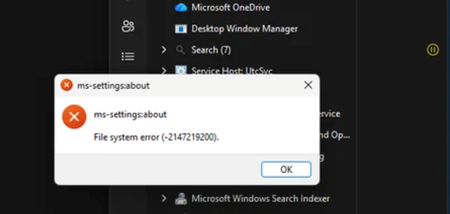
It is recommended to decouple Windows' Shell/URI activation mechanism from File Explorer so that packaged applications, such as settings apps, can run independently even if Explorer crashes, thereby improving the ease of system maintenance.4Views0likes0Commentswindows 11 update+keyboard not working
Hi, I finally updated my laptop to Window11, after my computer stubbornly suggested it for a long time and at the same time I thought that the worst bugs would be bypassed. My update went well, but the only problem is that the laptop keyboard does not work. When I connect an external keyboard to the laptop, it works fine and of course the mouse and touchpad work. At first I figured it out on my own and downloaded the latest available drivers, but nothing made the keyboard work. Finally I ended up asking the artificial intelligence and got good answers and recommendations from there, but it turned out that Asus did not offer all the drivers that the AI recommended. At the moment the situation is open, I use the computer with an external keyboard, but the idea is also to update back to windows 10, if nothing works. So I would like some advice on how to solve the problem? Thanks in advance. My laptop is ASUS M433IA-HM493T Laptop.45Views0likes0CommentsBIOS corruption is bricking, how to fix?
The serious issue where my BIOS appears to be corrupted, causing my computer to become unbootable and effectively bricking the device. I need guidance on how to repair or recover a corrupted BIOS to restore my system's functionality without causing further damage.25Views0likes0Comments










Events
Have a question about Windows 11, device management, security, updates, or modern endpoint operations? This hour is dedicated entirely to your questions. Bring what's top of mind—from Windows 11 adop...
Thursday, Aug 20, 2026, 08:00 AM PDTOnline
0likes
7Attendees
0Comments
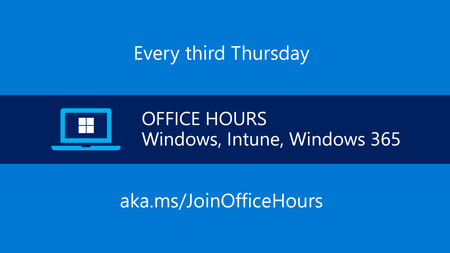
Have a question about Windows 11, device management, security, updates, or modern endpoint operations? This hour is dedicated entirely to your questions. Bring what's top of mind—from Windows 11 adop...
Thursday, Sep 17, 2026, 08:00 AM PDTOnline
0likes
4Attendees
0Comments
Recent Blogs
- Learn how KMS with TPM attestation strengthens activation security and prepares enterprises for future compliance.Jul 22, 20263.3KViews0likes1Comment
- A new Windows policy lets IT admins automatically accept SSO permissions.Jul 15, 202615KViews2likes11Comments