Recent Discussions

JSON formatting to change background color of ENTIRE column of list?
Hi, I'm trying to use JSON formatting to change the color of an entire column of a SharePoint list, and I can't figure it out. Setting the background-color style property appears to only affect the background color of the text. You can still see the default column color in between rows. I want the whole column to be one color. Is there a way to do that?Solved105Views0likes2Comments
SharePoint Migration Tool issue
Got an issue that one of the endpoints for SPMT is not working or part of the firewall. When they try to add it, it doesn't see it as valid: https://api.office.com I've seen various comments that this api.office.com has been deprecated, but it is still listed in the KB article as needing to be opened in the firewall. Can I get confirmation that this is still a needed endpoint? https://learn.microsoft.com/en-us/sharepointmigration/spmt-prerequisites?utm_source=openai Thanks!Solved290Views0likes1CommentSharePoint list dynamic filtering on a multi-choice column
Hello, I was wondering if anyone has a solution/work around for a limitation I'm running into with using dynamic filtering on one of my SharePoint lists. The way I have it set up: there is a "Tags" column that has multi-selectible choices like "x", "y", "z", etc. The problem I'm running into is when you try doing dynamic filtering on the list webpart and want to view every item with tags "x AND y", it filters using the logic "x OR y". So, the output contains way too many unrelated items and the filtering is pretty much pointless. This is on top of the limitation that you can only dynamically filter by 1 column at a time, which is why I needed to add every tag to a multi-selectable choice column in the first place. Has anyone found a way around this? Or is there some solution I'm not seeing?Solved384Views0likes1Comment
SharePoint Button Web Part "Run Flow" Action Only Works in the Default Environment
Hello! I was setting up a new workflow for a customer and encountered a limitation with the button web part's "Run Power Automate Flow" option. Background The SharePoint Button web part has a built-in action type: Run Power Automate Flow, which accepts a Flow ID. This is a clean option for giving users a one-click way to trigger an instant/manual flow directly from a SharePoint page. The Finding When configuring the Button web part with Run Power Automate Flow, it appears that the flow must reside in the Default Power Platform environment for this action to work. Flows in non-default (department-level) environments fail silently with the following error: Could not find flow '<flow-id>'. Testing Approach To isolate the variable, I did the following: Took an existing instant flow and exported it from a department-specific environment, then imported a copy into the Default environment — so the logic was identical. Created two Button web parts on the same SharePoint page: Button A → Flow ID from the department-level environment copy Button B → Flow ID from the Default environment copy Both buttons were configured identically, with the only difference being which environment hosted the flow. Result: ✅ Button B (Default environment) — triggered successfully ❌ Button A (department-specific environment) — returned "Could not find flow '<id>'" The account I used for testing is the same one that created the workflows and also has site collection admin rights, so permissions should be a factor. Related Behavior This appears to be consistent with a known behavior of running an instant flow from a SharePoint list (from the List menu , "Integrate" -> "Flows" -> <workflow name>), where instant flows with manual SharePoint triggers must also reside in the Default environment to function correctly. Both surfaces appear to share the same environment scope constraint when resolving flows by ID from a SharePoint context. Questions for the Community / Microsoft Is this a documented platform constraint for the Button web part's Run Power Automate Flow action? Is this constraint expected to change, or is it by design? Workarounds In this case, I found two decent workarounds: Instead of configuring the Button web part action as Run Power Automate Flow, it can be configured as Open Link, and then use the flow's direct run URL: https://make.powerautomate.com/environments/<environment id>/flows/<flow id>/run Also using the direct run URL, enter that into a navigation link or regular hyperlink on the SharePoint page to launch the workflow run page. Any insight from the community or the product team would be appreciated — especially if there's a documented reference I may have missed. Thanks!Solved229Views0likes4CommentsStore both current employees (AD) and past employees (non-AD) in MS List column?
I have an EMPLOYEE text column in an Excel spreadsheet. I plan to import the spreadsheet as an MS List. The EMPLOYEE spreadsheet column contains both current and past employee names. If I create a new PERSON column in the List to store this data (for clean querying and automation purposes), only the current employees will match up with the Active Directory picklist, not the past employees. If I enter past employees into the PERSON column, the List won't let me save those values since they're invalid. Is there a way to force the past employee names into the PERSON column as broken/unlinked values, such as through a Power Automate flow? Or do I have no choice but to use a TEXT column instead with a custom picklist (manually maintained picklist values)?Solved165Views0likes4CommentsWhat is the maximum length of a Check-In Comment in a SharePoint document library?
We are using SharePoint document libraries with versioning enabled and users provide comments when checking in documents. Is there a maximum number of characters allowed in the Check-In Comment field, and is this limit documented by Microsoft?Solved398Views0likes1CommentExternal Users Unable to Access Microsoft List Form
We have created a Microsoft List and are using the default Microsoft Lists Form for data entry / intake form. Internal users can access the form URL and submit items successfully. However, external users are unable to access the form link, even though they have been granted Contribute permissions to the SharePoint list. External users can: Access the list Create new items using the + New button Edit items based on their permissions However, they cannot access the dedicated Microsoft Lists Form URL and getting following error. This link is only available to internal users. This link is not available to you. Our requirement is to allow external users to: Open the Microsoft Lists Form URL View the form Submit new items without providing additional access beyond what is required for form submission, and without using Microsoft Forms. Is guest/external user access to the Microsoft Lists Form experience supported? If so, what configuration or permissions are required to enable external users to access and submit items through the form URL?Solved559Views0likes3Comments
Power Automate List Formatting - Compact List Rows
Hey everyone, I am hoping I can get some assistance on the following request. I am currently using a SharePoint for leadership to request creation of an item, once the request goes in multiple other things happen to this sharepoint list. One of those things is to create a list view and apply formatting, but I cannot figure out how to control my row height via View Formatting or an HTTP request to SharePoint. Would greatly appreciate any assistance!Solved101Views0likes3CommentsDisable Details form in Sharepoint List
I have a list embedded into a Sharepoint page that uses dynamic filtering. The list functions as a filter for a seperate list on the page and the details pop-up is unnecessary. There are also columns on the main list that are hidden in the custom view, but are visible in the details pop-up. I would like to disable the details pop-up entirely, as everything the user needs to see is on the list. Is there a way to do this? I have been searching online but I can't find a solution.Solved168Views0likes2Comments
How to create a view to display the last 6 month items in SharePoint list
Hello All, I have a SharePoint list and there are many items. I can filter items for the last 6 months. However, I want to have a view when someone selects that view, the view always shows the last 6 months list items. Thanks for your answers/support in advanced.Solved232Views0likes3CommentsHow do I get quick actions to show up in Gallery view for a list?
Hello, I'm creating a sharepoint list of employees. I create quick actions for sending an employee a teams message or an email, and they work fine in list view. However, in gallery view they don't show up. The field title is displayed, but there's nothing inside, which I've highlighted with a red box. Is it possible to get the quick action buttons to appear in this view?Solved199Views0likes5CommentsAssign rating to individual Choice items?
Hello, I'm trying to create a Sharepoint list of employees and their respective skills. Each skill has a rating from 1-4 indicating how proficient they are in it. Is there any way to implement this in a Sharepoint list besides manually creating 4 different versions of each skill? If not, is there a better way of implementing this? If possible, I want to keep this in Sharepoint to make it easy to access.Solved156Views0likes5CommentsAdd action buttons per row in the document library / List to minimize clicks
We would like to add action buttons against each item in the SharePoint document library (e.g., Open, Edit, Share, Copy Link) to reduce the number of clicks for end users. This will improve usability, especially for users on different screen resolutions who may have difficulty locating the appropriate commands in the toolbar or context menu.Solved316Views0likes3CommentsSharePoint: Direct Metadata Editing from Library View
Is it possible in SharePoint to allow users to update metadata directly from the document library view without requiring them to click on “Edit properties” or switch to “Edit in grid view,” essentially minimizing or eliminating additional clicks for making changes?Solved163Views0likes1Comment
How to create a template from a modern Sharepoint online communication site
Hi I thought I saw recently something indicating that Microsoft were going to make it easier to create your own tepmplate for a modern comms SharePoint online site. Did I imagine that? Was it wishful thinking or can someone point me to the article? Alternatively if someone knows how to do it without using powershell / sharepoint shell or jason files (or has a code guide that is more of an idiots guide to building blocks - just stick these bits together indicating where the colours can be changed) that would be truely awsome. Sharepoint sites got easier to make with drag the web parts about , but making a template has gone off the charts for me. Save as was good for me - I don't expect it to be that simple ever again but am I missing something, it can't be coders only, surely? Looking forward to your ideas of how to do it. Thank you HSolved423Views0likes2Comments
Bulk link updates
First off, apologies if this is in the wrong community. All files are held in the same sharepoint library. So in the library there is an excel file which gets updated a couple of times a year and lets say 20 word fiiles containing roughly 5 links per file referencing 4 ranges in the excel file. These word documents are also updated several times a year. When either the excel documented if updated a new file if generated with a new name which replaces the old one and the old one is archived. The word documents are simply edited and renamed with the old one being archived. I'm looking for a way to update the links in the word documents to pick up the same ranges in the new spreadsheet. As it currently stands I need to manually update each link which is time consuming, prone to error and stupid :-) anyone come across this need and if so how did you solve it? thanks in advanceSolved205Views1like5CommentsOneDrive site locked NoAccess for 1 month - Ticket #2605040040008376 - No resolution
I have an open Microsoft support ticket for over 1 month with no resolution. Hoping the community or a Microsoft engineer can help. SITUATION: A departed user (deleted over a year ago) had a OneDrive site that was accessible to other users until recently. Since then the site is completely inaccessible to everyone including admins. Current Status: Active LockState: NoAccess WHAT WE TRIED: - Set-SPOSite -LockState Unlock → command succeeds but site stays blocked - Set-SPOUser -IsSiteCollectionAdmin $true → fails with "Access to this Web site has been blocked" - User does not exist in Entra ID, Deleted Users, or Deleted Sites ROOT CAUSE IDENTIFIED: Site was under a 5-year retention policy in Microsoft Purview. Policy showed error "SiteInReadonlyOrNotAccessible" for this OneDrive. We removed the OneDrive from the policy exceptions but the site remains locked. This appears to be a deadlock: - Site is locked so retention policy cannot detach - Retention policy prevents site from being unlocked No eDiscovery holds found on the site. Microsoft support has been unable to resolve this for 1 month. Does anyone know how to break this deadlock?Solved167Views0likes3Comments
How are you creatively working around the SharePoint List View Threshold
Hi community I'm looking for outside-the-box approaches to dealing with the SharePoint List View Threshold (5,000 item limit). I'm familiar with the standard guidance, indexed columns, filtered views, folders, but I'm curious how others have solved this more creatively, especially in M365/SharePoint Online environments where you can't raise the threshold from the admin side. Additionally, if you've tackled this in a healthcare, government, or other highly regulated environment where you couldn't just move to an external database easily. Would love to hear what's worked (and what's blown up) in practice. Thanks in advance!Solved362Views1like3Comments





Events

in 1 day
💡Copilot, Microsoft 365 & Power Platform product updates call concentrates on the different use cases and features within the Microsoft 365 and in Power Platform. Call includes topics like Microsoft...
Tuesday, Sep 15, 2026, 08:00 AM PDTOnline
0likes
2Attendees
0Comments

in 2 days
💡 Power Platform monthly community call focuses on different extensibility options for builders, makers and developers within the Power Platform. Typically demos are from our awesome community membe...
Wednesday, Sep 16, 2026, 08:00 AM PDTOnline
0likes
2Attendees
0Comments
Recent Blogs
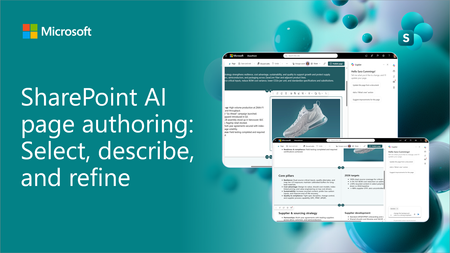
- SharePoint AI page authoring is getting an updated experience with on-canvas selection. Authors can select a web part or section, describe the intended change in natural language, and review the...Sep 10, 2026907Views0likes0Comments
- SharePoint News can now be cross-posted directly to a Viva Engage storyline or community. The original post retains its full SharePoint experience, while comments, replies, and reactions stay sy...Sep 03, 20261.9KViews10likes9Comments