Recent Discussions

Email from “Kenzie Brooks” in my inbox but the email is …
mailto:email address removed for privacy reasons an email address “outlook_6720859FBEB7B349@outlook.c0️⃣m” I cannot reply to the email. I would like to know if anyone knows what/how this person was able to email me with such a bizarre email, yet maintained her name for the header. is this a hack or something more nefarious?26Views0likes1Comment
Bizarre Yahoo Mail Connection Problem
I have Outlook 365 installed on two Windows 11 Pro PCs. Latest updates. On one PC, I can use Outlook 365 as a mail client for my Yahoo mail account using the "old" interface, No issues. On the other PC, Outlook 365 also used to work as a Yahoo Mail client but started having connection issues. I've tried everything under the run to reconnect Outlook 365 to Yahoo Mail - no dice. This includes completely uninstalling and trying to reinstall Outlook 365. Here is where it gets bizarre. If I switch to the "new interface" the Yahoo Mail account shows up and connects. Switch back to the old interface, Yahoo Mail disappears. I hate the new interface and need Outlook 365 to work on this second PC the same way it works on the first one. Any ideas? Thanks!61Views0likes3CommentsOutlook for Mac, 365, Contact List
I have Outlook for Mac, new Outlook, with a Microsoft 365 custom domain account. I wasn't to create a Contact List. I have some addresses that I want to add that are not in my account Contacts. How do I add these names with the the name so when it is add to the list shows as follows: Len Levin xxxxx.domain.com Thanks Len56Views0likes2Comments
Search on Outlook Mac doesn't work - Ventura 13.1
Dear Community, I was migrating from an old MacBook Pro M1 to a new Macbook Pro 14 m1 pro. My outlook search stopped working. I've tried everything from checking spotlight privacy settings to manually reindexing the profiles through the Mac terminal but still the search doesn't work. I've even tried to reinstall the application fully, and for a moment I noticed that the search started to work when outlook was downloading the data from the exchange server, but still no. My Mac has all the latest updates installed. I would really appreciate any help or advice! Best7.7KViews1like22Commentsis there any way to create interactive check box in outlook email body
hi I like to find out if there's any way to create within the email body check box that is inactive or when the person click and send it's lock and cannot edit eg for Approval ☐ Approved by A ☐ Approved by B is the outlook clever enough when 1st approver click it will lock and display the date and once it's replied by the box is lock and cannot edit. it would be good, not the vote button. thx Thank you14KViews1like7Commentssetting up gmail in classic outlook
I have purchased a new laptop and am having trouble setting up gmail in classic outlook. I am receiving a message "we weren't able to set up your Google account with IMAP. You may need to make changes to your Gmail settings" any advice?Solved135Views1like4Comments
Performance Reviews & Surveys over Outlook?
Hi Community A bit of an odd question this one. Our HR team started realizing we rely on Outlook a lot for communication sometimes even more than Teams (Oddly enough). We are planning to send our regular anonymous employee engagement surveys and maybe our annual reviews through Outlook. Does anyone have any experience with surveys and review forms inside Outlook? Do you embed Microsoft Forms?17Views0likes1CommentNew Outlook Desktop client | Exchange SE | Supportability
After Winter, the New Outlook Desktop client is coming ;-) This new Outlook 365 client will kindly but surely be pushed by Microsoft for customers with a 365 license to install the Office 365 suite. In some configuration, users have the Office 365 suite but use the current Outlook client (Version 2510 Click to run ) to connect to Exchange SE servers because, for regulatory reasons, mailboxes must be based on the national territory. I am therefore wondering about the Microsoft support policy for customers using both the office click to run suite with 0365 features and eventually the famous and new Outlook client connected to the Exchange Subscriber Edition environment Will this situation be technically supported by Microsoft or will it be necessary for these clients specifically to use another Outlook Desktop client than the one provided in the ClickToRun suite? Regards Laurent TERUIN | MVP27Views0likes1Comment
Outlook for Mac missing ToDo
Since a recent update, our Mac clients don't have any way to view ToDo or Tasks in the New Outlook. The tasks don't show in the My Day/Task pane, nor do we have a ToDo Icon ion the left sidebar like users of New Outlook on Windows do. Accessing OWA is now the only way for users to see tasks/flagged emails, but very much not the preferred solution since there IS a desktop client which should do that. Microsoft® Outlook for Mac Version 16.105 (26011018) This is a serious usability issue, is this really a design decision or some sort of an issue?1.4KViews6likes8Comments
Anyone else hate the New Desktop Outlook?.
Hello people I was wondering if anyone else Hated the Desktop version of Outlook?. To me its slower and unresponsive compared to previous versions. Even Windows Mail was faster and the brings up old email accounts that you deleted and no longer use long ago. It seems while good intentions this one has not been tested properly. Just shoved out the door. And lastly trying to find Emails that your sent or received is another nightmare. You have to restart twice before it finally decides oh look there emails.6.2KViews41likes63CommentsPosting Feature requests for Outlook
Where can I post a feature request for Outlook? Is there a special website or group?Solved1.4KViews0likes5CommentsOutlook contact groups
Hi, We use a specific m365 account for email blasts...and have 10 contact groups withing that account (and not a distro from m365), each contact group has a limit of 1000 contacts (limitation from microsoft), so we have 10 such groups as we send out to about 9000 people total (and microsoft has a limit of sending 10,000 emails per day per account). Issue is a lot of times we get undeliverables because people in the groups either no longer work there or whatever...so its tough to clean up. Is there a better way to do this? 1. For the contact groups itself? I thought a out creating a distro in m365 but then I have to add the 900p contacts into our tenant which would be annoying 2. Sending the blasts (without a crm or something like constant contact) 3.managing the lists from undeliverables undeliverables undeliverable Thanks all.37Views0likes0CommentsEmails to self considered JUNK, no way to fix unless... (partial solution enclosed)
Any email that I send to myself, from one of my outlook emails, gets classified as JUNK and put in the junk folder with the other 600 junk mails a day. I try to mark it as not junk in the app or in edge and it will NOT allow me to do that. It will not allow me to make a rule or fix it. What does work: Go into your android phone and use the outlook ap. Simply mark it as "Not Junk" and it will take. Android gets the job done. Microsoft will not. WHY would Microsoft classify email from my address as junk and not allow it to be fixed?76Views0likes2Comments
Promotion Folder in Outlook - how to stop emails from going into this folder
Does anyone have idea how a Promotion Folder gets created in outlook and how we can get rid of it from outlook for all users? Creating an inbox rules method seems pretty annoying as users need to list individual senders every time they get the emails from different senders in promotion folder.39KViews0likes3CommentsOutlook for MacOS will not filter unread messages
My boss uses the legacy view on his Office 365 Outlook App on his MacBook. Its version 16.82. He has thousands of emails, when he trys to filter unread, it shows up blank. I changed my mac to the legacy view, and it does the same. How can I make the Unread messages appear when filtered for them?433Views1like2Comments
Outlook - save as on attachments missing
Hello, the Microsoft documentation suggests that "Attachments are saved in your Documents folder by default. You can't change the default location but can specify a different location each time you save an attachment. Choose the drop-down arrow to the right of the attachment icon to open the attachment menu. Choose Save As to save to your computer or cloud storage location." This drop down option is not there. I am not sure how long this has been the case as I do not use this personally however a colleague obviously finds it very poor to work with attachments saving into a random onedrive folder where she has to move the content where she wants or downloading it and then moving it. I had read that the transition to outlook new removed it and then it had been added back sometime after, looking at posts people had made about the issue. It doesn't seem like this is an option for any file types for anyone in our organisation, any suggestions ? Thank you, Jamie.Solved64Views0likes1CommentOutlook Meeting Invitation Glitch
We’ve been experiencing an ongoing Outlook glitch where meeting invitations are being resent from our shared inbox without anyone triggering them. Some of these invites relate to meetings that have already taken place, and in a few cases the system has even removed some attendees unexpectedly. We’ve gone through all the details and can’t find any pattern in terms of attendees, dates, times, descriptions, or actions taken. It also doesn't seem linked to any one persons account in the shared inbox. It happens on both Classic Outlook and New Outlook, on both Teams meetings and F2F meetings. The resends happen at completely random times of day or night, including times when no one is online. This has happened repeatedly, and in total more than 300 unwanted emails have been sent over the course of a year. We’d really appreciate any guidance on why this might be happening, whether anyone else has experienced something similar, or how we can stop these automatic resends from occurring.265Views0likes2CommentsCan Outlook email be corrupt on the Microsoft Server
Good day, I am not sure where to post this, hopefully this is the right spot. I have a free Outlook email address that has server as my primary personal email since day dot. Today it has stopped sending and receiving email. I have tried on my mobile via the Outlook email client and another non Microsoft client and also on my computer using Outlook app. When I try to access it via web browser it either displays an http 500 error or just sits there doing nothing. I have setup another outlook email account and this works fine in all clients and browser. I have tried calling Microsoft on the support line and the automated bot asked me what device I am using, I said Microsoft PC, she said she didn't understand me, so I said android mobile, she said she didn't understand me, kindly suggested I ask support via the web and hung up on me. I can't get onto chat, the web sends me around in circles. Hmm, but I digress. I guess my question is whether it is possible there could be corruption at Microsoft server end and, if so, how would I go about getting it corrected so that I can send and receive emails again? I also noticed checking for subscriptions in Outlook Desktop it just hangs, it doesn't show Microsoft 365, which it does with the other email address I created. Any help whatsoever would be greatly appreciated. PS I have tried repairing the Outlook file but as suspected that's not the issue as it is I can't connect via web browser access directly to the outlook server either or on another client email app. Thank you.38Views0likes2CommentsLost access to old Microsoft hotmail after alias change
Hello, I had an old Microsoft email address (hotmail) that I used to register my Microsoft account here. I have just logged in here using the new alias email address. So, I added a new alias email address and made it primary. After that, I somehow removed or lost access to my old email address. Cant see it or make it primary. Microsoft Authenticator on my phone still shows my old email on top but works for this new e-mail address. However, external websites (for example Booking.com) probably still send login verification codes to my old email address, which I no longer have access to. I need assistence with restoring access to my old Microsoft email address, or re-activating it as an alias, or getting official confirmation that the old address is permanently deleted. Please advise on what can be done. Thank you.93Views0likes2Comments





Events
Recent Blogs
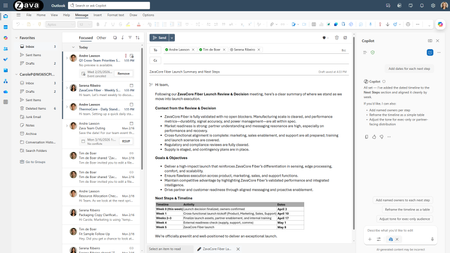
- In Outlook, Copilot helps you go from intent to execution across email and calendar—without losing context or creating extra steps. Copilot in Outlook is grounded in Work IQ—drawing on relevant email...Mar 09, 202612KViews2likes3Comments
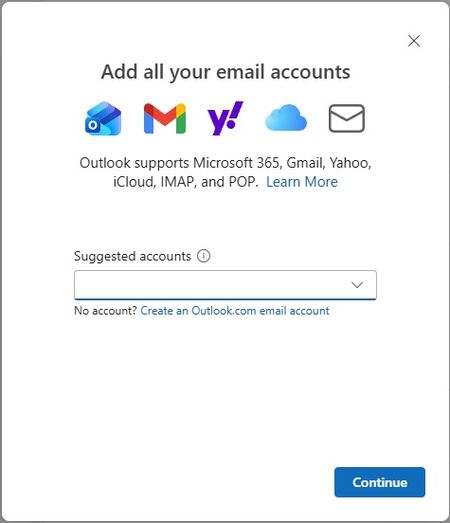
- We’re excited to announce that the new Outlook for Windows, Outlook for Mac, and Outlook for iOS and Android now support easier iCloud Mail, Calendar, and Contacts access. You no longer need to cre...Oct 30, 20253.7KViews2likes14Comments