outlook for windows
1422 Topics
Use of Categories in the new Outlook for Mac: search in the category list and server-side rules
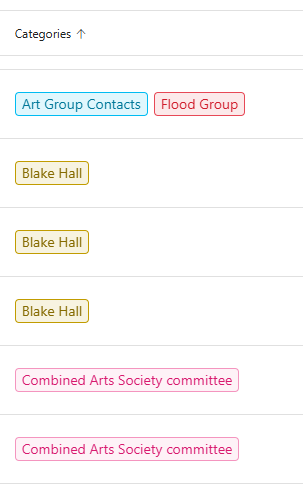
Categories are a useful way to tag emails in the Inbox by topic. They make it easier to group and find messages later, without having to move emails manually into topic-specific folders. However, when many categories have been created, assigning one to a message becomes inconvenient: the category list can be difficult to navigate, and I cannot search within the Categories menu. A search field in that menu would make it much easier to find and apply the right category. I also have a question about rules. In our company environment, Outlook connects to on-premises services, and server-side rules are important because they continue to run when I work from home without a VPN. In my experience, I cannot create a server-side rule that assigns a category. As a result, a rule that uses categories appears to run only when Outlook is open and connected. Could category assignment be added as an option for server-side rules in the new Outlook for Mac? And could a search function be added to the category picker? It would also be helpful to know whether these limitations depend on the Outlook version or the mailbox/server configuration.28Views0likes1Comment
Outlook account cannot change from Exchange on home PC using Office Pro 2024 LTSC
On a home PC I would change protocols on a mistake I did several years ago when I used Exchange instead of Outlook on my Office Outlook App. I have followed the basics in that i have went into account using File>Account>Remove, Closed down App, Restarted, then readded account. Bug reappeared in that it autodiscovered Exchange. I then manually selected the pictogram of the Outlook (could not explicitly say Do NOT use Exchange) but still goes to Exchange. Attempted this three times as this is par for the course, but it stubbornly went to Exchange. I went to ost and deleted temp files etc but no joy. Does anyone have any insights into how to coax the client to use Outlook instead of Exchange to work with *@outlook.com?1View0likes0Comments
New Outlook: "Changing the ImapRemoteServerInfo is not allowed" after host migration
Hi everyone! I've migrated my domain/mailbox from one IMAP host to another in May. It cannot be added to New Outlook for Windows — fails instantly with INVALID_CREDENTIALS INTERACTION_REQUIRED, even when I deliberately enter a wrong password (so it's failing before authentication is even attempted). Using DevTools (olk.exe -devtools), the Network tab shows the real rejection from Microsoft's backend: Changing the ImapRemoteServerInfo is not allowed. Attempted to change it from imap.olddomain.sk to imap.newdomain.sk So New Outlook has a cloud-mailbox / connected-account shadow record for this address, pinned to the old host from a previous add attempt, and the backend refuses to update it. What I've confirmed: Webmail and a second mailbox on the same domain/host both work fine → not credentials, not the host. The account does not appear in Settings → Accounts (so I can't use "Remove from all devices" which worked on my first account). It's on no other device or client. App reset didn't help (record is server-side, not local). It's been ~7 weeks, so any 30-day inactivity purge hasn't cleared it How do I get this stuck cloud-mailbox / connected-account record purged when it isn't attached to any removable account? Is there a way to force it, or does this need Microsoft backend action?1.5KViews3likes30Comments
my account has been hacked and the hacker activated 2FA so I can't reset my password
as said in the title. I downloaded a malicious file that took over my discord and outlook account linked to it. I tried to reset the password but the hacker both changed the account linked to it in case I needed to change the password and activated 2FA so even when I try to reset the password from my main account it says it was ignored. I want to either find a way to recover my stolen account or delete it so the hacker wont have access to my personal information45Views0likes2Comments
What is the point of Categories in Outlook
Categories seem like a great thing in Outlook - you can categorise your contacts by adding tags and you can filter your contacts by the categories that you've entered: But then that's about all you can do with them. When you create a new email, and you press the "To" button, the dialogue that appears to select your contacts doesn't include categories, so you can't filter contacts by category: When you export your contacts, your categories aren't included in the export file. So, what's the point of categories in Outlook?53Views1like2CommentsGetting the error "Password sign-in isn't available. Try another method"
This is more of a complaint and a vent than a question. I constantly get that infuriating Outlook (web) "error" message when trying to log in: "You've tried to sign in too many times with an incorrect account or password" or "Password sign-in isn't available. Try another method," even though my password was correct. Microsoft, stop forcing us to enable cookies or avoid private browsing just because you are incompetent at securing and scaling your systems. I don't have this problem with Gmail, and I'm thinking about closing my Outlook account. Please fix this error! Who was the genius who had the brilliant idea (100% sarcasm) to force me to open a different email account, find a code, and paste it just to log in, instead of using a method that is MUCH faster, easier, and more convenient for me—like simply typing in my password? I should be the one to decide the "level of protection my account has"; it might be an account with nothing important in it, so I have NO interest in 2FA or using codes sent to alternate email addresses, etc. I think this error stems simply from my refusal to allow Outlook to allow tracking of cookies and history, combined with terrible design where they block access if a high volume of traffic is detected from a single IP address. Hello!!! Most ISPs use IP pools to route hundreds or thousands of users to the internet; there is no way for us users to control that. But I repeat, that I don't deal with this kind of nonsense with other email services. And in case anyone kindly wants to offer suggestions to "resolve this" (which aren't real solutions anyway, just workarounds): I do NOT use VPNs; I always log in from home, from the same computer (nothing changes). I do not use—and will not install—an authenticator app for an email account that holds nothing important; it is a hassle to have to open an app or check an alternate email just to log into my account on a PC. Microsoft, one never expects anything good from you, yet you still manage to disappoint us. PS: Every time I run into this error, I send a message via the "Give Feedback" option; I do this repeatedly, hoping to flood your inbox with this complaint.334Views0likes2Comments
MS Outlook 2024 LTSC automatically gets closed and later not getting open
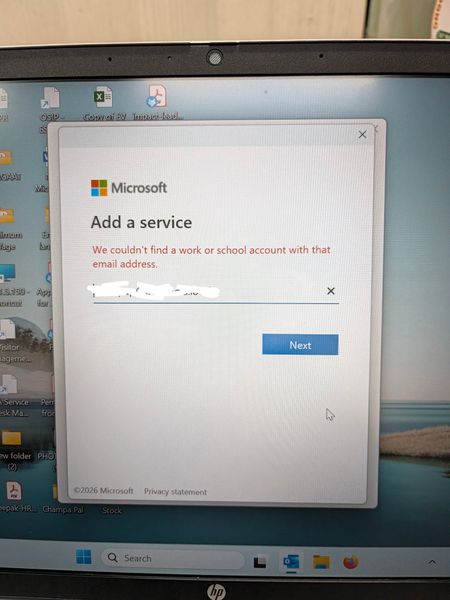
In Outlook 2024 LTSC, the application suddenly stops and closed automatically. Later troubleshooting, it is observed that it doesn't even open in safe mode. Tried to create a new profile where it is not able to search the user from exchange and automatically redirect to Microsoft 365 login page whereas our mail server works in exchange mode. Even after reinstalling the MS office 2024, it is not able to search the user and redirects to Microsoft 365 login page. What is the issue and resolution.243Views0likes2CommentsOutlook unified all-account
Hi everyone. I have a problem with a new unified all-account feature in Outlook (Windows). Everything was working fine before activating unified inbox. I could have read emails from each inbox by going to each inbox. After unified all-account feature was activated I can see emails and their body only in main Gmail account. If I go to inbox for other email account, I can only see subject of the email and sender. Body is total empty. The same happens if I go to unified inbox. I can read all emails from main Gmail account, but emails from other email accounts are blank. Any idea what might causing this? Thank you in advance, Marko81Views0likes2Comments
Issues signing on to outlook.com
Hello, I'm having issues signing on to outlook.com. Either through the app or web, keep getting an error. On the Outlook Mobile app, I get "An error occured during authentication". On the web I get the error below. Any suggestions appreciated. UTC Date: 2026-05-12T19:49:17.826Z Client Id: Session Id: Client Version: 20260501001.13 BootResult: fail Back Filled Errors: Unhandled Rejection: SyntaxError: Failed to execute 'json' on 'Response': Unexpected end of JSON input:undefined|undefined:undefined|undefined:undefined|undefined:undefined|undefined:undefined|undefined:undefined|undefined:undefined|undefined:undefined|Unhandled Rejection: SyntaxError: Failed to execute 'json' on 'Response': Unexpected end of JSON input:undefined|undefined:undefined|undefined:undefined|undefined:undefined|undefined:undefined|undefined:undefined|undefined:undefined|undefined:undefined|undefined:undefined|undefined:undefined|undefined:undefined|undefined:undefined|undefined:undefined|undefined:undefined|undefined:undefined|undefined:undefined|undefined:undefined|undefined:undefined|undefined:undefined|undefined:undefined|undefined:undefined|undefined:undefined|undefined:undefined|undefined:undefined|undefined:undefined|undefined:undefined|undefined:undefined|undefined:undefined err: COMException esrc: StartupData et: ServerError estack: Error: 401 at Object.w [as createStatusErrorMessage] (https://res.public.onecdn.static.microsoft/owamail/hashed-v1/scripts/owa.mailindex.06641a1a.js:1:806) at https://res.public.onecdn.static.microsoft/owamail/hashed-v1/scripts/owa.mailindex.06641a1a.js:1:183650 st: 401 ehk: X-OWA-Error efe: MW4PR03CA0157 reqid: a64783dc-2fed-f293-3a10-efba70b9cc2e cv: BDANTiCGGDAkhZfLh5/96J.3.1860Views0likes3Comments