Recent Discussions

Tasks associated with goals don't appear in My Tasks
I created a few simple plans for myself and my team that do not have goals--just tasks and due dates. When I assign a task within one of these plans, the person who has been assigned receives an email notification and the task appears in the My Tasks folder. I also created annual plans for each of the six programs my team operates. These plans have goals. I have assigned tasks to myself and other team members under each goal. We can see the tasks assigned to us if we open each plan, but those tasks don't appear in My Tasks and no notifications are sent. This means everyone has to click into each of those six plans separately to see what their tasks are for that day, week, etc. rather than having all of their tasks in one place. Of course, people don't always do this so it is up to me to keep reminding everyone. Why don't these tasks appear in My Tasks, and is there anything I can do about this?Solved62Views0likes3Comments
Understanding Planner plan options
Hello! First time posting because I'm not an M365 admin at my company so apparently cannot contact Microsoft directly. We are a small company with about 25 employees and have started using Planner to capture actions from meetings. The biggest concern with this is how to recover task cards that are accidentally deleted. Looking at the Planner 3 plan, it looks like that covers task history. If we have the board owner on a Planner 3 plan, can regular users create, assign, add checklist items, and comment on task cards? Though if I'm understanding correctly, task history does not provide a recovery option if a task is accidentally deleted. It seems that we need a third party tool to be able to recover deleted tasks. Is that an accurate understanding, or does Microsoft have a native way to recover tasks? Thank you!Solved168Views0likes6Comments
Microsoft Project Service Core Jan 2026 Update locked Plans table
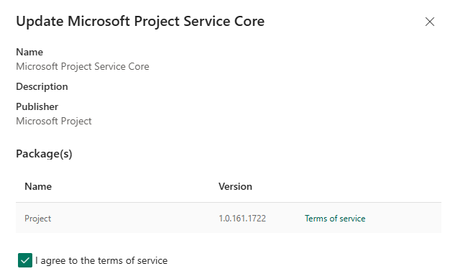
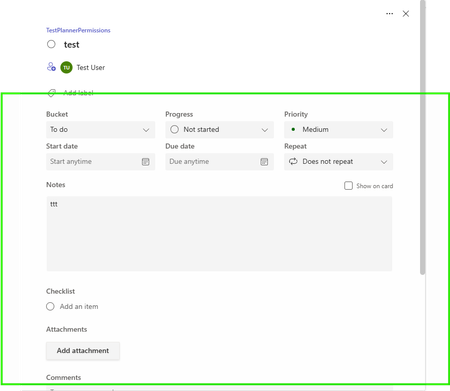
We recently noted the Microsoft Project Service Core was updated to 1.0.161.1772: This update has locked our Plans table, no changes are allowed to the forms and creating new columns is greyed out: We cannot make use of Planner in our model driven app (Planner Premium, non-default environment). After a new Plan is created, the user receives this message when opening the Plan: Two days ago we were in this version 1.0.160.2874): and everything was working as expected. Any guidance would be much appreciated as we are not sure if this is a permanent lock or once the update cycle is completed we will be able to go back to edit Plan forms and columns. Thank you in advanceSolved2.1KViews9likes14Comments
Creating an Office 365 group and SharePoint modern did not create a planner
I created an Office 365 group and a SharePoint modern Team site, but none of them created a new plan inside the Planner? unless i manually do this and link the plan to exsisting group.. so can we automate this process? so when an Office 365 group is created to create a new planner behind the scenes ? ThanksSolved219Views0likes1Comment
Filtering tasks based on custom columns in Microsoft Planner?
In Microsoft Planner, I can add a custom column, and it appears in the table view. However, I do not see an option to filter tasks based on the new column. Is this a supported feature, or is there any workaround to enable filtering on custom fields?Solved337Views3likes2Comments
"Read Only" Error for Existing Premium Board showing as converting to Prem
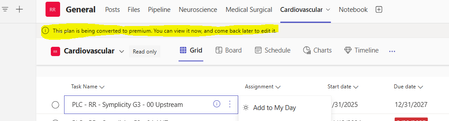
We have a 2 Planner Premium boards that continue to give an error message within the TEAMs channel as "This plan is being converted to premium. You can view it now, and come back later to edit it." It is saved as a shortcut at the top of the channel, this way message within the card can be posted. A few problems with the ERROR: The Board was converted to Premium months ago. It has remained in this status for days now, when we originally converted it took 5 mins. When searching, Planner now shows multiple versions of this board. Trying to determine if this is a glitch in the matrix or potentially a user issue. Since we can not validate the history on an entire board, thought is may be an output due to the many changes taking place in Prem. We resolved by removing from Teams and then adding a duplicate version and it seems to work, for now.Solved1KViews0likes4Comments
Folders missing when attaching "from team files"
Hi together, I have a user who is trying to add an attachment to a Planner task. He clicks on From team files and wants to choose a file from the following dialog. However, some folders are missing in the dialog. In total, there are 241 folders in the Team, but the Teams dialog only shows 200 to choose from. When the user accesses the files in the team (Files tab) he can see all 241 folders. This behaviour is the same in the Desktop app, web app and also Planner web app. What is strange is that another user can select all folders and has no limitations. Has anyone had this problem before? Are there any known limitations to the amount of folders showing, like e.g. 200? Thanks for your help.Solved476Views1like4Comments
Calendars sync between planner and Outlook ?
Hello, I'm just discovering the latest web version of planner. I would like the tasks to be synchronised with the outlook calendars of the resources for which tasks have been assigned. From what I've read, this was possible in previous versions. With this new version, I can't figure out how to do it. Does anyone have a solution? Thank you very much for your help.Solved1.4KViews0likes2Comments
Change date format on Planner (from US to Europe-LatinAmerica)
Hi everyone, Since the update on new planner I lost the "ability" of changing the date format from MM/DD to DD/MM only changing the "en-us" to "en-gb" in the address from the browser. Now the address changed and I'm suffering with this american date format. Any way to change this to DD/MM?Solved4.9KViews3likes6Comments
Unable to get to group or group settings anymore in Planner
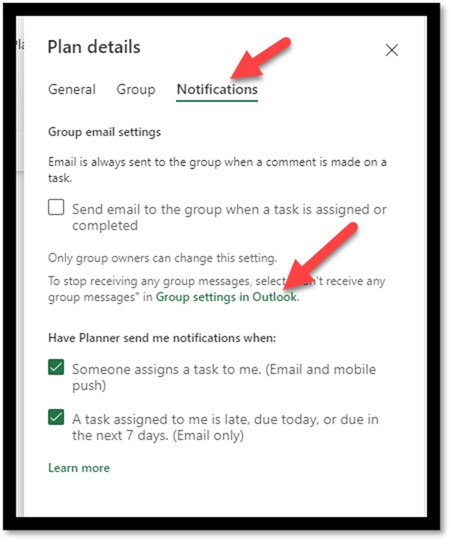
I have a planner project assigned to a group and used to be able to access the 'group settings in outlook' and adjust these but that option was taken away. Now i am supposed to navigate to the group in outlook but my group is not visible there so I cannot adjust any of these settings. Do you know how to get visibility back to the group to access the group settings? Thanks for any insight!Solved198Views1like3CommentsAutomated task creation in Premium plan
Hi, I'm wondering if it's possible to automatically create a Planner Premium task from a Teams post. I've spent a day trying to bottom this out, and I've had no luck. I tried using PowerAutomate with the Dataverse connector, but it seems like adding a new row to the Project Tasks table in Dataverse is not a supported way to create new tasks. If this is supported, is there documentation on how to do this? This is a very simple process in Basic plans - doesn't make sense that it's so hard to do this in a product I'm paying for!Solved11KViews13likes8CommentsContengencies for Tasks in Planner
I'm a brand new user to Planner. I have a small amount of experience with Asana. One of the features I liked about Asana was setting tasks to be contingent on the completion of another. Is that function currently available in Planner and I'm just not easily seeing it? Thanks!!Solved2.7KViews0likes3CommentsIs there a way to define separate storage location for each plan
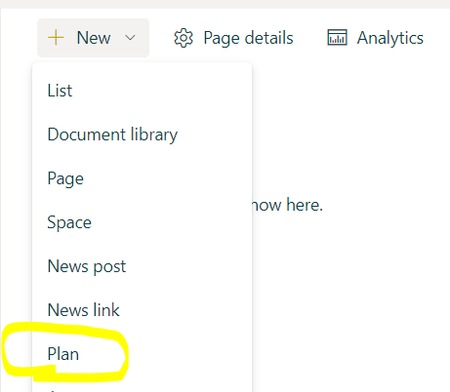
I have a Microsoft SharePoint modern team site, and from there we can create new plans, as follow:- currently when we attach a document to any task, the file will get stored inside the default Documents library root folder. my question is if we can change this behavior so we can define the storage location for a plan to be a specific document library or a specific folder within a library? ThanksSolved529Views0likes1Commentrestore planner
Hi All I am using Microsoft E5 license. for one of my user, all the items in one of his planner is empty. I am not sure of the planner. Is it possible to recover the items with in that planner. experts guide me. How can i check the audit logs of that planner.Solved6.7KViews0likes2CommentsHow to find the total no of tasks created so far for a Particular plan in Planner?
Hi, Through Power Automate work flow I am creating tasks in Planner based on email. I don't know how many tasks created so far. Since the maximum tasks in a particular plan limit is 9000 I want to know the number of tasks created so far, so that I get to know when it's going to reach it's maximum limit. Any help would really be great. Thank you.Solved1.4KViews0likes1Comment
Retarded appearing for scheduled task
Hello, I would like to know if it is possible to schedule a recurring task in Planner but that it only appears a few days before the scheduled date in order not to overload the plan. For example, I would like a task scheduled for the 15th of each month to only be visible from the 10th. Thank you for your help.Solved730Views0likes1Comment

Events
Recent Blogs
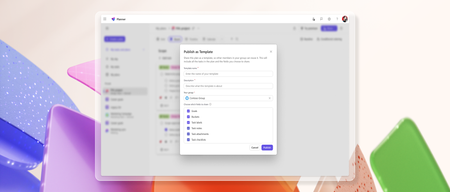
- Turn any basic plan in Microsoft Planner into a reusable, shareable template to speed up planning and ensure consistency across plans. Custom templates capture key plan elements such as tasks, goals,...Jul 14, 20264.8KViews3likes2Comments
- Learn how Microsoft Planner MCP Server helps agents automate routine work management and unlock intelligent workflows.Jun 23, 20264.5KViews2likes0Comments