User Profile

morghandc
Brass Contributor
Joined Nov 18, 2019


User Widgets
Recent Discussions
Re: New Lists app in Teams
chilledrice Thank you for the update. I think we'll hold off on implementing this in our org as it sounds like there are many things that can go wrong... What I'd hate to do, is add a HEAVILY used list in a very busy channel, have people notice it, but then it be broken, haha. Ill keep eye out for your updates!! Thanks again.3.3KViews0likes0CommentsTraining suggestions?
Hello, Our org currently uses a Classic SP structure across our site/site collections but soon we will begin using a Modern Page for our home page on top of the classic stack. Then eventually, we'll move to an all Modern experience across the entire site. I've been a self-taught internal Admin for about 2 years and I'm relatively comfortable behind the scenes in SP. There are tons of free videos on YouTube of course, but I still feel like I'm not getting enough information, or the "full picture", to be comfortable with a full migration. I'd like some curriculum to study and become 100% familiar with the back-end. Any suggestions on training courses you guys are aware of? On a separate note, we're building out our dev Modern site page and it's disappointingly limited.. allows almost no customization... I understand that MS wanted to keep it simple and very OOTB but it's really not meeting our needs visually. Any suggestions there at all? Whether it be how your org applied a modern page, were you able to customize (e.g., coding on page?)... really just any feedback at all is helpful. Thank you in advance! M653Views0likes0CommentsRe: New Lists app in Teams
Sheesh! MS must still be working out some of the bugs... Our goal is to embed List A in Team 1, and List B in Team 2, so I will have our other org Admin add these (as it seems to work for him) on Monday and I'll let you know the results. As another troubleshooting step, I just tried adding List A to an entirely different Team but same issue for me...3.4KViews0likes2CommentsRe: New Lists app in Teams
ChrisWebbTech - I have the same issue within the Teams web client as well. The list is open to "Everyone external users" and I am the company Admin. I had our other company Admin run the same steps I did to add the list and of course it's working for him... Very odd. I will try an Office repair and see if that helps. It's definitely just me. Thank you, Morghan3.5KViews0likes5CommentsRe: New Lists app in Teams
Hi ChrisWebbTech - Thank you for the quick response! I checked for Teams updates and it said "You've got the latest updates. Enjoy!" I then signed out and quit Teams, installed Windows updates and restarted PC but when I attempted to add the list again, the tab is still blank. It populates the list name, but the list doesn't render. When you say you used the URL method, are you just copying the URL for the list you want from the address bar and pasting into the "Enter link here" field here? - Thank you, M3.4KViews0likes9CommentsNew Lists app in Teams
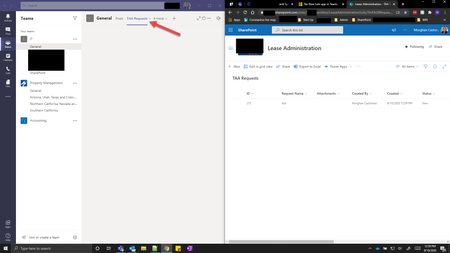
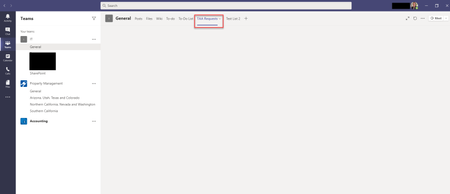
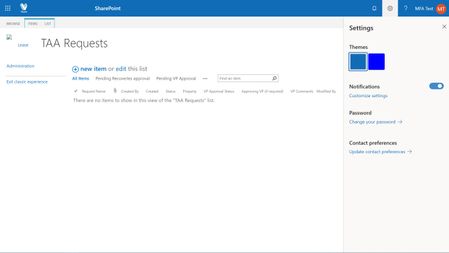
Hello, Since its release this month, we've been exploring the possibilities with the Lists app within Teams, and so far it's not as cool as we'd hoped. I am finding that it only allows creation and use of lists within the Teams channel's private group/SharePoint site that gets created when a Team is created (i.e., when we created the "IT" team, it created https://vestar.sharepoint.com/sites/IT37). I notice that when attempting to link a list outside of that private group/SP site, the tab remains blank. e.g., the "TAA Requests" list below is one that exists in our organization's main SharePoint site, which is OUTSIDE of the "IT" team private group/SP site - While on the otherhand, this list was created on the "IT" team private group/SP site and it displays the list's data - Is this by design? Thank you in advance, M3.9KViews0likes13Comments"Edit" button for quick launch not working
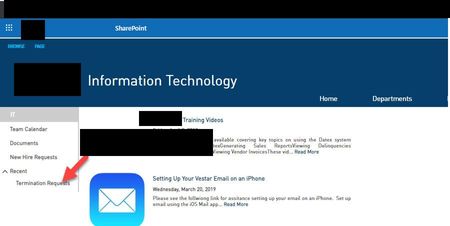
Hello, Recently I noticed the "Edit" button from Site Contents in the quick launch section is non-responsive now. It worked when I used it several months ago. I have tried clearing cache as well as using multiple browsers; same issue. The other Admin in our org says he is experiencing the same behavior. We want to remove the "Recent" drop-down here on the left. I tried opening the dev tool in Chrome to see what happens when clicking "Edit" but literally nothing gets logged when clicking that button. This is an issue on all sites I am seeing. Another weird thing is that when actually clicking on whatever's listed under "Recent," the page just reloads and you are not actually taken to that destination. Any thoughts? Thank you in advance, M618Views0likes0CommentsRe: Set folder permissions to only show the logged in user what they've created
Hi Steven Andrews and jcgonzalezmartin thank you both for the prompt responses! To your point Steven Andrews the View creation seems quick and painless, but because the items we are trying to hide from each other could be confidential or sensitive, we don't want the users to have the ability to toggle views to "All Documents" for example. Any way to avoid this to your knowledge? Morghan3.8KViews0likes0CommentsSet folder permissions to only show the logged in user what they've created
Hello, Is it possible to set a document library's folder permissions to show the logged in user only what they have created, instead of all items in the folder uploaded by all users? I have done this before with Lists but am not seeing the option to do so with folders... We have users uploading files to this specific location constantly, so editing permissions on a per item level will not help us here. Thank you in advance, M4KViews0likes5CommentsRe: Stuck in Classic Mode
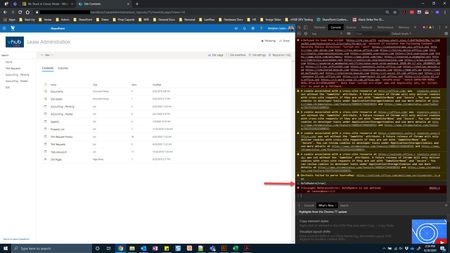
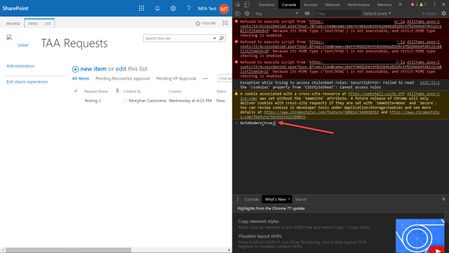
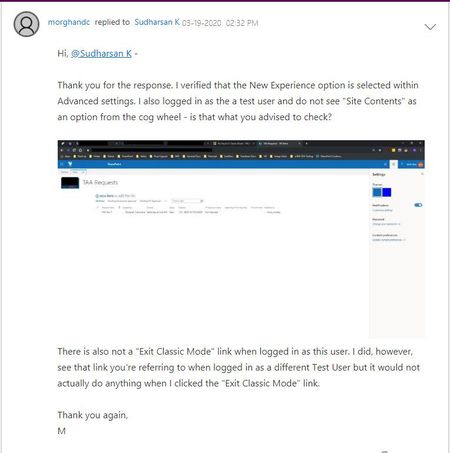
Hi Sudharsan K - I logged in as myself (Admin), navigated to Site Contents and executed GoToModern(true) but I am seeing errors in the console: I then logged in as the "MFA Test" user but its still stuck in Classic mode. I cleared cache to no avail. When I click "Exit Classic experience," the page reloads but its still in Classic mode. See errors in console below: As soon as I log back in as my Admin user, it is in Modern experience immediately. Any other ideas? I appreciate your help on this, M28KViews0likes3CommentsRe: Stuck in Classic Mode
Hi Sudharsan K I just clicked "Exit Classic Experience," nothing happened so I waited a minute then clicked it again, still nothing. I opened the dev tools console and entered GoToModern(true) and hit enter, but "undefined" appears under it and the page just refreshed, but still in classic mode. Am I using the console incorrectly?29KViews0likes10CommentsInfamous "5k limit" question - do I care?
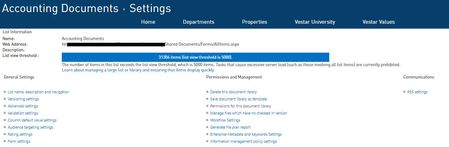
Hello, I am inquiring about the 5k item limit in doc libs. We have several department sites, one of which is for our Accounting team. Most everything is in the default Documents section, where there are several sub-folders containing ~30k items so of course, we see the following in our doc lib's settings: I have looked online and several sources advise to either create separate doc libs within this Accounting department site and/or start using metadata and implementing indexing. I've also limited the type of sorting that's occurring in this doc lib; it's currently only sorting by name. No errors have been reported from our users as it relates to them accessing documents within these libraries, so my question is: do I really need to care a whole lot about this 5k limit error in doc lib's settings? I of course will look more into implementing metadata but that seems like an overwhelming task at this time and wondering if its even necessary given we've not experienced any issues with being over the 5k limit. Thank you in advance for any insight, MSolved1.2KViews0likes3Comments

Recent Blog Articles
No content to show