User Profile

kaz01
Brass Contributor
Joined Mar 16, 2022


User Widgets
Recent Discussions
Company letterhead not showing up on M365 Word Online
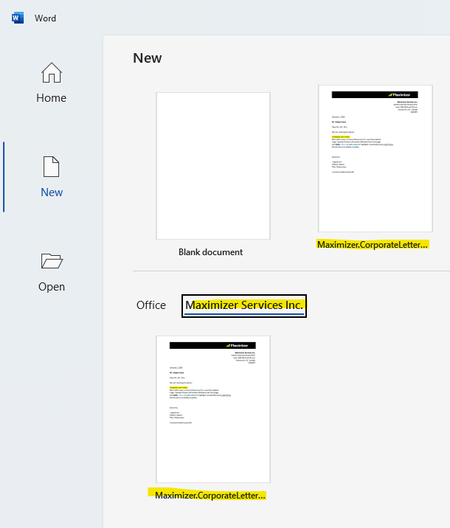
Hi Community, We have an issue where we cannot see our company letterhead when using M365 Word Online. Desktop is fine, screenshots below. Checked powerpoint and template is showing up correctly for online and desktop. Desktop Word Online707Views0likes0CommentsRe: Error retrieving this channel's SharePoint URL
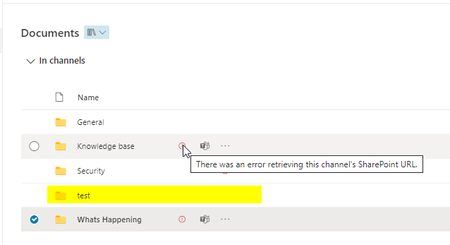
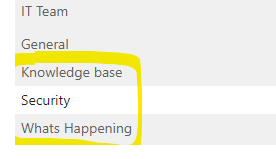
RonaldKriege Did you add the channels using the Desktop app? Oddly enough, I created a test channel while using the web app and did not get the error message. I suppose the solution is to delete the errored folders and recreate using web app. Will be a bit of a process as we have to wait 30 days for a deleted channel to permanently delete before the file name is available again. Or else recreate the new channels and rename after 30 days.18KViews0likes8CommentsTrack Who sent the form
Hello, We have a post demo survey we would like to send out to prospects after a product demo. How can we track who the sender is? Our sender is an individual on our sales team. We've thought of 1 option and that is to ask the responder for their presenter's name. Thank You!Solved3KViews0likes2CommentsSimplest option to share specific files
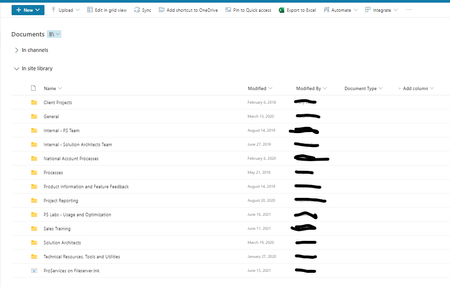
Hi Community, How can we make it simple for people within our organization to view all security questionnaires? Our professional services team completes questionnaires from customers, the questionnaire files are saved in a document library inside a folder. We recently created Metadata and plan to tag all questionnaires. Originally we wanted to create a view in the document library, but have learned that Metadata only works within a folder. We understand search is the other option. Below is what appears when we search for "Document Type: PS Security Questionnaires" Is there a way to search that ONLY returns files with Document Type: PS Security Questionnaires assigned? Our document library After searchSolved1.2KViews0likes3CommentsRe: Background image on page template not showing in new webpart
Bharath Arja Toni_Atienza SusanHanley @ganeshganap The solution I received from support was to rename the filename for my image to reduce the number of characters. I went from just under 30 characters to 14. This seems to have fixed my issue. Will keep an eye on it.5.7KViews0likes1CommentBackground image on page template not showing in new webpart
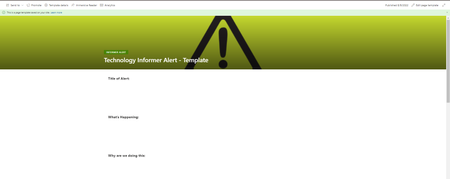
We have the following page template. Once we post the page, the image looks like this in the News web part. Image shows up fine when we view the post in a new window. We have tried opening up the image in a new tab and refreshing and then refreshing the post. This solution no longer works.6.7KViews0likes15Comments
Recent Blog Articles
No content to show