Recent Discussions

enrolling in Intune MacBook Pro with an M5 Pro
Hi everyone We have tested the Wi-Fi and ethernet profile without success with Apple businesses manager. The Wi-Fi and the ethernet connection itself works, but the enrollment process into Intune does not complete successfully. At this stage, we cannot sign in, and neither the Wi-Fi nor the Ethernet connection appears to be working. The device is a 14-inch MacBook Pro with an M5 Pro chip, running macOS 26.5.1 the device connects to the server, the settings begin to apply, but the process suddenly stops, and we are then unable to log in. These are steps followed : Synchronize the device from Apple Business Manager to Intune. Assign the enrollment profile to the device. Perform a device wipe/reset. Start Automated Device Enrollment (ADE). Complete the device setup and user sign-in. The device successfully enrolls into Intune. Intune begins deploying configuration profiles, compliance policies, security policies, and applications. During the policy application process, Wi-Fi connectivity stops responding. The device loses network connectivity and cannot continue synchronizing policies. We are unable to sign in because the enrolment process has not been finalized. As a result, we have to wipe the Mac and start the process again each time. We have disabled some policies, but we are still experiencing the same issue. Have anyone experienced any issues like that ? Regards,53Views1like0Comments
Platform SSO "Page not found" on macOS Tahoe 26.4 — Company Portal 5.2602
Environment: macOS Tahoe 26.4 Company Portal 5.2602.0 (latest as of April 2026) Microsoft Intune — Automated Device Enrollment (ADE) Platform SSO with Secure Enclave (UserSecureEnclaveKey) SSO Extension: com.microsoft.CompanyPortalMac.ssoextension / Team ID: UBF8T346G9 URLs configured: https://login.microsoftonline.com, https://login.microsoft.com, https://sts.windows.net Device: MacBook Pro 14" (Apple Silicon), supervised, ADE-enrolled Issue: During Platform SSO registration, after the user authenticates successfully in the SSO registration prompt, Company Portal crashes with a "Page not found" error. The registration never completes — no WPJ certificate is created, no SSO registration key is stored in the Secure Enclave. Console logs show: CompanyPortalMac: URL(filePath:) API misuse — usingass old file path API which does not support security scoped bookmarks The error occurs specifically at the token exchange step after authentication, suggesting the Company Portal binary is calling a deprecated macOS file URL API that Tahoe 26.4 now enforces more strictly. What we tried: Full wipe and re-enrollment via ADE Removing and reinstalling Company Portal via Intune Different user accounts Verified SSO extension profile is correctly applied (confirmed via profiles show -type configuration) Verified network connectivity to Microsoft identity endpoints Tested on a clean macOS Tahoe 26.4 install — same result Expected behavior: Platform SSO registration completes, WPJ certificate is created, and SSO token is cached for seamless authentication. Actual behavior: "Page not found" after authentication in the SSO registration flow. Console shows the URL(filePath:) API misuse warning. Registration fails silently — no error surfaced to the user beyond the page not found screen. Question: Is this a known bug in Company Portal 5.2602 with macOS Tahoe 26.4? Is there a newer build or hotfix addressing the URL(filePath:) deprecation? Any workaround available? Tags: Platform SSO, macOS, Company Portal, ADE, Intune346Views2likes0Comments
App Protection: Custom app vs Partner app
Is there any functional difference in using an app protection policy to manage a public partner app versus a custom application? We have an app vendor that says they wrapped their app with the SDK but it is not on the partner list so we cannot pick it from the public app list. Which leaves us with the custom app option. Is the functionality the same? Will it show up on the app protection report, work with conditional access policies, other Microsoft solutions, etc.? Thank you - Jessie39Views0likes0CommentsIntune iOS User-Based App Targeting
I’ve noticed an issue with user-based targeting and was wondering if this is an issue, or I'm just using it wrong. Lets say I want an iOS app to be deployed out to a user group, but only to company owned devices of those users. I set the assignment for required user group and assign an Include filter for corporate owned devices. If this app is also Available for All Users, then the app deploys out to all devices from the required user group, even their personal devices. It basically forgets there is a filter for the required user group assignment. Any way around this? It feels like a glitch in how Intune deploys apps.68Views0likes0Comments
Have OneDrive or SharePoint files/folders on home screen of iPad without internet connection?
This. I'm on a big iOS project. We have several users who need files on an ipad when traveling, and be able to open them when there is no internet connectivity. These files aren't intended to be edited, just 'read only.' These files do not contain any sensitive corporate data. The content lives in SharePoint online and I'm using OneDrive as a bridge to their sharepoint site. BUT the files can only be viewed on the ipad within the OneDrive app without internet access. These are devices using user affinity enrollment. Initially, the solution for users was to use the 'Mark Offline' feature within the OneDrive iOS app. I used Power Automate to have it fetch new files found in OneDrive and move them to the teams SharePoint site. These shared devices are locked down (an understatement). These will be used by the least computer savy/literate people and so having them dive through OneDrive folder after folder, even offline, is a tall order to ask. I totally get it and don't want them doing that either. So now I have to move onto plan B. How can we put the files that live within OneDrive/Sharepoint onto the home screen without an internet connection when the ipad is 'out in the field.?' This would make it infinitely easier for them. The key here is to not have end users manually moving files around. We don't want them to even have to go into OneDrive and mark folders/files offline, if possible. We don't have the SharePoint app on them. I tried the SP app a while back, and it is a hot mess of garbage. I could revisit it. Whatever I can get to work of course we'll have to modify our Intune polices. Thoughts?96Views0likes0CommentsEntra Shared Device Mode Remote Control
Hi All I hope you are well. Anyway, does anyone have any experience of a decent remote control solution for Android based Entra Shared Mode devices? Preferably with the "LEAST" Android permissions to set / and or an App Config that can suppress Android permissions. SK58Views0likes0Comments
Intune Graph API deviceStatuses missing device shown in portal
Hello, I am retrieving device status for an Intune configuration profile using Microsoft Graph API. API request: GET https://graph.microsoft.com/beta/deviceManagement/deviceConfigurations/{policyId}/deviceStatuses Issue: In the Intune portal, a device shows Success status for the configuration profile under: Devices → Configuration profiles → Device status However, when retrieving the same data using the Graph API endpoint above, that device does not appear in the API response. Observations: In the Intune portal, the policy shows one device with Success status. But the Graph API response returns different devices and does not include the device visible in the portal. Example response (sanitized): deviceDisplayName: Device-A status: unknown deviceDisplayName: Device-B status: unknown Questions: Why would a device appear in the Intune portal device status but not in the Graph API deviceStatuses response? Is there a delay in data synchronization between the Intune portal and Graph API? Is there another Graph endpoint recommended for retrieving all device configuration status results? Additional details: Graph API version: beta Permission used: DeviceManagementConfiguration.Read.All Tested using Graph Explorer Any insights would be appreciated.123Views0likes0CommentsErweiterungsmanagement im Browser
We would like to distribute browser extensions in Edge via Intune in a granular manner. The problem is that assigning two profiles with different extensions leads to a conflict. We would like to be able to assign extensions individually and assign multiple different profiles with different browser extensions to a user. With the current options, it becomes very complex and error-prone when there are multiple extensions with different user groups. Or have I overlooked a possibility?53Views0likes0CommentsWill Intune device-only subscription get additional value in FY27
Will the Intune device-only subscription (Microsoft Intune announces device-only subscription for shared resources | Microsoft Community Hub) get the additional features which Intune P1 will get in FY27 (Microsoft 365 adds advanced Microsoft Intune solutions at scale - Microsoft Intune Blog), Intune Remote Help, Intune Advanced Analytics and Intune P2? This would have a huge impact of our planning how to manage special purpose devices in production environments without any user affinity. Deploying security and configuration settings, Windows Autopilot for Windows IoT Enterprise LTSC kiosk deployment, Windows Autopatch (servicing), Remote Help and FOTA for Zebra devices would be drivers to add these production devices to Intune.78Views0likes0CommentsHow to Disable Self-Service Passcode Reset for Standard Users in Microsoft Intune
Hi, We are using Microsoft Intune to manage Android corporate-owned devices. Currently, standard users can reset their own device passcode remotely. The problem is: Users reset the passcode themselves Then they get confused They call IT saying they cannot open their phone We want to prevent users from doing self-service passcode reset. Only admin should be able to reset the device passcode. I already checked configuration profiles and compliance policies in Intune, but I cannot find any setting to disable this. Has anyone successfully disabled this feature? Thank you.64Views0likes0CommentsCreating a successful intune deployment using an installer exe combine with XML configuration file.
I am having issue creating a successful intune deployment package involving MathCad Prime 11 and XML file, this might be cause my powershell scripting is very weak. This is the current script I am trying to used, but it does not seem to deploy successfully, the errors I am seeing from intune is "The unmonitored process is in progress, however it may timeout. (0x87D300C9)." Perhaps someone has come across this and point me in the right direction on how to handle installer with exe and using XML for configuration. " # Get the current script directory to locate setup.xml $CurrentDir = $PSScriptRoot # Define the installer path and the XML argument file $ExePath = Join-Path -Path $CurrentDir -ChildPath "setup.exe" $XmlPath = Join-Path -Path $CurrentDir -ChildPath "mathcad.p.xml" # Adobe command-line parameters for silent installation with a deployment file $Arguments = "--mode=silent --deploymentFile=`"$XmlPath`"" # Start the installation process and wait for completion $Process = Start-Process -FilePath $ExePath -ArgumentList $Arguments -Wait -PassThru # Return the exit code to Intune (0 is success) Exit $Process.ExitCode "168Views0likes0CommentsIssues with OSD in secondary MCM 2509 site
Hi, having upgraded primary and secondary MCM site to version 2509 I cannot perform OSD anymore on secondary site location - errors: Failed to query Management Point locator QueryMPLocator: no valid MP locations are received Boundary Group in secondary site does have assigned MP and that is secondary MCM site server - however I get this as well: <MPLocation SiteCode="" AssignedSiteCode="" MP="" MPCertificatesEx="" x86UnknownMachineGUID="" x64UnknownMachineGUID=""/> Any help would be highly appreciated.90Views1like0CommentsSave the date - January 26, 2026 - Tech Community Live: Intune edition
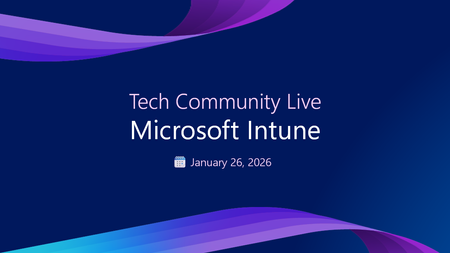
Save the date for Tech Community Live: Intune edition, starting at 8:00 AM PT! Join us for an exclusive live event designed for IT professionals managing endpoints with Microsoft Intune. This interactive experience features four Ask Microsoft Anything (AMA) sessions focused on the most critical aspects of modern endpoint management. Learn how to secure your endpoints with policy and Microsoft Defender, streamline app deployment and updates with Intune, and apply Zero Trust principles effectively across your organization. Each session is led by Microsoft experts ready to answer your toughest questions and share best practices for real-world scenarios. Whether you’re looking to strengthen compliance, optimize app lifecycle management, or embrace Zero Trust strategies, this event delivers actionable insights to keep your organization secure and efficient. Don't miss this opportunity to connect with the experts and elevate your Intune skills. Go to Tech Community Live: Intune edition to add this event to your calendar! Better yet, sign in to add your questions now.191Views0likes0Comments
restore Personal Iphone on onother supervised iphone
Good morning, Our employees would like to keep their iPhone settings on the company phone supervised by Intune. How can we restore a personal iPhone from iCloud to an iPhone supervised with Intune? I've heard of a method that allows a restore on an intermediate device before moving to the supervised one. Has anyone already solved that problem?39Views0likes0CommentsNot able to use derived credentials on android
I have successfully enrolled a Samsung Galaxy S22 ultra using intune. All my apps are installed on the device. I am now trying to use derived credentials but I am not able to scan the QRCode. As soon as the QRCode comes up, the intune app crashes. Wanted to know if anyone else is seeing this issue. The intune app version is 2025.11.02.43Views0likes0CommentsApp Protection Policy and Siri Intents
Hello, I know that there is a MAM Policy setting to be checked "areSiriIntentsAllowed" to decide to allow or block a Siri intent for an Intune SDK integrated application but I am not seeing where in the App Protection Policy that I can change this value to allow the Siri intent. Is there an Intune Console setting that dictates what the "areSiriIntentsAllowed" will be set to? Here's the Intune SDK integration reference https://learn.microsoft.com/en-us/intune/intune-service/developer/app-sdk-ios-phase4#siri-intents Thanks!130Views0likes0CommentsModern endpoint management—Microsoft Intune at Ignite 2025
Security is a core focus at Microsoft Ignite this year, with the Security Forum on November 17, deep dive technical sessions, theater talks, and hands-on labs designed for security leaders and practitioners. Join us in San Francisco, November 17–21, or online, November 18–20, to learn why endpoint security and management are critical in today’s hybrid environments. At Ignite, endpoint management sessions and labs will help you secure devices, automate management, and integrate with AI-powered security tools. Featured sessions: BRK242: Top Essentials for an Integrated, AI-Ready Security Foundation Learn what Microsoft Entra and Microsoft Intune bring across the M365 stack to help you reach a Zero Trust security posture with more compliance and control in the era of agentic AI. LAB542: Zero Trust Lab: Securing Identities and Devices with Intune & Entra Explore how Intune and Entra secure identities and devices, with new implementation indicators and cross-pillar guidance. BRK258: Inside Windows Security, from client to cloud Discover the latest innovations across Windows and Intune designed to improve your security posture and protect users, devices, and data. Explore and filter the full security catalog by topic, format, and role: aka.ms/Ignite/SecuritySessions Why attend: Ignite is the best place to learn about new Microsoft Entra capabilities for agentic AI, identity governance, and secure access. We will also share its vision for the future of identity and agent management. Security Forum (November 17): Kick off with an immersive, in‑person pre‑day focused on strategic security discussions and real‑world guidance from Microsoft leaders and industry experts. Select Security Forum during registration. Register for Microsoft Ignite >278Views0likes0CommentsGoogle Play Web apps in Edge
Hi Community, We build quite a lot of Webapps in Managed Google Play and assign those to our Android devices managed in Intune as Dedicated with Entra ID Shared device mode. We run MS Edge as the default browser. Lately we have discovered that Webapps, pointing to web sites where you write text in a input field, especially if the text box is at the bottom of the screen, doesn´t behave as we expect. When the virtual keyboard is activated it often hides the text box, making it impossible to see what you write. If we open Edge and manually browse to the same site, it behaves better. I have also tested to open the Web app in Chrome which works as expected. It doesnt matter if I create the Web app with "Fullscreen" "Standalone" or "Minimal UI" display mode. First image shows the site opened manually in Edge. The textbox is moved above the keyboard Same site opened as a Web app. When activating the keyboard, the text box becomes hidden under the keyboard67Views0likes0Comments






Events

Let's talk about what actually works. Each month, Unpacking Endpoint Management brings you practical tips, proven strategies, and honest discussions. Our goal? To help you optimize and simplify the w...
Thursday, Jul 30, 2026, 09:00 AM PDTOnline
0likes
36Attendees
0Comments
Recent Blogs
- 7 MIN READBy: Carol Burns - Principal Product Manager | Microsoft Intune and Sucheta Gawade, Microsoft MVP (Azure & Security / Intune) Practitioner perspective from Sucheta Gawade, Microsoft MVP (Azure & Sec...Jul 01, 2026381Views2likes1Comment
- Learn how customers are using Intune to protect endpoints, empower IT and optimize with AI.Jul 01, 202610KViews1like2Comments