Recent Discussions
BLOG: Explaining Azure Local additions to licensing and hardware ecosystem - June 2026
Changelog: 1.3 - added Azure Local OEM licensing 1.2 - improved readability in licensing comparison section, adding sources. 1.1 - corrections for S2D + SAN / or SAN only, added link for solution comparison. 1.0 - initial version In this blog I will inform you about noteable additions and changes in terms of Azure Local Licensing and changes to the qualified, certified hardware required. Some of these changes also making it much easier re-using existing hardware with Azure Local, such as SANs. As this blog uses a couple of acronyms, please make yourself familiar with these in the terminology section at the end of this post, as it differs a bit from what is used with Windows Server. 🆕Change 1 - Licensing updates: Microsoft has released an addition to their all-known Azure Local pricelist and licensing conditions. What's new? Host Servicing Fee and revoked Azure Hybrid Benefits for Azure Local have been clarified based on its deployment decisions, when used with S2D + SAN or SAN and ALDO. Formerly revoked for M365 Local through product terms changes. With this Microsoft has introduced a new tier model for Azure Local Host fees based on the specific assignment of the deployed instance. Tier 1: Azure Local using Storage Spaces Direct (default) Tier 2: Azure Local for disaggregated deployments or hyperconverged deployments with external storage. Tier 3: Azure Local with disconnected operations, locally hosted control plane. Learn more about the the new Azure Local pricing tiers. Important note: Please always consult Microsoft Product Terms preferably over other pages, slides etc., understanding the definitive terms that apply. Any licensing statements written or displayed outside Product Terms - including this blogpost - are considered complementary. They might be incomplete or outdated given the context and respective licensing program that applies. 🆕Change 2 - Azure Local Solutions - hardware and ecosystem changes: Microsoft Azure Local Solutions page, formerly Azure Local Solution catalog, has seen a subtle but major overhaul some time ago. I would like to elaborate on these. The previously well-known "pyramid" of hardware certification and defined feature and support set for Azure Local has been revised. Tier 1: Premier Solutions Tier 2: Integrated Systems Tier 3: Validated Nodes The new hardware certification and defined feature and support sets: Tier 1: Premier Solutions Tier 2: Integrated Systems 𝗪𝗵𝗮𝘁 𝗵𝗮𝗽𝗽𝗲𝗻𝗲𝗱 𝗼𝗿 𝘄𝗶𝗹𝗹 𝗵𝗮𝗽𝗽𝗲𝗻 𝘁𝗼 𝘆𝗼𝘂𝗿 𝗩𝗮𝗹𝗶𝗱𝗮𝘁𝗲𝗱 𝗡𝗼𝗱𝗲𝘀? First, Validated Systems not to confuse with Azure Local validated hardware - have been entirely removed from the Azure Local Solutions | Microsoft, as a selectable solution category. Given the indications and filtering options - to my understanding - it is very unlikely that future hardware refreshes will be provided by the OEMs based on the Validated Systems. Thus I consider Validated Systems phased out / deprecated based on the readings on the Solution page, while there is no official announcement I am aware of. 𝗗𝗼𝗲𝘀 𝘁𝗵𝗶𝘀 𝘃𝗼𝗶𝗱 𝘆𝗼𝘂𝗿 validated solution 𝘆𝗼𝘂 𝗵𝗮𝘃𝗲 𝗱𝗲𝗽𝗹𝗼𝘆𝗲𝗱 𝗮𝗻𝗱 𝗿𝘂𝗻𝗻𝗶𝗻𝗴? I'd say no in most cases based on the age of the hardware and would like to advise the following: Brace and keep calm. 🙏🏻 Please consult the Azure Local Catalog for changes at your pace, identifying your deployed hardware. Checking for supportability (limited support or end of support statements). Validated Nodes are still visible in the Azure Catalog when choosing the filter options as shown in the picture, while the category filter itself has been removed. Please check with your Microsoft Partner and OEM, if deployed and still supported Validated Solutions actually got upgraded / or are upgradeable to Premier Nodes. I have been informed some are upgradeable from Validated Solution directly to Premier Nodes but this requires a redeployment of the nodes. How can I find my running Validated Nodes, when not listed (upgraded) in Premier Solutions or Integrated Systems? There is a selector in the Azure Local Solutions overview, call qualification generation. Wait, is that a kind of upselling? Speaking about the hardware for Azure Local, in my understanding this consolidation from a 3-tier model to a 2-tier model was long overdue and in my personal opinion I welcome it based on the technical changes and requirements Azure Local 23H2 and 24H2 implied. I wouldn't describe it as upselling and here is a pointer why: Some time ago, most Integrated Systems (Nodes) have been upgraded to Premier Solutions at no additional cost to partners and customers by Dell Technologies. While Dell took the lead, many OEMs followed suit. This also means that all fully supported deployed Azure Local nodes consistently support Quick Reboot, skipping lenghty BIOS POST time, when no UEFI firmware is pending for installation. Thankfully though, the inital Azure Local 23H2 approach by Dell, which involved pairing Premier Nodes with a mandantory layer of OEM provided software, has been dismissed. This approach required customers accepting the benefits of Premier Solutions while getting charged , storage capacity, CPU and RAM in return for a OEM specific management software and other OEM provided benefits. Vae victis, early adopters. While these remain supported, this is no longer the case for Premier Solutions of neither OEM offering these. What are your benefits when after the change potential upgrade? Please find this verbose comparison and also check the tabs on the top of the linked page: Comparison of Azure Local solutions. The benefits are huge, beneficial and practical for everyday operation, troubleshooting and support. Why the change? Microsoft has drastically improved the servicing workflow by using Azure Update Manager, Cluster Aware Update mechanisms and healthchecks, with the goal to near one-click automate the download, deployment and installation of SBE while also maintaining the Azure Local solution and keeping it up-to-date, with a friction-less and production-safe upgrade mechanism. This means monthly patching for Azure Local, since version 12.x builds based on Windows Server 2025 kernel were introduced, upgrade and monthly update reliability has finally met and exceeded expectations. Note that 11.x builds starting from 23H2 had some 'first release issues', but all teams at Microsoft worked extremely hard to overcome these. Learn more about the Azure Local releases and their update, upgrade and supportability terms. Azure Local Licensing Changes - Azure Hybrid Benefits for Windows Server Datacenter Tier / Scenario CSP Subscription (MCA) EA with SA MCA‑E with SA or Subscription Other Programs with SA Azure Local OEM 🟩 Tier 1 — Azure Local w. S2D Full AHB benefits Host fee pricing: 10$ per active core per month, unless exempted. 🖥️ No Azure Local fees or Windows Server Guest OS fees 🪪 WS Arc Management benefits elibigle 🔌 Connected 🖥️ No Azure Local fees or Windows Server Guest OS fees 🪪 WS Arc Management benefits elibigle 🔌 Connected 🖥️ No Azure Local fees or Windows Server Guest OS fees 🪪 WS Arc Management benefits elibigle 🔌 Connected 🖥️ Azure Host and Guest OS fees apply - you might license Guest OS with Windows Server Azure Subscription or through volume licensing. 🪪 WS Arc Management benefits elibigle 🔌 Connected 🖥️ No Azure Local fees or Guest OS fees ❌ no WS Arc Management benefits 🔌 Connected 🟧 Tier 2 — Azure Local w. S2D + SAN or Azure w. SAN Azure Local host fees apply Host fee pricing: 20.1 $ per active core per month. No exemption. 🖥️ 💲Azure Host and Guest OS fees apply - you might license Guest OS with Windows Server Azure Subscription or through volume licensing. 🗄️S2D + SAN or SAN only 🪪 WS Arc Management benefits elibigle 🔌 Connected 🖥️ 💲Azure Host and Guest OS fees apply - you might license Guest OS with Windows Server Azure Subscription or through volume licensing. 🗄️S2D + SAN or SAN only 🪪 WS Arc Management benefits elibigle 🔌 Connected 🖥️ 💲Azure Host and Guest OS fees apply - you might license Guest OS with Windows Server Azure Subscription or through volume licensing. 🗄️S2D + SAN or SAN only 🪪 WS Arc Management benefits elibigle 🔌 Connected 🖥️ 💲Azure Host and Guest OS fees apply - you might license Guest OS with Windows Server Azure Subscription or through volume licensing. 🗄️S2D + SAN or SAN only 🪪 WS Arc Management benefits elibigle 🔌 Connected not eligible afaik 🟥 Tier 3 — Azure Local ALDO Offline, no Azure Arc access Host fee pricing: Contact Microsoft or eligible Microsoft partner 🖥️💲 Azure Host and Guest OS fees apply - you might license Guest OS with Windows Server Azure Subscription or through volume licensing. 🪪 WS Arc Management benefits elibigle 🔌❌ fully disconnected 🖥️ 💲Azure Host and Guest OS fees apply - you might license Guest OS with Windows Server Azure Subscription or through volume licensing. 🪪 WS Arc Management benefits elibigle 🔌❌ fully disconnected 🖥️ 💲Azure Host and Guest OS fees apply - you might license Guest OS with Windows Server Azure Subscription or through volume licensing. 🪪 WS Arc Management benefits elibigle 🔌❌ fully disconnected 🖥️💲 Azure Host and Guest OS fees apply - you might license Guest OS with Windows Server Azure Subscription or through volume licensing. 🪪 WS Arc Management benefits elibigle 🔌❌ fully disconnected not eligible afaik 🟦 M365 Local on Azure Azure Local host fees apply Host fee pricing: Contact Microsoft or eligible Microsoft partner 🖥️ 💲Azure Host and Guest OS fees apply - you might license Guest OS with Windows Server Azure Subscription or through volume licensing. 🪪 WS Arc Management benefits elibigle 🔌 Connected 🖥️ 💲Azure Host and Guest OS fees apply - you might license Guest OS with Windows Server Azure Subscription or through volume licensing. 🪪 WS Arc Management benefits elibigle 🔌 Connected 🖥️ 💲Azure Host and Guest OS fees apply - you might license Guest OS with Windows Server Azure Subscription or through volume licensing. 🪪 WS Arc Management benefits elibigle 🔌 Connected 🖥️ 💲Azure Host and Guest OS fees apply - you might license Guest OS with Windows Server Azure Subscription or through volume licensing. 🪪 WS Arc Management benefits elibigle 🔌 Connected not eligible afaik sources: https://www.microsoft.com/licensing/terms/productoffering/MicrosoftAzure/MCA#clause-2250-h3-1 (primary) https://learn.microsoft.com/en-us/azure/azure-arc/servers/windows-server-management-overview (complementary) https://azure.microsoft.com/en-us/pricing/details/azure-local/ (complementary) https://learn.microsoft.com/en-us/windows-server/get-started/azure-hybrid-benefit?tabs=azure-local (complementary) Azure Local Terminology Term / Category Definition Nodes Physical servers participating in an Azure Local deployment. Instance A cluster of Azure Local nodes forming a single logical deployment. AzL S2D Azure Local using highest‑performance, highly available local Software‑Defined Storage (S2D). System Builder Extension (SBE) packages Fully tested and supported driver + firmware recipes for the current Azure Local release, provided by OEMs in partnership with Microsoft for Premier Solutions. Solution Categories Defines ease of deployment, support boundaries, and feature availability across Azure Local solution types. Azure Local hyperconverged deployments with external storage (Azure Local S2D + SAN) Azure Local S2D combined with qualified SAN‑attached storage. Azure Local for disaggregated deployments (Azure Local with SAN) Azure Local without S2D, using qualified SAN‑attached storage. Azure Local Disconnected Operations (ALDO) Fully disconnected, locally hosted control plane mimicking Azure Portal functionality, ensuring full‑stack data locality for strict governance requirements. Azure Local M365 Azure Local configuration enabling Microsoft 365‑like services on‑premises using a specialized node and instance setup. Azure Local The on‑premises Azure‑consistent platform for compute, storage, and hybrid management. CSP (Cloud Solution Provider) Sales motion/program. Not related to Intune CSP policies. MCA (Microsoft Customer Agreement) Licensing framework underlying CSP purchases. Microsoft Product Terms (PT) Official licensing terms — the single authoritative source for Microsoft licensing information. Windows Server / Azure (Local) Hybrid Benefits (AHB) Licensing benefits for applicable programs, especially valuable for Arc‑enabled servers with active Software Assurance. Particularly beneficial for customers licensing Windows Server Datacenter hardware cores via Enterprise Agreement with SA or CSP Subscription. AHB varies by product and program; Product Terms remain the authoritative source. Software Assurance (SA) Term based or compulsory in Subscriptions, bundle of licensing and usage benefits compared to perpetual licensing. Since Arc and Azure Local ROI goes far beyond "running the latest". Missed anything, spotted wrong? Let me know in the comments below.Solved986Views3likes7Comments
Cannot run "Get-SolutionUpdate" or "Get-SolutionUpdateEnvironment" after updating to 2604
My Azure Local environment had been a bit out of date for the last few months so I was catching it up with the updates, stepping from 2602 to 2603 and then to 2604 last night. Since that update, when I run "Get-SolutionUpdate" or "Get-SolutionUpdateEnvironment" the command hangs for a few minutes and then eventually returns with something like the following: get-solutionUpdate : A WebException occurred while sending a RestRequest. WebException.Status: SendFailure on https://FQDN:4900/providers/Microsoft.Update.Admin/updateLocations?api-version=2022-08-01 + CategoryInfo : ConnectionError: (:) [Get-SolutionUpdate], SendFailureException + FullyQualifiedErrorId : SendFailureException,Microsoft.AzureStack.Lcm.PowerShell.GetSolutionUpdateCmdlet get-solutionUpdate : Object reference not set to an instance of an object. + CategoryInfo : InvalidOperation: (:) [Get-SolutionUpdate], NullReferenceException + FullyQualifiedErrorId : NullReferenceException,Microsoft.AzureStack.Lcm.PowerShell.GetSolutionUpdateCmdlet I have tried https://github.com/Azure/AzureLocal-Supportability/blob/main/TSG/Update/Get-SolutionUpdate-GatewayTimeout.md to try resolve it as it seemed similar but it hasn't helped. Any idea what might be going on?Solved89Views0likes4Comments
Azure Logic Apps Workflow Templates (Preview): Issues with Updates, Expressions, and Designer UI.
Hi Azure Logic Apps team, if someone from the team is monitoring this community, I would like to report a few issues I have encountered with the Logic Apps Workflow Templates (Preview) feature. These issues are impacting the user experience and require attention. Workflow Template name update issue I created a workflow template that was working correctly. However, when I try to edit the template and change its name, the update either fails or the new name is not saved. Other changes appear to work, but renaming the template is consistently problematic. Expression update issue with Base64 output When using the expression: base64(body('Create_CSV_table')) each time the email action is updated, the expression automatically changes back to: body('Create_CSV_table') This causes an Internal Server Error and requires manually fixing the expression every time the workflow is updated. This becomes very frustrating when managing multiple workflows. Logic Apps designer responsiveness issue The Logic Apps designer page is not fully responsive across different screen sizes. On my laptop screen, the Add Expression option disappears and is only visible when using a larger monitor. The designer should support different screen resolutions and provide a consistent user experience. Thank you for looking into these issues. Logic Apps Workflow Templates is a very useful feature, and addressing these problems would greatly improve usability for developers and users.Solved33Views0likes1CommentAzure Quantum orchestrated by enterprise apps via jBPM
Hi Community! Sharing this quantum enterprise computing example: https://medium.com/@sergey.lukyanchikov/jbpm-as-quantum-orchestration-platform-26f55897232e plus its GitHub repo: https://github.com/C-NLTX/Open-Source - enjoy!Solved148Views0likes1Comment
Windows OS edition validation error
In one of my session hosts, the windows operating system version & edition has different values, On winver.exe" --> it gives Windows 11 multisession 22h2 whereas in registry, path to HKLM:\Software\Microsoft\Windows NT\CurrentVersion\ Keyname: ProductName Value; Windows 10 multisession Can someone experience this in similar, .. Thanks, RajkumarSolved112Views1like4Comments
Integrating Tableau to a Azure Internal Database
Hi everyone, I wanted to ask if it's possible if I can connect Tableau to an internal database that I'm planning to build. Not just Tableau but Monday.com too. And yeah, I know I need to build the database first, and sort everything out first, but it's for my presentation. I would really be grateful if someone can answer this and show me a bit of how I can do that. Do I need some token from tableau or something?Solved124Views0likes4Comments
Unable to backup APIM instance to storage account
I have a Standard V2 APIM instance and a storage account that has public access disabled but allows traffic from the Integration subnet of the APIM and the "Microsoft.ApiManagement/Service" resource type and the specific instance of APIM allowed access. It also has the "Allow trusted MIcrosoft Services to access this resource" selected. Integration subnet of APIM has the "Microsoft.Storage" service connection configured. I am following this MS KB to setup the backup:- https://learn.microsoft.com/en-us/azure/api-management/api-management-howto-disaster-recovery-backup-restore?tabs=powershell#back-up-an-api-management-service And using the "Access using managed identity" method. The Service principal that I am using in Powershell & Managed Identity of APIM has been given the "Storage Blob Data Contributor" role on the storage account. When I run the following 2 commands from a VM in the same VNET as the APIM Instance I get error: "Backup-AzApiManagement : Long running operation failed with status 'BadRequest'." $storageContext = New-AzStorageContext -StorageAccountName $storageAccountName Backup-AzApiManagement -ResourceGroupName $apiManagementResourceGroup -Name $apiManagementName -StorageContext $storageContext -TargetContainerName $containerName -TargetBlobName $blobName -AccessType "SystemAssignedManagedIdentity" Storage logs seems to indicate that it successfully does the "putblob" operation and within few milliseconds does the "DeleteBlob" operation. APIM activity logs have the following error for "Backup API Management Service":- "message": "Unable to backup API service at this time. Please, retry the operation.If the issue persists, please contact support providing correlation ID How can I troubleshoot this further or what needs to change in my setup to allow the backup?Solved113Views0likes3CommentsTwo node Azure Local cluster updated to different versions
I'm not really sure how it's happened, but after trying to run an update against my Azure Local cluster, one of the two nodes has ended up at a higher version and now the update process is failing as it's detected that the nodes are at two different versions. Node 1 is at 26100.32690 Node 2 is at 26100.32522 Retrying the update process is failing as it's obviously detecting that the two nodes are at different update versions. Is there a way to update the node that has fallen behind to the the same version as the other?Solved106Views0likes2Comments
Azure Automation Hybrid Runbook Worker Supported OS
Hi everyone, we are currently in the process of updating or environment to Server 2025. Since the mainstream support of Server 2022 ends October this year, we would also like to update our on-premise Azure Automation Hybrid Runbook Worker from 2022 to 2025. As far as I can see from the https://learn.microsoft.com/en-us/azure/automation/extension-based-hybrid-runbook-worker-install?tabs=windows%2Cps#supported-operating-systems, OS is only supported up to Server 2022, but not Server 2025. Since the mainstream support end is closing in, is there any information on official support for Server 2025 for Azure Automation HRWs? Do you already have one successfully running with Server 2025? Thanks!Solved113Views0likes3Comments
MFA required for Global Admin without Conditional Access or PIM enforcement
Hi, I'm analyzing a break-glass account scenario in Microsoft Entra ID and would like to validate a behavior I'm observing. The account: Has Global Administrator role (permanent assignment) Is excluded from all Conditional Access policies (fully validated) Is excluded from Authentication Methods policies and MFA Registration Campaign (fully validated) Has no per-user MFA enabled (disabled) PIM is not enforcing MFA (role is permanently active, no activation required) Security Defaults are disabled SSPR is not enforcing MFA All configurable sources that could require MFA have been reviewed and fully ruled out. However, when signing into Microsoft Admin Portals (Entra/Azure), MFA is still required and cannot be skipped. In Sign-in logs: Conditional Access → Not Applied Authentication Details show: "MFA required in Azure AD" "App requires multifactor authentication" Additionally, there is a Microsoft-managed policy: "Multifactor authentication for admins accessing Microsoft Admin Portals" but it is in Report-only mode. Question: Is Microsoft Entra ID enforcing MFA automatically for privileged roles (like Global Administrator) in admin portals, even when no Conditional Access or PIM policy requires it? And if so, is there any supported way to fully exclude a break-glass account from this behavior? Thanks in advance.Solved299Views0likes2CommentsExcluding break-glass account from MFA Registration Campaign – impact on existing users?
Hi everyone, I'm currently reviewing the configuration of a break-glass (emergency access) account in Microsoft Entra ID and I have a question regarding MFA registration enforcement. We currently have an Authentication Methods Registration Campaign enabled for all users for quite some time. We identified that the break-glass account is being required to register MFA due to this configuration. The account is already excluded from all Conditional Access policies that enforce MFA, so the behavior appears to be specifically coming from the registration campaign (Microsoft Authenticator requirement). Our goal is to exclude this break-glass account from the MFA registration requirement, following Microsoft best practices. My question is: If we edit the existing registration campaign and add an exclusion (user or group), could this have any impact on users who are already registered? Specifically, could it re-trigger the registration process or affect existing MFA configurations? We want to avoid any unintended impact, considering this campaign has been in place for a long time. Has anyone implemented a similar exclusion for break-glass accounts within an active registration campaign? Any insights or confirmation would be really helpful. Thanks in advance!Solved222Views0likes2CommentsAzure Virtual Desktop(AVD) - Enable Cloud Kerberos for storage accounts question
I need to enable Cloud Kerberos for storage accounts used for AVD host pool. I am thinking of following the following instruction. Is that correct steps and is that all that is required?:- After enabling AADKERB on the storage account :- 1a. Find the AADKERB Service Principal Use Azure CLI to log into correct tenant az login –tenant <tenantName> 1b. Find the AADKERB Service Principal Look up by display name pattern az ad sp list --filter "startswith(displayName,'[Storage Account]')" --query "[?contains(displayName,'<storageAccountName>')].{id:id,appId:appId,name:displayName}" -o table 1c. Grant Admin Consent The AADKERB SP requires the following delegated permissions on Microsoft Graph: openid profile User.Read ← This is often overlooked but required Get the Microsoft Graph SP ID $graphSpId=$(az ad sp list --filter "appId eq '00000003-0000-0000-c000-000000000000'" --query "[0].id" -o tsv) Get the AADKERB SP ID $aadkerbSpId=<from step 1a> Check existing grants az rest --method GET --url "https://graph.microsoft.com/v1.0/oauth2PermissionGrants?$filter=clientId eq '$aadkerbSpId' and resourceId eq '$graphSpId'" Create or update the grant az rest --method POST --url "https://graph.microsoft.com/v1.0/oauth2PermissionGrants" --body "{ "clientId": "$aadkerbSpId", "consentType": "AllPrincipals", "resourceId": "$graphSpId", "scope": "openid profile User.Read" }"Solved139Views0likes1CommentSlow response times in different regions
I have a website which is primarily for people in Asia and uses Front Door. Microsoft say that content served through Front Door is hosted in POPs all over the world but Grafana checks show consistently bad performance in Asia. The London ping response times are consistently low from London but around 150ms from Singapore, frequently spiking to over 500ms. While London is closer to where the origin is hosted, I wouldn't expect pings to go to the origin but be handled by Front Door? Is there any way I can verify that the site is being propagated to regional POPs in the APAC area?Solved210Views0likes1CommentHelp ! - Hub Spoke Architecture and Routing via NVA
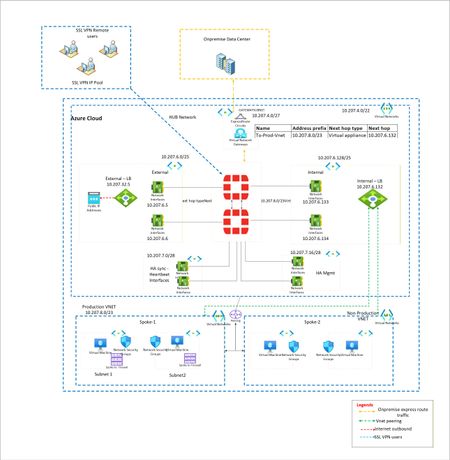
I have a classic example of routing. I want to force all traffic via Fortigate firewalls. EastWest and NorthSouth. However when large Supernet of Azure Vnet is used to route and force the traffic via UDR at gateway subnet, its not working. Because Routes learned at Hub Vnet via Vnet peering is taking precedence. To isolate, i have created multiple small subnet routes for Gateway subnet. Each pointing to spoke vnet and next hop as Fortigate firewall. However this is working, i want to make solution solid. Means if someone creates new vnet in future and peer with Hub, it should not get direct traffic. Is that possible? Or this is typical shortcoming of Azure where routing works with preference to vnet peeering.? Below is architecture -Solved428Views0likes3Comments
Azure passowrd protection
We have a hybrid Azure infrastructure with an AD Connector installed on-prem and configured for PTA. We installed the password protection server and registered it with the Azure tenant, then deployed the DC agent on all domain controllers. Both the proxy and agents are operational. We published a few banned words to block in case anyone uses them. For testing, I changed my password to include one of the banned words. To my surprise, I was able to change the password. I checked the corresponding logon server, and the DC event viewer showed that the password was validated, but the banned word was in the password list that Azure set to enforce. Why is it not blocking the change?Solved99Views0likes1CommentAzure Static Web App CI/CD
Hi everyone! I know this is a silly question, but I want to ask why, after connecting my Azure Static Web App to my GitHub and it would connect the Git Workflow, the commit would fail. Although, I haven't finished setting up some other resources yet, and I just connected my StatWebApp URL to my Azure Maps, there are other resources that I still need to deploy, and I still need to properly wire the backend to my Azure AI Services. Thanks in advance!Solved286Views0likes6Comments
PAAS resource metrics using Azure Data Collection Rule to Log Analytics Workspace
Hi Team, I want to build a use case to pull the Azure PAAS resources metrics using azure DCR and push that data metrics to log analytics workspace which eventually will push the data to azure event hub through streaming and final destination as azure postgres to store all the resources metrics information in a centralized table and create KPIs and dashboard for the clients for better utilization of resources. I have not used diagnose setting enabling option since it has its cons like we need to manually enable each resources settings also we get limited information extracted from diagnose setting. But while implementing i saw multiple articles stating DCR is not used for pulling PAAS metrics its only compatible for VM metrics. Want to understand is it possible to use DCR for PAAS metrics? Thanks in advance for any inputs.Solved186Views0likes2CommentsAzure File copy task v4 and later causes 403 error
I've configured a release pipeline in ADO which copies some files to a Storage Account. Using Azure File copy task version 6 consistently fails with a 403 error. RESPONSE Status: 403 This request is not authorized to perform this operation using this permission. After much wasted time checking IP restrictions, checking access and recreating service connections I tried using an earlier version of the task that some other pipelines which do the same thing were using. I found that using version 4 or later of the file copy task causes the issue. Setting the task version to 3 works. Are there any known issues around this?Solved131Views0likes2CommentsContainer on App Service keeps getting stopped and terminated
I've got a .Net app running in a Docker container that I'm trying to run on a Linux App Service but as per the (sanitised) log output below from the Platform log stream, it's getting terminated only 4 seconds after it started. Where can I get information on why this is happening? Starting container: a0e3af0a_myapp-dev-as. Starting watchers and probes. Starting metrics collection. Container is running. Container start method finished after 1990 ms. Container is terminating. Grace period: 0 seconds. Stop and delete container. Retry count = 0 Timestamps removed as the forum doesn't seem to like log output?Solved582Views0likes2Comments


Events
Recent Blogs
- Enhanced Dashboarding and Visualization Experience Grafana 13 introduces a number of improvements that make dashboards easier to build, reuse, and manage at scale. Teams can create richer observabi...Aug 07, 2026138Views0likes0Comments
- Build durable MCP Tasks on Azure App Service with .NET, Azure Table Storage, and Service Bus, including reconnects, approvals, cancellation, retries, and hosting tradeoffs.Aug 07, 2026138Views0likes0Comments