Forum Widgets
Latest Discussions
How to stop the popup preview for taskbar icons ?
If I hover over a taskbar icon, I get a popup with a miniature view of the target page. This is very recent. I have no idea how I might have caused that. I haven't been in the registry recently. I use the "StartIsBack" app (AKA "StartAllBack"). It's an app that attempts to emulate the Win XP taskbar. I've been using it for about 50 years without problems. ThanksHunterApolloApr 21, 2026Iron Contributor43Views0likes3Comments
Windows Music Software for Game Development?
Hello everyone! As the title suggests, I would like to hear from all of you to know what music software you or your composer uses to make the music for your games. For a bit of background, I've been interested in game development ever since I was a young teenager and got my hands on a copy of RPG Maker for the Nintendo DS. Ever since then, I have been learning to code and use both Gamemaker and Godot to learn and work on some projects, though I have never published anything. I have been using GarageBand to make all of my music, but I no longer own a Mac computer and have upgraded to a desktop pc. I've done some searching for a Windows software that functions similarly to GarageBand, and didn't find a lot of small programs that are very beginner-friendly. I would like to find something that prioritizes MIDI instruments over the ability to import or adjust pre-recorded audio. Specifically, something with a lot of pianos and synthesizers, since I mainly make ambient or EDM music. I want to buy the producer edition of FL Studio, as it seems to be the most recommended software in my search, but I want to hear from more experienced developers first before I make a decision. Tell about what software you use and why you prefer it. I would also love to hear about the games you made music for, if you're comfortable sharing!Jaxx-xApr 21, 2026Brass Contributor39Views0likes3CommentsAfter reinstalling Windows 11, the system frequently restarts while gaming
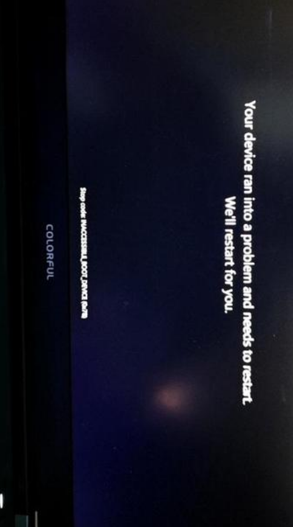
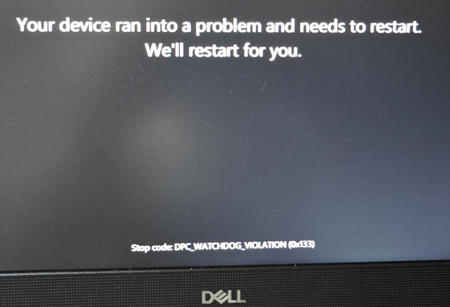
After reinstalling Windows 11, my computer frequently restarts on its own when I play games, but everything works fine during light use, such as watching videos or doing everyday office work. I’d like to know the possible causes, as well as how to troubleshoot and resolve the issue.DaxxonSawyerApr 21, 2026Iron Contributor30Views0likes1Comment
My C drive is running out of space, so I want to upgrade to Windows 11 26H1 to clean up junk files.
My C drive is almost full, mainly because the WinSxS and AppData folders are taking up space and are difficult to delete. I’m thinking of upgrading to 26H1 to free up some space. Will CS:GO run without errors on 26H1? If it works fine, I plan to test it in a virtual machine first before installing it on my actual computer.StonehuApr 21, 2026Iron Contributor17Views0likes0CommentsOccasional frame drops when minimizing windows in Windows 11
My computer has sufficient performance, and the monitor has a high refresh rate. When I open a window, wait a while, and then minimize it, I experience frame drops, but this doesn’t happen if I interact with the window continuously. I’m looking for a solution.KodyonApr 21, 2026Iron Contributor17Views0likes0Comments






Tags
- insider168 Topics
- windows 11129 Topics
- windows 10120 Topics
- Feedback117 Topics
- Windows Insider92 Topics
- dev71 Topics
- suggestion59 Topics
- Windows1154 Topics
- fast ring49 Topics
- new47 Topics