User Profile

tk093
Iron Contributor
Joined Dec 13, 2017


User Widgets
Recent Discussions
Re: Spell check broken in new Teams 2.0 client
Sorry, wish i could help. Still no issues here since they fixed it a few weeks ago. We turned on the toggle for users to switch on their own starting Monday. Already had close to 1000 people make the switch and so far no reported issues. About 90% of them are on 24004.1309.2689.2246. Probably should open a ticket with Microsoft.6KViews0likes3CommentsSpell check broken in new Teams 2.0 client
Greetings, we have about 100 users running Teams 2.0 and a handful of users, myself included, are seeing issues with the spell check. It will work for maybe 10 minutes, maybe a hour, maybe a day or two, but eventually will stop working. It will no longer flag misspelled words. The only fix is to reset the app/cache. Rebooting, uninstalling does fix it.. Just a cache reset. Once we do that, it starts working again, for 10 minutes, maybe an hour, who knows. But it will always fail again. Has anybody else seen this?100KViews38likes51CommentsTeams 2.0 Bootstrapper not working
Hi, we're not having much luck with the bootstrapper for Teams 2.0. If we just run it by itself it does not appear to download anything. It does put the ms-teams.exe out there and if the user launches it, it will open Teams, but it won't stay running in the background until a restart. Also it will never install for any new user on the machine like the old machine wide installer used to work. Am I missing something? We did try with the offline install but got the same exact results. Update: Maybe this is the way it is supposed to work and I'm incorrectly assuming it auto launches the first time for every new user like the old one did.Solved4.5KViews0likes2CommentsRe: Can no longer register Android devices via MAM
Thanks for the reply. We got this resolved Friday. The certificate chain was exactly it. Apparently we had some network equipment failover the past weekend and the device that took over wasn't pushing out the intermediate cert in our chain. Apparently iOS and Windows do not need the cert pushed from the server, but Android does, which is why only those devices were impacted. I learned something new this week, so I guess that's always good.1.1KViews0likes0CommentsCan no longer register Android devices via MAM
We've been using MAM for years, and all of a sudden our users just started reporting today that they can no longer register their device/setup apps on Android devices. I am able to reproduce these errors on my own, and a few of my coworkers as well. I've attached a screenshot of what we see when somebody tries to sign into Outlook and the error they get when they try to sign into Teams. It seems to be tied back to the authenticator app because if you use that to directly try to register the device, it comes back with an error saying "Workplace join failed. Please try again later." iOS is not impacted by this, and existing Android devices continue to work, just setting up new apps is currently impacted. I assumed this was a Microsoft issue, but have seen no one else mention it online so I'm at a loss actually. Any ideas? Thanks!1.3KViews0likes2CommentsForm still works, can't access results
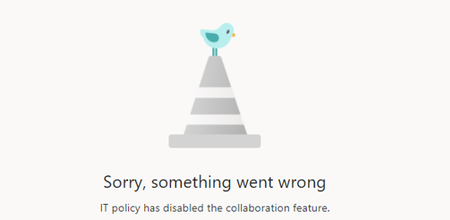
Greetings. Have a user who created a form, and was able to access the results, but a few days later lost access. The form still works and lets people submit entries, but when he tries to go to the results page he gets the following. "Sorry, something went wrong. IT Policy has disabled the collaboration feature." The form also no longer shows up in his list of forms, or in the recycle bin. Old forms still work, new forms still work. No other issues with any other forms in the company. Any suggestions?650Views0likes0CommentsAuto-labels Missing on Desktop Clients
Greetings, We are running into issues with our Desktop Office clients displaying auto-labels on the status bar. It is only on the Desktop Client. We have an auto-label policy being applied to a SharePoint test site. The files are labeled. If you open that document in the web browser version of Word, it will display the label name on the bottom status bar. However, opening the document in the full O365 Word app will never display the label. It's only for the auto-labels. If you apply a manual label to a document, it will display it both in the web and desktop client. We have a demo tenant as well and the behavior happens there as well. Anybody seen this before?929Views0likes1CommentRe: Teams SharePoint Live audio/video issues
An update. It now seems like my issue #1 no longer happens. Sounds from the embedded video in the PowerPoint live comes out whatever the headset is for the Teams meeting and not the default computer audio. (Users who dial into the meeting still don't get any sound) But it still doesn't actually record the video or audio. It's a little frustrating.5.6KViews0likes2CommentsSurface Hub multiple logins
All of a sudden when we sign into our Surface Hubs to see our meetings and files, it's going through multiple logins. Our Surface Hubs are Azure AD Joined. When we go to sign in, it takes us through our federation provider, signs us in and says it is registering the device. Now, all of a sudden, it loops and asks us to do that a second time. Same process where it says it is registering the device to Intune. I've even had someone tell me when they launched a document, it prompted for a third sign-in. I have not been able to reproduce that, but I can do the double sign-in every time. Can't say the last time it worked as expected since everyone has been mostly out of the office for the last year or more. Anybody else ever seen that? I don't see anything strange in the Azure sign-in logs.Solved2.1KViews0likes3CommentsTeams SharePoint Live audio/video issues
Did a meeting using PowerPoint live with a PPT that had an embedded video and ran into a few issues. Wondering if this is normal/expected and maybe will be rectified in the future? 1) The audio embedded in the PowerPoint does NOT output to the device the attendees have set in the meeting. Instead it will output to whatever the default sound output device is in Windows. For many people this is one and the same, but for anybody that may have multiple devices, it is confusing. For example, I have a Jabra Speaker puck as my default sound, but I use a USB headset for meetings. When the video started to play in the meeting, the sound for the video started to play out the speaker puck and not the headphones. Seems like a bug maybe? 2) Recordings. The recording of the meeting does not include the video, or the audio of the embedded video. It's just a single still of the video and no sound. Have others experienced this?6.7KViews2likes7CommentsMeetings displayed in Teams app, not on main screen.
Greetings, We have a few dozen hubs. A few of them are displaying some strange behavior. Meetings are not displaying on the main hub screen. However, if you tap on the meeting/teams button on the screen, it is showing the schedule just fine and you can launch the meeting from there. Both hubs are V1 hubs and have all been reset and setup from the start using the recovery HDD method and are all up-to-date. Anybody ever seen this behavior before?844Views0likes0CommentsRe: Teams Meeting recording poor quality
I will probably do that, though it certainly looks like it is something Microsoft has intentionally done. All my recordings in Stream prior to the initial pandemic lockdown are all at 15 frames and right after it starts they are all 8 frames. Most likely done to keep storage down. We moved to OD/SP for recording storage sometime at the start of this year so it would be nice to get the quality back.1.9KViews1like0CommentsTeams Meeting recording poor quality
Greetings, Our Teams meeting recordings are pretty poor quality. Looks like they are all stuck at 8 frames per minute. I think I saw somewhere the likely reason is pandemic related, but it really hindering getting some users off other meetings tools and over to Teams. Anybody know if recordings will return to normal someday. I don't know if this is maybe something we can control, but I doubt. Thanks!2.1KViews1like2Comments
Recent Blog Articles
No content to show