Forum Widgets
Latest Discussions

Sales Agent for Copilot Chat - DLP Policy
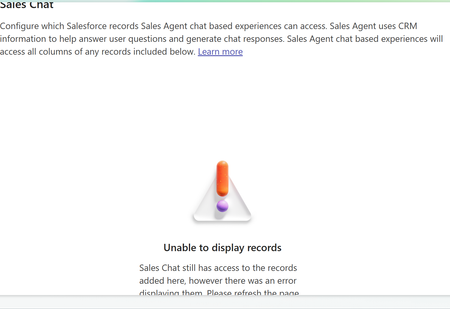
Setting the Sales Agent up for Salesforce in Copilot Chat. This sets up an environment called "msdyn_viva". Does anyone know what the minimum DLP connectors are required to make this work, other than Salesforce? Not finding any documentation on this. https://learn.microsoft.com/en-us/microsoft-sales-copilot/landingRJCTFJul 20, 2026Copper Contributor5Views0likes0CommentsSales Agent for Copilot Chat - PPLAT DLP Policy
We are working on setting up the Sales Agent for Copilot Chat. The goal is to have it interact with Salesforce. We are aware that the Salesforce connector is required in the DLP policy for the environment "msdyn_viva". Does anyone know what other Microsoft connectors should or are recommended be approved in the Business category of the DLP policy? Not finding any documentation on this. https://learn.microsoft.com/en-us/microsoft-sales-copilot/landingRJCTFJul 20, 2026Copper Contributor5Views0likes0Comments
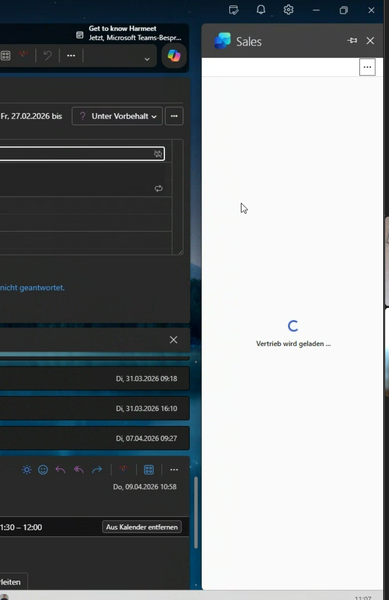
Endless spinner in Copilot Sales Outlook App after login to Salesforce
We are experiencing an issue with the Copilot Sales App in Outlook. Users are launching the app and authenticate to Salesforce successfully. Then, a message saying "Sales is loading..." is shown with a spinner and nothing happens, no matter how long you wait. This only happens to some users and not to all users. Sometimes it happens to users who were previously able to load the app fine.nikolai_WApr 28, 2026Copper Contributor30Views0likes0Comments
Copilot For Sales - Dynamics Environment Switching
Hello, We have 2 dynamics environments we've been using for the Copilot for Sales Roll-out (UAT and Production). We've currently deployed into Production and onboarded our Sales Team users. As an admin, I would like to switch my environment back to UAT to complete some customisation testing in our UAT environment, before I roll it out in Production. If I switch the environment from my account (as an Admin) from Prod to UAT. Is there any knock-on effect for other users? Will it affect the configuration I've already set-up? We currently have 2 full admins for Copilot for Sales, the other admin would stay in Production. Any guidance is appreciated. Kind regards, AdamADunderdaleApr 16, 2026Copper Contributor60Views0likes0Comments Crimson1Mar 24, 2026Copper Contributor105Views0likes0Comments
Microsoft FastTrack Agent community
Hello microsoft copilot for sales discussion group If you are an enterprise or majors customer using Copilot for Sales or Sales in M365 and would like to meet more like-minded customers as well as speak with FastTrack subject matter experts on a bi-monthly basis, get product roadmap updates and provide feedback to the product team, then please fill out the D365 Agent Deployment Program and Agent Community - Customer Registration – Fill out form or use the QR Code below to provide us with your permission to send you an invitation to the Microsoft Agent community. The AI Adoption team for pre-built agents for business applications would be thrilled to have you join us! The community also offers an online forum for discussions and Q&A. Thank you and we look forward to hearing from you! Microsoft, Dynamics 365 Agent Deployment teamCstevensNYCMar 09, 2026Microsoft144Views0likes0Comments
Copilot doesn't add a column to the matrix visual
I have a sales report that I would like to add a column to. I am trying out Copilot, and it cannot add the column in the matrix visual, even with the prompt I give it. If it can generate reports, why can't Copilot add a column when I ask it to? Example: Need to add a SKU column, which is on the semantic model in this matrix visual, but it says the following: I attempted to add the SKU field from the Sales & Sold Returns table to your matrix visual, placing it after Product Brand and before Item Name. However, the update did not succeed—SKU is still not appearing in the matrix. This may be due to a limitation in the current visual configuration or a technical restriction. Please verify that the SKU field is not already present elsewhere in the matrix, and that there are no restrictions on adding it. If you need further troubleshooting or want to try a different approach, let me know how you’d like to proceed.dpmaiaDec 09, 2025Copper Contributor109Views0likes0Comments
Copilot for Sales Adoption Report
I am reviewing the Copilot for Sales adoption report and have noticed discrepancies between the reported usage data and the number of licences allocated. This raises a concern that the Viva Insights report may not fully account for Microsoft’s recent change to merge Copilot and Copilot for Sales licences. Could you confirm whether the adoption metrics reflect this merged licensing model?NisrinNov 21, 2025Copper Contributor107Views0likes0Comments


Tags
- Dynamics CRM connectivity29 Topics
- Salesforce CRM connectivity27 Topics
- Outlook experience26 Topics
- admin24 Topics
- Sales Productivity19 Topics
- AI enabled Sales18 Topics
- Sales Intelligence17 Topics
- Seller Productivity12 Topics
- Sales Automation12 Topics
- How to get started11 Topics