salesforce crm connectivity
27 Topics
Salesforce CRM - connector and trial env issues
We've deployed Copilot for Sales following the steps in the deployment guide https://learn.microsoft.com/en-us/microsoft-sales-copilot/deploy-viva-sales-sf for a customer but they're unable to sign in. Issue 1: the Microsoft Power Platform connector is not showing up in Salesforce CRM under 'Connected apps' or 'Connected apps OAuth usage'. Salesforce support is of no help and keep pointing to Microsoft for this, even though I suspect that this should be a default connector that should be visible in the Salesforce Environment? Issue 2: When they open outlook and try to sign in through copilot for sales, the sign in keeps loading without showing an error on the front-end. When we open up the console on the page, the below error shows: The trial environment creation is blocked. Step 7 of the deployment guide says that any user can trigger the creation of the msdyn_viva environent and the tenant creation restriction is bypassed: We've gone ahead and enabled the setting trial environment creation for all users in the power platform admin center anyway but this does not solve the issue. worth mentioning: Both users that tried to sign in have the Copilot for Sales license Both users are Salesforce CRM admins. They have plenty of dataverse database storage available to create a new environment any help would be greatly appreciated.Endless spinner in Copilot Sales Outlook App after login to Salesforce
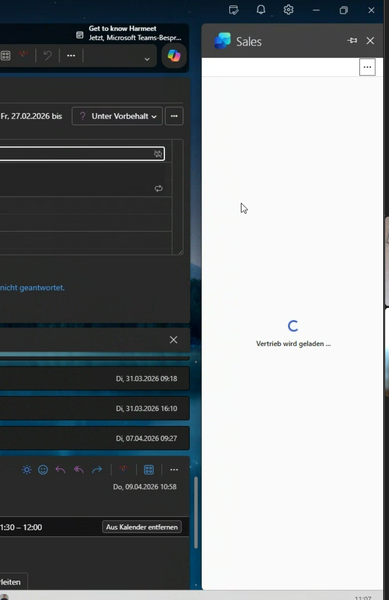
We are experiencing an issue with the Copilot Sales App in Outlook. Users are launching the app and authenticate to Salesforce successfully. Then, a message saying "Sales is loading..." is shown with a spinner and nothing happens, no matter how long you wait. This only happens to some users and not to all users. Sometimes it happens to users who were previously able to load the app fine.
Microsoft FastTrack Agent community
Hello BANNEDUSERNAME copilot for sales discussion group If you are an enterprise or majors customer using Copilot for Sales or Sales in M365 and would like to meet more like-minded customers as well as speak with FastTrack subject matter experts on a bi-monthly basis, get product roadmap updates and provide feedback to the product team, then please fill out the D365 Agent Deployment Program and Agent Community - Customer Registration – Fill out form or use the QR Code below to provide us with your permission to send you an invitation to the Microsoft Agent community. The AI Adoption team for pre-built agents for business applications would be thrilled to have you join us! The community also offers an online forum for discussions and Q&A. Thank you and we look forward to hearing from you! Microsoft, Dynamics 365 Agent Deployment team
Salesforce connected app deployment
I'm trying to connect our Salesforce sandbox to the Copilot Sales app. I was able to log in and I can see the connected app and Copilot for Sales Integration User, but no permission sets. When the log in pop-up closes upon log-in, the Sales settings show that Salesforce is disconnected and when I reconnect, I see this error message: "Couldn’t complete the connected app deployment to Salesforce. Try again." I uninstalled the connected app in SF and started the process again and am getting the same results. What should I do to successfully connect Salesforce sandbox to Copilot for Sales?
Can't disconnect/reconnet Salesforce in Copilot for Sales
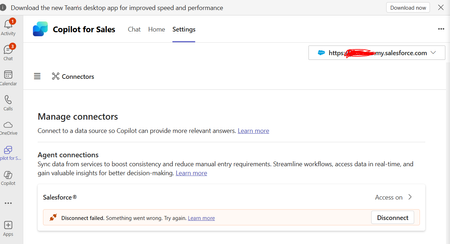
Hello, I'm trying to use Copilot for sales with Salesforce. I'm having trouble disconnecting an old connector that was setup by a Team member. The "Connected App" in Salesforce was deleted along with the SF user. I tried to create the same username and connected app in SF but still no luck. Is there a way to reset this connection from Microsoft backend?
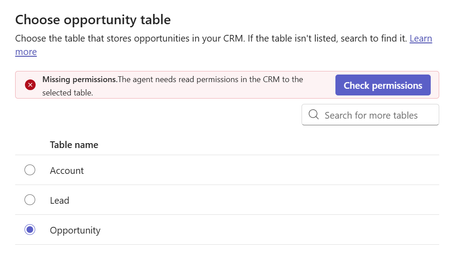
CoPilot for Sales Agent - Missing Permissions
hello, I am trying to activate the Copilot for Sales agent for the first time. In the configuration, Leads and Account seem fine. When choosing the opportunity table I get a missing permissions error even though I confirmed the copilot user definitely has access to this table. Has anyone had a similar issue that can help? thanks, AndrewCopilot for Sales required field error on custom object
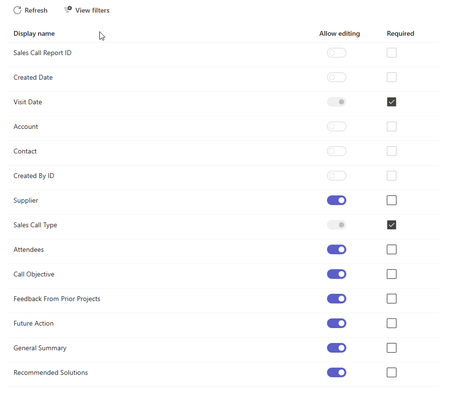
I am getting the following error when trying to create a custom object record in copilot for sales. There’s a new required field in this form, and your Copilot for Sales admin will have to update the settings to match before you can save this here. Send these error details to your admin, and ask them to match the required fields in Copilot for Sales to the ones in [Dynamics 365/Salesforce], then try again. The two required fields are already added. The only other field required is the contact field and that is greyed out in the teams settings. If is a rather siple object so not sure what is the problem.