collaboration
15 TopicsCentral Forms repository
Hi, I want to create forms to be used company wide. We have locked Forms licensing down so that all staff cannot create forms, we want all data to be stored centrally and this way we know where all data is. If I create a Form, it creates it under my account. I if leave the organisation, this may be lost. What is the best way to create corporately used forms centrally?, i.e. not under an individual user account Thank you for your time, OllieSolved208Views0likes1Comment
Microsft Forms Permissions
Hello, We created a form for people to RSVP for an event. We shared the link with our invitees. Some individuals when they follow the link will see other peoples answers displayed in the question fields instead of the prompts we created. Furthermore, one individual opened Forms on their computer and saw that they had editing permissions to our form. How could this have happened and is there a way to remove people from what appears to be an editing permission? Thanks!1.5KViews0likes6CommentsLock down Form creation for staff
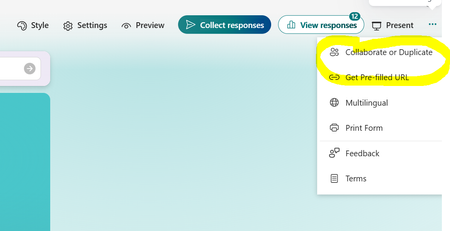
Hi, I want some staff being able to create forms/surveys etc. https://forms.microsoft.com/ I want to ensure that the rest of the staff can consume the forms ,i.e. fill in, but not create new or "Collaborate or Duplicate". What is the best way for me to do this? Thank you for your time, OllieSolved558Views0likes1Comment
No access to online form- how do I download form as word or PDF?
Does anyone know how I can download the form that I created as word or PDF? I have colleagues from different parts of the world who does not have access to the link for various reasons so I have to either email a printable copy or fax it to them! Thanks 🙂18KViews0likes5Comments
Adding "admin" only field(s) in MS Forms
Hello. How best to have an "for admins only" section to an MS forms, that can be filled in by just a few people in our organization, AFTER a form has been submitted by a general user? For example, we may want a text field that documents a final decision, or a Yes/No field to indicate a certain item is done. But the edited data should be somehow stored in the underlying MS forms data. Or can this only be done with Sharepoint List and a Power App? Suggestions very welcome. Thanks!!!470Views0likes1Comment
Strange random behavior shared forms
Since a week or so we see and hear strange behavior with Forms. When I create a new form I'm sometimes able to share with people outside my organisation and one moment later I'm not (it's greyed out). When you look again a hour or so later it's posible we can share again. If shared, people outside and inside the organisation can have random issues. -Some internal users who have a Forms Pro Trial license cannot open the link (you can see in top of the screen Forms Pro opens). When I disable the trial license the link does open. -External users cannot open the form. The see the message (translated from Dutch) Something went wrong: External users cannot anwser this form because of IT policy. The strange thing is that when they try multiple times it sometimes does open. When filling the form they get a message: disconnected from server. I'm completely lost what to do. It worked fine till now...1.3KViews1like1Comment