avd
104 TopicsWindowsAppRuntime 1.4 Failures in AVD Multi-Session – Event ID 404 Production Case
We recently experienced a production issue in an Azure Virtual Desktop multi-session environment that initially looked random — but turned out to be a shared framework instability amplified by scale. Environment: AVD multi-session host pools FSLogix profile containers MSIX App Attach Intune-managed Clean golden image Everything looked healthy. Yet packaged applications started failing across multiple host pools. Symptoms observed Users reported: Error 0x80070005 AppXDeploymentServer Event ID 404 WindowsAppRuntime 1.4 marked as NeedsRemediation Failures persisted after: Reboots Host redeployments Image rebuild This was not: A profile corruption issue An App Attach packaging issue An Intune deployment failure What actually broke Under session churn conditions (logoff / new session / runtime re-validation), WindowsAppRuntime 1.4 entered a NeedsRemediation state. Event Viewer showed: AppXDeploymentServer Event ID 404 HRESULT 0x80070005 Runtime file creation failure under WindowsApps Multi-session did not cause the issue. It amplified it. Shared framework registration timing under concurrent sessions made a rare condition systemic. Why multi-session exposed it In single-session environments, runtime inconsistencies remain isolated. In multi-session: Shared framework dependencies are reused Concurrent validation occurs Host pools recycle under load Registration timing becomes critical What would be a rare edge case became recurring instability. Remediation approach Instead of periodic polling, we moved to event-driven self-healing. Detection trigger: AppXDeploymentServer Event ID 404 Remediation logic: Restart AppXSVC Re-provision WindowsAppRuntime 1.4 Prevent concurrent duplicate execution Log execution We implemented a Scheduled Task: Monitoring Operational log Triggering immediately on Event ID 404 Running under SYSTEM Deployed via Intune Win32 package Detection logic validating task presence This converted reactive troubleshooting into automated correction across host pools. Architectural takeaway Multi-session environments amplify shared dependency weaknesses. WindowsAppRuntime is not “just another component” — it is a platform dependency. If the runtime layer drifts, everything layered above it collapses: MSIX App Attach Packaged apps Registration consistency Self-healing must be part of AVD design. For the structured technical case study (including deployment pattern and remediation logic), full write-up here: https://modernendpoint.tech/avd-multi-session-failure-analysis/ Has anyone else observed WindowsAppRuntime 1.4 entering a NeedsRemediation state under multi-session load? Curious if others saw correlation with specific Windows updates. — Menahem Suissa Modern Endpoint Architect99Views0likes2Comments
macOS: SSO no longer fully functional on AVD (Win11 25H2)
Hello everyone, Since updating our Test Azure Virtual Desktop Session Hosts from Windows 11 23h2 to 25H2 (26200.7462) , we've been experiencing an SSO issue that exclusively affects macOS clients. Symptoms For macOS users (Windows App), the following issues occur: Example Teams Teams shows the user as "Unknown User" Chat and collaboration features fail to load Error message: "You need to sign in again. This may be a requirement from your IT department or Teams, or the result of a password update. - Sign in" After clicking "Sign in," only a window appears with "Continue with sign-in" (no PW/MFA prompt) After this, all other applications work without further authentication Technical Details macOS Device: AppleM4 Pro macOS Tahoe 26.2 Installed WindowsApp version: 11.3.2 (2848) dsregcmd /status: No errors detected PRT is active and was updated for sign-in Entra Sign-In Logs: Error code: 9002341 EventLog on Session Host (AAD-Operational): Event ID: 1098 Error: 0xCAA2000C The request requires user interaction. Code: interaction_required Description: AADSTS9002341: User is required to permit SSO. Event ID: 1097 Error: 0xCAA90056 Renew token by the primary refresh token failed. Logged at RefreshTokenRequest.cpp, line: 148, method: RefreshTokenRequest::AcquireToken. Observations Affects: Both managed (internal) and unmanaged (external) macOS devices Does NOT affect: Windows clients connecting via Windows App Interesting: If a macOS user starts the session (with the error) and then reconnects on a Windows device, authentication works automatically there Workaround The issue can be resolved for macOS clients by removing the "DE" flag from "Automatic app sign-in" in the following file: C:\Windows\System32\IntegratedServicesRegionPolicySet.json Questions Is this a known issue? Has anyone experienced similar issues with macOS clients after the 25H2 update? Why does this issue only occur with macOS clients? Why does SSO only work after removing the "DE" flag for macOS devices, and why are Windows devices not affected? I would appreciate any insights or confirmation of this issue! Thank you and greetings FT_1115Views0likes2CommentsImproper AVD Host Decommissioning – A Practical Governance Framework
Hi everyone, After working with multiple production Azure Virtual Desktop environments, I noticed a recurring issue that rarely gets documented properly: Improper host decommissioning. Scaling out AVD is easy. Scaling down safely is where environments silently drift. Common issues I’ve seen in the field: Session hosts deleted before drain completion Orphaned Entra ID device objects Intune-managed device records left behind Stale registration tokens FSLogix containers remaining locked Defender onboarding objects not cleaned Host pool inconsistencies over time The problem is not technical complexity. It’s lifecycle governance. So I built a structured approach to host decommissioning focused on: Drain validation Active session verification Controlled removal from host pool VM deletion sequencing Identity cleanup validation Registration token rotation Logging and execution safety I’ve published a practical framework here: The framework is fully documented and includes validation logic and logging. https://github.com/modernendpoint/AVD-Host-Decommission-Framework The goal is simple: Not just removing a VM — but preserving platform integrity. I’m curious: How are you handling host lifecycle management in your AVD environments? Fully automated? Manual? Integrated with scaling plans? Identity cleanup included? Would love to hear how others approach this. Menahem Suissa AVD | Intune | Identity-Driven Architecture99Views0likes0Comments
Issues with FSLogix Profiles on Win11 25H2 Multiuser sessionhost's
Hey guys we have currently lot of issues with AVD and FSLogix 26.01. There seems to be an issue that the profile container isnt't unmounted correctly. We have lot's of users who are not able to login correctly because the profile can't be mounted because its already in use by another process. I'm currently looking what could cause that. We use a Azure files storage were i don't see any issues. It looks like a process within the userprofile is blocking the unload of the profile. Should i be able to see in the logs of FSLogix which process is causing this. Or what is a effective way to troubleshoot that? Thanks for any help Best regards Marc194Views0likes2Comments
Need Help: Shortpath Drops & RDstack error in AVD
I’m seeing persistent AVD connection issues and would appreciate guidance. Frequent ShortpathTransportNetworkDrop (68) and ShortpathNetworkDrop (16644) errors GetInputDeviceHandlesError (4463) US based users and hostpool/sessionhost Users experience instability and degraded performance161Views0likes2CommentsIssue with AVD User Profile – FSLogix Not Recreating
Hi all, We have a user who has repeatedly reported that their settings and favorites are not loading in AVD. To troubleshoot, we deleted the user’s FSLogix profile from our storage account to allow it to recreate automatically. However, the profile is not being recreated. We are operating in a hybrid environment, and the user is part of a group assigned the Storage File Data SMB Share Elevated Contributor role. From the profile logs, we found the following error: FindFile failed for path: \\<redacted>.file.core.windows.net\userprofiles\<redacted>\Profile*.VHD (Account restrictions are preventing this user from signing in. For example: blank passwords aren't allowed, sign-in times are limited, or a policy restriction has been enforced.) What are some likely causes and additional troubleshooting steps we should take?320Views0likes4Comments
Mouse Click Offset Issue in Azure Virtual Desktop App on Windows 11 with Dual Monitors
We are experiencing a recurring mouse misalignment issue when using the Azure Virtual Desktop (AVD) Windows App on several Windows 11 clients. The problem occurs on devices with two external monitors and affects multiple users. Environment Windows version: 10.0.26200.6899 (Windows 11, 25H2) AVD Windows App: mainly version 2.0.757.0, some clients are on slightly different versions Hardware: Windows 11 PCs with two external monitors Display settings: both monitors at 1920x1080, 100% scaling Mac users (using the AVD app) report no issues Issue description The visual mouse pointer and the actual click position become misaligned inside the AVD RemoteApp session. For example, clicking on one item may select the item below it. This appears to be a rendering or coordinate-mapping issue within AVD when running inside the Windows App. Temporary workaround Minimizing the AVD window and then maximizing it immediately resolves the issue. This refresh/redraw action realigns the pointer and click coordinates. Questions Has anyone else seen mouse click offset issues in the AVD Windows App on Windows 11 25H2 with dual-monitor configurations? Are there known fixes, configuration adjustments, or recommended workarounds beyond the minimize/maximize redraw?478Views0likes3CommentsMouse pointer disappearing over Word/Excel/Outlook in AVD
Hi We are seeing a strange issue on a bunch of session hosts where user over certain apps cannot see the mouse pointer in their full screen AVD sessions. Session hosts are running Windows 10 22H2 up to date (well to February B week release); user client up to date, I am not aware we had user ever report this prior to completely rebuilding a new host pool last autumn for the AppReadiness crashing issues. From what we can tell this only seem to happen with Microsoft Excel, Word and the Outlook compose window, the mouse pointer basically becomes transparent as you can't see it so it makes it hard to select text or cells accurately. Clients are mostly a mix of HP and Lenovo PCs micro PCs running Windows 10 22H2 and Windows 11 23H2 Enterprise on Intel 8th to 12th Gen CPUs and AMD Ryzen Pro CPUs with integrated graphics. Does anyone else see this or any ideas what might be causing it?22KViews1like4Comments
AVD Single Session - Password is incorrect - lockout screen
Hi Guys, I hope you are all well. Recently I set up these policies for my AVD env: Set time limit for active but idle Remote Desktop Services sessions - Disabled Set time limit for active Remote Desktop Services sessions - Disabled Disconnect remote session on lock for legacy authentication - Disabled Disconnect remote session on lock for Microsoft identity platform authentication - Disabled The result is that the after some idle time session is not completely disconnected but AVD is being locking out, and that is good but - from lock screen I can't log-in again - I received info that the password is incorrect. In event viewer I see: Event ID 4673. From that place I can disconnect session, restart machine or add additional keyboard layout -> after I click "Update" I am being moved to Desktop, but still poor solution. Password is definitely correct, account is not being locked out/disabled. All machines are Entra ID Joined. Any ideas? Best regards, Damian519Views0likes7CommentsHow to fix error in AVD with VMs not being added to host pool or AD
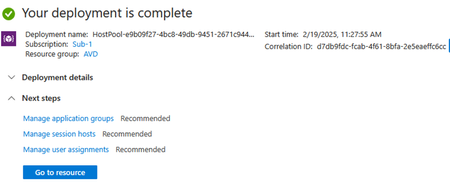
Problem Several users have commented and posted on different networks about the error that appears when adding virtual machines to their host pool, the error is when the VMs want to join to the AD. The first thing we need to know is that if we add or create a new hostpool (as in my case), the deployment will tell us Azure that everything is correct, that is, as if the machines have joined the AD. Here I show the deployment with everything correct. Now if we check the status of our hostpool machines, we will see that it tells us the total number of VMs and the option of which one we can connect to and which one we cannot. In my case we see that we can supposedly connect to one and not to the other. When testing the connection, it fails on both machines. This is normal since if we check the health status of both we see the following. Basically it tells us that there is a problem joining the domain with the VM. Solution Below I show the solution that has worked for me, from different tenants, different subscriptions that had the same problem. We are going to go to our subscription and in it, in the setting section, we are going to click on Resource provider as shown in the following image. Next we look for the provider "Microsoft.DesktopVirtualization" We select it and then click on "unregister" Now what we are going to do is re-register, that is, we click on "register" Confirm that register is correct again. Now we deploy AVD again and add the VMs we need to our Hostpool, and in this case I have chosen Enter ID to do the Join *you can select your preferens) Validate de new deployment As we see here, the deployment has also indicated that it was correct, so we are going to confirm it. Here we can see that we already have the machines ready for the session. I hope this helps you solve the problems you are having with VMs and hostpools.1.5KViews1like7Comments