User Profile

amber_l
Copper Contributor
Joined Nov 24, 2019


User Widgets
Recent Discussions
determine order of results in search on sharepoint site
Currently when a user searches for a document on our sharepoint site, it doesnt show the results in order of latest modified or created date. How can we organise our search to show the results in order from latest modified date?209Views0likes0CommentsMicrosoft Form in Sharepoint site for people outside of organisation
We have a form where customers can log a ticket and it is loaded into a SharePoint list. One of the questions on the form is an attachment field where users can upload necessary files. With this field, it means the form can only be filled out by those within your organisation. This form will be loaded onto our SharePoint site. Now the way our SharePoint site is set up is that we have some people with shared access to the site meaning they use their own emails to access our SharePoint site. If they have access to the SharePoint site, will they have access to our form as well? We want a form that anyone can access if they have access to our SharePoint site.2.2KViews0likes5CommentsFile doesn't open in browser in sharepoint any more?
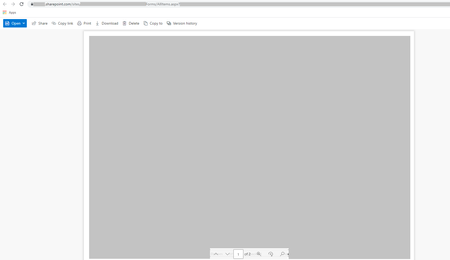
Hey all! We have noticed recently that our files within Sharepoint are opening differently to how they previously did? Below is how they currently open (grey to hide sensitive content) In the top left corner is the blue open button and then you can select open in browser. It will then display the file like below This is the much preferred way of opening the file. Is there a way to set this as default? Have tried in the library settings and this doesnt change anything. Previously all files opened the second way however I'm guessing a recent update has changed this? Kind Regards, Amber820Views0likes0Commentsreturn multiple lookup values where two seperate matches occur
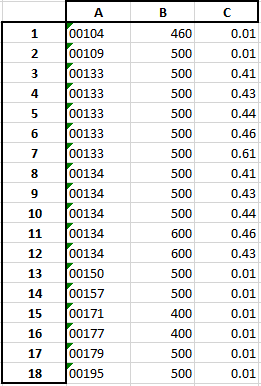
Hey all, this one may be a bit tricky and I cant think of the best way to get what I need. Here is my data below Column A = product code Column B = length available Column C = colour available Lets take product code 00134 for this example. I need this as the final result I essentially need to see the product code and the size its available and all the colours available in that size. At the moment it is all on individual lines. Is this something that is possible? I need to be able to do this completely in excel and cant have any external programming to complete this.Solved1.2KViews0likes3CommentsColumn wont display values but will in edit mode
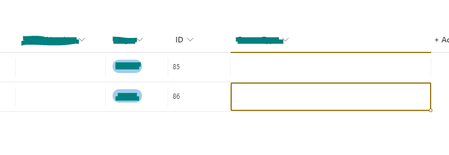
Hey Everyone, I've come across a bizarre issue where one of my columns in a sharepoint list wont display the content of the cell. For example: This is what it looks like in grid view notice the higlighted cell doesnt show any value, if you then click on that cell again or look at the details of the list item, you can see the value of the cell? Yellow is the corresponding column649Views0likes0Comments
Recent Blog Articles
No content to show