User Profile

RuthJ
MCT
Joined Apr 04, 2019


User Widgets
Recent Discussions
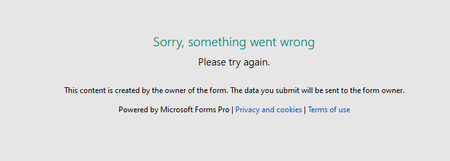
Error when trying to Share a Forms Pro Survey
I followed the instructing in this article to Share a Forms Pro Survey. https://docs.microsoft.com/en-us/forms-pro/share-survey-collaborate But the other user (On the same tenancy, who also has Forms Pro license) just gets the following error: "Sorry something went wrong Please try again This content is created by the owner of the form..... Powered by Forms Pro...2.1KViews0likes5CommentsRe: How to give a direct link to create a New document from a Content Type in a Library?
Markules Sorry I cannot remember all the details. I went through so many iterations trying to resolve this and still did not get it fixed how the client wanted it, so I don't think I can help you. This is one of the more in depth article links that Microsoft support sent me. It might help you? Set a custom template for a SharePoint library - Office Support (microsoft.com) Best of luck Ruth10KViews0likes1CommentRe: How to give a direct link to create a New document from a Content Type in a Library?
Markules I think I had to go and find out the SourceDoc id for each of my templates. (The Sourcedoc id is never empty as it points to the template we have uploaded to that library). By adding each one as a new template in the library, and then from the New button, right click, open in new tab, or Inspect the link with F12 developer tools. Hope that makes sense?10KViews0likes3CommentsRe: How to give a direct link to create a New document from a Content Type in a Library?
This might also help? "What I really need is to find out how to create a link that jumps our users straight to create a doc from the content type,, so they don’t have to navigate to the library and work out which template they need." For the non-macro ones we can use a link that looks like this: https://xxxxxxxx.sharepoint.com/:w:/r/sites/XXXXXXX/_layouts/15/Doc.aspx?sourcedoc={03474314-531a-4b96-a0dd-f87b37567e2a}&action=editnew But my problem was we also wanted to do that for a dotm template, but that was where I had endless calls with MS, but no resolution. **Hope this saves you some time 🙂 **11KViews0likes5CommentsRe: How to give a direct link to create a New document from a Content Type in a Library?
Markules I logged a call with Microsoft support but did not get a satisfactory resolution for what we were trying a achieve sadly. Their suggestion here might help you? I know I have a call back scheduled for tomorrow with you, I found an Article that might help. https://support.microsoft.com/en-us/office/set-a-custom-template-for-a-sharepoint-library-8e0177eb-46bd-4346-9998-330c32733c25 Still going to reach out tomorrow have a great rest of your evening and stay safe. Kindly, Alexis Microsoft11KViews0likes0CommentsRe: Error when trying to Share a Forms Pro Survey
Hi Smith_J Thanks for your reply. We are not getting an error with Flow. I am simply trying to share this Microsoft Forms Pro Survey with a colleague so that he can update it and the template email. So I am just hitting Share from the Form and copying the link so that he can edit the form and update the email. Any other suggestions?2KViews0likes0CommentsHow to give a direct link to create a New document from a Content Type in a Library?
Hi, I have a bunch of report templates on the New button in a Document library. We need to help the users select the correct template, so I want to get a link for each report template. All works OK, using the link below - BUT we now have some macro driven dotm templates. https://<tenancyname>.sharepoint.com/:w:/r/sites/siteA/siteB/_layouts/15/Doc.aspx?sourcedoc=%7B912b9561-64ef-4447-a82b-732adbe789bb%7D&action=editnew The Macro template, (wrapped in a content type) works perfectly from the new button, (and opens in MSWord). But I am struggling to get a link equivalent for selecting the item from the new button. Can anyone help? Many Thanks Ruth11KViews0likes8Comments
Recent Blog Articles
No content to show