User Profile

vicwingsing
Iron Contributor
Joined Feb 26, 2023


User Widgets
Recent Discussions
Re: Auto-labelling does not support content marking
No. Not with auto-labelling alone. The MSFT service-side auto-labelling applies sensitivity labels to your files, but it won't add headers, footers, or watermarks. This is confirmed in Microsoft's own documentation: auto-labelling only handles metadata and encryption, leaving visual markings for later. There's a detailed explanation of why this happens: essentially, the service never actually opens your documents. The critical thing here is that the document must be opened for the visual markings to get embedded into the file itself. A potential workaround is to use Power Automate Desktop. It can open files on desktop but the caveat is that you'll have to sync all the files in a local computer where PAD is installed then let it iterate through the documents. Here's the reference to how to do that in Word: https://learn.microsoft.com/en-us/power-automate/desktop-flows/actions-reference/word. And in Excel: https://learn.microsoft.com/en-us/power-automate/desktop-flows/actions-reference/excel Alternatively, there are 3rd party solutions like Automation Anywhere (RPA) that can do this.9Views0likes0CommentsRe: Email to external(trusted user) not require verify user Identity(with Google or One-time passcode)
I understand the user experience friction, but what you're describing (allowing sensitive encrypted content to be accessed without identity verification based on domain "trust") would break a critical architectural violation across major security frameworks. Here's why this cannot and should not be implemented: It breaks the Zero Trust Principle of "Never Trust, always verify" Breaks CIS Control 6.7 "Require MFA for all externally-exposed enterprise or third-party applications." Then there's also the risk that you are opening your organisation if the other party had a Business Email Compromise (BEC). An alternative is for you to add your trusted users as a Guest to your account. In this way, they'll sign-in via SSO and not have to rely on the One time Password. So short answer: Don't over configure the label encryption for External users. Add these 'Trusted users' as guest instead.8Views0likes0CommentsRe: Hibernate option missing on startmenu
If this is your personal computer, you can enable it in the Power settings: https://www.solveyourtech.com/how-to-add-hibernate-option-in-windows-11-a-step-by-step-guide/ If you are using your company's computer, the IT admin might have disabled it. As an alternative, you can still trigger hibernate by using the command prompt. - Go to Run > cmd > shutdown /h (the h stands for hibernate)53Views0likes0CommentsRe: DLP policy to block US SSN
Don't force everything into 1 rule set. You can create multiple rule sets within the same policy. rule 1: Monitor SSN for Internal only. rule 2: Monitor SSN for External only. By making these 2 rules, you make it easier for yourself and the policy.104Views1like0CommentsRe: Search for Credit Card Numbers within tenant
You are in the right path: Using eDiscovery, you can use the Content search function. Once content search finishes searching for information > you can export a report that contains details (there is a limit of 2TB for the exported file) Exporting data from Content Search: https://learn.microsoft.com/en-us/purview/ediscovery-export-search-results Additionally, you can create a DLP policy that points inwards. You're DLP policy would have the following in the rules: Policy is for SharePoint and OneDrive Rule: IF data contains Sensitive Information Type (1) PAN or (2) CCN then trigger. Recommended to change the confidence level to High. No action taken Run policy: Simulation/ Audit mode. So that it doesn't change or affect anything in your org. Another option: In Content explorer, there is an SIT section, you'll get ALL (and I do mean ALL) data that matches PAN and CCN. You can export this list too in excel. Then you can use excel to count.181Views2likes0CommentsRe: Sharing: PDF readers that support Purview labels
There's several questions here: Question 1: Why is there inconsistency between the web and desktop versions of Office? The answer to this is: The desktop version offers more features and flexibility, while the web version prioritizes security. The Microsoft Office Desktop apps will have more features. Similar to how you can't even open user defined encryption in Office for web. Question 2: Why are screenshots not blocked in Office for the web? The answer to this is: Screenshot blocking is more effective in the desktop version due to better integration with the operating system. Goes back to Question 1. Question 3: Could my sensitivity labels be misconfigured? The answer to this is: Not sure but, it’s worth reviewing your sensitivity label settings. Question 4: Do I have the right permissions for the actions I want to perform? The answer to this is: Ensure that you have at minimum, Compliance Admin to check this.223Views0likes0CommentsRe: Help! Sensitivity label applied to whole tenant mistakenly with Watermark
The watermark will only apply to files that has been opened by a person. So in your 1st step: Disable the policy that applies the watermark 2nd step: In the Purview activity explorer, go through the period where the watermarking policy was applied then file out and export only the items where (1) Sensitivity label applied and (2) Manual. You will then get a list of documents that are likely to have the watermark. It will export a file that contains the file path. 3rd step: Do a spot check to confirm that they indeed have a watermark. 4th step: Reapply the label policy WITHOUT the watermark turned on. Since they need to be removed by opening the document and re-label to be removed. You'll likely require an RPA process to open files and re-label the data.111Views0likes0CommentsSharing: PDF readers that support Purview labels
As I was researching on Adobe Acrobat reader and Sensitivity labels, I decided to check if the common alternative PDF readers out there are able to support Purview MIP Sensitivity labels. There is already a published documentation on this for SharePoint-Compatible PDF readers that supports Microsoft IRM: https://learn.microsoft.com/en-us/purview/sp-compatible-pdf-readers-for-irm (last updated Nov-2023) but I wanted to see if these same PDF readers supports the ability for end-users to use/ select labels similar to that of Adobe Acrobat As of 11-June-2025; atleast one of them clearly do: Nitro PDF: Yes. Documentation shows that users can see and use the sensitivity labels. PDF -X.change Editor: Yes. Documentation show that users can see and use the sensitivity labels. (check the official website, I can't hyperlink it because the site is blocked. FOX PDF editor: No. Documentation only states RMS and not clear if it show Purview labels. This is for F.O.X.I.T editor (spelled without the ".") but for some reason there is a community ban on that word and it won't allow me to post the full name PDFescape: No. Sumatra PDF: No Okular: No If there are other PDF readers that I've missed, I encourage you list it down in the comment below. Would love to grow this list.874Views4likes3CommentsRe: Microsoft Purview Encryption on Third Party Apps
The specific SDK that you are looking for is this one: https://learn.microsoft.com/en-us/information-protection/develop/overview?source=recommendations and this one: https://learn.microsoft.com/en-us/information-protection/develop/concept-apis-use-cases On a high-level, you'll need to do the following: 1. Choose the right SDK layer: It's either File, Policy or Protection 2. Ensure that you're users who will be interacting with the file is either Microsoft E3 or E5 licensed user 3. Build your app using the right SDK (I think you are looking for the Protection SDK)82Views0likes0CommentsAll the locations where you can find Sensitivity labels
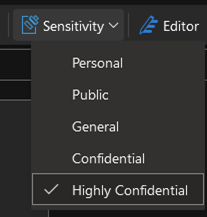
Update (14-Mar-25): Removed Windows Explorer Here are the locations where you can find the sensitivity label of a document (if there are any that I've missed, please feel free to add it here) Sensitivity Label Button in the Document: In Office applications such as Word, Excel, and PowerPoint, you can find the Sensitivity label button on the Home tab. This button allows users to apply or view sensitivity labels directly within the document interface. (Sensitivity label app on the upper right) Document Properties > Advanced Properties Sensitivity labels can also be found in the document properties. To access this, go to File > Info > Properties > Advanced Properties. Here, you can see detailed metadata, including any applied sensitivity labels. Sensitivity Label Column in SharePoint: In SharePoint, sensitivity labels are displayed in a dedicated column. This allows users to quickly see the sensitivity level of documents stored within SharePoint libraries (Removed) Windows File Explorer: - As it was rightly pointed in the comment section, this is a roadmap item that has yet to materialise. Mobile Applications: Office mobile apps for iOS and Android also support sensitivity labels, enabling users to apply and view labels on the go. Microsoft Purview Compliance Portal: Administrators can manage and view sensitivity labels applied across the organization through the Microsoft Purview Compliance Portal. This portal is only accessible to IT admins who has the right Purview role.Re: Create DLP Printer Groups via PowerShell
Cameron_Stephens, There doesn't seem to be a specific Powershell cmdlet for this. I'd love to be proven wrong as I share your challenge. I checked https://learn.microsoft.com/en-us/powershell/module/exchange/?view=exchange-ps#policy-and-compliance-dlp and https://learn.microsoft.com/en-us/powershell/exchange/connect-to-scc-powershell?view=exchange-ps Nick-MSFT is this in the roadmap?133Views0likes1CommentRe: Block file upload to restricted service domains from mapped network share
ViktorMalum, Are you testing these from the devices that you've already on-boarded in Purview Endpoint DLP? You were referring to the Network Share coverage and exclusion feature in DLP that will work for on- boarded devices. https://learn.microsoft.com/en-us/purview/endpoint-dlp-getting-started#windows-10-and-windows-11-onboarding-procedures149Views0likes0CommentsRe: Approval for Sensitive Label change
If I may add to this. The solution above will likely cause IT service desk to receive more support calls from frustrated end-users and IT Security will have to do more work as I will list the reasons below. For users creating/modifying file labels of files that is in their desktop and selecting the label with external sharing option. Power Automate's automation triggers only if the file is created in Microsoft 365. Anything outside of that, you need a manual trigger. (FYI: This is also the expected behaviour if the file is opened as an attachement in Outlook on Desktop as Outlook will open the attached file in the Outlook temp folder (inside of C:) In short, this will not work if the users have these files stored in their local devices. If the file is in Microsoft 365 (SharePoint or OneDrive). You will likely use the Power Automate trigger in SharePoint ("When a item or a file is modified"). This becomes a challenge as this will require you to do the following: Create a Power Automate workflow for each site that you want Power Automate to monitor for a file change. As Power Automate needs to understand where to look for said changes. If you have hundreds or 1000's of sites, this becomes an Microsoft 365 Admin headache. If you try to set this up in Purview DLP, the Power Automate option is the same as above, you'll have to create a policy rule for each SharePoint that you have. Even If you do know which specific sites to use in the policy or power automation, the results would be that end-users workflow will still be hampered as they await for an approval before they could send the file. An alternative option would be to: Allow the user to change the file label and continue using justification. If the intention of the user was to try circumventing the label policy, then you can instead use Purview DLP to monitor the SIT inside the document (either through built-in, custom, trainable or Fingerprint) and if it matches any of those SIT, either Block it or re-apply encryption to the email as part of the DLP Action. Then you can even include a user notification to (1) Inform user about the action that was taken (ex. "Hey user, we saw that you sent an email with file that contains data, we encrypted it") and (2) create a power automate workflow to inform the users manager of what they did. (see the screenshot above for the DLP policy violation)5Views3likes0CommentsRe: Sensitivity Labels applied to email attachments versus directly on the document
hi Ivan, In your Example 1, does your policy have the Inherit label from attachments turned on? Because if it's not turned on, and you don't have any default labels for email, then your email is not protected and the external user will be able to forward this email to someone else.89Views0likes0CommentsRe: Blocking Personal Outlook and Gmail Accounts on Corporate Device
In Entra, you use the Web Content filtering policy (see below) > You will need to create a new policy (my demo account does not have it) this is the guide: https://learn.microsoft.com/en-us/entra/global-secure-access/how-to-configure-web-content-filtering Then you can add the domains that you'd like to block within the rules. For Microsoft Purview, it's more of blocking sensitive data from being uploaded/ used in specific cloud domains, think of it as an extra measure to ensure that your users will not be able to upload to Hotmail or Gmail. https://learn.microsoft.com/en-us/purview/endpoint-dlp-using?tabs=purview#scenario-3-modify-the-existing-policy-block-the-action-with-allow-override290Views0likes1Comment


Recent Blog Articles
No content to show