Recent Discussions

New Tab Search UI (Ctrl + Shift + A) has changed - how to revert to previous behavior?
Since the latest Microsoft Edge update, the Tab Search panel opened with Ctrl + Shift + A has changed. It now opens on the side instead of in the center, and arrow key navigation no longer works. Only Tab navigation works now. This makes it much harder to use quickly. Is there any way to restore the previous centered Tab Search UI, or re-enable up and down arrow navigation, or undo this specific UI change? The old version worked perfectly for my workflow. The new version slows everything down. Thanks, MichaelSolved730Views7likes7CommentsDesktop icons flicker for one second when closing Microsoft Edge
Hello, I would like to report a regression affecting Microsoft Edge on Windows 10. Starting with version 145.0.3800.70, and still present in the current stable version 145.0.3800.82, closing the Edge window causes the desktop icons to flicker for about one second, as if the desktop is being refreshed. This issue occurs only on Windows 10. On Windows 11, the same versions of Edge do not produce this behavior. The flicker happens consistently every time Edge is closed, and it does not occur with any other application.435Views1like7Comments
BrowserCodeIntegritySetting vs. Memory integrity / HVCI
Hello all, we have set BrowserCodeIntegritySetting to '2' (Enabled: Enable code integrity guard enforcement in the browser process.) This causes the browser to crash once a user tries to logon to Citrix terminal servers with EntraID/Fido2. This is probably cased by an unsigned Citrix CtxFidoMuxdll, but from our understanding this should be properly handled and the browser should not just crash. While investigating the root cause, we found very few information about Code Integrity Guard. It seems it was shipped as part of Device Guard but nowadays is named Memory integrity or hypervisor-protected code integrity (HVCI) and independent from Device Guard. Is this understanding correct and can we expect that the feature name will be updated and a proper documentation will be added? BR, Joe28Views0likes1Comment
Android MS Edge Autofill verification and android/PWA apps.
Hi guys, An issue I have with edge on android autofill is that when biometric checks are enabled for autofill and using non-edge or an installed PWA app, you are teleported from the PWA/android app to Microsoft edge and are not teleported back to the app being autofilled. This means that having biometric autofill checks and edge password manager as the primary autofill for android means that on some apps it is unfeasible to autofill as the log in request times out or resets after the app is no longer in view. This and the inability to save passkeys natively in the edge android browser is a big for drawback for me using edge password management over googles in built system. Happy Easter!25Views0likes0CommentsEdge for Android No Longer Opens Google Calendar Links in External App
I'm reporting a regression in Microsoft Edge for Android that has disrupted my workflow on a Samsung Galaxy A9+ tablet running Android 15.0. Until recently, Edge correctly handed off supported links—such as “Add to Google Calendar” URLs—to the Google Calendar app, in accordance with Android’s intent routing and app defaults. Now, Edge traps these links inside its internal WebView, even when: - “Open supported links” is enabled for the Google Calendar app - “Block opening external apps” is disabled in Edge settings - No site-specific override exists for calendar.google.com When I tap a calendar link, Edge briefly flashes a system prompt asking whether to open in the external app or stay in Edge—but this prompt immediately disappears, and the calendar loads inside Edge. This contradicts Android’s expected behavior and breaks previously functional workflows. Notably, .ics files still open correctly in the Calendar app, confirming that system-level routing is intact. The issue appears to be with Edge’s handling of intent-based links, possibly introduced in a recent update. Device: Samsung Galaxy A9+ OS: Android 15.0, OneUI 7.0 Edge Version: 139.0.3405.111 I’m requesting that Microsoft investigate and restore proper external app handling for supported links. This is a serious usability regression, and users should not have to resort to alternate browsers or workarounds to maintain basic interoperability. Thanks for your attention. —Dan Hayden North Highlands, CA111Views3likes1Comment
Zoom with Scroll + Modifier Key Not Working in Edge on macOS
Hello, I am using Microsoft Edge on macOS and I would like to zoom in and out of web pages using a modifier key (Command, Option, or Control) together with scroll Currently, Command + Scroll does not zoom the page. I understand that macOS may override this behavior through accessibility settings, but I would like to enable this functionality specifically in Edge without affecting system-wide behavior. Could you please advise: Is it possible to enable zoom using Scroll + Modifier Key in Edge on macOS? If not, are there any recommended workarounds or planned features for this? Thank you for your help DanceLens!7Views0likes0CommentsMedia Player theme bugged
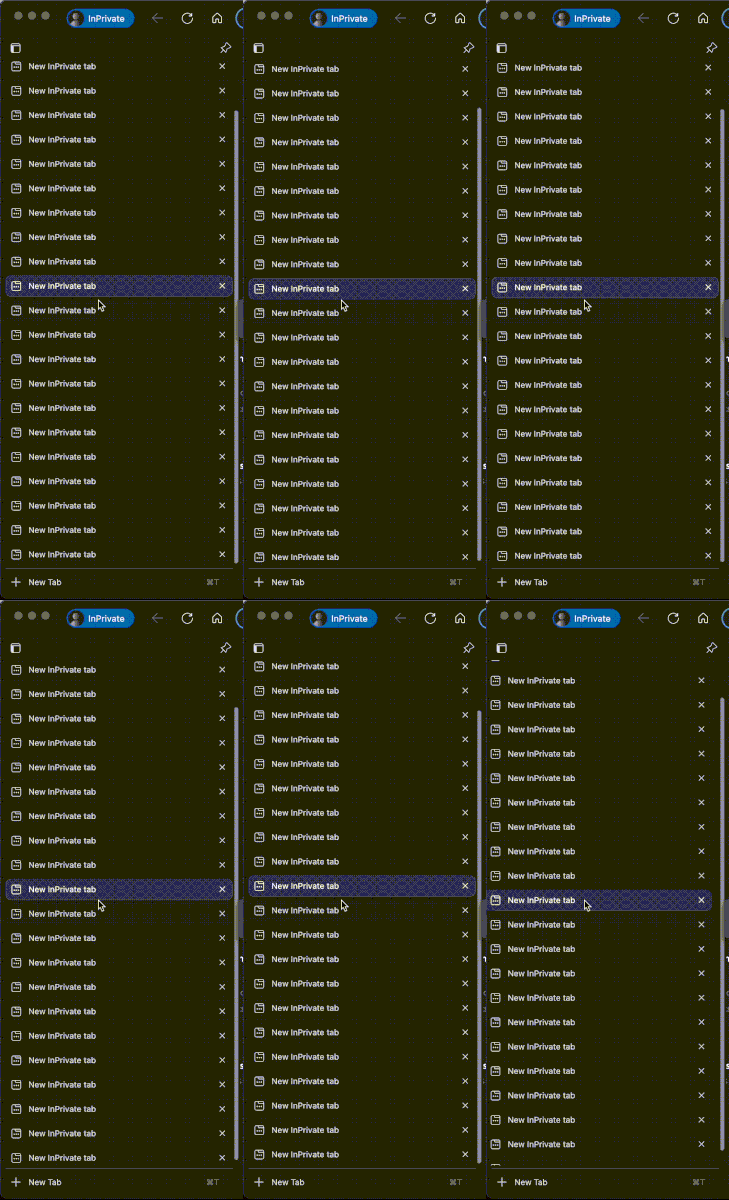
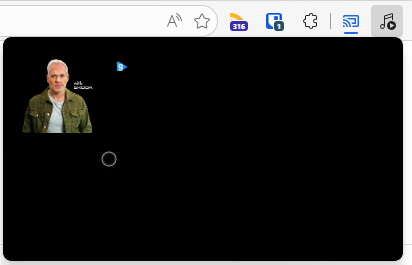
Noticed that the past couple of Dev builds have a broken media player where the theme is all black and it also looks like the layout is bugged, see screenshot below. I've also submitted feedback with a screen recording but wanted to see if anyone else was experiencing this.55Views0likes1Comment
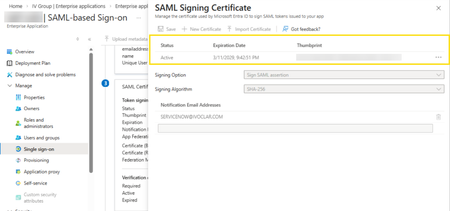
Azure Tiles Not loading with MS Edge Beta v147.0.3912.16
In the latest version of MS Edge, we cannot view or access the SAML Certificate data for Enterprise Applications hosted in Entra ID. Before: (v146.0.3856.62) After updating to v147.0.3912.16: As can be seen, the certificates cannot be displayed or accessed from this tile. This is affecting our test users who cannot rotate their SAML certificates but may have other impact for other Azure resources being accessed with MS Edge Beta.Solved62Views0likes2CommentsEdge Beta 147.0.3912.26: This policy is blocked, its value will be ignored.
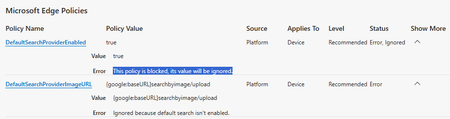
Starting with Edge Beta 147.0.3912.26 as well as Edge Dev 148.0.3928.0 I'm facing the problem, that the so called "sensitive policies" (which need an MDM or AD-Joined Device) are blocked. Error-Message in edge://policy/ shows up with: This policy is blocked, its value will be ignored. Using Edge Stable 146.0.3856.84 works fine (on the same machine). Issue is only related to the so called "sensitive policies" and ist clearly new with Edge Beta 147.0.3912.26 as well as Edge Dev 148.0.3928.0 ... I didn't change anything except updating Edge Beta and Edge Dev ... and as I said: Edge Stable still works fine on the same machine. The Release Notes https://learn.microsoft.com/en-us/deployedge/microsoft-edge-relnote-beta-channel don't show any new changes regarding those "sensitive Policies". So what happened? Did Microsoft break the Policies with those new Versions?128Views0likes2Comments
Unable to open any websites
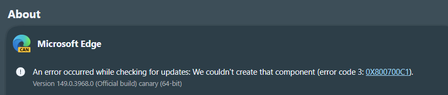
Haven't been able to use Edge Canary for the past couple of days. Just get the message: This page is having a problem. Have tried repair, uninstall and reinstall, all to no avail. Works ok on my other PC. Edition Windows 11 Pro Version 25H2 Installed on 02/02/2025 OS build 26200.8039 Experience Windows Feature Experience Pack 1000.26100.300.050Views0likes0CommentsThe official place to report bugs
I am a user of the beta version of Edge on Linux. From time to time, I encounter bugs that I’d like to report. After some searching, this forum is the closest I have found to a bug tracker. So I was wondering whether there’s a dedicated place for reporting bugs or should I just post here?85KViews2likes61CommentsWe no longer have control
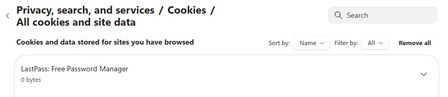
So, now with the latest updates for Canary Version 148.0.3940.0 (Official build) canary (64-bit) we no longer have site permission control as to what any particular website has permission to do/use. Our choices are greyed out and unselectable.... See in these 2 screen shots, this is for LastPass, but it is the same for Norton Safe Web. Notice; greyed out and unselectable/unchangeable. The only option is to turn the extension "OFF" as I did with Norton Safe Web extension. With all the hacking and websites being hacked into, why would I allow "Automatic Downloads"? Dennis5mile40Views0likes0Comments
Favorites keep imported folders indefinitely.
I've gone through and removed imported folder and reorganized my various folders. But when I close out Edge and reboot all the imported folders reappear. So I am unable to organize my Favorites like I should be able too. So I"ve been forces to use Google Chrome.12Views0likes0CommentsMicrosoft Edge Split Screen should have Freeze/Sync Scrolling
Hi, So, after reading the winaero's post on Split Screen feature in Edge Canary, I tried it out and I really liked it. But it should have sync scrolling feature that will allow: Comparing web pages is easier. Comparing local documents is easier. Personally speaking, I often have to compare PDFs, and I'm not very keen on using a third-party software for it. So, for that, I use Firefox in combination with an addon to achieve that. Adding synchronized scrolling in spit screen will enhance the usability of this feature. Even as a front-end developer, I see a potential use case in comparing webpages.3.8KViews5likes6CommentsWhy is my sync account being logged out automatically every day?
Being automatically logged out in Edge with my private sync / Microsoft account happens on the up-to-date version of Windows 11 Pro with the normal current version of Edge. I have only a single Edge profile which is private and neither Windows nor Edge is managed by a corporation. However, I edited some policies. So, it may appear to Windows or Edge that there is corporate management. "Passwordless account" and "Two-step verification" are both switched off. I do have another corporate account to access M365 which is MFA protected (Microsoft authenticator). Also there I am automatically been logged out on a daily basis. Can I change the behaviour?59Views0likes2Comments






Events
Recent Blogs
- 8 MIN READMicrosoft Edge for Business, the new, dedicated work experience for the Microsoft Edge browser, is now available in Microsoft Edge stable version 116. All customers who sign into Edge using Microsoft...Aug 04, 2023301KViews2likes73Comments
- Microsoft Edge for Business, the new, dedicated work experience for Microsoft Edge, is in preview today! Microsoft Edge for Business is planned to be the standard browser experience for organi...Jul 11, 202310KViews3likes2Comments