Recent Discussions
 32Views0likes0Comments
Unable to tag distribution lists (DLs) in Viva engage posts
Dear All, It would be helpful to have a feature in Viva Engage posts that allows us to tag DLs when needed. While planning a post, I noticed that cross functional teams are not part of the community for specific reasons, which I understand. Instead of reposting in their community, it would be useful if we could tag DLs so the original message reaches everyone intended.20Views0likes0Comments
📣 Last Call: Help Shape the Future of AI Skills Navigator for Higher Ed
We’re finalizing upcoming AI Skills Navigator Customer Feedback Sessions and are looking for a few MSLE educators to join a live focus group with our product team. This is a unique opportunity to: ✅ Preview AI Skills Navigator before broader rollout ✅ Share real-world classroom and curriculum use cases ✅ Influence how AI skilling experiences are designed for higher education ✅ Provide direct input that helps shape upcoming product capabilities If you're interested in how AI can better support your students — this is your chance to help guide what comes next. 🕒 What to Expect Live demo of AI Skills Navigator Facilitated discussion with the product team Open forum to share feedback from an educator’s perspective Time commitment: 1 hour Participation logistics will be shared with selected volunteers. 👉 Interested in joining? Please complete the Learning Product Customer Connections Participant Opt-in Form Selected participants will be contacted by Ifrah, Customer Experience Program Manager, with next steps this week. Spots are limited — we hope to hear from you! — The AI Skills Navigator Product Team49Views0likes0Comments
New resource for MSLE educators: A research informed guide to generative AI
Announcing a new resource for MSLE educators (and anyone supporting research): The Academic Researcher’s Guide to Generative AI: Methods and Prompting with Microsoft 365 Copilot Chat. This is a practical, research-informed guide for faculty, graduate students, and research staff who want to use generative AI as an assistant and tool for thinking—without compromising scholarly integrity. Guide sections include - Foundations + limitations: how generative AI works and why critical engagement matters Robust prompting as a research skill (clarity, structure, and documentation) Workflow-ready use cases you can run in Microsoft 365 Copilot Chat (any license level), with an emphasis on transparency and disclosure For departments or research groups seeking a common reference for responsible AI‑assisted research practices, this resource provides a useful starting point and can be accessed through the link provided.125Views0likes0CommentsApril 2026 MSLE Newsletter available now!
Head over to the blog section and read the newest edition of the MSLE Newsletter, also available in Arabic, Chinese (Traditional), French, Portuguese, and Spanish From the Microsoft Learn for Educators community page, select Blogs from the top navigation menu. There, you’ll find the Microsoft Learn for Educators News blog where you can find the newsletter. Additional language versions can be found as attachments to the blog.114Views0likes0Comments
GMSA Password length
Hi All, Hope you are doing well! Do we have any official document from Microsoft that tells how many characters would be used for a GMSA account password? I understand that 240-byte, randomly generated passwords will be used; however, I would like to understand how many characters would be used in 240 bytes. Thank you in advance! Regards, Sajin P S65Views0likes0Comments
Excel vba
I am trying to move rows containing "Click to chat" from an Excel sheet to a new sheet and delete the blank rows. The code below is giving me an error to debug, and the line below in bold is highlighted. I don't know what to do. Can you assist? Sub MoveClickToChatRows() Dim wsSource As Worksheet Dim wsTarget As Worksheet Dim lastRow As Long Dim i As Long Dim targetRow As Long Set wsSource = ActiveSheet Set wsTarget = Sheets.Add wsTarget.Name = "Click_to_Chat" lastRow = wsSource.Cells(wsSource.Rows.Count, "A").End(xlUp).Row targetRow = 1 ' Copy header wsSource.Rows(1).Copy wsTarget.Rows(1) targetRow = 2 For i = lastRow To 2 Step -1 If InStr(1, wsSource.Rows(i).Text, "Click to chat", vbTextCompare) > 0 Then wsSource.Rows(i).Copy wsTarget.Rows(targetRow) wsSource.Rows(i).Delete targetRow = targetRow + 1 End If Next i End Sub44Views0likes0CommentsMSLE AI Bootcamps
Greetings, I am wondering if anyone here has delivered training geared or related to MSLE AI Bootcamps specifically the Copilot Prompt-a-thon and Generative AI for Teaching. I'd like to know the experience to expect from such a delivery and an estimated preparation time, labs, etc. For reference, let's say you have to deliver Microsoft Copilot Prompt-a-thon Workshop for Higher Education Leaders for a client in person. Thank you for your inputs !92Views0likes0CommentsMissed today's community call? Access the recording here!
If you were not able to attend today's MSLE Community Call, you can access the recording here: https://techcommunity.microsoft.com/t5/s/gxcuf89792/attachments/gxcuf89792/microsoft-learn-for-educators-events/217/1/Microsoft%20Learn%20for%20Educators%20January%20Community%20Call-20260129_100145-Meeting%20Recording.mp4 Keep an eye on our events page for the date of our next call. We hope to see you there!76Views1like0CommentsJoin us for the MSLE Community Call TODAY!
Don't miss today's community call! Date: Thursday, January 29, 2026 Time: 10:00 - 11:00 AM PDT (Pacific Daylight Time) Agenda: 2025 MSLE recap MSLE Faculty Spotlight What's coming Q&A with Community Managers You can access the call details using this link: January MSLE Community Call OR From the MSLE Community overview page select "Events" and then select "Microsoft Learn for Educator Events". Select "January MSLE Community Call" and from there you will find the Microsoft Teams link for today's call. What are MSLE Community Calls? Each MSLE Community Call provides a unique experience to learn about topics that impact you or your students and highlights the amazing work of the MSLE Community. You'll hear from rotating presenters including members of the MSLE Program Team, other groups at Microsoft, and fellow MSLE educators. All Community Calls are delivered in English with live captions available. All sessions are recorded.December 2025 MSLE Newsletter available now!
Head over to the blog section and read the newest edition of the MSLE Newsletter, also available in Arabic, Chinese (Traditional), French, Portuguese, and Spanish From the Microsoft Learn for Educators community page, select Blogs from the top navigation menu. There, you’ll find the Microsoft Learn for Educators News blog where you can find the newsletter.66Views1like0CommentsUpcoming MSLE Community Call December 11!
Don't miss our December MSLE community call! Be sure to add it to your calendar using the steps below! Date: Thursday, December 11, 2025 Time: 10:00 - 11:00 AM PDT (Pacific Daylight Time) Agenda: Post Ignite recap Azure for Startups Faculty Spotlight MSLE AI Bootcamps Academic Research webinar series You can access the call using this link: December MSLE Community Call OR From the MSLE Community overview page select "Events" and then select "Microsoft Learn for Educator Events". Select "December MSLE Community Call" and from there you can add the event to your calendar. Select "Attending" or "Interested" to receive notifications and updates regarding the event. What are MSLE Community Calls? Each MSLE Community Call provides a unique experience to learn about topics that impact you or your students and highlights the amazing work of the MSLE Community. You'll hear from rotating presenters including members of the MSLE Program Team, other groups at Microsoft, and fellow MSLE educators. All Community Calls are delivered in English with live captions available. All sessions are recorded.136Views1like0CommentsTime is Running Out – Complete the MSLE Pulse Survey Today!
We’re counting on your feedback to help shape future MSLE initiatives and ensure we meet your needs. The MSLE Pulse Survey closes October 31st, so don’t miss your chance to share your thoughts! 👉 https://aka.ms/MSLEcustomerpulse Thank you for helping us make MSLE even better!47Views0likes0CommentsUpcoming event for your students - Fabric Data Days
Hi educators! It's my pleasure to let you know that we have an upcoming event that your students may be interested in. Fabric Data Days is designed to empower students, recent graduates, educators, and early career professionals to build in-demand Data & AI skills, connect with the global Fabric Community, and earn industry-recognized certifications. Give your learners the tools to thrive in today's Data & AI landscape: ✅ Student-specific DataViz Challenge ✅ Career insights from industry experts ✅ Discounted certifications to boost their resumes Join the movement and help your students get engaged, skilled, and certified! 👉 https://aka.ms/fabricdatadays/nextgen Have questions? Ask in the thread here or send me a private message! p.s. there's no license of any kind required to participate!Reminder to complete the MSLE Pulse Survey
Just a friendly reminder to complete the MLSE Pulse survey if you haven't yet done so. Your feedback will help shape future initiatives and ensure we’re aligned with your needs. The survey will remain open until October 31st, so please take a few minutes to share your thoughts. Thank you for helping us make MSLE even better! Link to Survey: aka.ms/MSLEcustomerpulse53Views0likes0Comments
The MSLE Pulse Survey is now open!
We’d love your input! The MSLE Pulse Survey is now open and we’re inviting all members of the MSLE Community to participate. Your feedback will help shape future initiatives and ensure we’re aligned with your needs. The survey will remain open until October 31st, so please take a few minutes to share your thoughts. Thank you for helping us make MSLE even better! Link to Survey: aka.ms/MSLEcustomerpulse90Views2likes0CommentsReminder - The MSLE Pulse Survey is now open!
We’d love your input! The MSLE Pulse Survey is now open and we’re inviting all members of the MSLE Community to participate. Your feedback will help shape future initiatives and ensure we’re aligned with your needs. The survey will remain open until October 31st, so please take a few minutes to share your thoughts. Thank you for helping us make MSLE even better! Link to Survey: aka.ms/MSLEcustomerpulse46Views1like0CommentsWEBINAR: Agentic AI in the Modern Lab: Transforming R&D productivity with Copilot for Researcher
🌟Register here (LinkedIn) and invite your customers for our upcoming webinar: Agentic AI in the Modern Lab: Transforming R&D productivity with Copilot for Researcher 🔬Series Overview The Microsoft Academic Research Exchange is a monthly global webinar series designed to foster open dialogue and knowledge sharing across the academic research community. Each session highlights real-world research applications, interdisciplinary collaboration, and emerging methodologies—creating space for researchers, institutions, and partners to exchange insights, explore challenges, and accelerate discovery together. 🌏Webinar Title: Agentic AI in the Modern Lab: Transforming R&D productivity with Copilot for Researcher 🔬Webinar Overview Discover how agentic AI is reshaping the way researchers work in life sciences. We’ll show how AI agents can connect to trusted databases like PubMed and bioRxiv, act as intelligent copilots to streamline literature search, and even assist with rewriting grants or publications. Don’t miss a live demo of Copilot for Researcher, developed by Witivio - AI Solutions for Microsoft Teams, showcasing how this next-generation research assistant reduces friction, boosts productivity, and empowers scientists to focus on discovery. 👨🔬👩⚕️Speakers: Nadège Poncet, PhD, AI Consultant for Life Science R&D, Witivio Nicolas Humann, Agentic AI Specialist, Witivio Date: Tuesday, October 28th 2025, 8:00 – 9:00 am PT (NOTE: Recording of session will be sent to all who register) Delivery Language: English Agenda: 8:00-8:05 AM PT Introduction of Series and Speakers 8:05-8:50 AM PT Witivio Copilot for Researcher overview and demo 8:50-9:00 AM PT Q&A LinkedIn Post 🌟Join the Microsoft Azure for Academic Research community (LinkedIn Login, Sign in | LinkedIn) on LinkedIn to follow this exciting series where we will post announcements about monthly webinars on cutting edge research focused topics!67Views0likes0CommentsMSLE is offering FREE virtual AI Bootcamps! Space is limited.
Don't miss out on the opportunity to level up your AI skills - for FREE! Microsoft is offering free virtual AI Bootcamps for faculty through the MSLE program! AI is rapidly transforming the workforce, and educators play a vital role in preparing students for this shift. By attending a bootcamp, you'll not only gain hands-on experience with AI tools like Copilot but also learn how to embed essential AI and cybersecurity skills into your teaching—ensuring your students graduate career-ready in the age of AI. These are being offered for a limited time in multiple time zones and languages, from September 15 thru September 30, 2025. Choose from three tailored sessions: Generative AI – Use tools like Copilot in your daily work Technical Foundational AI – Teach core technical AI and machine learning skills Cybersecurity – Embed security principles into your courses Why Attend? Stay current with critical AI and cybersecurity skills Learn how to integrate these technologies into your teaching Help your students become workforce-ready in the AI era Receive a free Microsoft Fundamentals exam voucher upon completion of Technical Foundational or Cybersecurity Bootcamp Bootcamps are virtual, flexible, and offered in global time zones with sessions available in English, French, Spanish, Arabic, and Portuguese—choose the one that fits your goals. Go to the Events tab to register or visit https://aka.ms/FreeMSLEAIBootcamps164Views1like0CommentsFaculty: Ready to Level Up with AI?
Microsoft is offering free virtual AI Bootcamps for faculty through the MSLE program! AI is rapidly transforming the workforce, and educators play a vital role in preparing students for this shift. By attending a bootcamp, you'll not only gain hands-on experience with AI tools like Copilot but also learn how to embed essential AI and cybersecurity skills into your teaching—ensuring your students graduate career-ready in the age of AI. These are being offered for a limited time in multiple time zones and languages, from September 15 thru September 30, 2025. Choose from three tailored sessions: Generative AI – Use tools like Copilot in your daily work Technical Foundational AI – Teach core technical AI and machine learning skills Cybersecurity – Embed security principles into your courses Why Attend? Stay current with critical AI and cybersecurity skills Learn how to integrate these technologies into your teaching Help your students become workforce-ready in the AI era Receive a free Microsoft Fundamentals exam voucher upon completion of Technical Foundational or Cybersecurity Bootcamp Bootcamps are virtual, flexible, and offered in global time zones with sessions available in English, French, Spanish, Arabic, and Portuguese—choose the one that fits your goals. Go to the Training Events tab on the MSLE Portal to register! If you are new to the MSLE Portal, please follow these instructions to sign up.158Views3likes0Comments



Events
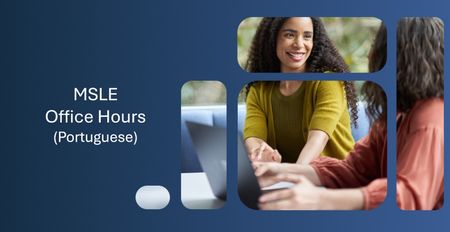
Olá, 👋 Espero que estejam bem! Tem dúvidas sobre o Programa MSLE? Nós temos as respostas! Participe das nossas Office Hours do MSLE: um espaço para conectar, aprender e receber apoio personal...
Monday, Jul 20, 2026, 06:00 PM PDTOnline
1like
1Attendee
0Comments
Recent Blogs
- 3 MIN READApr 03, 2026176Views2likes0Comments
- 2 MIN READWe’re excited to announce the launch of new AI-900 lab simulations, designed to help educators deliver more interactive, scalable, and learner-friendly AI experiences. Moving forward, all AI‑900 lab ...Mar 13, 2026441Views1like0Comments