transcripts
7 Topics
Retrieve all Teams transcripts a bot has attended to using Graph API
Hi there, I've been struggling for a lot of time trying to get this done. Has anyone been able to achieve something like this ? I wanted to : 1- Get all the meetings and transcripts of the tenant 2- Filter on those where the bot was attending 3- Get the transcripts when available. 4- Add rules to restrict the bot's access Right now I am stuck with the OAuth : The application 'bot-transcript' asked for scope 'OnlineMeetings.Read.All' that doesn't exist on the resource '00000003-0000-0000-c000-000000000000'. But this permission was added, and really seems to exist. Right ? Thanks in advance for any kind of help you could give me.446Views0likes1Comment
Ways to generate transcripts for videos over 4GB
Hi MS Community; Streams for sharepoint won't generate transcripts for videos over 4 gigs. We're required to have transcripts for all videos for accessibility since we're a school. Is there an alternative to generate transcripts that the team can use? We don't have the time or resources to manually generate a transcript. I used teams to capture the text for one video, but I've got to manually create the markers etc.4.7KViews0likes10CommentsTeams Tightens Access Controls for Meeting Recordings and Transcripts
Teams meeting transcripts are enormously helpful and are used by many features, including Copilot for Microsoft 365. Access to transcript files needs good control because of the possibility of confidential information being captured in transcripts. Several recent changes made to the Teams meeting policy and meeting options help organizations to exert better control over access to transcript files. https://office365itpros.com/2024/08/06/teams-meeting-transcripts-2/415Views0likes0Comments
auto generated transcripts stop at just before 30 minutes
Autogeneration of Transcripts stopped to just under 30 minutes starting on Monday. Normally, if a transcript didn't autogenerate, I can edit the video settings and click Generate transcription but that option isn't there after the autogeneration of transcripts has started. I am unable to locate any documentation that states there is a cap on the number or hours of autogenerated transcripts. We have been uploading at least 5-7 2-hour Zoom recording sessions per week since January. These videos range from 160 to 260KB.688Views2likes0Comments
Is there an alternate way to download transcriptions?
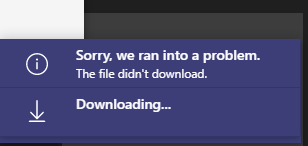
I have a user that created a transcription during a 4 hour long Team meeting but now receives an error when trying to download it. 1. In Microsoft Teams, clicked Calendar 2. Clicked on the meeting invite 3. Clicked Transcript 4. Clicked Download > Download as .docx (also tried .vtt) 5. Get this error: This issue occurs both for her and the meeting owner. It also occurs whether they use the desktop app or the web version of Teams. This has been occurring for several days for this particular meeting. I have read that transcripts are stored in the user's Exchange Online account; is it possible to retrieve it from there? Or from Teams Admin, or using Powershell, ShareGate, or by any other method?Solved2.8KViews1like1CommentAccess to Teams Transcripts with Azure Communication Services
I'm using Azure Communication Services to write an app that connects to a Teams meeting that is recording and creating a live transcript. Is there a way to access and show that transcript to the client using my app -- who may have joined as an anonymous user? I see there is a Communications Service API -- as well as functionality in Graph API -- to get the state of recording and transcripting, so we can notify the client that the call is being recorded and transcripted. But I see no way to actually access and show the live transcription (unless they are actually using MS Teams). I want to show the transcription in my app. Thanks!Solved1.6KViews0likes1Comment
when will together mode be available in teams?
Microsoft Teams has a few announced features with the Office 365 platform. Does anyone have the scheduled release dates for these features? together mode video filters meeting live reactions powerpoint live meetings meeting transcripts Live whiteboard in meetings planner/todo/tasks integration thanks682Views0likes0Comments