transcripts
7 Topics
auto generated transcripts stop at just before 30 minutes
Autogeneration of Transcripts stopped to just under 30 minutes starting on Monday. Normally, if a transcript didn't autogenerate, I can edit the video settings and click Generate transcription but that option isn't there after the autogeneration of transcripts has started. I am unable to locate any documentation that states there is a cap on the number or hours of autogenerated transcripts. We have been uploading at least 5-7 2-hour Zoom recording sessions per week since January. These videos range from 160 to 260KB.631Views2likes0Comments
Is there an alternate way to download transcriptions?
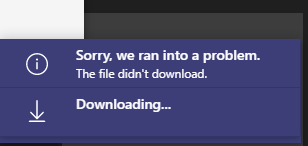
I have a user that created a transcription during a 4 hour long Team meeting but now receives an error when trying to download it. 1. In Microsoft Teams, clicked Calendar 2. Clicked on the meeting invite 3. Clicked Transcript 4. Clicked Download > Download as .docx (also tried .vtt) 5. Get this error: This issue occurs both for her and the meeting owner. It also occurs whether they use the desktop app or the web version of Teams. This has been occurring for several days for this particular meeting. I have read that transcripts are stored in the user's Exchange Online account; is it possible to retrieve it from there? Or from Teams Admin, or using Powershell, ShareGate, or by any other method?Solved2.7KViews1like1Comment