onenote
817 Topics
OneNote Working offline E000006B blg57, unable to sync
OneNote on my iPad is not syncing. It comes up with an error that says “Working offline (an error occurred). OneNote can’t connect to the network. We’ll try to sync your notes when the network is available”. Error code: E000006B blg57 This error appears no matter which notebook I have open. I can open notebooks and pages that were already open before the error appeared, but cannot open any new ones. The error is present no matter which wifi or hotspot network I am using. My iPad is able to access wifi normally on other apps. I also use OneNote on my iPhone and Mac and it works fine on these devices. I can access OneNote online normally on my iPad from Safari. What I have already tried: I have tried signing out of my OneNote iPad app, shutting down my iPad and then signing in again. I deleted my login credentials from my iPad settings app. - I clicked the working offline error message and clicked “sync now” from that page. It just showed up with “syncing” for half an hour before I gave up. I do not want to try deleting my OneNote app because there are notes that are only on my iPad that I don’t want to lose. My OneNote app is up to date. This issue has been ongoing for a year now88Views0likes2Comments
Markdown and OneNote
2025 and still no markdown support in OneNote(touch supported version). This is Post ChatGPT era and all the LLMs generate text in markdown format. And I am pretty sure, a lot of people out there nowadays generate quick and concise notes through LLMs. But no, OneNote does not wanna render markdown. However, keeping source formatting can format text somewhere close to LLMs output. But not perfectly. The code snippets and tables does not render and appear as a mess. In simple words, I cannot copy LLM output for "Give me code examples of Rust's thread::spawn() function" directly into OneNote because it will be just appear gibberish. NOTE: There are two types of copying. 1) Select text and copy 2) Dedicated copy button in LLM output. So when I say copy I mean *2 as it preserves the markdown syntax.12KViews19likes7CommentsBug Report: Sudden failure of OneNote Web automatic color rendering
Context: OS: Mac OS Web Browser: Google Chrome Color Theme/Mode: Dark Mode (across OS, browser, and apps where available) OneNote for the web has suddenly started failing to properly display automatic color. For a long time, I've used OneNote across web, desktop, and mobile. For desktop and mobile I've enjoyed dark mode color theme. For web, and explicit dark mode setting has not been available — and the system/browser dark mode setting has had no effect. Normal text, (especially one whose color is set to "automatic" by default), it would always render properly across all the environments, including the effectively light mode web and dark mode desktop/mobile. Since a few days ago, the OneNote web has developed a weird bug. On one hand, the UI elements have turned dark (as if dark mode was available and enabled). On the other hand, the actual notes area has a background that appears white — while the (automatically colored) text color appears very light gray — practically invisible. It's as if OneNote web went through a partial dark mode transformation. UI has dark mode, notes background is in light mode, yet the actual text behaves as if it's also in dark mode. The light-on-light text then is effectively invisible. Desktop and mobile apps work fine. Bug appears on a different browser (Mozilla Firefox; mode=dark) as well. Bug has been reported to customer support and confirmed as internally logged.71Views0likes0Comments
The notebook entry continues to appear in OneNote for the web
The notebook entry continues to appear in OneNote for the web even though the notebook has already been deleted. I also understand that I have followed the suggested steps by Microsoft Support team but are still experiencing the issue, which has understandably caused confusion and frustration.206Views0likes1Comment
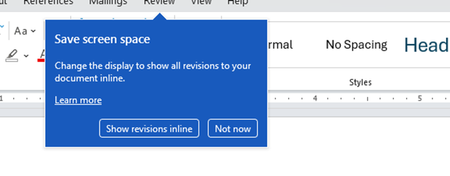
Disable incessant nagware popups
I don't know about everyone else, but I am sick and tired of the nagware pop ups in Word, Excel, PowerPoint, Outlook, etc. Every single product harasses me with pop ups trying to tell me "hey, did you know this feature was here?", "you can do this if you click that", "let me hold your hand through using products you've used for decades even though you don't want daddy Microslop to do that". This is a prime example. I keep getting the same ones again and again and again and everything I've read indicates they should only appear once. But they don't. They keep coming back like a psychotic stalker ex who wants alimony even though you were never married. How do I get this nagware to stop?!741Views1like2Comments
OneNote missing files
I tried opening the OneNote app and none of my notes were there, I tried resyncing, I tried looking at the online OneNote website, neither fixed the issue. I contacted the OneNote team, who referred me to the OneDrive team who referred me back to the OneNote team with the following info: "The OneNote notebook files remain present in OneDrive. No OneDrive data-loss indicators or deletion events have been identified. New pages can still be created and saved successfully. The issue appears to involve existing notebook content not being displayed within OneNote. The behavior is reproducible in both the OneNote app and OneNote Web. Based on the information available, the concern appears to be related to the way OneNote is rendering, synchronizing, or accessing the notebook contents rather than a missing-file condition within OneDrive storage itself. " The OneNote team told me to see if anyone on the forums could help me out, I would really appreciate the help since I have hundreds of files that I am now missing.210Views0likes2Comments
OneNote for iPad - bug on undo in draw mode.
I make extensive handwritten notes with my Apple Pencil on my iPad Pro using Draw mode in OneNote. This week I noticed that when I hit undo, the app crashes and I have to restart completely. When restarting I find that I also lost some my most recent markings. This is very disruptive and needs to be fixed. iPad Pro (11-inch) (4th generation) iOS version 27.0.1 OneNote for iPad version 16.114.2 (26092517)1.1KViews6likes5Comments