new outlook
27 Topics
New Outlook not showing link urls
Old outlook would show you the url if you hover over a link - New Outlook does not show anything when you hover over but still it will work as a hyperlink. Is there a setting that changes this so you can see where you are going before you click a link ?20KViews14likes14Comments
Copilot Changes in New Outlook
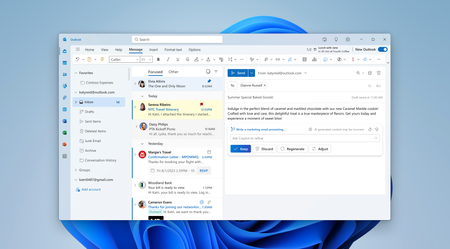
Copilot in the New Mail has recently changed to this (I have a $30/mo subscription to Copilot through a business account): If I click on the little circle thing or press Alt+i it displays this with the text below already filled in: I never start prompts to Copilot with "Help me write an email to" so I always have to manually delete this text to enter the actual prompt. Once I do that, Copilot opens the full-blown sidebar with a big discussion. And to top it off, Copilot in the sidebar does not follow the Copilot drafting instructions I saved in the Copilot settings in Outlook. This is a regression compared to how Copilot used to work, which is shown in the screen below: Granted I only ever used "Auto rewrite" in that drop down menu so you could shorten it some. However, this version is better because: (1) it does not open a large sidebar and expect me to enter into a big discussion, (2) there is no pre-existing text in the prompt box so I can press a hotkey and quickly dictate my prompt using the built-in dictation in Windows, (3) it will follow the drafting instructions I saved in the Copilot settings in Outlook, and (4) it shows the option to Auto rewrite the text. I want Copilot to work the way it used to work and, especially, for Alt+i to open up the latter menu in all situations. I understand that some people might want to engage in a big discussion in the sidebar with Copilot, but don't make that the default.2.6KViews7likes9Comments
New Outlook - Unable to Block Image Downloads
Where in the new Outlook do I have the option to block the automatic loading of images for a Consumer O365 account or an Exchange account. In the current full version this is simple to do. In looking at the settings I can find no such option. What I can find is the setting to block external content, but it doesn't seem to be working correctly. In the Exchange account I have it set like this Images are being blocked. I see this in the message. Where is this setting? In the consumer account I have it set to what would seem to be even more restrictive. However, all images are getting through. In OWA I have this option This is still not good enough, but why isn't it in the New Outlook as most settings seem to be the same for Outlook as OWA. To be clear MS, for me personally as well as the 25K+ corporate mailboxes I am responsible for will not use the new version until this is resolved.11KViews6likes5CommentsBuilt for today, designed for the future - The new Outlook for Windows is ready when you are
We are excited to announce the new Outlook for Windows is now generally available for commercial customers and will now receive full support from Microsoft's support channels, including Assisted Support!75KViews5likes67CommentsNew Outlook Comes With New Workflows: What Is Still Missing for You?
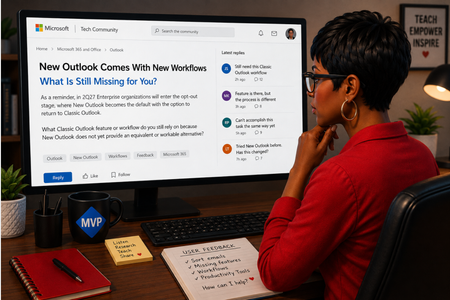
As a reminder, in March 2027, Enterprise organizations will enter the opt-out stage (Message ID 949965), where New Outlook becomes the default with the option to return to Classic Outlook. That is not too far away, especially if you need time to get your workflows and systems in place. That is why I keep coming back to this: New Outlook comes with new workflows. So I’m curious about where New Outlook workflows still fall short for you. A lot has changed. Users now have mail merge, Quick Parts, Unified Inbox, and partial PST support, with Advanced Mail Merge also on the way. New Outlook also has 30+ features and capabilities that are not available in Classic Outlook. What do you still do in Classic Outlook that you cannot accomplish, or cannot accomplish well, in New Outlook today? And if you tried New Outlook a year or two ago and went back to Classic Outlook, I’d be especially interested in what is still keeping you there now. I’m not looking for “I hate New Outlook.” I already know plenty of people do. I want to know the specific feature or workflow that still matters to you. PS: And be kind to me. I don’t work for Microsoft. I’m an MVP who teaches their products. 😉 traccreations4e-p26 8/26/2026639Views1like2Comments
New Outlook Unable to Close Since build 26220.8754 Update
Since build 26220.8754, I (and others) have been unable to close New Outlook using the X. I went into Windows Settings > Apps > Installed Apps > Outlook > click the 3 dots to the far right, select Advanced Options. Then select Reset. It worked for 1 time, but then the issue just showed right back up. I am not the only one with this issue, it has been reported here https://learn.microsoft.com/en-us/answers/questions/5933524/new-outlook-doesnt-close-with-x-any-longer?source=docs482Views1like4Comments
Conditional Formatting to New Outlook Calendar
Please bring Conditional Formatting to the New Outlook Calendar. This is a feature we have in Classic Outlook and something I use regularly to help maintain my organization. I've programmed it to color Work Time separate from Travel Time and various meeting categories so that visually I know a lot about the appointment just by the color.Solved1.2KViews1like3Comments
The New Outlook seems to have lost a feature
Does anyone know how to get a default set (like we used to have) to automatically get a BCC of all email sent and replied to? I am using the client on my laptop and the IOS App on my iPhone. I am interested in knowing how to get this feature back. It used to be a setting - which is no longer available. I've tried creating rules and quick steps - neither has worked.347Views1like5Comments