new outlook
27 Topics
Copilot Changes in New Outlook
Copilot in the New Mail has recently changed to this (I have a $30/mo subscription to Copilot through a business account): If I click on the little circle thing or press Alt+i it displays this with the text below already filled in: I never start prompts to Copilot with "Help me write an email to" so I always have to manually delete this text to enter the actual prompt. Once I do that, Copilot opens the full-blown sidebar with a big discussion. And to top it off, Copilot in the sidebar does not follow the Copilot drafting instructions I saved in the Copilot settings in Outlook. This is a regression compared to how Copilot used to work, which is shown in the screen below: Granted I only ever used "Auto rewrite" in that drop down menu so you could shorten it some. However, this version is better because: (1) it does not open a large sidebar and expect me to enter into a big discussion, (2) there is no pre-existing text in the prompt box so I can press a hotkey and quickly dictate my prompt using the built-in dictation in Windows, (3) it will follow the drafting instructions I saved in the Copilot settings in Outlook, and (4) it shows the option to Auto rewrite the text. I want Copilot to work the way it used to work and, especially, for Alt+i to open up the latter menu in all situations. I understand that some people might want to engage in a big discussion in the sidebar with Copilot, but don't make that the default.2.6KViews7likes9CommentsNew Outlook Comes With New Workflows: What Is Still Missing for You?
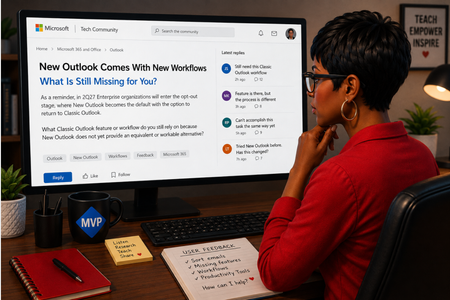
As a reminder, in March 2027, Enterprise organizations will enter the opt-out stage (Message ID 949965), where New Outlook becomes the default with the option to return to Classic Outlook. That is not too far away, especially if you need time to get your workflows and systems in place. That is why I keep coming back to this: New Outlook comes with new workflows. So I’m curious about where New Outlook workflows still fall short for you. A lot has changed. Users now have mail merge, Quick Parts, Unified Inbox, and partial PST support, with Advanced Mail Merge also on the way. New Outlook also has 30+ features and capabilities that are not available in Classic Outlook. What do you still do in Classic Outlook that you cannot accomplish, or cannot accomplish well, in New Outlook today? And if you tried New Outlook a year or two ago and went back to Classic Outlook, I’d be especially interested in what is still keeping you there now. I’m not looking for “I hate New Outlook.” I already know plenty of people do. I want to know the specific feature or workflow that still matters to you. PS: And be kind to me. I don’t work for Microsoft. I’m an MVP who teaches their products. 😉 traccreations4e-p26 8/26/2026610Views1like2Comments
Conditional Formatting to New Outlook Calendar
Please bring Conditional Formatting to the New Outlook Calendar. This is a feature we have in Classic Outlook and something I use regularly to help maintain my organization. I've programmed it to color Work Time separate from Travel Time and various meeting categories so that visually I know a lot about the appointment just by the color.Solved1.2KViews1like3Comments
Outlook new doesn't allow to reorder folders created on pst file
Hi, when i create a new folder on a pst file, the new folder appears at the end of folder list. Although i can move the new folder to any other position in the folder list, when pst or outlook new is closed, folder appears again at the bottom of the folder list.193Views0likes2Comments"Add to Calendar" functionality in the New Outlook
When a user receives an email with a Calendar meeting attached to it, they are able to click on the dropdown in the attachment and select "Add to Calendar". This functionality is supposed to add the meeting to the calendar without opening the attachment/invite itself. However, when the user clicks on "Add to Calendar", the meeting is displayed temporarily on the Calendar and then disappears. If another calendar meeting is being "Added to Calendar", it doesn't show up at all, even temporarily. Occasionally, the second meeting is added successfully, however, the first meeting then disappears. This behaviour is reproducible using different, independent accounts and devices - personal devices, corporate devices, personal Live accounts, corp email accounts, etc. The only thing that does work is to open the attachment and use "+Add to Calendar" feature from the invite. Any ideas on what is causing this or how to address this?377Views0likes2Comments
New Outlook Unable to Close Since build 26220.8754 Update
Since build 26220.8754, I (and others) have been unable to close New Outlook using the X. I went into Windows Settings > Apps > Installed Apps > Outlook > click the 3 dots to the far right, select Advanced Options. Then select Reset. It worked for 1 time, but then the issue just showed right back up. I am not the only one with this issue, it has been reported here https://learn.microsoft.com/en-us/answers/questions/5933524/new-outlook-doesnt-close-with-x-any-longer?source=docs463Views1like4Comments
Last week my office changed color to blue and i spoted opening pdf files
Last week my office changed color to blue and i spoted opening pdf files. when i try to open a pdf file says "Error and to try again later in a few moments" The Outlook online say the same thing. On my phone i can see the pdf fine. I tryied to repair the outlook, but didnt work.205Views0likes3Comments
New Outlook: Shadow contacts not stored in Outlook.com, no sync/export and missing Birthday calendar
I’m reporting a reproducible data‑integrity issue in the New Outlook for Windows that affects Outlook.com contact storage and synchronization. 🔍 Summary When a contact is created in the New Outlook, the client appears to save it successfully. However, the resulting contact is not stored in the user’s Outlook.com account as a normal cloud contact. Instead, it becomes what I would describe as a local “shadow contact” in the New Outlook cache. ⚠️ Observable Behavior • The contact appears in Outlook.com → People, but does not show “Stored in: Outlook” • The contact does not appear in Outlook.com CSV exports • The contact does not sync to mobile devices connected to the same account • The contact does not populate the Outlook.com Birthday calendar • The contact is lost if the New Outlook app is reinstalled or its local store is cleared 🧪 Steps to Reproduce 1. Open the New Outlook for Windows 2. Create a new contact and add a birthday 3. Save the contact 4. Open Outlook.com → People 5. Locate the contact — it will appear, but the “Stored in: Outlook” field is missing 6. Export contacts from Outlook.com (CSV) — the contact will not be present 7. Check a mobile device configured with the same Microsoft account — the contact will not be present 8. Check the Outlook.com Birthday calendar — the birthday will not appear 9. Reinstall the New Outlook app — the contact will be gone ✅ Expected Behavior • Contacts created in the New Outlook should be stored as first‑class Outlook.com contacts • They should appear with a proper “Stored in: Outlook” location • They should sync across devices, export via Outlook.com, and populate the Birthday calendar ❌ Actual Behavior • Contacts created in the New Outlook are effectively “shadow contacts” stored in a local cache • They look normal in the New Outlook UI, but they are incomplete, non‑synchronizing objects from the service’s perspective 📉 Impact • Silent data loss risk for users who assume contacts are in Outlook.com when they are not • Inconsistent contact and birthday data across devices and services • Split contact store model: • Real Outlook.com contacts • Local shadow contacts created by New Outlook 📎 What I’ve Already Done • Submitted feedback through the New Outlook (Help → Feedback → Report a Problem) • Submitted a detailed report via the Windows Feedback Hub • Contacted Microsoft Support, who advised that escalation must occur via Feedback 📣 Request I’m posting this here to document the issue publicly and to ask: • Can anyone from the Outlook / Exchange / Outlook.com team confirm this behavior? • Can other users reproduce this with the steps above? Given the data‑integrity implications, I’m hoping this can be brought to the attention of the relevant engineering team. Any confirmation, additional data points, or official guidance would be appreciated.386Views0likes1CommentNew Outlook: Creating Rules for CC: and Sent Items (Workaround solution)
Many users have said they miss one of Outlook Classic's features: the ability to create rules for sent items. One popular use is automatically moving a Sent item to a designated folder, reducing the time it takes to handle email. Currently, rules in New Outlook manage received messages in the Inbox. This blog provides details. New Outlook Limitations: Outgoing Message Rules » TRACCreations4E I am happy to share that I have finally come up with a workaround to add a copy of the message you sent to a folder of your choice. Yes, the original message will remain in the Sent folder, but you don't have to move it manually. This method should hold you over until Microsoft rolls out the functionality for "Sent rules," which has not been added to the roadmap. Watch the full tutorial to discover how you can: Setup your email Use hashtags in your signature line Set up an automatic rule Blog Post: New Outlook Sent Email Rules: Here’s the Workaround Video: https://youtu.be/guOjz5lHJEY?si=un6jp2afgO-3PAhg Remember, this is a workaround solution. I am also waiting patiently for the Sent Rules functionality. If you find this information helpful, please mark it as the best response to assist others with the same question. /Teresa #traccreations4e 6/11/20243KViews0likes1CommentSignificant changes to the New Outlook Calendar Event User Interface
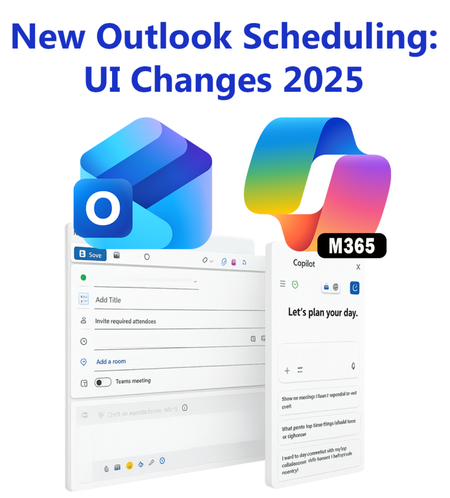
In October 2025, the New Outlook Calendar Event was redesigned to incorporate Copilot, leading to a complete user interface makeover. Many icons were rearranged. This blog post includes a screenshot, icon placement, and descriptions. New Outlook Scheduling Gets a Makeover - Copilot Chat Joins #traccreations4e-p25 10/29/20251.3KViews0likes2Comments