microsoft365
304 Topics
Microsoft 365 Password Expiry email Notification
Hi Community, I have a tenant where password expiry policy is set to notify users 14 days before expiry. My understanding is that they receive a pop-up 14 days before expiry with a link to change the password. Is it possible have a script that sends an email notification instead? Thanks in advance, FatjonSolved27KViews1like6CommentsAvaya Session Border Controllers Certified for Microsoft Teams Direct Routing Non Media Bypass
After Cisco Cube/Voice Gateway/SBC was certified for Microsoft Teams Direct Routing its now another vendor which has been certified for Teams Direct Routing Services. Avaya SBC are now certified for Microsoft Teams Direct Routing enabling the organization who are using the Avaya SBC to interop with the PSTN Integration with Microsoft Teams. Currently SBC Avaya Session Border Controller for Enterprise (ASBCE) with the Release 8.1.1 version is Certified for Microsoft Teams Direct Routing. This will only support the Non-Media-Bypass Test Cases for Microsoft Teams Direct Routing. Microsoft Roadmap reference 66465 Reference: - All the SBC Certified for Microsoft Teams Direct Routing List here. With Regards, Satish U8.2KViews1like1Comment
Use AD Synced Group for Teams Membership
We have synced a bunch of security groups from our AD envirement into the Azure AD. As an example we have a group called GG_DEP_IT which contains all the IT members. This group is used OnPrem to delegate folder permission, application access and more. Now we wanna built a Teams-Group for our IT-Departmen (and many more) this only works with Microsoft 365 Group. Until now I've not found a way to add all members or the group "GG_DEP_IT" to an Microsoft 365 group. Since we manage all the groups on prem, the membership there is correct and clean. What would be the correct way to create a teams-channels for all department by using the existing groups? The Dynamic-Groups does not work, since the department is not always correct in the AD-Attribute. Is there a way to extract the members of each group into a new group for this purpose? What we would like to avoid is have to take care of two idependent groups manually, since a bunch of automatisation already clean up the onprem groups.Solved7.4KViews0likes4CommentsHow is the SharePoint Online file path length counted?
I'm struggling to figure out how to calculate the path length of a file in SharePoint. I understand that the maximum is 400 characters. However, I'm not sure what goes toward that number, or whether characters are encoded or decoded.Solved3.1KViews0likes4Comments
Turn off posted news notification to teams
Hi everyone, When someone posts news on the SharePoint site, some users receive notifications in their Teams. How can I turn off these notifications from the SharePoint site admin side? If this is due to Viva Connections, how can I configure it? My goal is to prevent notifications from being sent to Teams after news is posted. Thank you2.8KViews3likes3CommentsAutomatic Version History in SharePoint Online
Hi, I want to turn on Automatic Version History to reduce storage. Has anyone implemented this on existing Large Libraries? What I want to know is, does it use the current meta data and delete versions straight away and free up space quickly? Or will it only start analysing from when you change the setting and i'll have to wait a longer time to reduce versions? Many thanks! Chris2.7KViews0likes2CommentsIntroducing the Viva Engage Track at the 2026 Microsoft 365 Conference
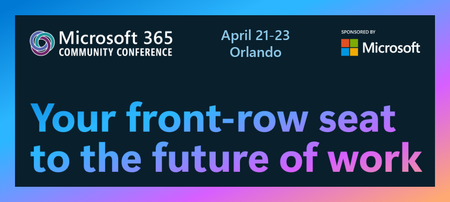
Internal communications has never been more complex — or more essential. Whether you’re trying to cut through the noise, connect leaders with employees, or bring clarity to AI-driven change, the role of the modern communicator is evolving fast. At this year’s M365 Community Conference, we’re excited to bring you the Viva Engage Track — a focused learning path designed to help communicators, HR leaders, IT partners, and community champions build connected, informed, and high‑performing workplaces. You’ll get access to Microsoft’s own communications experts, Viva Engage product leaders, and practitioners who run global‑scale comms — all ready to share the patterns, storylines, frameworks, and real‑world playbooks that drive impact. You’ll learn how to inform, inspire, and activate employees in ways that actually work at scale. The sessions are stacked with can’t‑miss moments Across three days, this track walks you through the full modern comms lifecycle — strategy, storytelling, measurement, deployment, AI readiness, and community activation. Whether you’re focused on executive comms, knowledge sharing, community management, or engagement strategy, this is built for you. Today’s communicators are expected to: Navigate more channels than ever Reduce noise while increasing clarity Build trust in an era shaped by AI Move leaders closer to employees Create belonging in hybrid, dispersed organizations Support rapid change and transformation Here’s a closer look at what you’ll learn in the Viva Engage & Communications track: Modern Communications & Strategy How Microsoft Manages Global Employee and Executive Communications Learn from John Cirone, Sr. Director of Communications, how Microsoft orchestrates communications for 200,000+ employees, drives leadership connection, and uses Engage, SharePoint, and Copilot to scale impact. Breaking Through in a World of Information Overload and AI Amy Morris, Director of Communications, will help you reimagine channels and delivery across Engage and SharePoint to reach the right people at the right time—without adding noise. Use data, insights, and employee listening to build your comms strategy How do you measure and define success, and leverage signals from employee engagement and listening to drive business transformation and performance? Join Microsoft communications and product leaders for a practical look at how to build an effective listening system with tools including Engage, Insights, Glint and Pulse. Learn how to empower leaders and change agents with a comprehensive, 360-degree view of employee sentiment. And explore how insights can inform strategies and tactics to achieve your business objectives. Events, Communities & Knowledge Sharing Company-Wide Events—Scaling Innovation with Engage Learn how organizations run high-impact town halls, all-hands, and campaigns using Events, Q&A, Storyline, and Copilot. Product Group experts Dan Holme and Tricia Lybrook will give you the end-to-end experience for creating events your employees will remember! AI-Powered Collaboration: Unlocking Your Employee Knowledge Base See how Engage, Copilot, and intelligent agents help surface expertise and solve problems faster, while keeping people in the loop. See demos and learn directly from product group leaders Allison Michels and Ramya Rajasekhar about making this reality in your own organizations. Governance, Deployment & AI Transformation From Governance to Growth: A Practical Playbook for Viva Engage Deployment Turn governance, readiness, and compliance into a launchpad for adoption and engagement. Hear directly from the Product Group Leaders, Venkat Ayyadevara and Spencer Perry. Community in the Age of AI - Humans at the center of Copilot Adoption Elevate your communications and campaigns through the power of community and peer-to-peer lead learning. Communicators can lead the AI transformation at your company. Learn how AI-powered agents support community managers, but humans drive rituals, events, and engagement. Hear product experts Allison Michels and Sarah Lundy as they take you behind the scenes and showcase some Microsoft employee favorites, like the Copilot Adoption Community, campaigns, Camp Copilot and more. The Communicator’s Guide to Viva Engage Learn how to maintain relevance and authenticity in the age of AI through personalization, targeting, and sequencing that respects how people work. Learn from Product Group expert Sarah Lundy, drawing on her experience at Microsoft Digital Comms, and Product Manager Najla Dadmand as they show how technology and communications can work together. Spotlight Session: Engage Everywhere - The Viva Engage Roadmap One of the most anticipated sessions of the entire track, Engage Everywhere: Communities, Events & Storylines in Teams (Roadmap), offers a first look at what’s coming next. Hear directly from our Product Leadership Team, Jason Mayans, VP of Product, Steve Nguyen, Customer Experience, and Murali Sitaram, CVP Viva Engage. You’ll explore: The deeper native integration of Viva Engage inside Microsoft Teams -making communities, events, campaigns, and storylines feel seamless across devices and workstyles. AI-enhanced capabilities that connect employees to knowledge, leaders, and each other more intuitively and efficiently. New ways organizations can unify communications and engagement across Teams, Engage, Email, and SharePoint. What’s next for Events, Storyline, and Communities as Microsoft continues to converge engagement experiences in one place. This session is designed to help you visualize the future employee communications and engagement ecosystem—and understand how to build toward it today. Key Takeaways: Whether you’re modernizing communications, rolling out Copilot, building communities, or shaping culture, you’ll walk away with: Practical templates, patterns, and playbooks Insights from Microsoft’s own communications experts Guidance for integrating AI responsibly and effectively Clear steps to elevate engagement across your organization The Viva Engage Track brings together the people driving community and connection every day, inside Microsoft and across customers to explore what’s working, what’s changing, and what’s possible. If you want to build stronger community, elevate employee connection, or shape the future of workplace storytelling, this track belongs on your agenda. Join us!2.4KViews0likes0Comments
Hiding SharePoint Files and Pages from Copilot
How do we stop legacy items from returning as search results in Copilot? I only know how to exclude specific sites, but we'd like to exclude just particular pages without unpublishing them or revoking access. I was considering using either the Term Store or the Search schema. I have been unable to find any documentation regarding this, so not sure it is possible yet.Solved2.4KViews0likes1Comment