microsoft forms
3677 Topics
WHY is microsoft support so useless???
I give up at this point. How is it possible for one of the biggest companies in the world to have the worst and most useless support system ever. I'm just trying to get my account back after it got hacked so I can play minecraft. So how is in after sending a paragraph of information about the account and screenshots of receipts and email I received of someone changes the email of the account, it's still not enough information??? The selfhelp system is somehow the worst one I've ever seen and the AI chatbot doesn't even work.29Views0likes0Comments
Microsoft Account Login
HI All I recently reinstall windows on the same PC where I had my Microsoft account as a default. During the set-up process I wasn't able to create Hello Pin so I used another Hotmail account and also choosing to go offline option having tried several times with the Microsoft account which I have set-up as a profile but cannot login using my Microsoft account as nothing happens when I click on sign in with no option prompt to sign in. I have checked my Microsoft, but no issues found through troubleshooter as I'm logged into the account submitting this support discussion not via windows profile account. I can't work out why I'm no longer able to login using my Microsoft account. Help on this would be appreciated. Regards, Sergio111Views0likes3Comments
Forms Ideas
Does anyone know if there's a portal to submit ideas for MS Forms? I saw a link to one on a post from 2018 but that site is no longer live. I've accidentally moved a form to the wrong group, and there is no way to undo or move to a different group. I'd like to submit this, or upvote existing ideas, to resolve this issue. If you can move a form to a group, you should be able to move it back to yourself or move to a different group, especially if you're an owner for that group. Usually it's as simple as Googling "MS Forms Ideas" but all I've been able to find is this community.Solved160Views1like2Comments
Multilingual forms unavailable under Premium license
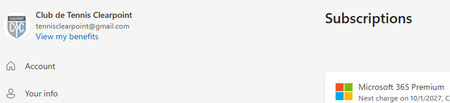
Hello World ! Looking for insight on a feature access issue. The target is to create a multilingual form (survey for a tennis club) The club acquired a Microsoft 365 Premium license, with the understanding this is the license level for Multilingual forms to be available as a feature. When I open Forms as the account admin, the multilingual option is not there. I am using Edge on a home PC. I connect to Windows 11 as myself, and I am also the owner of a Microsoft 365 Family subscription, which DOES NOT include multilingual form. What am I missing ??? Thank you for any insight !Solved136Views0likes1Comment
Grammar error in french
There is an grammar error in the french translation of the automatically added notice on every Forms: "When you submit this form, it will not automatically collect your details like name and email address unless you provide it yourself." It presently reads: "Lorsque vous envoyez ce formulaire, il ne collecte pas automatiquement vos détails, tels que le nom et l’adresse de courriel, sauf si vous le fournissez vous-même." There should be a "s" at the end of "vous-mêmes."92Views0likes0CommentsMicrosoft Forms interface stuck in Swedish after login – account language is Italian
Hello, Microsoft Forms is displayed in Swedish after I sign in, even though all my language settings are set to Italian (Italy). I have already checked the following: Microsoft account display language: Italian (Italy) Microsoft 365 interface: Italian Microsoft Edge preferred/display language: Italian The issue also occurs in an InPrivate session Before signing in, the Microsoft Forms website is correctly displayed in Italian. Immediately after signing in, the Forms dashboard and editor switch to Swedish. This suggests that the locale/language associated with my Microsoft Forms profile may be incorrectly stored as Swedish on the service side. I have already contacted Microsoft Consumer Support. They confirmed that they cannot access the Microsoft Forms backend or modify the Forms profile locale, and advised me to report the issue here and through the Microsoft Forms feedback function. I also tried the Feedback option inside Microsoft Forms, but clicking it does not open anything, both in normal browsing and InPrivate mode. Could someone please check whether the locale associated with my Microsoft Forms profile can be reset from Swedish to Italian (it-IT)? Thank you.854Views0likes4Comments
Is there any solution to getting question names yet for a form submission in Power Automate?
It's been about 10 years now. Surely there is a solution to dynamically retrieve question names without needing a janky britttle workaround that may or may not work, not just IDs (get form response etc), without having to rely on a hard coded list of questions with answers inserted in against them.569Views0likes1Comment
My Microsoft Form is not able to sync to an Excel file
Hi, I am having trouble as when I try to open the results of a form that I made into an Excel is giving me the following error "It wasn't possible to open Excel online, You can still download a copy to visualize the responses on Excel" (translated from my native language so the message might be a bit different). I am able to download the form as an excel but I cannot open a website version of it, this form was made using a personal email address and Microsoft account. I cannot share the link to the forms as it has personal information that would not be allowed to share in a public setting.372Views0likes2Comments