grow
253 TopicsBuild your SaaS offer with the modernized SaaS Accelerator to sell on Marketplace
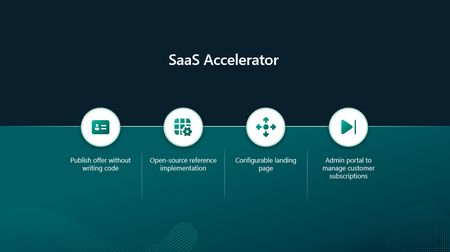
Build your SaaS offer for Microsoft Marketplace with coding agent guidance and the modernized SaaS Accelerator. Explore resources that help simplify Marketplace integration and move from development to publishing faster.84Views4likes0CommentsHow software companies can expand their SMB reach with Microsoft Marketplace and AI
How can software companies turn a Microsoft Marketplace presence into greater customer reach and growth? Explore how Microsoft Marketplace can help software companies connect with more small and medium business (SMB) customers, support scalable sales, and expand into new markets in the age of AI. The article highlights Ntegral’s evolution from a traditional systems integrator to a software company with more than 300 enterprise solutions and deployments in more than 150 countries. You’ll also get a preview of what Ntegral President and CTO Dexter Hardy will bring to Ultimate Partner LIVE Reston, including practical perspectives on building beyond a Marketplace listing, developing pipeline, reaching SMB customers, and incorporating AI into a broader growth strategy. Read the full article to discover how Marketplace, AI-powered innovation, and an SMB-focused product strategy can work together to create new opportunities for software companies. 👉 Explore now: How software companies can reach more SMB customers through Microsoft Marketplace in the age of AI80Views0likes0CommentsCalculate your projected Grow benefits by selling through Frontier Accelerate for Marketplace
The Marketplace Value Calculator in App Advisor helps software companies estimate the potential business impact of selling through Microsoft Marketplace. By combining projected revenue, transaction costs, and Frontier Accelerate for Marketplace benefits into a personalized three-year model, the calculator helps teams build a data-driven business case for Marketplace growth.120Views5likes0CommentsHow and when do I use Frontier Accelerate for Marketplace benefits?
The latest App Advisor guidance shows how Frontier Accelerate for Marketplace can help at every stage: 🔨 Build & Publish: Create and optimize your Marketplace offer. 📈 Grow: Increase visibility and accelerate transactions. ⭐ Differentiate: Access advanced benefits that support long-term growth. Whether you're just getting started or scaling an established Marketplace business, App Advisor can help you find the right resources for your stage. 📖 Read the blog: Frontier Accelerate for Marketplace: New App Advisor Guidance for Software Companies Which stage best describes your Marketplace journey today: Build & Publish, Grow, or Differentiate?100Views0likes0CommentsExplore App Advisor for details on how Frontier Accelerate for Marketplace can help you sell more
Explore the latest Frontier Accelerate for Marketplace updates available through App Advisor. Learn how software development companies can discover relevant Microsoft Marketplace resources, benefits, and commercialization opportunities that help accelerate solution development, reach new customers, and scale revenue growth through Marketplace.247Views6likes1CommentScale repeatable channel sales with Marketplace resale enabled offers (REO) and App Advisor
Learn how resale enabled offers (REO) help scale channel-led sales through Microsoft Marketplace. Authorize eligible partners once, enable repeatable reseller motions, and expand into new markets without adding equivalent internal sales overhead.267Views2likes0CommentsGrow your sales on Marketplace: App Advisor helps you understand improvements to negotiated deals
Want to dive into the details of negotiated deals and how to create them? Head to App Advisor: https://aka.ms/GrowMySales Not all customers buy apps in the same way. Some need negotiated pricing. Others have specific contract or billing requirements. Some want to buy through a trusted channel partner. Microsoft Marketplace already supports these scenarios through negotiated deals. Now, several new capabilities make those motions more flexible, accessible, and scalable. How do I sell more apps and agents? The best way to sell more apps and agents is to expand your sales footprint, not build more. This means making your apps and agents available through private offers, negotiated deals, and selling through channel partners. These types of deals have always given you flexibility, but new releases have improved their functionality. No matter how you’re selling, chances are good that you could grow your sales with at least one type of private offer (each detailed in App Advisor) Sell directly without another party → To-customer private offer. Bring a channel partner into a direct customer deal → Multiparty private offers (MPO). Authorize partners to repeatedly resell your offer → Resale enabled offers (REO). Sell through a customer's Cloud Solution Provider → CSP private offer. What changed for negotiated deals Over the last two months, Microsoft has improved capabilities and availability of several types of negotiated deals: Request private offer: Customers can now initiate a conversation about customized pricing and terms directly from an eligible Marketplace listing. Partners configure this when publishing an offer and a button appears on the listing for customers to reach out, reducing the gap between discovering an offer and beginning a negotiated sale. Custom contract lengths: Software companies can create eligible private offers with nonstandard contract lengths defined in months, including terms such as 18 months, with support extending up to 10 years for eligible SaaS and Professional Services scenarios. This helps align Marketplace transactions more closely with contracts negotiated with customers. Flexible billing: Eligible private offers can use customized billing schedules rather than forcing the transaction into a standard cadence. Current Microsoft documentation supports up to 70 installments and terms up to 120 months/10 years in supported scenarios. Expanded MPO reach: After expanding into 30 European countries earlier in the year, MPO expanded to Australia, Japan, and South Africa last month, creating more opportunities for software companies and channel partners to collaborate on Marketplace transactions. Expanded REO reach: REO expanded to New Zealand, extending the channel-led resale model into another market. What comes next Interested in expanding your sales footprint with minimal overhead? Follow along in this series as we discuss each type of private offer and advantages of each. To get started today, explore your negotiated selling options with App Advisor: https://aka.ms/GrowMySales335Views6likes0CommentsMicrosoft Marketplace Partner Digest - July 2026
In this edition of the Microsoft Marketplace Partner Digest, you'll find essential announcements, events, and key updates designed to drive your business forward, accelerate deal closures, and maximize your Marketplace success. Partner Center announcements As we kick off the new fiscal year, we're building upon a quarter that delivered valuable enhancements for both Marketplace partners and customers. We’ve focused on expanding partner-led growth across regions, simplifying SaaS transactions, and helping you improve co-sell outcomes. 🌍 Multiparty private offers expand across EMEA and APAC On May 27, Microsoft Marketplace expanded multiparty private offers to 30 countries in Europe, with availability in Australia, Japan, and South Africa coming July 15. Read the blog to discover how we are enabling new opportunities for channel-led growth through Marketplace. Why it matters Software companies gain more opportunities to reach new customers and drive growth without adding operational complexity. Channel partners differentiate their offerings with vetted software solutions while maintaining customer relationships. Recommended action Microsoft’s Jason Rook breaks down six practical steps to activate your channel strategy through Microsoft Marketplace, helping software companies recruit, enable, and scale partner-led growth. 📗Get the playbook 🌏 Resale enabled offers support expands to New Zealand Microsoft continues expanding channel-led sales opportunities by making resale enabled offers available through Microsoft Marketplace to customers in New Zealand as of May 26. Why it matters Channel partners can create and manage offers directly, without relying on software companies to build bespoke private offers. For software companies, resale enabled offers provide a scalable way to grow through trusted channel partners and expand into new markets. 👉 Learn more 📆 Custom contract lengths As of July 6, custom contract lengths for private offers are generally available. Partners can now create private offers with custom contract lengths of up to 10 years in Microsoft Marketplace. Why it matters Flexibility to better meet customer requirements Ability to configure contract durations from 1 to 120 months Define non-standard contract lengths, like 18 months or 45 months Support for both SaaS and professional services transactions 👉 Read the announcement ⚡ Auto activation for SaaS offers On May 18, Microsoft released the optional auto activation for SaaS offers, streamlining customer's Marketplace purchase and onboarding experience. What’s new Billing and subscription activation can now begin immediately when a customer completes a purchase Partners receive a real-time webhook signal to trigger onboarding Available for both public and private offers Default behavior For existing plans auto activation is off, unless you enable it When creating new plans auto activation is on, by default, unless you disable it Why it matters Reduces friction between purchase and onboarding Improves revenue predictability with immediate billing Enables a faster, more seamless customer experience Recommended action Evaluate your SaaS offers and enable auto activation where it aligns with your onboarding model. Make sure your sales and customer guidance reflect the updated experience. 👉 Learn more 🔔 Improve referral quality to accelerate co-sell deals Microsoft has updated how inbound co-sell referrals are reviewed and processed to improve speed and alignment with Microsoft account teams. What’s changing All referrals are now automatically checked for completeness and quality at submission. To avoid delays, ensure every referral includes: Solution area / play Estimated deal value Estimated close date (valid future date) Clear customer need and business context Customer contact (or consent to share later) Why it matters Submitting complete referrals helps you: Get faster seller engagement Reduce rework and follow-ups Improve acceptance rates Move deals forward more predictably Recommended action Audit your referral submission process and ensure these five fields are consistently included across all deals. 👉 Learn more about managing co-sell opportunities ⚠️ Review: Ensure the right contacts receive important partner communications Now is a great time to take care of digital housekeeping. Microsoft is reminding partners to review assigned Partner Center roles and email configurations to avoid missing critical notifications and account updates. Why it matters Having assigned roles like global admin or billing admin does not guarantee email delivery. If accounts aren’t configured correctly, you and your team may miss time-sensitive notifications. Missing communications can result in missed compliance deadlines or delayed actions that may impact your business. Recommended actions Verify your primary contact email is up to date Ensure role-based accounts can receive emails Add Microsoft system emails as safe senders Review role guidance on Microsoft Learn ✨ Bonus: Sign up for the monthly Microsoft AI Cloud Partner Program newsletter to stay informed of updates, incentives, and partner opportunities. It’s an easy way to get partner news delivered directly to your inbox. Events Recent events Marketplace as a FinOps platform Explore how Microsoft Marketplace helps simplify purchasing, centralize billing, and better align software investments to optimize cloud spending. As organizations scale cloud and AI investments, managing spend across tools and vendors becomes more complex. Tune in to learn practical ways to better understand the ROI of your organization’s cloud and AI investments. You will walk away with actionable insights to use Microsoft Marketplace as part of your FinOps strategy 📽️ Watch the recording The Marketplace playbook for channel-led sales Get step-by-step guidance and go-to-market resources to help you recruit and activate partners for channel-led sales through Microsoft Marketplace. Through resale enabled offers and multiparty private offers, software companies can empower partners to sell on their behalf to drive scale, reach new markets, and unlock new co-sell opportunities. In markets where both resale enabled offers and multiparty private offers are available, software companies can also scale through distributors, who can activate their broader channel networks. 📽️ Watch the recording Multicurrency transactions explained As Marketplace adoption continues to grow more partners are navigating sales that involve multiple currencies, local customer invoicing, and evolving seller of record responsibilities. Understanding how currency exchanges impact private offers, partner payments, and customer billing is critical to successfully managing Marketplace transactions across global geographies. 📽️ Watch the recording Upcoming events Channel growth in Australia ⌚Wednesday, July 15 at 9:30 AEST Microsoft Marketplace provides several ways for partners to collaborate and grow through the channel. With multiparty private offers launching in Australia on July 16, alongside resale enabled offers, this expansion helps partners strengthen customer relationships, fuel more partner-to-partner opportunities, simplify transactions, and find new growth opportunities. Leave with practical guidance on how these capabilities work together and how to put them into action. 📆 Save to your calendar MCAPS Start for Partners 📆 Wednesday, July 22 from 7:00 – 11:00 am PDT MCAPS Start for Partners gives software companies an early look at Microsoft’s FY27 priorities, investments, and growth opportunities. Learn how AI innovation and agentic applications are creating new customer demand, discover marketplace and co-sell opportunities to expand reach, and explore strategies to modernize, differentiate, and grow your business in the year ahead. 👉 Learn more and register today 🚀 Closing thoughts The last quarter delivered meaningful platform enhancements to make Microsoft Marketplace easier to scale, faster for customers to discover solutions and transact, and more effective for partners to manage business. 👍 Take the next step Explore new regions for multiparty private offers and resale enabled offers Review your strategy for activation of customer SaaS subscriptions Improve your co-sell submission quality Small changes in these areas can have a big impact on your pipeline, conversion, and overall Marketplace success.336Views3likes0CommentsMicrosoft Marketplace Partner Digest - August 2026
What's new in Marketplace Convert more buyers into customers Microsoft recently expanded Marketplace listing capabilities with enhancements to free trials and the introduction of an option to request private offers, giving partners more ways to engage buyers at different stages of the purchasing journey. Customers can now discover and evaluate solutions through expanded trial experiences and transition more easily into paid subscription discussions by requesting custom pricing and terms directly from your Marketplace listings. ✨ Help customers evaluate your solution with free trials What's new On July 23 we announced the release of Marketplace enhanced trial capabilities. Customers can try solutions with confidence with the free trials in Microsoft Marketplace. Trials are available for multiple offer types, including SaaS, Azure virtual machines, Dynamics 365, and Power BI offers. New capabilities include: Custom meter trials: Partners can configure trials for SaaS solutions with metered pricing. Flexible trial durations: Partners can now configure SaaS trial durations from 1 to 180 days. Partner analytics: Partners can access SaaS trial analytics - including free trials initiated, active free trials, free trials converted, free trials not converted, and average trial duration - all within Partner Center Insights workspace. Customer discovery and management: Customers can better discover and manage trials. Upgrade to paid subscription during trial: Customers can upgrade to paid subscription at public pricing any time during a SaaS trial. Why it matters With enhanced trial capabilities in Microsoft Marketplace, partners can run self-service trials that make it easier for customers to try before they buy — whether for metered, per-user, or flat-rate pricing offers. Marketplace gives partners one place to manage trials end to end — from provisioning and mid-trial changes to insights — while improving offer discoverability through improved search, filters, and dedicated trial badges. Recommended action Review your Marketplace offers and trial strategy. For eligible SaaS offers, evaluate whether free trials can help you engage with more qualified buyers, faster. 📖 Learn more about free trials for SaaS ⚡ Customers can now request a private offer on Marketplace What’s new As of July 20, you can add a private offer request option directly on your Marketplace product pages. Customer requests are captured as Marketplace leads in referrals workspace and connected customer relationship management (CRM) integrations you’ve setup. This setting is disabled by default. You can easily activate it for applicable public offers. Why it matters More and more customers are seeking customized contracts and subscription pricing and terms tailored to their individual needs. This simple call to action reduces friction and helps you start the conversation with prospective buyers. Recommended action In the Marketplace offers workspace of Partner Center, update each of your offers for which you provide customers private offers. Enable the Request Private Offer setting and republish the offer. Events Recent events Multiparty private offers expand channel growth opportunities in Australia, Japan and South Africa Multiparty private offers continue to help software companies accelerate channel-led sales through Microsoft Marketplace. This past month, we hosted two region-focused Marketplace office hours sessions designed to help partners better understand local market opportunities, engage distributors and resellers, and scale Marketplace transactions through channel ecosystems in Australia and Japan. Whether you're looking to expand an existing Marketplace motion or explore new geographic opportunities, these sessions will provide practical guidance and market-specific insights to help you grow. See a list of currently supported countries/regions. Check out the recorded sessions: • Channel growth in Australia (English) • Channel growth in Japan (Japanese) Helping developers build, monetize, and scale AI solutions with Marketplace Discover how Microsoft Marketplace helps software companies access AI models and developer tools, accelerate application development, and reach customers through Microsoft's global commercial ecosystem. Learn how to monetize applications and agents without building and maintaining your own commerce and distribution infrastructure. Watch the recording Upcoming events Build AI-powered solutions, monetize through Microsoft Marketplace, and scale revenue through Microsoft expertise, skilling, and investments. Frontier Accelerate for Marketplace is an upcoming unified offering for software development companies to bring AI-powered solutions to market, drive customer acquisition and revenue growth, and scale through Microsoft Marketplace with technical guidance, skilling, and investments aligned to every stage of growth. 📆 Join us on August 26th before general availability to learn about the new offering, benefit alignment, migration guidance, and enrollment requirements. Next steps Turn insights into FY27 success — starting today. Ready to carry the momentum forward from MCAPS Start for Partners? Get everything you need to refine and execute your FY27 strategy in the Partner Activation Zone, including session recordings, ready-to-use playbooks, and tools to start building pipeline. Leverage your Marketplace Rewards benefits Discover use cases and how to leverage your Azure sponsorship. With Marketplace Rewards Azure sponsorships, eligible software development companies can increase sales through Microsoft Marketplace by using the sponsorships for customer deployments tied to Marketplace deals—and to offset infrastructure costs from eligible free trial offers. 📍Review the Marketplace Rewards Azure sponsorship policy guide for the latest447Views2likes0CommentsMicrosoft Marketplace Partner Digest - September 2026
Marketplace innovations are simplifying every stage of the customer journey. Microsoft Marketplace continues to make it easier for customers to discover, purchase, and manage the solutions that power their businesses. This month, we're highlighting new AI-powered discovery experiences that help customers find and evaluate solutions faster, innovative healthcare opportunities through Dragon Copilot Physician apps and agents, and new capabilities that support procurement, billing, and subscription management at scale. Together, these investments help reduce friction across the customer journey while creating new opportunities for partners to grow through Marketplace. ✨ Find the right solutions faster with intelligent discovery What's new Microsoft Marketplace now includes intelligent discovery, an AI-powered experience that helps customers discover, compare, and evaluate solutions using natural language rather than traditional keyword searches. Customers can describe their business needs in everyday language and receive tailored recommendations, side-by-side product comparisons, and deeper product analysis to support purchasing decisions. Key capabilities include: Use natural language to describe requirements and business goals Automatically identify relevant filters and narrow results Compare solutions side-by-side based on Marketplace metadata Explore solution details using AI-assisted product analysis Move from discovery to evaluation with greater confidence Why it matters Customers increasingly expect AI-assisted buying experiences. Intelligent discovery helps buyers navigate a growing Marketplace catalog more efficiently, reducing the time required to find relevant solutions and evaluate alternatives. This can help partners improve visibility, attract more qualified prospects, and create stronger pathways from discovery to purchase. Marketplace AI offerings continue to grow rapidly, with more than 6,500 AI apps and agents now available in the catalog. Recommended action Review your Marketplace listings to ensure product descriptions, categories, industries, use cases, and solution metadata accurately reflect the problems your solution solves. High-quality Marketplace content helps intelligent discovery surface your offerings to the right customers. 🔎 Learn more about searching and comparing products with intelligent discovery in Microsoft Marketplace ⚡ Help customers align Marketplace purchases of your products with their internal procurement and financial processes What’s new Purchase order management and spend mapping capabilities are now generally available in Microsoft Marketplace, helping organizations associate Marketplace purchases with internal procurement identifiers and financial reporting requirements. These capabilities help customers connect Marketplace transactions to purchase orders, cost centers, departments, business units, and other financial controls. Key capabilities include: Associate Marketplace purchases with purchase orders Map Marketplace spend to internal financial identifiers Improve chargeback and allocation reporting Support invoice reconciliation and procurement processes Increase visibility into Marketplace spending against budgets Why it matters Customers consistently identify invoicing, procurement integration, spend visibility, and financial governance as important considerations when scaling Marketplace purchasing. Helping customers align Marketplace transactions with existing procurement workflows can reduce operational friction and support broader Marketplace adoption. Recommended action Review customer-facing sales materials and deployment discussions to understand how purchase orders, spend mapping, and financial governance capabilities may support procurement, finance, and FinOps stakeholders during the buying process. 📍Learn more about purchase orders and allocating Marketplace spend in Azure portal 🐉Reach healthcare customers through Dragon Copilot What's new Microsoft Marketplace now supports Dragon Copilot Physician Apps and Agents, the first offer type in a planned family of Dragon Copilot offers. Available in the United States, these partner solutions can be discovered and purchased through Microsoft Marketplace, configured through the Dragon Admin Center, and surfaced directly within physician workflows in Dragon Copilot. Key capabilities include: Publish healthcare-focused apps and agents through a dedicated Marketplace offer type Reach healthcare organizations adopting Dragon Copilot and deliver capabilities directly within clinician workflows Utilize Microsoft Marketplace for commerce, discovery, and fulfillment Why it matters Healthcare organizations are looking for AI solutions that fit naturally into existing clinical workflows. Dragon Copilot Physician apps and agents give partners a scalable route to market: solutions can be purchased through Microsoft Marketplace, configured through the Dragon Admin Center, and made available directly within clinical workflows. Recommended action Evaluate whether your healthcare solution could benefit from integration with Dragon Copilot and explore the new Marketplace offer type for physician apps and agents. Learn more about Dragon Copilot Physician apps and agents Events Recent events Announcing Frontier Accelerate for Marketplace Frontier Accelerate for Marketplace is an upcoming Microsoft AI Cloud Partner Program offering that guides software development companies to build AI-powered solutions, monetize through Microsoft Marketplace, and scale revenue through Microsoft expertise, skilling, and investments. 📺 Watch the briefing now 🔗 Learn more: aka.ms/FA-for-Marketplace How leading partners drive co-sell success with Marketplace Learn how successful software companies use Microsoft Marketplace to expand reach, strengthen co-sell relationships, and drive repeatable revenue growth. Join Reis Barrie of Carve Partners for insights into building Marketplace momentum and creating co-sell opportunities across the Microsoft partner ecosystem. Watch on-demand Evaluate and buy solutions with Microsoft Marketplace Help customers evaluate and buy solutions with greater confidence. This Microsoft Marketplace session explores intelligent discovery, free trials, private offer requests, flexible contract durations, and practical ways partners and sellers can create purchasing arrangements aligned to customer priorities. Watch on-demand Upcoming events New monthly partner skilling series 📆Beginning Sept. 23, 2026, 8:00 AM and 5:00 PM PDT Microsoft is launching Partnering for Success Together, a new monthly partner skilling series designed to help partners stay up to date on Microsoft's latest investments, go-to-market priorities, and customer opportunities. Hosted through the Microsoft Partner Skilling Hub, each session provides guidance and updates across Microsoft's commercial solution areas, helping partners understand what's new and how to translate announcements into customer impact. Two live sessions will be provided at different times to accommodate global audiences. Register for the first event scheduled September 23 and add future monthly skilling events to your development plan. Register now on the Microsoft Partner Skilling Hub Microsoft co-sell playbook: From co-sell ready to close-won 📆 Wednesday, Oct 07, 2026, 8:30 AM PDT Join this partner-focused session to learn how successful organizations turn co-sell opportunities into closed-won business. Kevin Flitcroft of Spektra Systems shares proven strategies for stakeholder alignment, commercial readiness, Microsoft Marketplace positioning, and customer-focused sales execution. Get the details and add to your calendar Next steps Position your solution for AI-powered discovery The Marketplace experience continues to evolve to help customers discover, evaluate, and purchase solutions more efficiently. By improving how your solution is represented in Marketplace and taking advantage of new Marketplace capabilities, you can increase visibility, engage more qualified buyers, and accelerate growth through Microsoft's commercial ecosystem. Not sure where to start? Get guidance and recommendations through App Advisor.438Views1like0Comments