csp
221 TopicsEarn the badge built for Frontier AI leaders
The next wave of AI transformation needs more than ambition. Customers need partners with the skills and proven capabilities to deliver real outcomes. The Frontier Transformation Engineer badge recognizes partners building the capabilities to design, implement, and deliver Microsoft Frontier AI solutions. Earn the badge to demonstrate validated skills, strengthen customer confidence, and differentiate your practice in a rapidly evolving AI market. With the Frontier Transformation Engineer journey, your team can: Validate Frontier AI engineering capabilities. Strengthen credibility in customer conversations. Build readiness for AI transformation engagements. Bring greater credibility to customer conversations. Differentiate your practice with demonstrated expertise. Qualify for a flagship Frontier Partner specialization recognition. The journey combines certifications, hands-on training, and project readiness to help your team build the capabilities needed to lead Frontier AI transformation. Don’t just prepare for the future of AI. Build the expertise to deliver it. Earn the Frontier Transformation Engineer badge362Views1like0CommentsCSP August 2026 Monthly Partner Update
This month's updates covered important changes to agreements, security requirements, pricing capabilities, growth programs, and promotional offers that enable partners to increase customer adoption and make the most of upcoming CSP opportunities. Please use the survey link to share your feedback on these updates Survey Link. Visit the Launch Enablement Guide for additional readiness resources, guidance, and partner actions. This Month's Topic: Promotion Capabilities Consumption-based and per-user New Azure promotion capabilities will enable percentage-based discounts across eligible consumption scenarios, including pay-as-you-go, reserved instances, and pre-purchase plans, with discovery and redemption experiences available for sandbox testing. Upcoming per-user promotion enhancements will support more precise customer targeting by seat count and introduce greater flexibility for qualifying customers in new-to-offer scenarios. Watch the video for more details. If the player doesn’t load, open the video in a new window: Open video Important Links Visit the Azure promotions learn documentation Refer the https://aka.ms/Azure-Promos-FAQ Need More Information? Visit the Launch Enablement Guide for additional readiness resources, guidance, and partner actions.
Account Suspended Despite Compliance – Seeking Clarification and Reinstatement
Hello Microsoft Community, My company’s Partner Center account currently shows a Suspended status for both the Indirect Reseller and Microsoft Cloud Solution Provider programs, even though we believe we’ve met all requirements. What we’ve done: Completed all security requirements (MFA enabled, security contact designated) Verified business and legal information is up to date Ensured there are no outstanding payments or compliance issues We received a notice about CSP indirect reseller eligibility (USD 1,000 revenue requirement), but our partner confirms our license spend exceeds this threshold. Our questions: Why is the account still suspended if we’ve addressed the stated requirements? Is there a hidden or unaddressed compliance issue? What specific steps must we follow to have the suspension lifted? Can Microsoft reinstate the account once we provide evidence of compliance? We’re unable to perform critical operations like assigning licenses or accessing partner benefits while suspended. Has anyone experienced a similar situation? Any guidance from Microsoft moderators or the community would be greatly appreciated.
CSP Account suspended without notification, no explanation given
Hello Microsoft Community, I'm hoping someone here has experienced something similar and can point me in the right direction. I have been a Microsoft Partner since 2019. This past January I renewed my Partner Success Core Benefits pack. A couple of weeks ago I noticed I had lost access to all my benefits. I opened a support case, and after going back and forth I still have no resolution. The only explanation I've received is a reference to section 4.b of the Microsoft AI Cloud Partner Program Agreement, which states that either party can terminate the relationship with 30 days' notice and without providing a reason. No notification was ever sent to me. No 30-day notice. I simply woke up one day with no access. At one point I was told I could re-enroll under a new tenant. I tried this, and it didn't work. When I followed up, the support team went back to citing section 4.b and closed the door again. I understand I'm a small partner in Microsoft's ecosystem, but I've invested years building my business around this partnership, renewed my benefits in good faith just a few months ago, and I would love to find a constructive way forward. My questions for the community: 1. **Is there a formal escalation path** beyond standard Partner Center support cases? 2. **Has anyone successfully re-enrolled** after a suspension of this kind, and what was the process? Any guidance, shared experience, or contacts would be enormously appreciated. I am not looking to complain, I just want to understand my options and get back to serving my customers. Thank you in advance.
Customer CUSTOMER_NAME notified of anomalous activity in Azure subscription
How do others feel about the alerts showing up in the Partner Center? We’ve detected suspicious or malicious activity in this Azure subscription. The customer of this subscription has been notified. What suspicious or malicious activity did microsoft detect you ask? An important security update is available for your Windows Server Update Services (WSUS) resource(s). That's right, there is no suspicious or malicious activity. Microsoft wants people to install an out of band security update and thought sending a notification to all azure customers was the best way to ensure that happened. Half the clients that received this alert aren't even running windows servers! Those that are running windows servers do not have the WSUS role installed. All the clients Microsoft alerted us about to suspicious activity in their subscriptions... Don't use WSUS We did have the pleasure of manually closing every single alert as "ignore" and I'm delighted to know that these alerts didn't count towards the security requirement to have an avg response time of less than 24h. I thought the partner security alerts were to notify us of critical issues microsoft detected in azure subscriptions. This, does not appear to be that. Am I missing something? thoughts?experiences with “MS incentives new experience”
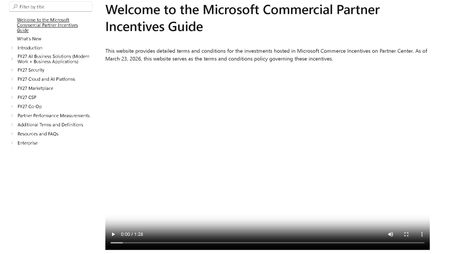
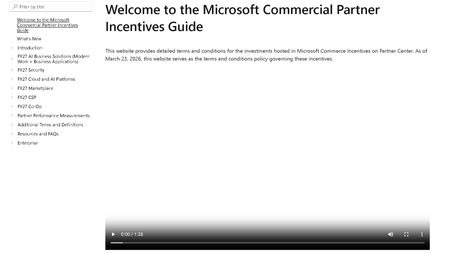
Dear Microsoft, dear fellow partners, Please find below first experiences with the new "incentives experience" where the annual incentives guide was replaced with a website. This fine product can be found at: https://incentiveguide.partner.microsoft.com/en-US/ Site only shows a video, no matter which link you click. We want text, not video. I want the CSP M365 incentives info, not that video overlay again. 2. Site refers to a ‘product addendum’ but no such is found in the guide itself (it is in the MCI collection on OpsReadiness luckily - https://assetsprod.microsoft.com/mpn/en-us/microsoft-commerce-incentive-product-addendum.xlsx ) 3. The MCI collection (https://partner.microsoft.com/en-US/asset/collection/microsoft-commerce-incentive-resources#/) links to various files/links. The link to the FY27 coop guide is broken ☹ (https://incentiveguide.partner.microsoft.com/en-US/fy27-co-op/how-to-use-the-co-op-guidebook) p- luckily the definitions of what cannot be found are present (at https://incentiveguide.partner.microsoft.com/en-US/additional-terms-and-definitions/glossary-cooperative-marketing-funds) 4. There are no rates mentioned in the website/download of the guide. For CSP you would need to view the MSFY27 documentation in collection mentioned earlier we eagerly await an updated & improved version of this site!CSP Transactional TTM Revenue Not Loading for Indirect Reseller - Anyone Else Seeing This?
Hello everyone, We are a Microsoft CSP Indirect Reseller and have been actively transacting through our distributor for more than two years. In the past, including during a Microsoft support review in December 2025, we regularly used the "Partner Global - CSP Transactional TTM Revenue" metric in Partner Center to monitor our CSP performance and eligibility requirements. At that time, the data loaded correctly and was fully visible to our Global Admin account. Recently, the report stopped loading completely. The widget appears, but the CSP Transactional TTM Revenue value never loads. The issue occurs across multiple browsers and devices, so it does not appear to be a local browser or cache problem. The affected report is: Insights > Cloud Product Performance > Subscriptions Reference documentation: https://learn.microsoft.com/en-us/partner-center/insights/analyze-subscriptions-licenses?utm_source=chatgpt.com I opened a support ticket and received a response stating that my account does not have the required permissions and that I should contact my distributor. However, this explanation does not seem consistent because: The same account previously had access to this metric. We can access all other Insights reports normally. Under Account Settings > My Access, access to the relevant workspaces is granted. We are an active CSP Indirect Reseller with paying customers and active subscriptions. My questions are: Has Microsoft changed the visibility or permission model for CSP Transactional TTM Revenue recently? Is this metric still available for CSP Indirect Resellers, or is it now restricted to certain partner types? Is anyone else experiencing the same issue where the widget appears but never loads the revenue data? Has anyone received official communication regarding changes to this report? Any feedback or confirmation from other CSP partners would be greatly appreciated. Thank you.Solvedexperiences with “MS incentives new experience”
Dear Microsoft, dear fellow partners, Please find below first experiences with the new "incentives experience" where the annual incentives guide was replaced with a website. This fine product can be found at: https://incentiveguide.partner.microsoft.com/en-US/ Site only shows a video, no matter which link you click. We want text, not video. I want the CSP M365 incentives info, not that video overlay again. 2. Site refers to a ‘product addendum’ but no such is found in the guide itself (it is in the MCI collection on OpsReadiness luckily - https://assetsprod.microsoft.com/mpn/en-us/microsoft-commerce-incentive-product-addendum.xlsx ) 3. The MCI collection (https://partner.microsoft.com/en-US/asset/collection/microsoft-commerce-incentive-resources#/) links to various files/links. The link to the FY27 coop guide is broken ☹ (https://incentiveguide.partner.microsoft.com/en-US/fy27-co-op/how-to-use-the-co-op-guidebook) p- luckily the definitions of what cannot be found are present (at https://incentiveguide.partner.microsoft.com/en-US/additional-terms-and-definitions/glossary-cooperative-marketing-funds) 4. There are no rates mentioned in the website/download of the guide. For CSP you would need to view the MSFY27 documentation in collection mentioned earlier we eagerly await an updated & improved version of this site!Partner Enablement Calls for CSP Partners!
Microsoft invites you to our CSP Partner Enablement Series, where we’ve combined the CSP Community call and the CSP Technical Training call and into a single, streamlined call. This new format brings together high priority partner updates, technical/adoption enablement, and best practices into one cohesive experience, making it easier for partners to stay informed and prepare for change. You are welcome to access old calls or join future ones! CSP Partner Enablement seriesSolved