comments
18 Topics
How do I get balloon commenting on the right side of the page?
I'm using Word 2024 because I don't want AI in my interface. Now commenting all appears in the tab side bar. I can click on the "Comment" pulldown in the ribbon to show comments properly, but I can't write in them. This is aggressively hostile to people with vision difficulties. Even with my glasses, that's much smaller than I'm comfortable with. How can I get the comments that were so good and useful back? If not, how can I change the type size in the sidebar so I can read and write comments? Microsoft, please, don't ruin your products because you want to make us use AI for things that it's not helpful for. I don't use Word for anything I want AI in and deal with documents I cannot legally allow to be exposed to unverified servers like AI chatbots.Solved237Views0likes1Comment
Unable to @ mention external collaborators in comments within Office online files
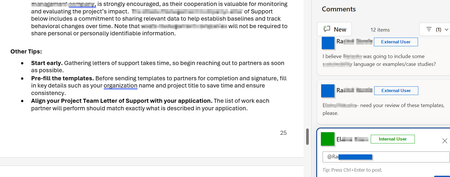
Is anyone aware of whether Microsoft will someday enable the ability to @ mention users who do not belong to the M365 tenant within comments in Office online files? I've attached a screenshot of what this looks like in a Word Online file in OneDrive. There are a number of Microsoft feedback posts about this, but it really feels like an unnecessary gap in functionality. Anyone have any insights on roadmap?657Views1like1Comment
How to turn off or on mail notification when comments added to the files on Document Libraries?
We know that this is very useful feature to receive mail notification when any comment is added to the file uploaded on Document libraries. Would like to understand more about this functionality, as I noticed we are receiving mail notification even when @ mention isn't used. What is the general rules for sending, not sending email notification and how to turn on & off this feature??20KViews0likes2CommentsSharepoint list - Comments icon not displayed
In one of my SP Online Lists, I don't see the comment icon when I bring the mouse cursor on that item. I do see the comment icon in the ribbon. The comments are enabled for this list. See the picture below: In another list, I see this information. See picture below: I've checked that the list settings are the same for both lists. Please help Thanks4.6KViews2likes7CommentsSS40: save files, rename, add tags, send to terminal, etc. faster for datahoarders and not
Suggestion (SS): 40 Classification: DATAHOARDING On Vivaldi i see different people posting other suggestions related to hoarding, so i decided to post here my other suggestions too (part 1 https://link.ws/edgess11), even if i know not all users will use it. I know that such suggestions can be reached (or at least in some parts) via scripts, extensions, terminal or macapps and are not the main focus of browsers. Said that, if you are interested read the post, otherwise skip it. I give you simply ideas, and such ideas are really hoarding focused. I know that this is maybe not legal for all websites too. those are just ideas. First we start with a feature that i never discovered before and after trying it i discovered in opera for mac we need to use option. i tried on edge and is not supported 2) i already talked about overlay button with both integration to mac or to onedrive as destination, or save to different folders in right menu, or drag drop download, or other https://link.ws/edgedatahoarder. another option would be to add a download button below each video and photo, no matter where. 3) about a smart select feature i already reported you before. Implemented on datahoarding activities means select 20 links and download all pdf at the same time (or other files). 4) a feature to detect images, document, movies, pdf in the site and download all that at once, or download only pdf for example. About images, would be better to download the full image, and not small pictures. 5) maybe add both option save to mac and open pdf in tab and maybe using a different destination, so download to /user/blabla/pdf and maybe sorted by source website. in such way we can directly read the paper too, and if needed we can copy that to other clouds directly once you implement the suggestion of importing in onedrive or you can directly integrate an option save to onedrive and to mac at the same time. 6) a way to copy a single link to a list and then copy the whole url in this list (this doesn't mean to use edge collections). once we are done we could use such lists to download files via other web apps, or mac app or terminal 7) a way to submit url to terminal directly, by adding specific terms (example https://www.pair.com/support/kb/paircloud-downloading-files-with-wget/). so we can manually add terms for wget, youtubedl, etc.. once we visit a page, we click right click or on the menu bar and select send to terminal and then we select wget or ytdl, or other. 😎integration of 7 for 6) 9) if i select 10 tabs an option to copy urls and maybe add support for 7) or 4) 10) a way to save such things to favorite without need to use bookmarks. in such way we know exactly where we get such files if someone ask us where we get that. the problem is that files show such metadata, but a lot of times is missing. 11) about 10) the feature of yesterday https://link.ws/edgevvss1 can help too. 12) a way to autorename all downloaded files, example if i use macuser A edge profile B i want on all my files a name like " xxx - macA edgeB" 13) renaming can be used for other goals too, like add the title of the post to the pdf, the url, or other information. 14) smart macos auto tags: we configure specific rules "like from website xx add tag xx" and add tag macA and edgeB too (related to 12.) 15) optionally add comments, but tags are much more useful. 16) like 5) an option to download files by source urls in specific folders. 17) torrent support like coccoc (i already reported that as comment in another post) 18) integrated vpn (same here) I copy the wish of another user here too3.8KViews1like5CommentsSharePoint modern pages - posting comments with specified date, author, etc.
For this project, I am attempting to load comment data from a SharePoint modern page and then re-publishing those comments exactly as they were first posted on a different site. I am able to get and post the comments, but in posting, I cannot seem to edit any property of the comment besides the comment text. Is it possible to alter the date published, author info, etc. to match the original comments? Thanks in advance!1.4KViews1like2Comments
Rechercher et sélectionner - Commentaire
Bonjour Sur Excel (Office 365 Proplus), la fonctionne de recherche et sélection - Commentaire ne fonctionne pas chez moi (aucun résultat trouvé alors qu'il y a des commentaires) Cf video attachée. De même avec les macros VBA cela ne fonctionne pas (Worksheet -> Comments ne renvoie rien). Avez-vous une solution ?1.5KViews0likes3Comments