azure information protection
48 Topics
edge sync cxxxh@fxxxs.com, DISABLED_BY_ADMIN, STOP_SYNC_FOR_DISABLED_ACCOUNT, Microsoft Information
hello community, i have a problem with microsoft edge sync. with exxxa@fxxxs.com the edge sync works under mac. Edge sync does not work on mac with cxxxh@fxxxs.com. it's the same mac. both users have the same license: microsoft 365 business premium. Azure Information Protection (AIP) + Azure AD Enterprise State Roaming (ESR) are enabled. I also performed Enable-AipService via powershell and checked it with Get-AipService. I also checked Get-AipServiceOnboardingControlPolicy + found no problems. I looked through https://docs.microsoft.com/en-us/deployedge/microsoft-edge-troubleshoot-enterprise-sync. restarting and setting up the edge, including a new profile, were unsuccessful. on iOS + windows 10 it is also not possible to sync with cxxxh@fxxxs.com + edge. Thank you ################## edge error log: Thu Jul 29 2021 15:50:08 GMT+0200 (Mitteleuropäische Sommerzeit) ====== Status ====== { "actionable_error": [ { "stat_name": "Error Type", "stat_status": "", "stat_value": "DISABLED_BY_ADMIN" }, { "stat_name": "Action", "stat_status": "", "stat_value": "STOP_SYNC_FOR_DISABLED_ACCOUNT" }, { "stat_name": "Error Description", "stat_status": "", "stat_value": "Microsoft Information Protection service is disabled" } ], "actionable_error_detected": true, "details": [ { "data": [ { "stat_name": "Transport State", "stat_status": "", "stat_value": "Disabled" }, { "stat_name": "Disable Reasons", "stat_status": "", "stat_value": "Feature not supported" }, { "stat_name": "Sync Feature Enabled", "stat_status": "", "stat_value": false }, { "stat_name": "Setup In Progress", "stat_status": "", "stat_value": false }, { "stat_name": "Auth Error", "stat_status": "", "stat_value": "OK since browser startup" }, { "stat_name": "Sync Account Type", "stat_status": "", "stat_value": "AAD" } ], "is_sensitive": false, "title": "Summary" }, { "data": [ { "stat_name": "Client Version", "stat_status": "", "stat_value": "Microsoft Edge Mac OS X 92.0.902.55 (2f31ea24c029d582f5472682b25153751b8021b3)" } ], "is_sensitive": false, "title": "Version Info" }, { "data": [ { "stat_name": "Server URL", "stat_status": "", "stat_value": "https://edge-enterprise.activity.windows.com/v1/feeds/me/syncEntities/" }, { "stat_name": "Server Environment", "stat_status": "", "stat_value": "edge-enterprise.activity-v1" }, { "stat_name": "Fetch Result", "stat_status": "", "stat_value": "SUCCESS" }, { "stat_name": "Fetch Message", "stat_status": "", "stat_value": "" } ], "is_sensitive": false, "title": "Environment Info" }, { "data": [ { "stat_name": "Requested Token", "stat_status": "", "stat_value": "n/a" }, { "stat_name": "Received Token Response", "stat_status": "", "stat_value": "n/a" }, { "stat_name": "Last Token Request Result", "stat_status": "", "stat_value": "OK" }, { "stat_name": "Has Token", "stat_status": "", "stat_value": false }, { "stat_name": "Next Token Request", "stat_status": "", "stat_value": "not scheduled" }, { "stat_name": "Last Token Error", "stat_status": "", "stat_value": "None" } ], "is_sensitive": false, "title": "Credentials" }, { "data": [ { "stat_name": "Requested Token", "stat_status": "", "stat_value": "n/a" }, { "stat_name": "Received Token Response", "stat_status": "", "stat_value": "n/a" }, { "stat_name": "Last Token Request Result", "stat_status": "", "stat_value": "OK" }, { "stat_name": "Has Token", "stat_status": "", "stat_value": false }, { "stat_name": "Next Token Request", "stat_status": "", "stat_value": "not scheduled" }, { "stat_name": "Last Token Error", "stat_status": "", "stat_value": "None" } ], "is_sensitive": false, "title": "Credentials for Key" }, { "data": [ { "stat_name": "Download Key Result", "stat_status": "", "stat_value": "Uninitialized" }, { "stat_name": "Net Error Code", "stat_status": "", "stat_value": "Uninitialized" }, { "stat_name": "HTTP Response Code", "stat_status": "", "stat_value": "Uninitialized" }, { "stat_name": "Process Key Result", "stat_status": "", "stat_value": "Uninitialized" }, { "stat_name": "Set Key Result", "stat_status": "", "stat_value": "Uninitialized" }, { "stat_name": "Fetched Key Count", "stat_status": "", "stat_value": 0 } ], "is_sensitive": false, "title": "MSA Account Key Status" }, { "data": [ { "stat_name": "Pack/Unpack Key Result", "stat_status": "", "stat_value": "Uninitialized" }, { "stat_name": "Last MIP Result", "stat_status": "", "stat_value": "Uninitialized" }, { "stat_name": "Last Key Status", "stat_status": "", "stat_value": "Uninitialized" }, { "stat_name": "New Key State", "stat_status": "", "stat_value": "Uninitialized" }, { "stat_name": "Key Commit Response", "stat_status": "", "stat_value": "Uninitialized" }, { "stat_name": "Set Key Result", "stat_status": "", "stat_value": "Uninitialized" }, { "stat_name": "Packed/Unpacked Key Count", "stat_status": "", "stat_value": 0 } ], "is_sensitive": false, "title": "AAD Account Key Status" }, { "data": [ { "stat_name": "Server Connection", "stat_status": "", "stat_value": "not attempted" }, { "stat_name": "Last Synced", "stat_status": "", "stat_value": "Never" }, { "stat_name": "Sync First-Time Setup Complete", "stat_status": "", "stat_value": true }, { "stat_name": "Sync Cycle Ongoing", "stat_status": "uninitialized", "stat_value": false }, { "stat_name": "Local Sync Backend Enabled", "stat_status": "", "stat_value": false }, { "stat_name": "Local Backend Path", "stat_status": "uninitialized", "stat_value": "Uninitialized" }, { "stat_name": "Last Successful Sync Time", "stat_status": "", "stat_value": "2021-07-29 15:49:28 +02" }, { "stat_name": "Last Audited", "stat_status": "", "stat_value": "Just now" } ], "is_sensitive": false, "title": "Local State" }, { "data": [ { "stat_name": "Throttled or Backoff", "stat_status": "uninitialized", "stat_value": false }, { "stat_name": "Retry Time", "stat_status": "uninitialized", "stat_value": "Uninitialized" }, { "stat_name": "Notifications Enabled", "stat_status": "uninitialized", "stat_value": false } ], "is_sensitive": false, "title": "Network" }, { "data": [ { "stat_name": "Explicit Passphrase", "stat_status": "uninitialized", "stat_value": false }, { "stat_name": "Passphrase Required", "stat_status": "uninitialized", "stat_value": false }, { "stat_name": "Cryptographer Ready To Encrypt", "stat_status": "uninitialized", "stat_value": false }, { "stat_name": "Cryptographer Has Pending Keys", "stat_status": "uninitialized", "stat_value": false }, { "stat_name": "Encrypted Types", "stat_status": "uninitialized", "stat_value": "Uninitialized" }, { "stat_name": "Has Keystore Key", "stat_status": "uninitialized", "stat_value": false }, { "stat_name": "Next Key Request Time", "stat_status": "uninitialized", "stat_value": "Uninitialized" }, { "stat_name": "Keystore Migration Time", "stat_status": "uninitialized", "stat_value": "Uninitialized" }, { "stat_name": "Passphrase Type", "stat_status": "uninitialized", "stat_value": "Uninitialized" }, { "stat_name": "Explicit passphrase Time", "stat_status": "uninitialized", "stat_value": "Uninitialized" }, { "stat_name": "Trusted Vault Migration Time", "stat_status": "uninitialized", "stat_value": "Uninitialized" }, { "stat_name": "Trusted Vault Version/Epoch", "stat_status": "uninitialized", "stat_value": 0 } ], "is_sensitive": false, "title": "Encryption" }, { "data": [ { "stat_name": "Sync Source", "stat_status": "uninitialized", "stat_value": "Uninitialized" }, { "stat_name": "GetKey Step Result", "stat_status": "uninitialized", "stat_value": "Uninitialized" }, { "stat_name": "Download Step Result", "stat_status": "uninitialized", "stat_value": "Uninitialized" }, { "stat_name": "Commit Step Result", "stat_status": "uninitialized", "stat_value": "Uninitialized" } ], "is_sensitive": false, "title": "Status from Last Completed Session" }, { "data": [ { "stat_name": "Notifications Received", "stat_status": "uninitialized", "stat_value": 0 }, { "stat_name": "Updates Downloaded", "stat_status": "uninitialized", "stat_value": 0 }, { "stat_name": "Tombstone Updates", "stat_status": "uninitialized", "stat_value": 0 }, { "stat_name": "Reflected Updates", "stat_status": "uninitialized", "stat_value": 0 }, { "stat_name": "Successful Commits", "stat_status": "uninitialized", "stat_value": 0 }, { "stat_name": "Conflicts Resolved: Client Wins", "stat_status": "uninitialized", "stat_value": 0 }, { "stat_name": "Conflicts Resolved: Server Wins", "stat_status": "uninitialized", "stat_value": 0 } ], "is_sensitive": false, "title": "Running Totals" }, { "data": [ { "stat_name": "Encryption Conflicts", "stat_status": "uninitialized", "stat_value": 0 }, { "stat_name": "Hierarchy Conflicts", "stat_status": "uninitialized", "stat_value": 0 }, { "stat_name": "Server Conflicts", "stat_status": "uninitialized", "stat_value": 0 }, { "stat_name": "Committed Items", "stat_status": "uninitialized", "stat_value": 0 } ], "is_sensitive": false, "title": "Transient Counters (this cycle)" }, { "data": [ { "stat_name": "Updates Downloaded", "stat_status": "uninitialized", "stat_value": 0 }, { "stat_name": "Committed Count", "stat_status": "uninitialized", "stat_value": 0 }, { "stat_name": "Entries", "stat_status": "uninitialized", "stat_value": 0 } ], "is_sensitive": false, "title": "Transient Counters (last cycle of last completed session)" } ], "syncShowClearServerDataButton": false, "type_status": [], "unrecoverable_error_detected": false }7.4KViews0likes0CommentsSharePoint IRM & AIP; Differences and Configuration
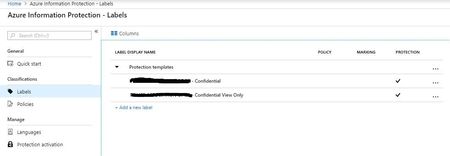
Hello TechCommunity Friends! Have a client that has had a SPO Classic Site and New Communication Site created by a third party with IRM enabled. Their goal is to be able to upload PDFs to the Communication Site that cannot be downloaded or printed, problem with IRM is that they are unable to open the PDFs in Adobe Reader (preferred) which tells them they need to use other application or use AIP. When they open in e.g. Foxit it applies a Watermark (not configured to do this). They have requested AIP be looked into since it is included in their E3 subscription. Jumping into their Azure Portal, enabled AIP and can see the following is created, but not sure whether this is because IRM was already configured? (Believe you can convert IRM labels to AIP labels): Looking at the Document Library for the Communication Site, there does not appear to be a place for AIP to be configured. Does IRM need to be disabled? Will this version of AIP achieve what the client wants? Have watched Atul's demo and gone through docs. but not sure on where to go from here.Solved6KViews0likes3Comments
Exclude Microsoft first party applications in Azure conditional access policy
We have app built on Microsoft Graph resource and we have a conditional access policy that targets all cloud apps. when users sign into this app using Chrome browser on iOS they get error and prompt to use Edge. We do not want users to change the browser and tried to exclude Microsoft Graph from CA policy using all options including API but fails with the below error. Policy contains invalid applications: unsupported firstpartyapplication. Is there a way to exclude Microsoft Graph from the policy?4.6KViews2likes3CommentsExternal people can't open files with Sensitivity Label encryption.
Question: What are the best practices for ensuring external users can open files encrypted with Sensitivity Labels? Hi all. I've been investigating proper setup of sensitivity labels in Purview, and the impact on user experience. The prerequisites are simple enough, creating and configuring the labels reasonably straightforward, and publishing them is a breeze. But using them appears to be a different matter! Everything is fine for labels that don't apply encryption (control access) or when used internally. However, the problems come when labels do apply encryption and information is sent externally. The result is that we apply a label to a document, attach that document to an email, and send it externally - and the recipient says they can't open it and they get an error that their email address is not in our directory. This is because due to the encryption, the external user needs to authenticate back to our tenant, and if they're not in our tenant they obviously can't do this so the files won't open. So, back to the question above. What's the easiest / most secure / best way to add any user we might share encrypted content with to our tenant. As I see it we have the following options: Users have to request Admins add the user as a Guest in our tenant before they send the content. Let's face it, they'll not do this and/or get frustrated. Users share encrypted content directly from SharePoint / OneDrive, rather than attaching it to emails (as that would automatically add the external person as a Guest in the tenant). This will be fine in some circumstances, but won't always be appropriate (when you want to send them a point-in-time version of a doc). With good SharePoint setup, site Owners would also have to approve the share before it gets sent which could delay things. Admins add all possible domains that encrypted content might be shared with to Entra B2B Direct Connect (so the external recipient doesn't have to be our tenant). This may not be practical as you often don't know who you'll need to share with and we work with hundreds of organisations. The bigger gotcha is that the external organisation would also have to configure Entra B2B Direct Connect. Admins default Entra B2B Direct Connect to 'Allow All'. This opens up a significant attack surface and also still requires any external organisation to configure Entra B2B Direct Connect as well. I really want to make this work, but it need to be as simple as possible for the end users sharing sensitive or confidential content. And all of the above options seem to have significant down-sides. I'm really hoping someone who uses Sensitivity Labels on a day-to-day basis can provide some help or advice to share their experiences. Thanks, Oz.3.4KViews0likes20Comments
PayAsYouGo to CSP Model Migration
Hi, We are planning to migrate from a "pay as you go" to a CSP subscription model (for our Azure Tenant/Subscription). We currently have Sentinel and AIP sharing the same log analytics workspace. AIP is configured in both on-prem and Azure Cloud. Sentinel is connected to about 8 different source systems. During the migration, will we have to recreate the Sentinel and AIP log analytics workspaces as separate workspaces? Or can we simply migrate the single workspace across? What about all the AIP protected & encrypted data - will that be impacted in any way during this migration? Will people be able to access everything seamlessly after the migration? Thank you, SK3.3KViews0likes1Comment
Auto label based on content matching by Information protection scanner
I have on premises repository in TBs. I have already configured information protection scanner and added repository where files are placed and my scanner is scanning the files also. I want to auto label them based on content matching. for example: Auto label files as "Confidential" when there is a match of world "budget" Auto label files as "Internal use only" when there is a match of word "leave request form" I know auto labeling is available for M365 for example exchange, ondrive and sharepoint. but How can I achieve above using information protection scanner. Please help. Thanks3.3KViews0likes12Comments
Block labelled file upload in Teams (AIP)
Hello community, I am using Azure Information Protection to label files and documents. I would like to forbid my users to share (inside and outside my organization) files in Teams with label "Super Secret". I know that I can block channel messages containing credit card number and other things using DLP. And I would like to do the same with files based on AIP labels. The final goal is to prevent files containing super secret data being upload to the cloud. Regards,Solved3.3KViews2likes3Comments
AIP Policies - What determines the order fo the policies? Example?
You can move AIP policies up and down. So it seems the order matters. What is an example where I would need to pay attention to the order and what does it determine? For example my users would get 3 policies: - the standard (global) policies für all company users (e.g. public, internal, confidential, restricted (protected)) - a department policy (Sales Restricted (protected)) - a policy allowing some users customized protection Would this also be the recommended order? Thanks, Franck