to do
51 Topics
To Do: scrolling bug
You can’t scroll all the way down in longer notes anymore in the Android app. The keyboard covers part of the note. I already tried to update it an reinstall it. Many users have this problem. This makes the app almost unusable. I'm on OneUi 7. I attached a screenshot with a transparent keyboard.26Views0likes0Comments
error when sharing list
Hi all, MS support was not helpful, so hope you can support me in how to fix. My wife and I we are using private @outlook.com accounts. We are heavy users of todo and we have some shared lists between our accounts. So far all good, all fine. Now if i create a new list, no matter if in browser, ios app, .... i have to switch to another list and to switch back to see the share button. If i click it, there is the error that a problem has occured and link can't get created. Please try again. If i do so, it works and a link is created. If my wife then tries to open such link, she gets the question if she wants to access list XYZ like it should be and it always was. If she does it, there is an error "the list was not found, please contact the person who shared with you. We have the exact behaviour if she tries to share with me. The exisitng, already shared lists, are running well. Any idea or thoughts, how to overcome this issue? Greetings, DennisSolved685Views9likes22CommentsTeilen von Listen Microsoft To Do nicht mehr möglich
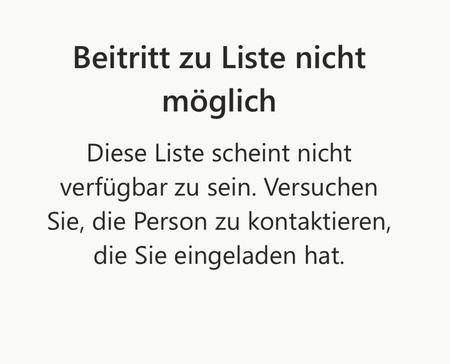
Hi everyone, I've been using Microsoft To Do for years and have always been able to share lists with my family. Now, when I send my wife or son an invitation link, they get an error message saying the list isn't available and they can't join. Here's what I've tried so far: I created a new invitation link and confirmed they're signed in with their Microsoft accounts. I tried using the app on their iPad or iPhone, and also on my MacBook. I checked if the list still exists. Despite all this, sharing still doesn't work. Has something changed with To Do sharing? Is there a new requirement or setting I need to enable? The error message attached. Translated: Any help would be greatly appreciated! Thank you in advance. Best regards Martin231Views4likes5CommentsTo Do Task Details Not Showing
When I am in To Do, I can only add and complete tasks. I no longer have the option to click in and see details, add notes, or edit titles. I can see the area they are supposed to pop up in, but I can't expand the side window or see any information.64Views0likes0Comments'TO DO' MICROSOFT *STAFF*
Is there a Microsoft staff member who's a specialist in To Do, pls? When you only get support staff who aren't familiar with To Do, and even the support page applies to an old version, it's necessary to give this feedback to a line mgr. They also need to view 2 transcripts from me that highlight all the extra work they're creating for themselves. Does anyone have an email address for the To Do support mgr? By PM if prefer.69Views0likes0Comments
Graph API 1.0 - Listing lists doesn't return all lists (todoTaskList)
Hi, first time posting here, please let me know if I should be doing something differently! I've searched throughout the internet and couldn't find a reason for this. I've got a couple of users running into a problem where the https://learn.microsoft.com/en-us/graph/api/todo-list-lists?view=graph-rest-1.0&tabs=http endpoint only returns one list (Flagged Emails), though these users have and see many other lists in the To Do desktop (macOS) app. I've confirmed in both cases it's the same user that's identified in my app/integration and in the desktop app. They can see the tasks in that list without a problem. There are no errors requesting that list, and asking via `/users/{id|userPrincipalName}/todo/lists` also returns the same response (with that one list). Is there any known situation where this could be happening? Am I missing something obvious? Is there something else I should be trying? I've got many other customers using the To Do integration without a problem. I'm aware "My Day" and a few other special lists aren't returned. Thank you so much!517Views0likes6Comments
To Do keeps asking to sign back in to keep using it
I have a problem on my Android device (Samsung Galaxy S25 Ultra) with To Do app (version 2.143.935.02). It started constantly sending me push notifications "Sign back in to myaccount to keep using To Do". When I tap on it, it stays on the circling thing that indicates that something is loading and then throws me to the default screen and on and on it goes. I already tried to clear the cache, delete the app data, uninstall and reinstall it, but nothing works. I even tried and logged in through the web version of To Do and it doesn't show my lists and tasks as well. It is also stuck on loading tasks state. Does anyone have the same issue? Has anyone solved it? I sent the logs to the developers, but I don't whether anyone is trying to solve this.157Views1like1Comment
Entire Task List Lost
Last week, I had been working most of the day, when my entire task list was suddenly lost. There is nothing. No completed tasks, no in progress, none of the recurring ones. Everything is gone, and this is going to really disrupt my work for... who knows how long. Is there any way to get them back?504Views3likes11Comments"Insufficient privileges to complete the operation" when listing Planner tasks from Project
Hi, it's only my time posting here, please let me know if I should be doing something differently! I've searched throughout the internet and couldn't find a solution for this. I've got a user running into a problem where the `/me/planner/tasks`, `/planner/buckets/{bucketId}/tasks`, and `/planner/plans/{planId}/tasks` endpoints return a `Authorization_RequestDenied` error. Here's an example response: { "code": "Authorization_RequestDenied", "message": "Insufficient privileges to complete the operation.", "innerError": { "date": "2025-07-23T08:15:50", "request-id": "bd5f7056-a41d-439c-a0d7-d768cd82d1ea", "client-request-id": "362f376c-863e-0616-86f7-22c7c07c1352" } } While this happens for almost all of their groups and plans, it doesn't happen for one. The main difference between that which works and the other ones which don't is that all the ones that don't work were created in Microsoft Project (Platinum, I think?). The one that does was created in Planner. We can, however, list the proper plans and buckets, just not fetch the tasks. Is there any way around this? Is there some kind of special scope I should be asking for so the API calls work? Should I use the To Do API in some special way for this, instead? Thank you so much!95Views0likes0Comments
Problems with Scheduled To Do Tasks and Outlook Calendar/My Day View using Mac/Apple
It is my understanding that tasks scheduled in To Do will appear in my Mac Outlook calendar and/or the "My Day" or as Mac users have "Day" tab next to your mail or calendar app. Every time I schedule a task, it does not show up in my calendar at all. I have tried everything I have read online and still not gotten anything to work - including syncing the apps. Can scheduled tasks be viewed on outlook calendar? Is this one of the many glitches in Microsoft's recent Mac updates? Please help.282Views0likes2Comments