admin
6442 Topics
Lost access to old Microsoft hotmail after alias change
Hello, I had an old Microsoft email address (hotmail) that I used to register my Microsoft account here. I have just logged in here using the new alias email address. So, I added a new alias email address and made it primary. After that, I somehow removed or lost access to my old email address. Cant see it or make it primary. Microsoft Authenticator on my phone still shows my old email on top but works for this new e-mail address. However, external websites (for example Booking.com) probably still send login verification codes to my old email address, which I no longer have access to. I need assistence with restoring access to my old Microsoft email address, or re-activating it as an alias, or getting official confirmation that the old address is permanently deleted. Please advise on what can be done. Thank you.20Views0likes0Comments
Microsoft Project Service Core Jan 2026 Update locked Plans table
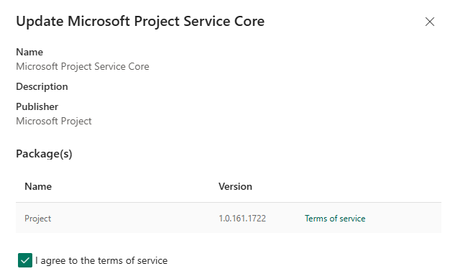
We recently noted the Microsoft Project Service Core was updated to 1.0.161.1772: This update has locked our Plans table, no changes are allowed to the forms and creating new columns is greyed out: We cannot make use of Planner in our model driven app (Planner Premium, non-default environment). After a new Plan is created, the user receives this message when opening the Plan: Two days ago we were in this version 1.0.160.2874): and everything was working as expected. Any guidance would be much appreciated as we are not sure if this is a permanent lock or once the update cycle is completed we will be able to go back to edit Plan forms and columns. Thank you in advance1.4KViews9likes13Comments
SharePoint view filtered to Me
Hello! Is it possible to create a view, or JSON format a view, when a field contains my information that is not a people picker field? I have a multiple line of text field where I enter a JSON object with user emails. Is there a way to change the view to only show the line item if that text field contains my email? I have tried using that field with Contains [Me] but that does not work. Presumably as [Me] is for people picker fields. Is there a way to add a filter to the view to look for my email?10Views0likes0CommentsSharePoint Online Content Security Policy (CSP): Enforcement Dates and Guidance
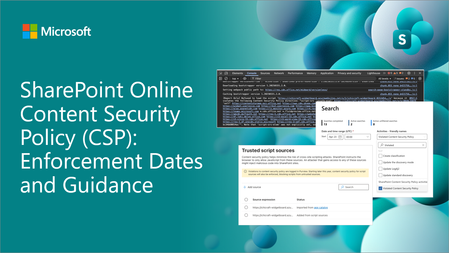
Content Security Policy (CSP) is a critical browser security feature designed to protect web applications. SharePoint Online is rolling out CSP enforcement for all tenants starting March 1, 2026.8.7KViews1like31Comments
Stock images -- insert or change not working
We are a GCC cloud client. Starting Tuesday, we are no longer able to add images or change images while accessing from the Stock Images option. When we click stock images, the app sits and spins and then throws an error "Your search didn't match any content. Please try another term". Does matter what the term is, it doesn't resolve. Prior to this, when clicking stock images, the window would open with images where we could then filter, etc. Now nothing will show not matter what. I am a SharePoint admin, we have also tried with Site owners and on different browsers with cache cleared. We did submit a ticket with MS, but response has been slow. Anyone else experiencing this?234Views1like4CommentsOrganization Asset Libraries not filtering in PowerPoint Brand Images
Hi, I have set up three Organization Asset Libraries on the same SharePoint site using the `Set-SPOOrgAssetsLibrary` PowerShell cmdlet. All three are image libraries, each intended for a different language version of our company assets. When I go to PowerPoint → Insert → Pictures → Brand Images, I can see a dropdown that allows me to switch between the libraries. However, regardless of which library I select, all images from all three libraries are displayed at the same time. My questions: 1. Is this expected behavior (by design), or is it a bug? 2. If by design — what is the actual purpose of the library switcher dropdown if it doesn't filter the content? Any insight or official documentation reference would be greatly appreciated. Thanks!37Views1like1CommentExchange database dismounted due to NTFS file extent limit reached – unexpected outage
Hi everyone, We experienced a serious outage on our Exchange 2016 server recently, and I wanted to share what we found during the root cause analysis – in case it helps someone else avoid the same scenario. Summary: After digging deep, we discovered that the issue was caused by the NTFS file system hitting its internal file extent limit on the .edb file. Once this threshold was reached, the database could no longer grow, and the system dismounted the database unexpectedly. No prior warning, just service interruption. Details: The .edb was around 1.2 TB in size. This isn’t a limit on database size itself — it’s about how fragmented the file is on disk. Once NTFS couldn’t track any more extents, the database stopped working. Microsoft doesn’t publish a clear fix for this; only scattered references to similar behavior in past cases. What we did: Created a fresh, clean database. Manually moved user mailboxes into the new DB. The old database couldn't be mounted anymore, so we brought the system live without historical mail – just to maintain continuity. We're now working on extracting data from the unmounted .edb using third-party tools. Looking for thoughts: Has anyone else hit the NTFS extent wall with Exchange? How do you monitor extent growth proactively? Did switching to ReFS solve this for you long-term? Open to any input or similar experiences – appreciate it in advance. Thanks!258Views1like4Comments