User Profile

nirispa
Copper Contributor
Joined Nov 11, 2019


User Widgets
Recent Discussions
Is it possible to allow MFA registration only in a work profile on a managed phone
Hello, I'm currently rolling out MDM via Endpoint Manager and also enforcing compliance policies using conditional access. I would like to allow MFA registration only in work profiles, so that users can only register MFA (for Passwordless sign in) on the Microsoft Authenticator app in their work profile. Does anyone have experience with this, or is this currently even possible? BrSWhy do I have less options for corporate owned devices in MEM?
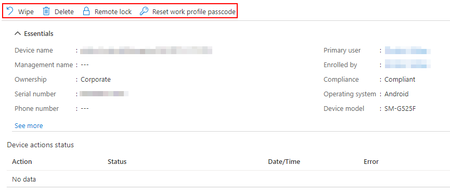
Corporate owned phone with WP: Personal owned phone with WP: Why do I have less options for the corporate owned devices? Why cant I send custom notifications to corporate owned devices or force a sync? Thanks for anyone engaging. BrS3.8KViews0likes3CommentsRe: iOS Outook sync to Contact app, protection from non managed apps
Hello Mike, this seems like a solution. I have tried to deploy it but I get this error: -2016341112 (iOS device is currently busy) Also, my Company Portal keeps telling me that it can't set up my company mail because I still need to remove my company mail, even doe I am using a fresh setup iPhone with no email configured, Outlook was not installed before downloading the Company Portal (deploy Outlook and other apps). I will keep trying and update this thread if I find a solution for this issue... Thanks for the article as it helps and sheds light on the situation. Br, Stefan12KViews0likes0CommentsRe: iOS Outook sync to Contact app, protection from non managed apps
Alo Press Hello, I have found this link which seems to make it work: https://blog.daveinfotech.com.au/2019/01/intune-unable-to-see-managed-contacts.html#:~:text=Click%20on%20Block%20%2D%20%27the%20Viewing,unmanaged%20apps%27%20to%20Not%20configured. I will try this tomorrow to see if this works and reply back later. Also this Link is interesting: https://configmgrblog.com/2019/01/12/ios-12-1-allows-managed-contacts-to-be-written-from-managed-apps-to-native-contacts-app/?unapproved=626546&moderation-hash=52c752b4450496dd3f029be1c7bd6bd4#comment-626546 "Great news! With the release of iOS 12.1 Apple created two settings that allow you to control if contacts can be written to the contacts app by managed apps and a setting that allows you to control if unmanaged apps can read the managed contacts accounts." Do you have any idea if this is ture?12KViews1like3CommentsiOS Outook sync to Contact app, protection from non managed apps
Hello, is it possible to protect synced contacts on a iOS device? Lets say I have a byod iPhone or a company owned one. And all my apps like Outlook etc. are managed and have app protection policies assigned. Is it possible to use the native iOS contacts + calling app without giving other apps like Whatsapp or Facebook access to the contacts which were synced by the company Outlook? Whats the most convenient way to use an iOS device while also protecting company data as good as possible? Thanks in advance to anyone helping.Re: Team Dial Plans not working in Teams Client
rbuedi Solution Found! Hello, I had more calls in the past Months/Weeks and Yesterday the solution was delivered to me by the Office 365 Premier Support. It's kinda sad that the quality of the default Office couldn't solve this issue within 2 tickets and multiple weeks of time but the "premier" support did it in one day... So the Dial plan was assigned to early, you may ask what does this mean? Well after creating it, wait 24-48 Hours and then assign it, assigning it after creating it, and waiting 24-48 Hours doesn't work. Kinda annoying that this is NOWHERE in the official Doc: https://docs.microsoft.com/en-us/microsoftteams/create-and-manage-dial-plans15KViews0likes1CommentRe: Team Dial Plans not working in Teams Client
Hello rbuedi, so the External Consultant who has GREAT knowledge about the SBC and SIP told me that I did everything right with the Dial Plan, he also doesn't know what exactly is going wrong here... but he has also told me that MS is not his strength and gave me the name of someone else to contact. For now, we have made rules on the SBC (Audiocodes Mediant VE hosted in Azure) to translate the rules and so on but I think this is not the way to go because it is to much manual work... so I will do this now with the SBC but also will keep trying to find a solution for the Cloud Phone System (Teams) to do this. I will keep you in the loop 🙂 BrS15KViews1like0CommentsRe: Team Dial Plans not working in Teams Client
Hello rbuedi, yes I do still have this issue, Microsoft couldn't help me so far. I hae also found the "additional" Normalization rules, those are provided automatically and depend on your "Country" settings in Office365. So this is the "Service Country" dial plan. More about dial plans: https://blog.kloud.com.au/2019/09/19/inheritance-in-office-365-tenant-dial-plans/ I'm still trying to find a solution and I will have a meeting soon where I might get this solved and will share the solution here 🙂 BrS16KViews0likes4CommentsRe: Team Dial Plans not working in Teams Client
LinusCansby This is correct. My normalization rule should add +43XXXXX before the number if it is a 3 Digit extension. So it should've been+43XXXXX499 and not +43499 which it is, so there is something wrong here. I don't have a dial plan besides the global default one. BrS16KViews0likes6CommentsRe: Team Dial Plans not working in Teams Client
Hello, I would like to continue this thread because I currently have the same issue. As the person described before me the rule seems to work at least when checking with Powershell. When I actually try to call lets say 499, the number changes in Teams to just +43 499 And not to the number that I have set with the rule. I hope it is okay to continue this thread because I have the same question 🙂 BrS16KViews0likes8CommentsChange retention for manual Azure backup
I have made a manual backup of an azure VM today, which should have been kept only for today. But now I am in the situation where it's needed for more than one day. Now while making the Backup I was asked for a retention time which I didnt change so it was set to 12.11.2019 which is either today ad 00:00 or tomorrow at 00:00 depends on Microsoft. I would like to change the retention time now and keep this backup for longer. The Policies which can be set in azure seem only to be for backups which were mad by the retention policy.1.4KViews0likes0Comments
Recent Blog Articles
No content to show