Forum Discussion

Help diagnose session drops
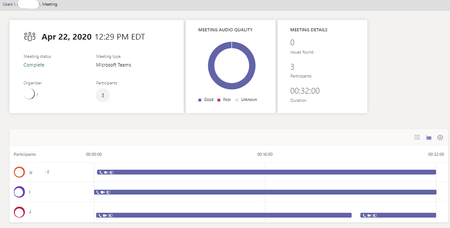

PeterRising Hi Peter, I am not sure how many this issue is actually affecting since I was informed by 1 user that many people (3 they knew of) were complaining about Video Calls dropping. When I put up a Forms/Poll, I only collected 1 other entry after a week. So, out of the 4 users I was investigating, 2 had this hardware disappearance in the logs. Most of the Poor ratings and drops are related to network. I have already suggested they change their home Wi-Fi to raise priority (QoS) of the clients if they can.
Since the COVID-19 pandemic, nobody is in office and I am trying to support all remote workers so firewalls could be issue but not one I can easily manage since they are all on individual networks. We do not VPN through HQ.
I would suggest use of Web version but most of these calls are for 3 to 5 video users per call and they want to see more than one video stream at a time. Most of these are for Hiring Candidate interviews or small staff meetings.
Believe me, I keep telling them video is a bandwidth nightmare and to stick with audio only but they want to see faces for some reason.
In this case the problem with hardware not being detected seems to be a programming issue in Teams.

Ah of course, even though I've been WFH for 6 or so weeks since the pandemic, it's still easy to forget sometimes.
It's an almost impossible challenge you have really when taking into account all of the variables that you have to deal with, many of them out of your control. The average home user will not know how to access their home routers I would think.
- Forrest_HApr 30, 2020Steel ContributorExactly. I have given several suggestions for them to adjust and maximize their Wi-Fi. I even went so far as to offer my time to review the settings remotely. I may regret that later.