Forum Discussion

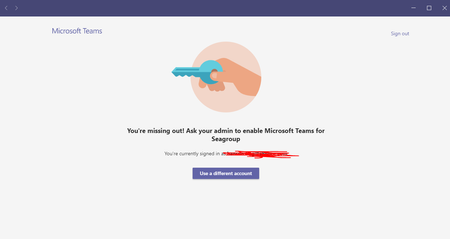
[BUG] Microsoft Teams not letting me sign out of my work account.
 Sep 09, 2021
OmnidyneI managed to fix this on my computer. Had to remove the account association completely from my computer (university account). Go to "email & accounts" in windows settings, find "access work or school" and disconnect the account that keeps trying to sign in to teams. I then did the above steps and removed teams completely before reinstalling and finally I have a "fresh" install of teams.

If it still doesn't work you might want to try to wipe all the locations described here https://docs.microsoft.com/en-us/microsoftteams/get-clients#windows and reinstall again.
 OmnidyneJun 22, 2021Copper Contributor
ChristianJBergstrom Hi there, thanks so much for the reply. I just tried both of these multiple times. in different orders and it still didn't work 😞 I'm really not sure whats going on
. I did end up just using the web version of Teams, but still ran into issues where, even though I was logged in on the browser, I kept showing up as (Guest). I just hope that didn't effect the interviewers perception of me
- JonasMadsenSep 09, 2021Tin Contributor
OmnidyneI managed to fix this on my computer. Had to remove the account association completely from my computer (university account). Go to "email & accounts" in windows settings, find "access work or school" and disconnect the account that keeps trying to sign in to teams. I then did the above steps and removed teams completely before reinstalling and finally I have a "fresh" install of teams.
- Sep 09, 2021Great suggestion. Had unfortunately missed the above reply.. sorry about that.