Forum Discussion

JuliaWu
Feb 06, 2020Former Employee
Block File Sharing in Teams
Is it possible to block file-sharing in Teams?
Just enable chat and calls service in Teams.
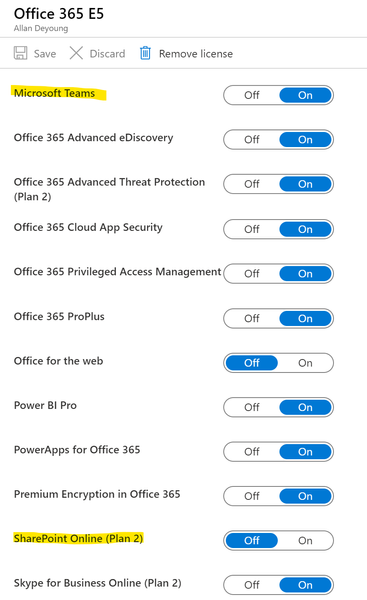
Because I tried to block it from the licensing view (disable Sharepoint online service) but it did ...
- Feb 06, 2020Hi,
As referred to in the previous link you can control external sharing on SharePoint and OneDrive at a tenant level or at a site level (with permissions), or you can apply Data Loss Prevention policies on content within SharePoint/OneDrive from the Office 365 Security and Compliance Centre
Here are the links
https://docs.microsoft.com/en-us/sharepoint/turn-external-sharing-on-or-off
https://docs.microsoft.com/en-us/microsoft-365/compliance/data-loss-prevention-policies
Best, Chris


JuliaWu
Feb 06, 2020Former Employee
To prevent data loss in the organization.

LinusCansby
Feb 06, 2020MVP
I would say it is better to use the data loss prevention and disable external sharing (read the links from Chris) instead of disabling file sharing. File sharing and working with files together in Teams is a big part of Teams.