Recent Discussions

To Do App Alternative that works directly with your M365 Account, for Classic Outlook Fans!
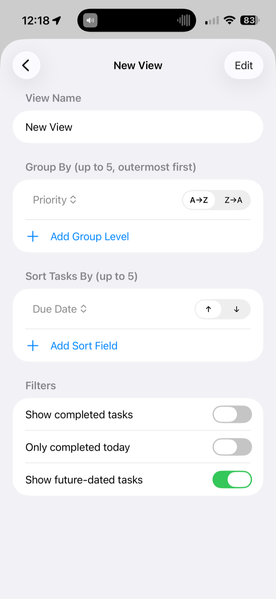
Hi Everyone I have built an app for you Classic Outlook task fans. My old favourite task app isn't being supported any more, so as a 20+ year Outlook and GTD veteran I decided to have a go myself and build something! Does your Todo crash because of too many completed tasks. Do you wish you could create views of your tasks including groups by category, priority, and filter by completed, due today, not dated Ability to use Classic Outlook "quick steps" style actions to tidy up your inbox Be able to print tasks in a lovely big old Outlook 97 style grid, direct from your phone Create tasks from emails, events from emails Keep your Outlook tasks perfectly intact and get going just by logging in to your M365 account? Take a look at https://tasksweep.app30Views0likes0Comments
Microsoft ToDo: Image/Picture insert from Clipboard #Bug
if I insert a pic from clipboard (source Irfan-view) the size in Microsoft ToDo is always up to 5 times greater then the saved picture to Filesystem. If I insert the pic from Filesystem, all good. Copy/Paste must be have a bug in MS-ToDo. e.g. 100KB-File pasting it shows and uses 1MB.22Views0likes0Comments
Make details pane switch to selected task automatically
Currently, I select a task and then have to click the "i in a circle" to have details pane switch from the previously-selected task. This means a user can have one task in focus but seeing the detail of another task. It's already lead to me making some errors in my task details. Makes it hard for quickly dealing with a lot of tasks, which I think is what this app is about. Thanks for considering!24Views0likes0Comments
Overdue tasks no longer appear in red in light mode
Last week I noticed that the "Overdue [Date]" text in overdue tasks no longer appears in red. I use light mode, and if I switch to dark mode that text will appear in red, but it reverts to black when I turn dark mode off. This is happening in the web app and if I go to the app in Outlook, but is not an issue on the desktop app.268Views1like0Comments
Colours within task notes
Hello, I noticed that when copying text from elsewhere, it does copy the colors, but I cannot find any way of replicating this myself. Are there tags or markers to use to be able to use colours (red or green or blue) when writing? It does seem like the notes can support them since they do stay without any issue when copied from elsewhere. Thanks for your help42Views1like0CommentsTo Do: scrolling bug
You can’t scroll all the way down in longer notes anymore in the Android app. The keyboard covers part of the note. I already tried to update it an reinstall it. Many users have this problem. This makes the app almost unusable. I'm on OneUi 7. I attached a screenshot with a transparent keyboard.113Views0likes0Comments
Feature Asymmetry
Does anyone else find the feature asymmetry between the web & android versions to be a little odd? Also everything feels stagnant like all the To Do engineers moved to the Copilot Team (haha, but no really :) Categories is the biggest oddity. It's been on web to-do for years now. Then there's the sorting differences between web & android. Android actually has more sorting capabilities? That seems wierd. And last but not least... The web version kinda retained the old (and quite magical) "To Do" view of: Today Tomorrow This Week Next Week (this was so useful, why'd you remove it?!? Later What I struggle with is these are core features to task management as they exist on every other platform, and they all originally existed in Outlook! Strange that the phone l app and the web app (presumably using the same back-end APIs) have such different usability.57Views0likes0Comments
'Ghost' To Do Task Visible in Counter of 'All' - But Nowhere Else - Unable to View 'All'
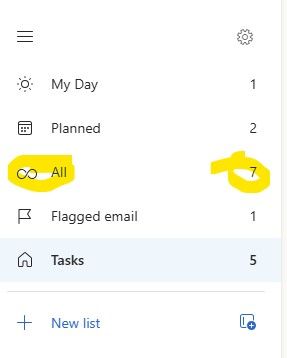
I have an interesting case in Classic Outlook (Version 2511). There is an extra item in the 'All' counter in To Do that is only visible in one instance of Outlook. If I use Outlook on the web or the To Do app itself - all tasks and counts are accurate. Even the Planner app in Teams shows the correct tasks and number of them. In fact - in my Outlook Classic at home it even works properly. But not in my Outlook Classic at work. In fact - if you try to click on the 'All' itself - the display simply blanks out and you have to close and re-open Outlook to get To Do to open again. I've tried the obvious already. Thinking because it only happens here - I've already completely wiped my ost file and rebuilt it from scratch. I've started outlook with various 'clean' flags. None of them have been able to clear the phantom count that will crash To Do from within classic Outlook. What is being overlooked? As you can see below - the number of 'All' is always one more than what it should be.82Views0likes0Comments
Sharing lists issue
Have started using MS to do lists, have created certain tasks and tried sharing via email, WhatsApp , FB messenger and each attempt fails, the recipient receives the link but tries to open the link and gets a message that they can’t join and to contact the owner, I get notification to say user added but they are not. I’m using the iOS app and the recipients are using an android app on a Samsung phone, any ideas please what is wrong98Views0likes0CommentsTo Do Task Details Not Showing
When I am in To Do, I can only add and complete tasks. I no longer have the option to click in and see details, add notes, or edit titles. I can see the area they are supposed to pop up in, but I can't expand the side window or see any information.137Views0likes0CommentsFeatures Suggestions
I’ve been using Microsoft To Do for over five years, and I like its simplicity and reliability. That said, I believe a few additions could improve usability and productivity and would make To Do even more powerful without sacrificing its simplicity. the suggestions are: Start Date as a dedicated field: Currently, we only have the due date, and the start date ends up as a note. A proper start date field would help schedule task timelines more effectively. Task completion percentage: Instead of only checking tasks as done or not done, it would be great to manually set (or track) a progress indicator like 25%, 50%, 75%. Very useful for multi-step tasks. Voice-to-text input: For quick note-taking or adding tasks while walking, driving, or multitasking, a built-in voice-to-text feature would be extremely helpful. Search within individual lists: While the global search is useful, sometimes users need to search within a single list to stay focused and avoid unrelated results. Customizable task categories + filtering: Lists are helpful, but adding customizable categories or tags (separate from lists) would give users more flexibility. Paired with a filtering option, this would make organizing and navigating tasks much easier — especially for people managing work, personal, and project-based tasks in one place. Would love to hear if others feel the same — and hoping the team considers some of these in future updates!99Views0likes0CommentsTo Do Outlook Cal integration
As a leader/manager I need the ability to block time in my outlook calendar to do work (aka ToDo tasks). I would love to be able to easily add a To Do task in my calendar. And then need the ability to move/modify the task with minimal clicks, and check them off in the calendar AND/OR in a master To Do task list. The colors/categorization should be different To Do tasks that are not done and those that are done yet. For people who use their calendar as the backbone of their working day, this capability would be exceptionally useful. All the pieces exist, you just need to stitch them together. This truly would be a very substantial upgrade to my daily workflow.63Views0likes0Comments'TO DO' MICROSOFT *STAFF*
Is there a Microsoft staff member who's a specialist in To Do, pls? When you only get support staff who aren't familiar with To Do, and even the support page applies to an old version, it's necessary to give this feedback to a line mgr. They also need to view 2 transcripts from me that highlight all the extra work they're creating for themselves. Does anyone have an email address for the To Do support mgr? By PM if prefer.78Views0likes0CommentsDragging Task onto Outlook Calendar in Web does keep Category (color) (or notes or steps)
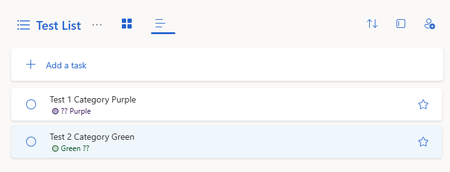
So categories could be useful. They have been added now to both the online ToDo app and Outlook Web Calendar. A great feature is in Outlook Calendar (web), you can choose from the top right the a ToDo list side menu and drag a task onto the calendar to make a quick 1/2 hour block and move it around. And you could color code this with categories. HOWEVER, they are not connected. If I choose a category (e.g. Purple) in ToDo and then drag onto the calendar the event does not have a category. I can add it AGAIN if I want or add a different one. (1) I noticed this drag and drop is one-way and any changes in the calendar are not reflected back onto the original task. Fine, you can fix that later, but (2) when I drag the task onto the calendar, why can't the category at least go with it? (3) I noticed the notes and steps don't translate either, but please, the category could be so useful.98Views1like0CommentsOptions below "add a task" should include My Day & Star
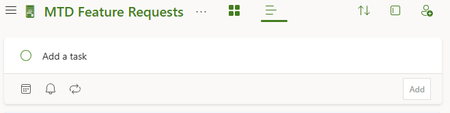
Below the dialog box where you add a task, there are 3 options, to add reminders, due dates, and recurrence. This is great. But if you could ALSO have star and MyDay there so each task you add gets those as well. This is in the web version of ToDo, though I think it is the same in the online Outlook version and the desktop app version, all of which I use. T53Views0likes0CommentsCompleted Items Reappearing
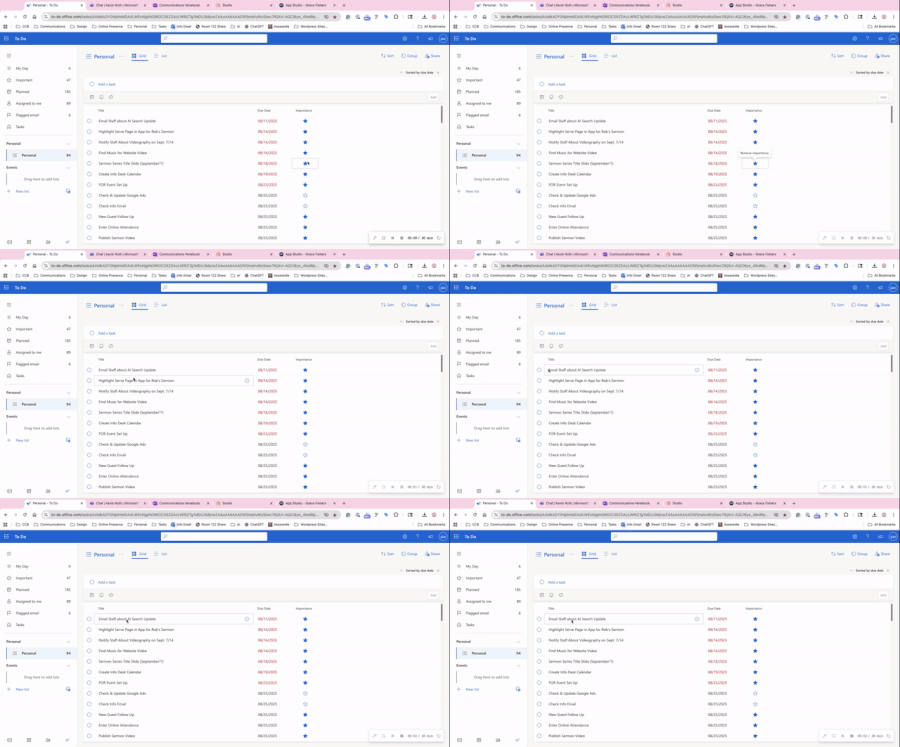
I've been extremely frustrated with To-Do since I was forced to use it for my personal list over Planner, but now it's completely unusable. Now any changes I made are going right back whenever I refresh the page or leave and come back. Completed items are undone, changed due dates are reset. Even new tasks I add are gone. You can see a video here: https://share.vidyard.com/watch/sNdBqnkcD2zb7BiwRoGqyt87Views0likes0CommentsMisteriously disappears...
I use Microsoft's To Do app. Since the switch to Windows 11, certain entries mysteriously disappear while editing. They are no longer present, not even among the completed entries. And they are also not findable via search. Are there any solutions to this?53Views1like0CommentsPhantom notifications for a deleted task.
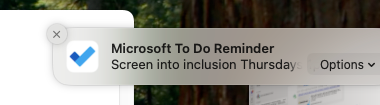
I had a recurring task (once weekly) that I deleted. I deleted the whole thing, the task doesn't exist anymore and doesn't re-occur. However, I still get the MacOS push notifications every week telling me I have that task due. If I click the alert it opes ToDo but doesn't go to the task (it can't, since it doesn't exist!). If I mark it as complete from the notification then next week the push notification arrives again. Somewhere in the backend the notification push didn't get deleted when the task was deleted and now I can't get rid of this notification! It's not device specific, the alert is pushed to any device I'm signed into with ToDo. Does anyone have a suggestions as this really irks me.46Views0likes0Comments

Events
Recent Blogs
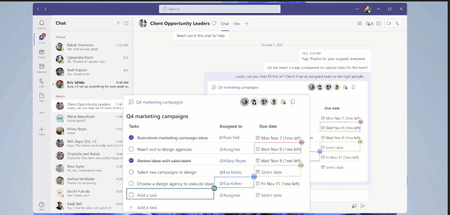
- 3 MIN READTask management while collaborating has never been easier. Now tasks created via Loop components sync across Microsoft 365 apps like Microsoft To Do, Microsoft Planner, and Tasks app in Teams. ...May 10, 202322KViews4likes7Comments
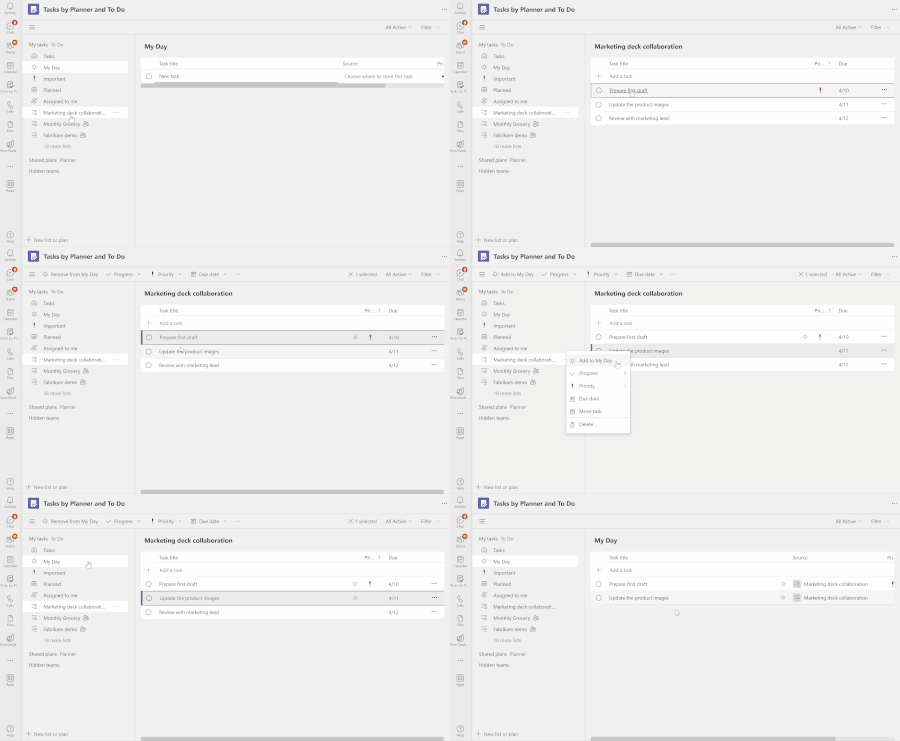
- 2 MIN READFeeling overwhelmed by tasks from multiple sources and struggling to stay organized? We have great news for you! We are thrilled to introduce the 'My Day' view in the 'Tasks by Planner and To Do' app...Apr 04, 202337KViews4likes37Comments