'TO DO' MICROSOFT *STAFF*
Is there a Microsoft staff member who's a specialist in To Do, pls? When you only get support staff who aren't familiar with To Do, and even the support page applies to an old version, it's necessary to give this feedback to a line mgr. They also need to view 2 transcripts from me that highlight all the extra work they're creating for themselves. Does anyone have an email address for the To Do support mgr? By PM if prefer.134Views0likes0CommentsFlagged emails come to Microsoft To-Do
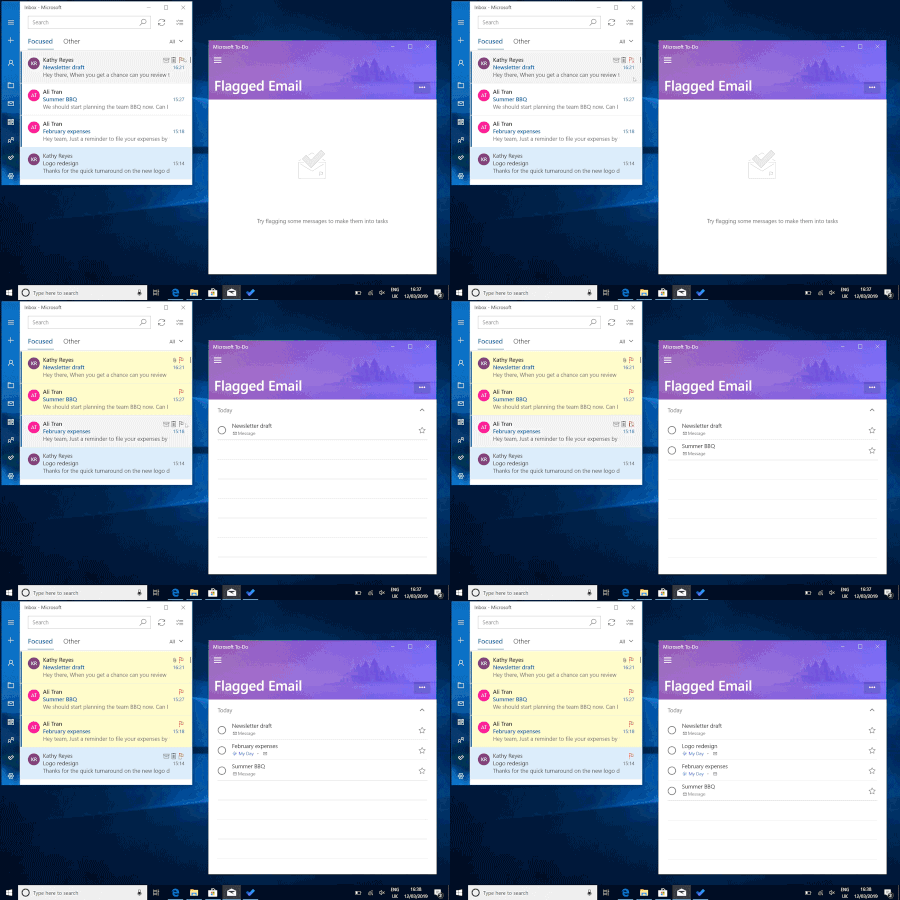
Microsoft To-Do is always here to help you plan your day, but sometimes an inbox full of urgent emails can get in the way of careful planning. Don’t worry, with our latest update, you won't have to juggle your emails and your task list—you can now add your flagged emails to To-Do (for work and school accounts), giving you one unified view of what you need to accomplish today.85KViews38likes94CommentsFlagged emails not in Web version of ToDo
Hi Everyone, I've been using To Do connected to Planner / Tasks and Flagged emails for about a year. About 7 days ago To Do stopped showing me flagged emails in the Web version of the app In outlook when I filter on Flagged emails I see 3 emails When I click To Do and go to the web version https://to-do.office.com/tasks/flagged No items show up. Looking at the To Do settings - Connected apps / Planner = On - Connected apps / Flagged email = On - Help & Feedback / Sync = Synchronisation failed. If I click Sync I get the same message. In the Android App for the same account I can see the flagged emails. I'm trying to roll out use of To Do to 700 staff, but this issue is a deal breaker due to the workforce I'm rolling out to. Lots of staff use Flagged emails. Does anyone have a suggestion ? Has To Do been more unstable the past few weeks ? Many thanksSolved7.8KViews0likes6Comments